Hyperdeck Shuttle 2.0 - Another External Recorder Option

Avid DNxHD is 4:2:2 and 10 bit. You can´t edit with this files directly on FCP.
DNxHD in my opinion is similar to ProRes, we can choose different qualities in Mb/s as in ProRes you can choose LT, HQ n Intermediate...
If you are going to add a Samurai to your F3 and you usually work with FCP I think Samurai is better for you.
 
Spoke with Terry from Blackmagic today. These are definitely Avid MXF files. The Shuttle 2 has been shipping for several weeks, so it is possible that those in stock at various dealers might already be the new version. The question now is the easiest way to rewrap those MXF files as MOV to be read by anything other than Avid. But one dropped into a MediaFiles->MXF folder, the Avid Media Tool picks them up nicely.

Ned
 
I don´t understand BM anymore.

Why not Cineform that works like a piece of cake on every platform and in every NLE.
The have licensed Cineform since quite a while. Instead of this we get an other proprietary and complicated work around solution.

Frak
 
You can't - there are only few tools which understand DNxHD in MXF container and work well with files from AVID, but these files do not work with any of these tools.
ffmbc, CalibratedQ, Carbon Coder- nothing can read these files.
They are not exactly the same as AVID ones, otherwise there would be no problem.
 
Spoke with Terry from Blackmagic today. These are definitely Avid MXF files. The Shuttle 2 has been shipping for several weeks, so it is possible that those in stock at various dealers might already be the new version. The question now is the easiest way to rewrap those MXF files as MOV to be read by anything other than Avid. But one dropped into a MediaFiles->MXF folder, the Avid Media Tool picks them up nicely.

Ned

You can't - there are only few tools which understand DNxHD in MXF container and work well with files from AVID, but these files do not work with any of these tools.
ffmbc, CalibratedQ, Carbon Coder- nothing can read these files.
They are not exactly the same as AVID ones, otherwise there would be no problem.
 
its just like every other piece of gear out there, it starts off geared towards one specific platform, then slowly adopts everyone else. right now people who edit in Avid are really lucky. the DNxHD codec completely eliminates the need to import/transcode anymore. just like the Samurai started as ProRes (which Avid has to import) and then it adopted DNxHD.

So for me, I am stoked. but also bummed it doesn't have a record trigger. that would have made it almost perfect!
 
So for me, I am stoked. but also bummed it doesn't have a record trigger. that would have made it almost perfect!

Are you sure it won't be added via firmware update later? Because if I remember correctly black magic design was planning to add record trigger for the original hyperdeck shuttle too.
 
Last edited:
Free Resolve Lite for Windows can open Hyperdeck2 MXF files. They can be converted to other formats, which Resolve supports- uncompressed, v210, DPX, TIFF etc.
 
its just like every other piece of gear out there, it starts off geared towards one specific platform, then slowly adopts everyone else. right now people who edit in Avid are really lucky. the DNxHD codec completely eliminates the need to import/transcode anymore. just like the Samurai started as ProRes (which Avid has to import) and then it adopted DNxHD.

So for me, I am stoked. but also bummed it doesn't have a record trigger. that would have made it almost perfect!

i imagine the addition of DNxHD was a response in some ways to FCX and the concern over investing in a ProRes workflow for the long term.
 
Are you sure it won't be added via firmware update later? Because if I remember correctly black magic design was planning to add record trigger for the original hyperdeck shuttle too.

I have know idea. I was responding to a post a couple pages back mentioning no record trigger. that was the first I had heard of it. it would be sweet if they did though!
 
i imagine the addition of DNxHD was a response in some ways to FCX and the concern over investing in a ProRes workflow for the long term.

more than likely. but with FCP still hanging around, I am sure ProRes will be released as well.
 
Ok so am I to understand this correctly... there is no free way to be able to use these files on a MAC in FCP??? I see no way for this to happen. The "free" thing that they posted on here was a binary code thing, requires you to know what you're doing and didn't even seem like it was for MAC...

Am I missing something here?
 
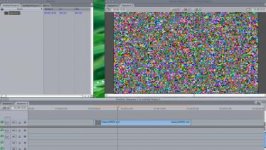
By the way, just downloaded the demo of "Calibrated Q" It DID NOT work. Look at this screen grab:

Screen shot 2012-01-24 at 6.23.13 PM.jpg

Unless thats what was supposed to be shot... this didn't work either.
 
the "free thing" being the test file that was posted? As far as I know, there is no way to convert an Avid MXF to anything else. its a file structure just for AVID. it is for mac AND pc, but only if you use Avid.
 
ffmbc, neither CalibratedQ, neither Carbon Coder (all work like a charm for MXF files from AVID) can understand streams from Hyperdeck2.

Only tool, except AVID, which works with these files is Resolve- there is free (Lite) version for PC and MAC.
 
the "free thing" being the test file that was posted? As far as I know, there is no way to convert an Avid MXF to anything else. its a file structure just for AVID. it is for mac AND pc, but only if you use Avid.

There is- MXF files exported (or created during digitalization) from AVID are not a problem for few tools including ffmbc (I use it every day)- but HyperDeck files are!
 
Thank you kolak for free the DaVinci Resolve recommendation! I was able to play the .mxf HyperDeck files I captured on both Mac and PC versions of DaVinci Resolve Lite. On the Mac I can Render and Export a ProRes HQ file that plays and edits fine in Premiere, Final Cut 7 and Final Cut X. It's more like a transcode, not a re-wrap, so it can be time intensive. It was fast on my Mac. I also tested with Premiere and After Effects 5.5 on the PC with an exported .mov from Resolve.

I'm excited now. We have 12 V2 Shuttles coming into our store on Friday if anyone is interested in picking one up from a DVXuser sponsor http://www.dvestore.com/blackmagic-design-hyperdeck-shuttle-2/ If you order anywhere else just make sure the part # is HYPERD-PT2 There are still a lot of non-DNxHD upgradeable V1 units in the channel so make sure to get the right one.

You can download the free DaVince Resolve Lite beta here http://blackmagic-design.com/support/ Note that some machines may or not be up to par as there are RAM and CUDA requirements to run Resolve.

Now we just need to figure out some battery options for this puppy.
 
It's more like a transcode, not a re-wrap, so it can be time intensive. It was fast on my Mac.

Is there a "batch" method that could be used to trasncode multiple files? otherwise this means you'd have to take a lot of time just to get a few files "transcoded"
 
Is there a "batch" method that could be used to trasncode multiple files? otherwise this means you'd have to take a lot of time just to get a few files "transcoded"

Yes, with Resolve you can point your directory to a batch to "Import" and you can Render out "individual" clips in a batch. It took seconds to output 7 clips so it appears to be faster than real time on a 6 core Mac. There is a gotcha. You do have the audio files separate. They are named the same with V for Video and A1, A2 etc for audio, so it's easy to marry the two back together in FCP and other apps. While still not a perfect solution, I'm still stoked. Hopefully BM will just implement the Cineform and ProRes codec or wrap the .mxf files in a .mov for us.
 
Back
Top