
Navigation
Install the app
How to install the app on iOS
Follow along with the video below to see how to install our site as a web app on your home screen.
Note: This feature may not be available in some browsers.
More options
You are using an out of date browser. It may not display this or other websites correctly.
You should upgrade or use an alternative browser.
You should upgrade or use an alternative browser.
Magic Lantern enables 14-bit RAW CinemaDNG on 5D
- Thread starter refocusedmedia
- Start date
I shot with the June 2 build. Something strange happened with June 3 so I wouldn't trust it in the field.
I haven't been playing with the 1:1 crop much, did you try the 5x zoom button?
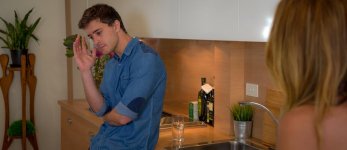
Teaser from today, very rough grade ACR + film convert.

Beautifully sharp. Yes, definitely looking pro. Good job.
What was the filmconvert profile that you used?

OlegKalyan
Well-known member
Great, thank you, Squig!
Bassman2003
Veteran
Dusty,
Do you think it will be possible to use a custom DNG profile in Lightroom when working with 5D RAW footage? The Adobe custom DNG profiler is a great tool but it is based upon a camera profile. So it is selected in LR where "embedded" was locked. I have a custom DNG profile made for each one of my lenses and bodies. So I never use the calibration sliders or rarely HSL sliders because the color profile has the adjustments already. This would be a major tool to be able to dial in the correct color for video footage. I also noticed the lens corrections where greyed out. Hopefully these features will be activated going forward because they are great tools that RAW conversion allows.
Do you think it will be possible to use a custom DNG profile in Lightroom when working with 5D RAW footage? The Adobe custom DNG profiler is a great tool but it is based upon a camera profile. So it is selected in LR where "embedded" was locked. I have a custom DNG profile made for each one of my lenses and bodies. So I never use the calibration sliders or rarely HSL sliders because the color profile has the adjustments already. This would be a major tool to be able to dial in the correct color for video footage. I also noticed the lens corrections where greyed out. Hopefully these features will be activated going forward because they are great tools that RAW conversion allows.

squig
Veteran
Beautifully sharp. Yes, definitely looking pro. Good job.
What was the filmconvert profile that you used?
I'm using the Kodak Portra 400 stock with a visiontech LUT and a bit of tweaking in ACR. I'm still working on the grade, it's looking even better. This camera is dope!
Shot the whole scene with the SMC Pentax-A 35-105mm stack of primes, it's almost like a stack of Leicas, pretty damn good for $200.
Last edited:
squig
Veteran
https://docs.google.com/file/d/0BzJ3L6nv6Fn0dmhkN0dsSFdtd1U/edit?usp=sharing
There's daylight, tungsten, and 5500k LEDs.
There's daylight, tungsten, and 5500k LEDs.

dustylense
Veteran
Lightroom:
With Film Convert keeping skin tone on vector scope line:

With Film Convert keeping skin tone on vector scope line:
Last edited:
dustylense
Veteran
Not sure. I'll look into it. But for now if I were to set up profiles (we'll call them LUTS for film purposes) I would just import into LR, calibrate to your liking and save those presets in LR.Dusty,
Do you think it will be possible to use a custom DNG profile in Lightroom when working with 5D RAW footage? The Adobe custom DNG profiler is a great tool but it is based upon a camera profile. So it is selected in LR where "embedded" was locked. I have a custom DNG profile made for each one of my lenses and bodies. So I never use the calibration sliders or rarely HSL sliders because the color profile has the adjustments already. This would be a major tool to be able to dial in the correct color for video footage. I also noticed the lens corrections where greyed out. Hopefully these features will be activated going forward because they are great tools that RAW conversion allows.

Samuel H
Major Contributor
* I like Squig's grade better: it's warm overall, but dustylense's one seems too neutral, too aseptic
* Squig: those words comparing a $200 lens set with the Leicas sound really strong, knowing that you do own the Leicas too. You've got my attention now... please elaborate!
* Squig: those words comparing a $200 lens set with the Leicas sound really strong, knowing that you do own the Leicas too. You've got my attention now... please elaborate!
squig
Veteran
I wanted to get a zoom for ages but the Leicas were all too expensive or the wrong focal length. I heard about the "stack of primes" on the MFlenses forum. It's got a bit of CA but it's almost as sharp as a Leica and it has very Leica like bokeh and that Leica 3D rendering vibe. It's got a macro mode too. Really handy lens for run and gun missions. I used it at the zoo too.
I guess dustys skin is accurate but I don't do accurate, I've never used a scope in my life. rogar-BigGrin(DBG) I'm really liking this Kodak P400 stock.
I guess dustys skin is accurate but I don't do accurate, I've never used a scope in my life.
rogar-BigGrin(DBG) I'm really liking this Kodak P400 stock.If you don't like neutral then you won't like this! xD

Now a stupid question: are you one hundred percent sure that there's no sharpening being added when you turn sharpening up in your 5D? Here's why I ask you this:
Zero sharpening added in post (None in camera)

Mild sharpening added in REsolve (CinemaDNG conversion)

EDIT: Now that I think about it, it may be the difference between Raw2DNG and using the CinemaDNG converter. The stuff I shot yesterday seems much softer/less sharpened "Out of the box" so to speak?
Maybe just seeing things, but trying to learn more about this thing in the even -- that will arise, someone wants me to use it on a shoot.
Now a stupid question: are you one hundred percent sure that there's no sharpening being added when you turn sharpening up in your 5D? Here's why I ask you this:
Zero sharpening added in post (None in camera)
Mild sharpening added in REsolve (CinemaDNG conversion)
EDIT: Now that I think about it, it may be the difference between Raw2DNG and using the CinemaDNG converter. The stuff I shot yesterday seems much softer/less sharpened "Out of the box" so to speak?
Maybe just seeing things, but trying to learn more about this thing in the even -- that will arise, someone wants me to use it on a shoot.
squig
Veteran
Hehe, na don't like that either but each to his own. I think you could play for hours in resolve and struggle to get what you can with film convert and ACR in a few minutes.
In camera sharpening has no effect on raw files, I turned the sharpening up for this shoot and the shots look the same as everything else I've shot. I leave sharpening on the ACR default 20 except maybe when I'm doing a lot of denoising. I only have to denoise if I underexpose.
In camera sharpening has no effect on raw files, I turned the sharpening up for this shoot and the shots look the same as everything else I've shot. I leave sharpening on the ACR default 20 except maybe when I'm doing a lot of denoising. I only have to denoise if I underexpose.
Oh okay then it's the 20 sharpening in ACR that's doing that. Looks like most people are leaving it on.
I will admit, film convert is good at fixing flat shots, but even still it requires some tuning/relighting if it's flat. Still, it's an easier task there than doing the harder work of relighting a shot in R9. Edit: Unless flat is the goal then of course not.
I will admit, film convert is good at fixing flat shots, but even still it requires some tuning/relighting if it's flat. Still, it's an easier task there than doing the harder work of relighting a shot in R9. Edit: Unless flat is the goal then of course not.
Last edited:
squig
Veteran
I will admit, film convert is good at fixing flat shots, but even still it requires some tuning/relighting if it's flat. Still, it's an easier task there than doing the harder work of relighting a shot in R9. Edit: Unless flat is the goal then of course not.
The trick is to light the scene right in the first place :cheesy: I didn't have time to light this one as well as I would have liked, there's some reflections on the cupboard doors, but all I've really had to do is create a LUT in ACR that suits the visiontech LUT in film convert plus some minor corrections. I spoke to one of the guys from Visioncolor a few days ago and he confirmed they are working on a profile for ACR.
If you want to replicate a particular film stock (which has always been my ultimate goal) then FC is the bomb. You can always use FC in conjunction with another grading tool for more stylised looks too.
Last edited:
squig
Veteran
Better still https://vimeo.com/67542994 CinemaDNG with realtime playback as an NLE plugin with full ACR type control, that's where we're headed.

Surf it Mike
Well-known member
Congrats ML for this hack......
What I find interesting is how on this forum we hear too often that raw workflows are "not needed for 1080" or "just too expensive" or you need "Terrabytes of HD storage"or you need a computer system "thats worth 10K " to effectively handle the thru put. This was all raised in a recent thread for a competitors product.
So the big question ......what has changed ?
What I find interesting is how on this forum we hear too often that raw workflows are "not needed for 1080" or "just too expensive" or you need "Terrabytes of HD storage"or you need a computer system "thats worth 10K " to effectively handle the thru put. This was all raised in a recent thread for a competitors product.
So the big question ......what has changed ?
squig
Veteran
When I got my MK2 I shot stills and thought 'Ahh man if only the video looked this good". Now it does, that's what's changed. Not everybody needs that kind of quality or wants to spend the money in post to attain it. And yeah you're still looking at around 10k for a decent raw post setup.