HMC150 questions answered...

Have you seen the footage played in its native format on an HDTV? I don't know about the videomaker footage, but I just shot some stuff using a Letus Ultimate, at night, with wonderful rich grainless blacks. At least, that's how it looks on my LCD TV played through HDMI. Can't speak for how it'll look after Voltaic or FCP or some other conversion gets through with it, but it looks fantastic.

There will always be some grain in any video footage from any 1/3" camera. I'd put the noise level of the HMC150 squarely up against an EX1 any day. It doesn't look as noiseless as a $48,000 HPX3000, but then again neither does an EX1. But compared to an HD100, XHA1 or HVX200, it looks practically grainless. And certainly far less grainy than film.

Barry, I trust your assesment, which is why I think it's probably the transcoding of the avchd that is causing the macroblocking. I know"grain" noise, and that isn't what I'm talking about. It's a "pixelizing" in the sky part that I'm seeing. I guess this could be overcome right now by importing directly through hdmi, not a perfect workflow, as time consuming as capturing tape, but workable if the pixelizing is avoided.
 
Barry, I trust your assesment, which is why I think it's probably the transcoding of the avchd that is causing the macroblocking. I know"grain" noise, and that isn't what I'm talking about. It's a "pixelizing" in the sky part that I'm seeing. I guess this could be overcome right now by importing directly through hdmi, not a perfect workflow, as time consuming as capturing tape, but workable if the pixelizing is avoided.
I can guarantee you that watching this stuff out of the HDMI, there is absolutely no pixelization at all whatsoever in any way, shape, or form. At all. Zero. None.

There is some video noise, but no compression pixelization at all. And the video noise is extremely low; an HVX or HD100 or XHA1 user would probably think there was no noise whatsoever.

Try burning the files to a blu-ray player and looking at it that way; I don't have a blu-ray player but it's my understanding that you should be able to play AVC-HD files directly on blu-ray. Or, if you have a PS3 or a Panasonic Plasma TV, you could put the files on an SD card and play them that way.
 
Barry,

Tried it using the structure you laid out above, and same error. Nothing in the folders except for STREAM. Same when I used the standard Videomaker (Panasonic) structure which was

PRIVATE/AVCHD/AVCHDTN/BDMV/CLIPINF/PLAYLIST/STREAM
This is wrong structure. Look here: http://en.wikipedia.org/wiki/AVCHD

AVCHD_actual_file_structure.jpg
 
* I assume that 720p comes off as true progressive whatever the frame rate, what about 1080p? Does 1080p24 come as true progressive, or is it telecined like Canon stupidly does in its AVCHD models?
* In case of 25p/30p is a true progressive or PsF-style video? Does not make any difference for editing, but requires you to remember what mode did you shoot in, instead of having software to do the job for you. Also, if it is PsF-like video, is it vertically filtered for playback on TVs or not (AFAIK, Canon cameras do not filter).
* The samples look great in terms of color, artifacting and I guess latitude seems good as well, but they are soft. I might got used to oversharpened HD, but the cheap Canon HF100 puts out a sharper and more detailed picture in 1080p30. What is your take on that? Do you think Canon oversharpens the image? But it is not just sharpening, it is sheer amount of detail. I had the HF100 and I have the SD1 now, the latter is comparable to your samples despite twice lower bitrate. Do you think that pixel-shifting 500K-chips are enough for this camera? It seems to me that these low-res chips are a limiting factor in the resolution, because I don't see more detail in your 24Mbps clips than in 1080i60/13Mbps clips from my SD1, though I admit that I see no artifacting either.
* Related to the previous question, what is your opinion on higher bitrate the HMC150 has? It seems to me that the main benefit is artifact-free image, but it does not really increase amount of detail which is limited by low-res chips.
* Do you think the chips are adequate? Would you prefer bigger chips or CMOS instead of CCD?
* First clips in the harbor are noisy. How dark was it outside? Was it full auto? Have you compared sensitivity to, say, DVX and HV20?
* What about recording time? The SD1 can record 4GB at most, than it stops and does not start a new file automatically. Also, it records in 4GB chunks, not in 2GB chunks like the Canons. Have Panasonic fixed the problem with stopping after 4GB?
* When you hot-swap cards, does it continue the numbering on a newly inserted card, or does it always start with "00001.MTS"? This drives me nuts in the SD1 and there is no option to choose other naming scheme.

Thanks!

EDIT: removed questions about 25p. BSPlayer reports 25fps, but when checked "video info" it reports 23.98 atual frame rate. Sorry for that.
 
Last edited:
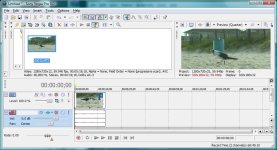
Vegas 8.0b Pro opens Barry's files with no problems. It is slow on my machine, but I have a slow video card. Regular 13-17Mbps AVC is slow as well. So, this stuff works with Vegas.
 

Attachments

  • veg-HMC150.jpg
    veg-HMC150.jpg
    114.5 KB · Views: 0
Last edited:
Is the latest structure working for people? I think the stuff on the website now should match the structure from the SD card...

Barry:

is it possible to just provide a folder intact with the hierarchy from cam in zipped format so we can download just that?

Then everything would be intact.
 
* I assume that 720p comes off as true progressive whatever the frame rate, what about 1080p? Does 1080p24 come as true progressive, or is it telecined like Canon stupidly does in its AVCHD models?
No, it's straight-up progressive. There is no pulldown of any type in the HMC150.

* In case of 25p/30p is a true progressive or PsF-style video?
True progressive.

* The samples look great in terms of color, artifacting and I guess latitude seems good as well, but they are soft. I might got used to oversharpened HD, but the cheap Canon HF100 puts out a sharper and more detailed picture in 1080p30. What is your take on that?
I had the detail level turned down pretty low, I like soft organic film-looking images. I could try cranking the detail level up on some later shots. It's possible that the multi-megapixel canons could produce footage equally sharp or even sharper, I'd have to try.

Do you think that pixel-shifting 500K-chips are enough for this camera?
I think they're plenty enough to make gorgeous footage. If you want the ultimate in sharpness though, you might want to look at the EX1.

* Related to the previous question, what is your opinion on higher bitrate the HMC150 has? It seems to me that the main benefit is artifact-free image, but it does not really increase amount of detail which is limited by low-res chips.
I think the footage I'm seeing looks fantastic, regardless of how many pixels there are here or there. The higher bitrate would only really be a factor in compression artifacting, not in detail.

* Do you think the chips are adequate? Would you prefer bigger chips or CMOS instead of CCD?
Everyone would always prefer bigger chips whenever possible. I have no fondness for CMOS over CCD, and in bigger chips neither does anyone else (almost all expensive cameras use CCD instead of CMOS, like the F23, HPX3000, Dalsa Origin, etc). CMOS does have a decided advantage in heat, which means in a smaller-chip camera you can pack in more pixels. I'm no fan of rolling shutter complications, so to ME I'd rather have a CCD. When technology advances to the point where CMOS has no rolling-shutter artifacting, I'll revisit the question.

* First clips in the harbor are noisy. How dark was it outside? Was it full auto? Have you compared sensitivity to, say, DVX and HV20?
Auto-exposure, and there's a little tiny bit of noise but *nothing* like an HD100 or HVX200 would have produced. Sensitivity beats the HV20 by about 2.5 stops. It's about 1/4 stop slower than a DVX.

* What about recording time? The SD1 can record 4GB at most, than it stops and does not start a new file automatically. Also, it records in 4GB chunks, not in 2GB chunks like the Canons. Have Panasonic fixed the problem with stopping after 4GB?
I haven't recorded 4GB in a row yet, but it's my understanding that it can record 12 hours in one continuous recording.

* When you hot-swap cards, does it continue the numbering on a newly inserted card, or does it always start with "00001.MTS"? This drives me nuts in the SD1 and there is no option to choose other naming scheme.
There is no hot-swapping possible, there's only one card slot. You can use the metadata to program in a user clip name that will have a unique name for every file regardless of what card it's on.
 
Vegas 8.0b Pro opens all files with no problems. It is slow on my machine, but I have a slow video card. Regular 13-17Mbps AVC is slow as well. So, this stuff works with Vegas.
Really? Dude... I think I'm still running 8.0A. I'll go update now. That would rock if it already has support for PH mode!
 
Here's a question for BG and others working with this AVCHD footage . . might you expect any issues putting the material into Pinnacle Studio 11 Ultimate ($130 @ Best Buy) and then exporting to a "file" say high res .AVI and then ingesting that file into say Avid or FCP (although the latter isn't realy .AVI friendly either)? Would there be any resulting losses or would this be a cheap and fairly quick medium for the meantime. I mean, if one can get the camera, what's a buck thirty right? Heck, buy the extra battery at a major retailer instead of the pro dealer and take the difference (usually around 70 to 100 bux) and pick up Studio . . it's fun to play with anyway on family videos :eek:)
 
Haven't tried Studio. They have Studio+ for $100, and Studio Ultimate for $130, both support AVC-HD (and they're up to version 12, so don't buy 11).

I would think you'd have an easier time just using the free Panasonic converter to convert the files into DVCPRO-HD/P2 files and then drag 'n' drop those files directly into Avid, versus using another NLE in the mix though.
 
There is no hot-swapping possible, there's only one card slot.
Oops, I thought that it has two slots. It's a pity, but not a dealbreaker with 32MB cards around the corner. Thanks for the answers!

In regards to "filmic" not-too-sharp look, I agree that video looks very filmic, colors are great and gradual changes in color are very smooth. It just lacks some detail. You know, you turn on evening show or news and you can feel the resolution. To me, your samples look more like quality DVD movie, but does not strike me as HD. Again, I might get used to oversharpened video, would be great to see what it looks like when you turn sharpening up.

2.5 f-stops over the HV20, this is huge! With such great sensitivity one can forgive low-res sensors.

Yes, that's [zipping a whole directory structure] what I'll do for the next footage upload.
Not sure that will be the best solution, especially if files are large. On the other hand, if bandwidth allows then why not. Vegas does not care about directory structure, it is happy with just MTS files.

Here's a question for BG and others working with this AVCHD footage . . might you expect any issues putting the material into Pinnacle Studio 11 Ultimate ($130 @ Best Buy) and then exporting to a "file" say high res .AVI and then ingesting that file into say Avid or FCP (although the latter isn't realy .AVI friendly either)? Would there be any resulting losses or would this be a cheap and fairly quick medium for the meantime.
Why quote marks around "file"? AVI is just a container. You can use a losless codec like Lagarith, or moderately lossy codec like CineForm or some other lossy codec.
 
Haven't tried Studio. They have Studio+ for $100, and Studio Ultimate for $130, both support AVC-HD (and they're up to version 12, so don't buy 11).

I would think you'd have an easier time just using the free Panasonic converter to convert the files into DVCPRO-HD/P2 files and then drag 'n' drop those files directly into Avid, versus using another NLE in the mix though.

We really didn't have any issues with seeing both your footage and the Videomaker material, we were just wondering for others who are seemingly having some issues, using Studio for a puesdo transcoding method (in a sense) or for that matter for simplified editing (after all pretty inexpensive solution for the moment until the other NLE's get "on board") this would be a solution in the interim; that is, unless exporting the material to an .AVI or other file would harm the digital content. Again, we don't need it just a thought for those who are indicating some complications OR maybe getting some transcoding issues and therein wondering if there would be any converting to an AVI ?

Thoughts?
 
. . . Why quote marks around "file"? AVI is just a container. You can use a losless codec like Lagarith, or moderately lossy codec like CineForm or some other lossy codec.

Quotes were just for highlight instead of some other disc or ?? that's all. Also ifLagarth and/or CineForm are equally as cheap as Studio for ~100 bux, then sure, why not?
 
Last edited:
I spent an hour reconstructing the folder hierarchy and downloading all the original files on a Mac.

I had it exactly as the videomaker PRIVATE folder, which imported into FCP 6.0.4 without issue.

Barry's individual files, even with the exact hierarchy and naming, wouldn't import.

I do note that the Videomaker PRIVATE had different icons for the thumbs, the index, the MOVIEOBJ, the CLIPINF, and the PLAYLIST.

Barry's were white, and these were a darker color, almost black.
 
that would be sweet if Vegas opens 1920x1080 PH mode Panasonic AVCHD, I didnt try it since this is what it says at Sony...

"Added support for reading 1920x1080 AVCHD video. 1920x1080 AVCHD files created by Panasonic camcorders are not currently supported. "

I did manage to convert barry's beach clip through TMPGENC as a 1280x720 24p MPEG2 file and it looked great. No percievable loss in quality... but Im still learning TMPG and there may be some settings I could tweak to get the best reproduction (any suggestions?)

cranky- did all of barry's clips load in vegas, and were any of them PH mode?

thanks-
Ed
 
I spent an hour reconstructing the folder hierarchy and downloading all the original files on a Mac.
Is your network slow, or you just cannot type fast enough? :)

I do note that the Videomaker PRIVATE had different icons for the thumbs, the index, the MOVIEOBJ, the CLIPINF, and the PLAYLIST.
Icons? From a BD-player perspective, you need index.bdm and movieobj.bdm in BDMV directory and clipinf and playlist files for the whole boondogle to work. But it is hugely unreasonable from an NLE to require full directory structure. I am really surprised that you cannot load individual files.

--

I was thinking about filmic look and low-res chips, and about Canon cameras. Judging by Barry's footage and by my Panasonic SD1 footage and by footage from the HF100 that I had, it seems that Panasonic cameras have less contrast than Canon. This footage looks almost like Canon's Cinemode. Who uses Cinemode? Aspiring filmmakers and those who crave film look. Therefore, the HMC150 will work best for those who want film look, period.

If you want sharp look you need to crank up contrast, this is one of the axioms of imaging/video. But even with higher contrast the low-res chips won't produce detail from nowhere. So, low-res chips and flatter gamma naturally go hand in hand, likewise hi-res chips allow for steeper gamma. Both approaches have benefits. Panasonic approach works for those who don't need supersharp high-contrast look, but appreciate sensitivity. I think that this camera will never be able to produce high-detail look just because the chips are not up for it. On the other hand, Canon's higher-res chip allows jacking up contrast and preserving/revealing details caught by the chip.
 
Back
Top