GH2 100Mbps Flow Motion v2 Patch - Banding & Blocking Be Gone!

i didn't have spanning problems because all clips were max 3 min... i'll see this weekend what happens.
regarding interlacing artifacts, i just can't get them to go away. I have a gh1, a gf1 and a gf2 , and i have no problem in fcp selecting "none" as field dominance on their clips and put them on a progressive timeline.. if i do the same with gh2 footage i get the interlaced scan lines and any movement will result in absolute crap... i also tried with clipwrap , but had the same result...
 
tomorrow i'll try the variable rate... trouble is the flipping interlace encapsulation.. there is something different in the gh2 and i can't get FCP to treat the footage as progressive.
 
My understanding is that in PAL mode the GH2 with the ver 1.1 firmware + patch will output 25P

OK, I just tried switching to PAL mode...

24P Mode = 24P Mode

HBR Mode = 25P Mode embedded in a 50i stream

80 Percent Variable Mode = 24P at 0.80 speed = 30P at 1.00 speed


...So HBR Mode will give you 25P that you have to pull out of a 50i wrapper.
 
...So HBR Mode will give you 25P that you have to pull out of a 50i wrapper.
In practice, your video editor will do this for you, as long as it knows that the footage is actually progressive rather than interlaced. The problem is that the GH2's progressive HBR files are indistinguishable from its interlaced FSH files, and since the file wrapper is interlaced, most editors will assume the footage is interlaced as well. When importing HBR files into Adobe Premiere and After Effects, you need to use the Interpret Footage dialog to manually set the Separate Fields property OFF.
 
In practice, your video editor will do this for you, as long as it knows that the footage is actually progressive rather than interlaced. The problem is that the GH2's progressive HBR files are indistinguishable from its interlaced FSH files, and since the file wrapper is interlaced, most editors will assume the footage is interlaced as well. When importing HBR files into Adobe Premiere and After Effects, you need to use the Interpret Footage dialog to manually set the Separate Fields property OFF.

and FCP 6 just can't manage to understand how to do it... i set field option to NONE on the clips, but still i get interlaced crap... i do have also premiere but am not comfortable yet editing with it.
 
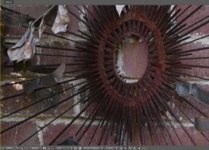
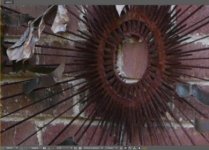
Comparison of Flow Motion v2 and Apocalypse Now Boom Flat 4s, both in 1080p 24H video mode. Original, unedited MTS files can be downloaded from the Vimeo pages.

Flow Motion v2.02 - 24H mode:

Apocalypse Now Boom Flat 4s - 24H mode:

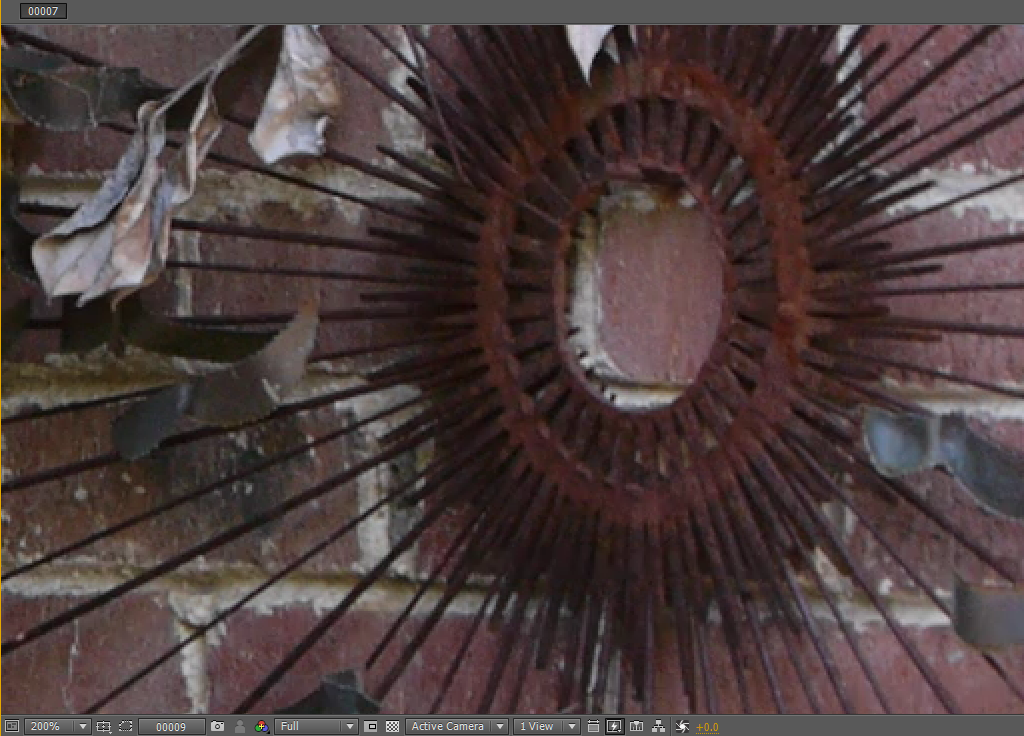
Flow Motion v2.02 - 24H 200% crop:
ff71f8f7bd4f5387187b496828578e.png


Apocalypse Now Boom Flat 4s - 24H 200% crop:
0b399d7d0e76980d39e977a6ddc47d.png
 

Attachments

  • Flow Motion v2 24H.jpg
    Flow Motion v2 24H.jpg
    19.9 KB · Views: 0
  • Boom Flat 4s 24H.jpg
    Boom Flat 4s 24H.jpg
    18.9 KB · Views: 0
Comparison of Flow Motion v2 and Apocalypse Now Boom Flat 4s, both in 1080p 24H video mode.

Hey Lee,

Your FlowMotion 2.02 patch is holding up very well on the GH2. I've shot a bunch of small projects with it and the results were great.

Thanks for sharing your hard work with us.
 
I see you mentioned Flow Motion 2.02's 60Mbps 24L mode. In PTools it shows the bitrate at 32.5 - is that simply the average and not the peak?
 
I see you mentioned Flow Motion 2.02's 60Mbps 24L mode. In PTools it shows the bitrate at 32.5 - is that simply the average and not the peak?
Complex patches like Flow Motion v2 use a variety of techniques to regulate the bitrates produced by each video mode. The "24L Video Bitrate" setting you see in PTool is one of several factors that interact to determinine the peak bitrate. If you examine a 24L video in Stream Parser, you'll see that its peak bitrate is around 60Mbps, as are FH and H mode as well.
 
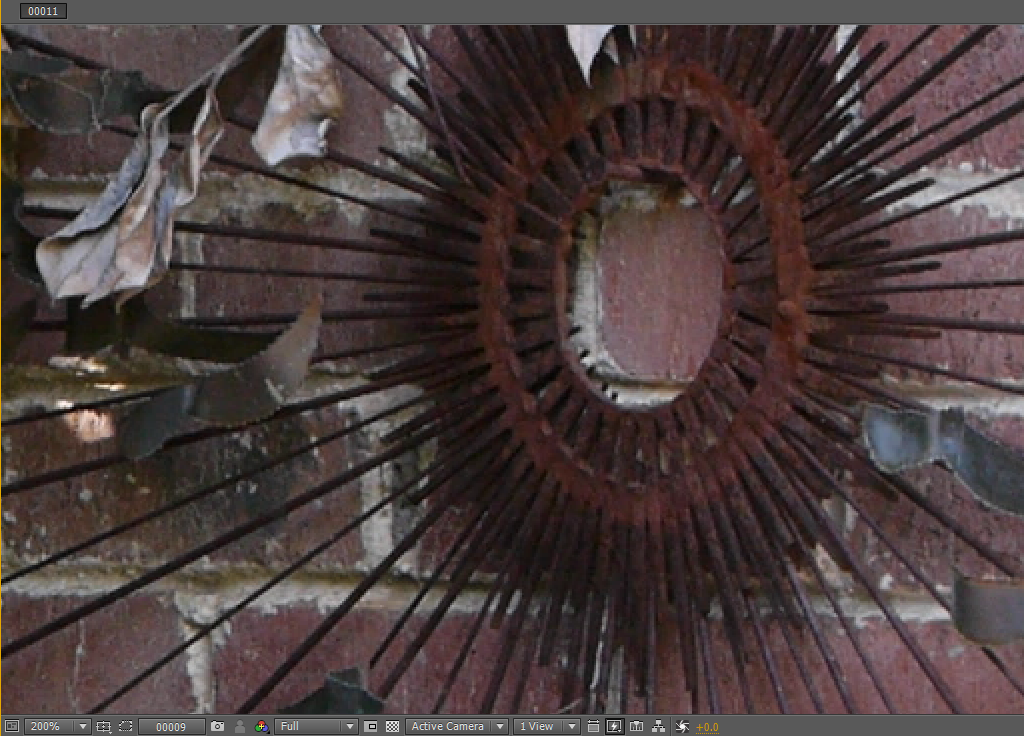
I use bricks now to test lenses, cams, hacks etc--very good for microtextures. The "rusty eye" or sun sculpture is cool. This is pixel peeping, but I like the microtextures in Flowmotion. But it is a small difference.
 
I use bricks now to test lenses, cams, hacks etc--very good for microtextures. The "rusty eye" or sun sculpture is cool. This is pixel peeping, but I like the microtextures in Flowmotion. But it is a small difference.
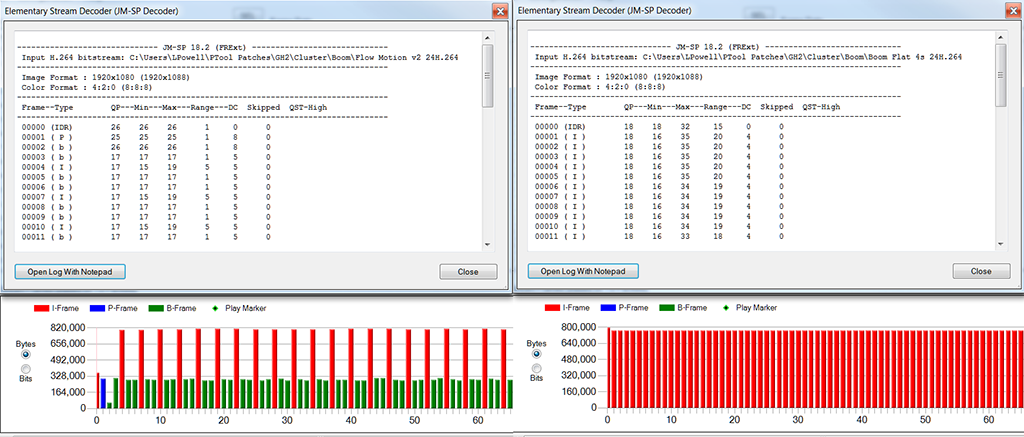
The discrepancies in the details in the rusty sculpture are due to a significant difference in the macroblock quality ranges of the two patches. Using Stream Parser, we can examine their encoding properties in detail. In the screen shot below, the Flow Motion v2 chart is on the left and the Apocalypse Now Boom Flat 4s chart is on the right:

387df6c2c62aeff80987b562d3e452.png


Many of the statistics in these charts are similar - the QP and DC columns (which measure peak image quality) are close to the same (and as Chris Brandin explained earlier, DC values below 5 produce no further perceptible improvement in image quality). The differences that stand out are in the Max and Range columns, which indicate the worst case image quality. It can be seen here that Flow Motion v2 permits only a narrow range of QP factors, maintaining consistent image quality within the macroblocks of each frame. Apocalypse Now Boom Flat 4s extends into a much wider range of QP factors, allowing image quality to become very coarse among many of the macroblocks in a frame. Even at 150Mbps peak, there doesn't appear to be enough available bitrate to encode all the details in the Flat 4s matrix at the intended level of image quality.
 
Newbie to Hacks/patches....question.

I just loaded FM 2.....in my GH2 (my first attempt at altering stock GH2)
Under version number it still reads ver: 1.1 and lens ver 1
I assume that's because FM 2 is a "patch" to Panasonic's ver 1.1 firmware....correct??
If not, I must have made an error in loading FM2
Is there anyway to verify FM2 is loaded other than comparing clips?
Thanks,
Jeff
'
 
That's correct, the version number won't show you that the patch is installed. One way you can tell with Flow Motion v2 is to put the camera in Creative Movie Mode and push the ISO button. If you're able to select ISO all the up to 12800, the patch has been successfully installed.
 
Back
Top