GH2 100Mbps Flow Motion v2 Patch - Banding & Blocking Be Gone!

GH2 Flow Motion v2.02 Update

  • 4GB File-Spanning in HBR 25p, 24H, & 720p with 95MB/sec Class 10 SD cards
  • Improved reliability in SH 720p60 video mode

With this update, Flow Motion v2.02 has been tested and verified to span reliably across multiple 4GB MTS files, providing extended and uninterrupted recording time on large SD cards. As with previous versions of Flow Motion v2, file-spanning is supported on all Class 10 SD cards in the 60Mbps 24L, FH, and H video modes in both NTSC and PAL frame rates. In addition, 95MB/sec SD cards will span reliably in 100Mbps 24H and SH video modes, and will also span in PAL HBR and FSH modes. (In other words, the only modes not supported for 95MB/sec SD card spanning are NTSC HBR and FSH modes. These modes will record reliably up to the 4GB file size limit.)

Flow Motion v2.02 also features improved reliability when shooting extremely high-detail scenes in NTSC 720p60 SH mode. The stability adjustments made to 720p60 mode do not impair its 100Mbps performance and have no effect on any of the other video modes.


To download the Flow Motion v2.02 Update, click on the following link:


http://www.dvxuser.com/V6/showthread.php?283724-GH2-100Mbps-Flow-Motion-v2-Patch-Banding-amp-Blocking-Be-Gone!&p=1986152355&viewfull=1#post1986152355
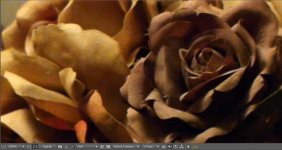
 
Flow Motion v2.02 Low Light Comparison

Flow Motion v2 maintains its finest quantization quality even in dim lighting situations. These frame grabs taken from a smooth panning shot compare FM2's performance in 1080p 24H, 1080p25 HBR, and 1080p30 MJPEG HD modes. These videos were shot two-stops underexposed, illuminated by a pair of 75W incandescent bulbs. The video gain of each frame was boosted by 50% in Adobe After Effects CS5.5, and the frame grabs were cropped at 200% resolution.

Flow Motion v2 1080p 24H mode, 200% crop:

Low Light FM2 24H 2X.jpg

Flow Motion v2 1080p25 HBR mode, 200% crop:
Low Light FM2 HBR 2X.jpg
Flow Motion v2 1080p30 MJPEG HD mode, 200% crop:
Low Light FM2 HD 2X.jpg
 
I'm pretty sure I had this patch on my GH2. Flipped to Manual mode to shoot SH at 60p. Camera kept stopping due to "limitation of the card" and froze. Had to remove battery...twice, once with a slower card and a second time with my faster Sandisk that never has problems with high bitrate Driftwood...

I assume this is not normal?
 
The GH2's 720p60 SH mode is less reliable than the other video modes, and with bright, high-detail subjects, it's possible for the camera to stop recording on rare occasions. If you need absolute reliability in 720p60 mode, I recommend using Flow Motion v2's 720p "H" mode, which has been tested to produce high quality video with a peak bitrate of 60Mbps. In all other respects, 720p H mode works exactly like SH mode, and is also tested to span reliably for extended recording times on 30MB/sec Class 10 SD cards.
 
Still amazed at how far you can push the color when the video is a bit underexposed with Flowmotion patch.
 
I recently acquired a Panasonic Lumix 45-175mm f4-5.6 X lens with auto-focus, OIS and motorized zoom features. This lens' auto-exposure features prompted me to put additional testing time into the GH2's more consumer-friendly modes and features. A number of Flow Motion v2 users have reported reliability issues when shooting 100Mbps 720p SH video in auto-exposure modes (i.e. P, A, S, or iA exposure modes, rather than the Creative Movie M exposure mode.) In addition, the GH2 offers a number of enhanced exposure features: auto-ISO, i-Dynamic, and i-Resolution settings which can be enabled in any video mode.

There's one hazard to using Lumix auto-focus lenses along with the GH2's auto-exposure features - in 720p SH video mode, recordings may fail sporatically and the camera may need to be restarted. To avoid this pitfall in auto-exposure modes, I recommend using Flow Motion's 60Mbps 1080i FH and 720p H video modes when using any combination of the following features:

* P, A, or S exposure modes or when shooting in iA mode.
* Auto-ISO mode.
* iDynamic auto-contrast mode.
* i.Resolution mode.
* Motorized zoom lens operation.

I've tested and confirmed these features to work reliably at 60Mbps in 1080i FH and 720p H video modes. In addition, all of the Gh2's automated features will work reliably at 100Mbps in 1080p 24H and HBR video modes, as well as in 80% Slow-Motion 24H modes. The 60Mbps FH and H video modes also support 4GB file-spanning on 30Mbps Class 10 SD cards, and produce excellent motion picture quality that is just a notch more compressed than Flow Motion's 100Mbps FSH and SH video modes.
 
This looks awesome! Many thanks!
Does it support full hd 24p (or 25p) 4:2:2?

No--the GH2 (whether hacked or not) is incapable of 4:2:2. The only exception might be using AVISYNTH, which seems like quite a hassle and at this point of hacking, it's not clear that the AVISYNTH route brings any real advantages over just a good hack. See the long sticky in this forum about that. Of course, gh2 can do 24p.
 
No--the GH2 (whether hacked or not) is incapable of 4:2:2. The only exception might be using AVISYNTH, which seems like quite a hassle and at this point of hacking, it's not clear that the AVISYNTH route brings any real advantages over just a good hack. See the long sticky in this forum about that. Of course, gh2 can do 24p.

Really? I could swear I´ve read it could support 4:2:2. What is the highiest color sampling the GH2 supports?
Does THIS specific hack variation allow for FULL HD 24p?
 
WRT 4:2:2 color depth, you may be thinking of the GH1, which can be hacked to record in 4:2:2 in MJPEG mode. There was initially a 4:2:2 patch for the GH2, but it never worked properly and has been removed from the current version of PTool. And yes, Flow Motion v2 supports Full HD 1080 recording in PAL and NTSC HBR and FSH video modes, as well as in 1080p24 modes.
 
Does anyone have a link for the firmware v1.1 binary file for GH2?

Also, after Loading the GH2 firmware v1.1, do I need to adjust any of the settings in the image below before clicking the "F" button?

Thanks!

versionincrement.jpg
 
@duder1234 - Looks like you've got all the files downloaded properly. To patch the GH2 firmware v1.1 with Flow Motion v2, all you need to do is click PTool's "F" button. Then click the "Save Firmware" button to write the patched firmware file to your hard disk.
 
80% Slow Motion is under the Variable Movie Mode option. When activated, the GH2 records in 24H (or 24L) mode at 30fps. However,the encoder marks the file's frame rate as 24fps. As a result, it is played back at 24p with an 80% slow motion effect. When recording in 80% Slow Motion mode at 30p, the encoder is producing 25% more frame data than in normal 24H mode. To handle this increased bitrate without loss of image quality, Flow Motion v2 will automatically boost its 24H bitrate from 100Mbps up to as high as 140Mbps, as needed. This "turbo" effect works only in 24H mode, and can be activated in normal 24p recording as well as in 80% Slow Motion mode. Its advantage over ultra-high bitrate patches is that it kicks in only when needed, and will record and play back properly in camera, just like normal 100Mbps Flow Motion v2 videos.
 
Back
Top