Adventures in the PSE

  • Thread starter Thread starter Guest
  • Start date Start date
Style

Style

Tomorrow starts the first day back using canon dslr for a while. Four more weeks of hours of shooting per day. I'll try different things out, and we'll see how they go. (EDIT - in a twist of events, I brought along a mac book with Lion installed, and was not able to play around with picture styles. Half way through shooting, I gained access to a PC with EOS utility installed, and was able to compare three different custom styles, which I will talk about below.)
 
Last edited:
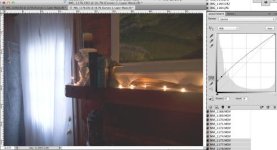
blxx.jpg
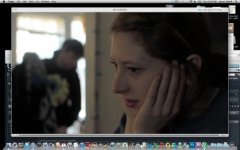
pic style: BLXX (Bump shadows - reduced contrast in highlights)

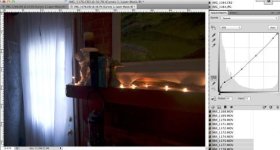
slight curve.jpg
pic style: R303 (Subtly altered curve. Almost like Canon default)

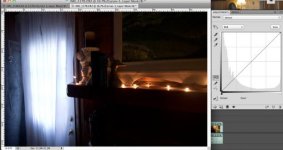
blxx_minus1.jpg
pic style: BLXX (Bump shadows - reduced contrast in highlights - Under exposed (much noise))

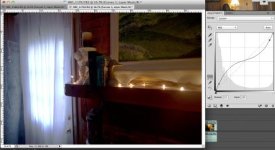
BLXX mimics a flat (inverted S) curve in the darker half of the spectrum. It has all the noise that flat profiles have. Most people using flat, I assume are shooting under ample lighting conditions, because after ISO320 noise becomes an issue with flat pic styles.

The idea behind this pic style was to increase the illusion of dynamic range by lightening the shadows, increasing the contrast in the shadows and decreasing the contrast in the highlights in order to emphasize a subject if they are in the darker region of the composition. With the shadows lightened and added contrast, I could theoretically underexpose and get more detail in the highlights, while retaining adequate look in the darker half of the image. The particular pic style I used for this, was rather extreme, and more to see how far I could push the curve.

The end result was useful for some applications, but limited by high noise. (noise is much more noticeable in underexposed areas)
 
Last edited:
But it does beg the question, if trying to bump up the shadows and underexposing to retain highlight detail adds so much noise, why not go with a more subtle curve? 95% of the time, if not more, using a more moderate curve and adjust contrast in camera is the way to go. But I do like bringing out subtlies with different pic styles.
 
This is the most in depth and clearly communicated study on picture profiles and the like that I have ever come across. For sharing it with everyone and making it so easy to digest, I say thank you, thank you, and thank you! Great write up!
 
This is the most in depth and clearly communicated study on picture profiles and the like that I have ever come across. For sharing it with everyone and making it so easy to digest, I say thank you, thank you, and thank you! Great write up!

Thank you!
 
Contrast vs Dynamic Range

Contrast vs Dynamic Range

Contrast vs. Dynamic Range: Follies of Over Using Flat Profiles

There are times when the light range in a scene does not extend beyond 8 stops. In those situations, using a flat profile, like cinestyle, is only going to start hurting the image. Better to use a profile closer to canon default contrast.

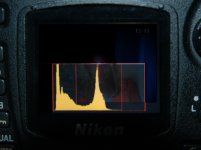
77843.image0.jpg
The picture above is a nikon, I will replace that later, but the concept is the same. The histogram shows that the image is only using 3/5 of the entire range of the camera's capabilities, with only 2/3 of that even being the most important part of the image. The image captured will already be flat looking if exposed properly. Using a lo-contrast profile or setting would only further degrade the image by causing further loss of gradation.

Using flat profiles on low contrast scenes give way to much potential banding in the image when post processed, or loss of detail and nuance when left ungraded.

A scene with low-contrast smooth gradients like this:
locon.jpg

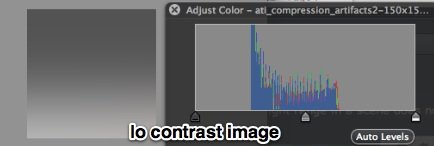
Could end up with gradient artifacts caused by flat picture styles like this when graded:
ati_compression_artifacts-150x150.jpg

And this will only be exaggerated with low contrast scenes.

(gradient images courtesy of crooked path: http://crookedpathfilms.com/blog )
 
Last edited:
Using the histogram to help determine the best picture style

Using the histogram to help determine the best picture style

While high contrast scenes with extreme shadows and extreme highlights which have a difference of 10 stops or more really benefit from inverted S-curve styles, by having shadow detail be made more visible,

Low contrast scenes can benefit from moderate contrast.

Using the histogram in video mode, you can gauge whether the scene really is using the entire dynamic range capabilities of the camera, or whether it is only using part of that range.

Following image display over-zealously low contrast image:
Screen Shot 2011-11-19 at 12.11.15 AM.jpg
(loss of subtle gradation in image)
 
Last edited:
A movie or similarly styled production will have the time and expertise to light in a way that works with the camera, and getting the best image from the capture format. However fast paced no-budget, ENG and documentary style will not always accommodate such care for the camera and vision of the camera operator. So, a flat image, contrary to common knowledge, is not necessarily the best method for no lighting filming.
 
A movie or similarly styled production will have the time and expertise to light in a way that works with the camera, and getting the best image from the capture format. However fast paced no-budget, ENG and documentary style will not always accommodate such care for the camera and vision of the camera operator. So, a flat image, contrary to common knowledge, is not necessarily the best method for no lighting filming.

DISCLAIMER
In these last few posts, I am coming dangerously close to promoting BAD cinematography. As a photographer (stills or motion) it is YOU who has to find the best image. Usually shooting in low contrast light makes boring flat images. So, technically, one shouldn't really be needing to add contrast in camera because, we generally are looking for 'shading' to give dimensionality to the 2D world.

So, I must clarify that I am not suggesting to add contrast where there is none, and there is a middle ground between super flat and high contrast, not everything is black and white.
 
Last edited:
What is your end format?

What is your end format?

What is Your Plan Anyway?

If your end target format is for the web or dvd, your shadow detail is going to get slammed anyway. Being eager to preserve shadow detail, only to crush the blacks in post and upload to vimeo, can be counter productive., as vimeo will just crush all that shadow detail you tried to preserve.

Consider your end format.
 
Last edited:
What a great thread!

In terms of readily available picture styles, (not creating one myself) what are your choices for each situation? For example:

Low light
Daylight
Hi contrast
Low contrast

I'm pretty new to all this so could do with a few decent starting points. I tried out Cinestyle and that worked out OK but might try the Marvel 3.4 also
 
What a great thread!

In terms of readily available picture styles, (not creating one myself) what are your choices for each situation? For example:

Low light
Daylight
Hi contrast
Low contrast

I'm pretty new to all this so could do with a few decent starting points. I tried out Cinestyle and that worked out OK but might try the Marvel 3.4 also

Perfect timing on your question, I am just going into that. I was testing the cinestyle next to marvel today, and in my short comparison, I found that cinestyle, actually is a completely different kind of picture style. It is well worth having in the arsenal, and I may potentially start keeping it on my camera.

The cinestyle is different from the other custom picture styles, even the marvel. it is essentially the holy grail of flat picture styles. Maybe because they worked with Canon directly they were able to get in and make changes properly.

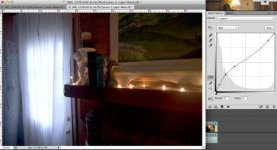
Go to this flickr account and check out the pictures showing different curve approximates of common picture styles. The images were created in photoshop, using a jpeg and a curves adjustment layer, they were NOT created in the PSE, but hopefully can give an visual idea of what these picture styles are doing.


EDIT: these examples are not accurate, just giving a sense of what is happening, by using the curves tool to emulate the look

CINESTYLE:
cinestyle_guess.jpg

R303:
r303.jpg

DEFAULT:
defaultcurve.jpg

SUPER FLAT:
superflat.jpg

SMART FLAT:
smartflat.jpg

Smart flat is a curve that helps with shadow detail, while leaving the highlights more natural looking and not suppressed, as that is little benefit to smashing them back down, and smashing the highlights can even hurt the image quality by underutilizing the codec.
 
Last edited:
What a great thread!

In terms of readily available picture styles, (not creating one myself) what are your choices for each situation? For example:

Low light
Daylight
Hi contrast
Low contrast

I'm pretty new to all this so could do with a few decent starting points. I tried out Cinestyle and that worked out OK but might try the Marvel 3.4 also

As of now, I use Neutral in warm low light conditions. It has the least orange in the skin tone range, and has the best shadow performance of all the styles, albeit very very very very slightly better shadow performance. And good noise performance.

I use R303 for most daylight situations. I like the skin reproduction on most people, and the blue and green values are more natural.

Cinestyle is a great tool for high contrast scenes, or when you want to suck out shadow detail from the ether. All profiles have approx the same dynamic range (except for subtractive curve profiles, which have less due to shadows being crushed can lose potential a whole stop), so you still have to make sure you are not overexposing and blowing out the highlights. I do not use it often, but want to start playing around with it more. Plus, if you're going to go through the post production workflow, you can add denoising to the footage.
 
Last edited:
What a great thread!

In terms of readily available picture styles, (not creating one myself) what are your choices for each situation? For example:

Low light
Daylight
Hi contrast
Low contrast

I'm pretty new to all this so could do with a few decent starting points. I tried out Cinestyle and that worked out OK but might try the Marvel 3.4 also

One also has to consider workflow. For a workflow that has time, money, and expertise, a profile like Cinestyle is great.

For fast paced workflows (ENG) or personal home videos, something similar to http://dl.dropbox.com/u/37533131/Cinema1L.pf2 is straight forward and has a punchy finished look baked in.

For documenary, I have been using R303, as it has a less video feel than standard or neutral.


I will do more testing with Cinestyle and its contrast settings in camera. Before I conclusively answer your question.
 
FLAT vs. MODERATION

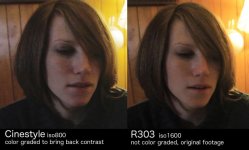
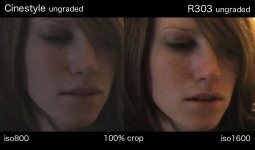
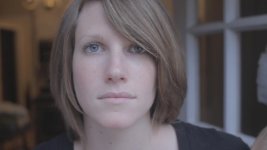
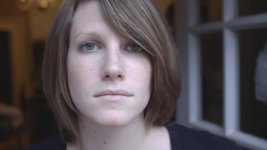
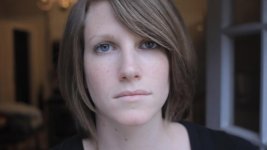
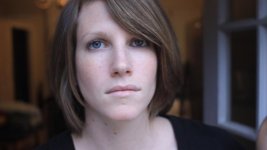
Well, first I am going to start with a torture test. I mainly shoot documentary, so I am always interested in "what is the worst possible situation I can get a usable image from?" So first up is high-iso/low-contrast comparison with a custom profile.

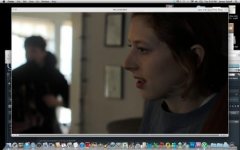
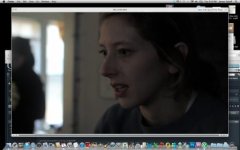
The image, as a whole, is actually a very high contrast image, going from deep shadow to blow out. In that case, I felt the Cinestyle had an edge in rendering the scene's details. However, I wanted to concentrate on the lower contrast areas. Though, the lighting on the face still has a fair amount of contrast, but I felt it was at the threshold of what a flat profile could render well.
CinestylevsR303.jpg
BandingCompare001.jpg
[/URL]With Cinestyle ungraded


(The image is a crop from a Tokina 11-16mm f/2.8 @f2.8, the subject takes up a very small part of the image's real-estate, so it should look like very low rez. Again, a torture test.)
 
Last edited:
PERSONAL NOTE:
I will say, I do occasionally like the ultra low contrast look in a finished product. I am considering shooting with Cinestyle, and finishing without grading. But it is definitely a stylistic choice.
 
Last edited:
Characteristics and end goals

Characteristics and end goals

HANDLING CHARACTERISTICS

Each profile handles the way the range of captured information is rendered. Depending on your workflow, the way a profile handles blow outs and highlights can be very important.

The way a camera compensates for its own limitations is well worth consideration. Here, let's go over blow out characteristics:

Cinestylecinestyle_blowoutcharacteristic.jpg
Using cinestyle here, ungraded, there is a stark nasty drop off in color information. Under controlled situations, this would not be a problem. Whether that control is coming from composing and lighting, or whether it is from grading in post, control could alleviate or avoid such a look.

However, when shooting home videos, news (ENG), and other similar styles, where an exhaustive control over the image is prohibited, the way the image is handled in camera is extremely important!

Cinestylecinestyle_BlowoutCharacterisitc02.jpg R303R303_BlowoutCharacteristic.jpg
(fwiw: I actually really like the picture I got with cinestyle in this case, despite it looking unnatural, it is a very striking image. Haha! One difference in the pictures is his face and body are upturned to the light in the R303 picture, so it appears to have lost more information than in reality. Much of the same details are there, just the gradation has changed.)

Cinestyle (and other flat styles) retains a stronger image up unto the clipping point. R303 (same goes for default Standard, Neutral etc) has the same clipping point, but the ramp up to it is far more organic and pleasing.
 
Last edited:
SOFT LIGHT COMPARISON TEST

Consider picking out a favorite before you look up which style is which...


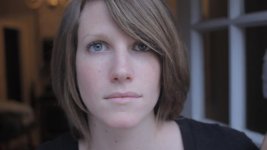
softlight01_Marvel_v33.jpgsoftlight01_cinestyle.jpgsoftlight01_cinestyle_con_p4.jpgsoftlight01_R303con_n4.jpgsoftlight01_R303.jpgsoftlight01_N0n4n40.jpgsoftlight01_standard.jpg
Softlight compare:
Canon 60D, Nikon AIS 28mm f2.8 @ f2.8, ISO160, cloudy late afternoon indirect sunlight, WB K3800, (picture profile listed on file names, just mouse over the image and the file name will appear.)
 
Last edited:
Back
Top