
Navigation
Install the app
How to install the app on iOS
Follow along with the video below to see how to install our site as a web app on your home screen.
Note: This feature may not be available in some browsers.
More options
You are using an out of date browser. It may not display this or other websites correctly.
You should upgrade or use an alternative browser.
You should upgrade or use an alternative browser.
GH2 PTool v3.62D Released
- Thread starter Stevet
- Start date


HKO
Well-known member
Making another Vitaliy rocks vid and thought I would tweak one of the files in Vegas to improve it. This is what I got. I took the mts file into Vegas, fixed white balance to get the smooth yellow cast off. Then added a bit of saturation with Boris continuum and lowered contrast. Finally - I added a touch of sharpness to counteract the loss of sharpness with the -2 setting on everything in film modes. I then used the awesome Microsoft expression encoder to encode to 35 mbps h.264.
My hack settings are here
dvxuser.com/V6/showthread.php?258946-PTool-v3.62D-Released/page4
I am very happy with this but to appreciate it download the original!!!!!
My hack settings are here
dvxuser.com/V6/showthread.php?258946-PTool-v3.62D-Released/page4
I am very happy with this but to appreciate it download the original!!!!!

OlegKalyan
Well-known member
Nice,
Hey Henry, could you list all the setting on this latest hack?
I remember, Kae originally listed complete list like this, or it doesn' matter?
Comment=KAE: 65Mb/s 1080 24p 3 GOP settings -- and stable <br>42 Mb/s: 720p 60 12 GOP, 720P 50 12 GOP, 1080i 60 12 <br>GOP, 1080i 3 GOP
SD_Card=Any
Camera=GH2 v1.0E
[Settings]
Version increment=2
30min limit removal=Checked
PAL<->NTSC Menu=Checked
Video Bitrate FSH/SH=42000000
Video Bitrate FH/H=35000000
Video Bitrate 24H=65000000
Video Bitrate 24L=35000000
720p50 GOP Size=12
720p60 GOP Size=12
1080i50 and 1080p24 GOP Size=3
1080i60 GOP Size=12
Video Bitrate 24H ADD=65000000
Overall Bitrate=65000000
Overall Bitrate 2=54000000
Video buffer=0x3000000
Video buffer 24p=0x3600000
1080p24 High Top Setting=42418
1080p24 High Bottom Setting=29692
1080p24 Low Top Setting=31178
1080p24 Low Bottom Setting=21824
720p Top Setting=31878
720p Bottom Setting=22314
1080i60 Top Setting=31598
1080i60 Bottom Setting=22118
1080i50 Top Setting=31318
1080i50 Bottom Setting=21922
Really appreciate this!
Hey Henry, could you list all the setting on this latest hack?
I remember, Kae originally listed complete list like this, or it doesn' matter?
Comment=KAE: 65Mb/s 1080 24p 3 GOP settings -- and stable <br>42 Mb/s: 720p 60 12 GOP, 720P 50 12 GOP, 1080i 60 12 <br>GOP, 1080i 3 GOP
SD_Card=Any
Camera=GH2 v1.0E
[Settings]
Version increment=2
30min limit removal=Checked
PAL<->NTSC Menu=Checked
Video Bitrate FSH/SH=42000000
Video Bitrate FH/H=35000000
Video Bitrate 24H=65000000
Video Bitrate 24L=35000000
720p50 GOP Size=12
720p60 GOP Size=12
1080i50 and 1080p24 GOP Size=3
1080i60 GOP Size=12
Video Bitrate 24H ADD=65000000
Overall Bitrate=65000000
Overall Bitrate 2=54000000
Video buffer=0x3000000
Video buffer 24p=0x3600000
1080p24 High Top Setting=42418
1080p24 High Bottom Setting=29692
1080p24 Low Top Setting=31178
1080p24 Low Bottom Setting=21824
720p Top Setting=31878
720p Bottom Setting=22314
1080i60 Top Setting=31598
1080i60 Bottom Setting=22118
1080i50 Top Setting=31318
1080i50 Bottom Setting=21922
Really appreciate this!
HKO
Well-known member
This is exactly what I loaded in ptool. Hope it helps - it is a mix of LPowells for mjpeg and another that I cannot remember for avchd. This is near the limits of the hack at this point so be prepared to use this hack in situations where you can reshoot a scene if you get the write error. It happens more some days than others. It hates bright light so get a variable ND filter or other ND filters of choice - things to note - AF is a no no. Use manual lenses. Isos higher than 160 can give issues as well ( I know that seems limiting but I use the 0.95 Nokton the most and it can have a low setting most of the time except for night time) . Over exposure gives issues. Apart from that - enjoy the stunning footage this cam can now produce..
[Information]
Comment=LPowell EXTREME MJPEG and AVCHD: 100Mbps GH2 MJPEG <br>Low-<br>Light Patch<br>: MJPEG HD 1920x1080 @ 30p<br>: MJPEG VGA 960x720 @ 30p
SD_Card=Class 10 SD cards and higher - MANUAL lenses
Camera=GH2 v1.0 - NTSC or PAL
[Settings]
Version increment=1
All Interface Languages=Checked
720p30 width=1920
720p30 height=1080
480p30 width=960
480p30 height=720
E1 Quality=400
E1 Table=24
E2 Quality=200
E2 Table=36
E3 Quality=175
E3 Table=48
E4 Quality=150
E4 Table=4
F1 Quality=130
F1 Table=32
F2 Quality=115
F2 Table=64
F3 Quality=100
F3 Table=96
F4 Quality=85
F4 Table=4
Video Bitrate 24H=110000000
Video Bitrate 24L=88000000
Auto Quantizer for 1080 modes=4 - All to details
1080i50 and 1080p24 GOP Size=3
1080p24 FB1=3133440
1080p24 FB2=3936092
1080p24 Frame Limit=31457280
[Information]
Comment=LPowell EXTREME MJPEG and AVCHD: 100Mbps GH2 MJPEG <br>Low-<br>Light Patch<br>: MJPEG HD 1920x1080 @ 30p<br>: MJPEG VGA 960x720 @ 30p
SD_Card=Class 10 SD cards and higher - MANUAL lenses
Camera=GH2 v1.0 - NTSC or PAL
[Settings]
Version increment=1
All Interface Languages=Checked
720p30 width=1920
720p30 height=1080
480p30 width=960
480p30 height=720
E1 Quality=400
E1 Table=24
E2 Quality=200
E2 Table=36
E3 Quality=175
E3 Table=48
E4 Quality=150
E4 Table=4
F1 Quality=130
F1 Table=32
F2 Quality=115
F2 Table=64
F3 Quality=100
F3 Table=96
F4 Quality=85
F4 Table=4
Video Bitrate 24H=110000000
Video Bitrate 24L=88000000
Auto Quantizer for 1080 modes=4 - All to details
1080i50 and 1080p24 GOP Size=3
1080p24 FB1=3133440
1080p24 FB2=3936092
1080p24 Frame Limit=31457280

Looks good Henry, hopefully as the latest Ptool matures these settings become more stable. The quality looks fantastic.
moviemaykr
Active member
This may have been covered before, but are there threads, directions or a YouTube video that can help with information on how to correctly install the GH2 Vitally hack and all its needed updates, if you are using a MAC computer? Please inform of any link with help on this subject, thanks.

reem12
Veteran
My only reason for even considering the gh2 with hack would be if there is a great advantage in post color color correction . If someone with technical expertise could elaborate on this I would greatly appreciate it. I would like to know if this image will still hold up even with the hack after being pounded with some heavy post?
This may have been covered before, but are there threads, directions or a YouTube video that can help with information on how to correctly install the GH2 Vitally hack and all its needed updates, if you are using a MAC computer? Please inform of any link with help on this subject, thanks.
http://www.beeldlab.nl/installing-gh2-hack-with-a-mac/

Sage
Well-known member

Peter J. DeCrescenzo
Veteran
"driftwood" gets very interesting 100mbs 3-GOP results per Vitaliy Kiselev & Chris Brandin's settings suggestions (scroll down) ...
http://www.personal-view.com/talks/discussion/421/official-low-gop-topic/p13
Hopefully these settings will prove successful & reliable ... folks are testing them now ... below is my 1st brief test (see Vimeo page for details) ... YMMV.
http://www.personal-view.com/talks/discussion/421/official-low-gop-topic/p13
Hopefully these settings will prove successful & reliable ... folks are testing them now ... below is my 1st brief test (see Vimeo page for details) ... YMMV.
Last edited:
Park Edwards
Veteran
SAGE & Peter, any lockups so far?
Peter J. DeCrescenzo
Veteran
SAGE & Peter, any lockups so far?
No lock-ups while recording, but I've only recorded a few clips (including a few that were more than 5-min).
My daylight exterior, ISO 160 shrubbery-of-death clips wouldn't play in-camera, but played fine on my Mac. Other clips recorded indoors at 320 & higher ISO play fine in-camera. To my eye, these new settings appear to have less gradient banding & less noise than clips I'd previously shot using the PTool 3.62d basic 44mbs normal GOP settings.
I'll shoot more tomorrow ...
Cosimo Bullo
Veteran
Peter, did your 5 min clip span?
Peter J. DeCrescenzo
Veteran
Peter, did your 5 min clip span?
I believe so, but I've since deleted it, regrets.
... I'm recording another long clip now, hopefully as long/big as my 8GB SD card will allow. Stay tuned ...
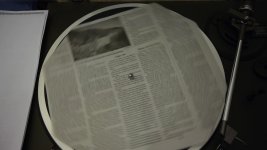
OK ... I just recorded 10:30 (ten & a half min.) of a piece of newspaper spinning on a record turntable using my Lumix 20mm lens at f2.0, 1/50th, ISO 160. No problems. Plays in-camera, too. Copying it to my Mac now -- the PRIVATE folder is 5.68 GB total (only contains this 1 recording). VLC plays it and reports the bitrate as >65mbs VBR (it's a lower-detail scene compared to the shrubbery-of-death scene).
In the PRIVATE Stream folder there are two .MTS files: A 4.29GB & a 1.39GB file.
FCP 7 (L&T) recognizes the two .MTS file as one continuous 10:30 recording ... and I can mark in & outs that span the "break" between the two .MTS. This is a good thing right? ;-)
EDIT 8/26/11: Unfortunately, Vimeo failed to encode the 30-sec. file I uploaded (it uploaded, but won't display), so I'm trying again with a new, shorter, 10-sec. version of this turntable scene. ... stay tuned ...
EDIT: Hmm ... no good. Vimeo goes through all the motions of uploading these new .MTS files, but won't encode them. This is the 1st time Vimeo has failed to encode .MTS files for me. The weird thing is it worked earlier yesterday. I haven't changed the PTool (100mbs 3-GOP) settings, only the camera f-stop settings. I'll shoot a few more clips later today and see if any of them work.
I don't know why, but Vimeo failed to encode the .MTS file, so I converterd it to a QuickTime H264 file using Media Converter (free). MC converts w/o re-compressing the video, so the quality should be very similar to the original .MTS (more details on the Vimeo page):
(Shot using driftwood's settings.)
Media Converter:
http://media-converter.sourceforge.net/
[Ignore the JPEG attached to this post, it's from a different clip; I can't figure out how to delete it.]
Attachments
Last edited:
Cosimo Bullo
Veteran
That's a very good thing!!!! Awesome.

Phenixone
Well-known member
Actually I have been thinking about everyone doing tests. But does anyone has a correct scientific procedure to apply in order to test the camera.
Maybe we should create a standard procedure containing multiple different steps so that if I make a test, I can compare it to someone else if they have the same settings, same chart (like a shrubbery-of-death chart) or action shot etc...
Would this be possible?
Also I see all these videos of tests uploaded to Vimeo, but it gets re-encoded so what's the point if not to test Vimeo's encoding capabilities.
Maybe we should create a standard procedure containing multiple different steps so that if I make a test, I can compare it to someone else if they have the same settings, same chart (like a shrubbery-of-death chart) or action shot etc...
Would this be possible?
Also I see all these videos of tests uploaded to Vimeo, but it gets re-encoded so what's the point if not to test Vimeo's encoding capabilities.
Peter J. DeCrescenzo
Veteran
... I see all these videos of tests uploaded to Vimeo, but it gets re-encoded so what's the point if not to test Vimeo's encoding capabilities.
Vimeo members (free) can download the original .MTS file if the person who uploaded it is a Vimeo Plus member & has allowed downloads. I usually make all my test clips available for downloading.
I agree standardized testing is desirable, but my understanding is that in actual practice it's almost impossible to execute among multiple, random users, each with their own multiple, random situations. Too many variables. At the opposite extreme, the Zacuto/Primes Great Camera Shootouts are a good example of how extraordinary difficult it is to do "standardized" tests among multiple cameras. They succeed because they know what they're doing, spend a lot of money, and conduct the tests under rigorous conditions.
In the meantime, I find random tests on Vimeo, etc. to be quite useful, especially if the shooter posts detailed notes about the settings they used. But even if they don't the results can be useful simply as an indication of what's possible. I can then do my own tests to see if I can replicate their results, and learn from the differences.
Sage
Well-known member
http://vimeo.com/28208063
No lock ups here; I have the 24p settings w/ the native buffer limits to avoid going out of spec, so that I can play the more complex shots in cam. Otherwise, quality at 3gop 88mbps AQ3 is relentless.
No lock ups here; I have the 24p settings w/ the native buffer limits to avoid going out of spec, so that I can play the more complex shots in cam. Otherwise, quality at 3gop 88mbps AQ3 is relentless.
Peter J. DeCrescenzo
Veteran
Here's another "driftwood" 10-sec. clip (see Vimeo for details & camera-original downloadable file):
Last edited: