Odyssey Firmware 2015.5

The idea is to overexpose the image ON THE CAMERA by two stops. Then use the LUT to show you what it looks like when you darken the image back down in post. That's it. That's all you really need to know.
The thing is it doesnt. It shows u an image that is still in LOG Space at 3whatsoever% grey. U would need to put a Slog2 to Rec709 on top of that picture.
The -2 LUT is no LUT at all in terms of changing colorspace to 709.
 
Could someone upload the Additional Preset LUT's in converted format to dropbox etc? I'm still not managing to get any custom LUT's to work in my Odyssey and would like to test if it's the Odyssey or my conversion process that's at fault.

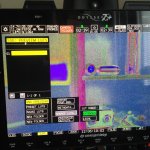
The CD3dLUT converter tells me all is fine after I've done the conversion and the preloaded preset LUT's work fine but this is what I see on the Odyssey.

2015-06-06 12.56.20.jpg
 
OK! got it to work by installing the "CD 3D-LUT Utility (Mac Version 10.6-10.8 Java 6)". For some reason this version works no problem but the Java 8 version does the psychedelic stuff.
 
Can you expand on what you mean by "quite weird" or post an image? It looks perfectly reasonable on all the images I have tested it on. Are you sure you are not using the S-Log3 LUT on an S-Log2 image?

here's a sample. I thought it might have been a little underexposed but the LC709A LUT doesnt shows this.

from above:
straight out of camera,
SONY_EE_Slog2_LC709A.cube applied in FCPX LUT Utility (looks the same in Resolve)
corrections in Resolve, exorted as 3D LUT, applied in FCPX

2015-06-06_LUT.jpg
 
here's a sample. I thought it might have been a little underexposed but the LC709A LUT doesnt shows this.

from above:
straight out of camera,
SONY_EE_Slog2_LC709A.cube applied in FCPX LUT Utility (looks the same in Resolve)
corrections in Resolve, exorted as 3D LUT, applied in FCPX
The LC709A LUT is doing exactly what I would expect it to do to that image. I would not call that "weird". You have done a grade of that shot which which you prefer. That is perfectly reasonable, but neither version is "right" or "wrong". If you prefer your look you can convert that to the Odyssey format and load it into your Odyssey. Then you can use that while shooting, rather than the preset LC709A.

Bear in mind also that all the preset LUTs are based on LUTs from the manufacturers. I have not made any subjective grading changes to the LUTs, just technical conversions to prepare them for use in the Odyssey and Resolve, and to match the equivalent in-camera LUT where applicable. I don't believe LC709A is available as an MLUT in the FS700, so matching is not applicable there. But it is available in the FS7 and F55, and the LUTs I've created should match the in-camera ones. If you don't like the look of the preset LUTs, you are of course free to make your own.
 
The thing is it doesnt. It shows u an image that is still in LOG Space at 3whatsoever% grey. U would need to put a Slog2 to Rec709 on top of that picture.
The -2 LUT is no LUT at all in terms of changing colorspace to 709.
I can assure you it does include the S-Log2 to LC709A conversion, as well as the stop reduction.

I don't have an FS700 here to test, but I have taken two F65 clips, one at normal exposure and one two stops over, from the CML UWE Camera Tests, and rendered both out as S-Log2/S-Gamut ProRes QuickTimes from Sony RAW Viewer. When I apply the preset S-Log2 to LC709A LUT to the first and the -2 version to the other, I get a near perfect match. The clips are not mine, so I can't post them here.
 
After some peeping i'd say the same as Clermond does, the lc709a lut looks a bit weird. Way to green/blueish than the original alexa 709 lut - yes the original alexa lut has a slight shift to green as well, but not to that degree, way less.
I am not quite sure why you are comparing the Sony LC709A LUT to the Alexa logC LUT. They are two different LUTs intended to be applied to two different sources. You should not be using a LUT intended for ARRI Wide Gamut LogC material on a clip which is S-Log2/S-Gamut (unless you specifically like the look that creates for aesthetic reasons).

The LC709A LUT should be leaving neutral colours pretty much alone in terms of colour, so if you are seeing a colour shift it may well be in your original material, and be being exaggerated by the LUT.
 
I built a rough test to visualize the problem.
The lower ones should match but they dont.
Its just math ... when slog2 maps to 709 there is positive push to the waveform. (2stops)
When u only expose 2 stops higher and then the LUT pushes 2 negative and nothing else ... its wrong. Or is there any brainpoo poo in me?
slogproblem.jpg
 
Last edited:
I built a rough test to visualize the problem.
The lower ones should match but they dont.
Its just math ... when slog2 maps to 709 there is positive push to the waveform. (2stops)
When u only expose 2 stops higher and then the LUT pushes 2 negative and nothing else ... its wrong. Or is there any brainpoo poo in me?
What actual stop are you at on the lens for your two shots? You say mathematically two stops takes 32% to 45%, but it shouldn't. Mathematically in S-Log2, opening up two stops should take 32% to 55%
 
I am not quite sure why you are comparing the Sony LC709A LUT to the Alexa logC LUT. They are two different LUTs intended to be applied to two different sources. You should not be using a LUT intended for ARRI Wide Gamut LogC material on a clip which is S-Log2/S-Gamut (unless you specifically like the look that creates for aesthetic reasons).

The LC709A LUT should be leaving neutral colours pretty much alone in terms of colour, so if you are seeing a colour shift it may well be in your original material, and be being exaggerated by the LUT.

AFAIK, the LC709A LUTs were intentionally made by Sony to mimic the look you can get out of a ALEXA when the standard 709 lut provided from ARRI is applied, as this was a look, that so many people are after. I'm not taking an ARRI LUT and applying that to a Sony signal.

Take the FS7 for example, you apply the LC709A lut to the slog3 signal (or even record it baked in) and what you get out of the camera is a finished picture, with great latitude, but still with contrast and snappy colors.

the slog2 - LC709A lut provided with the odyssey doesn't do that to me - i know that there's no right or wrong here - that's just how i feel about the whole lut thing.
 
Note to Mitch & Engineers:

I discovered a bug where the Odyssey doesn't remember if legal or extended Range was selected in the LUT settings. Got me thinking that highlights get lost, although they were still there, hence why i was always exposing a little more to the left when i had mistakenly selected "extended Range".

May be an easy fix, no? :)
 
I discovered a bug where the Odyssey doesn't remember if legal or extended Range was selected in the LUT settings. Got me thinking that highlights get lost, although they were still there, hence why i was always exposing a little more to the left when i had mistakenly selected "extended Range".
If you are using LUTs in the Odyssey in Legal Range mode, you should be using LUTs designed for legal range. Here are "LL" versions of the four Sony preset LUTs. They should give exactly the same result in Legal mode that the preset "EE" versions do in Extended mode, but they preserve super-whites. But do read the included ReadMe file carefully if you choose to use them.

Convergent Design plan to make these versions of the LUTs available soon on their website, once they have been thoroughly tested by them. I am posting them here in advance of that with a "use at your own risk" disclaimer!
 
AFAIK, the LC709A LUTs were intentionally made by Sony to mimic the look you can get out of a ALEXA when the standard 709 lut provided from ARRI is applied, as this was a look, that so many people are after. I'm not taking an ARRI LUT and applying that to a Sony signal.

Take the FS7 for example, you apply the LC709A lut to the slog3 signal (or even record it baked in) and what you get out of the camera is a finished picture, with great latitude, but still with contrast and snappy colors.

the slog2 - LC709A lut provided with the odyssey doesn't do that to me - i know that there's no right or wrong here - that's just how i feel about the whole lut thing.
You are correct. That is exactly what LC709A was designed for – it is what the "A" in the name stands for.

Apologies for thinking you misunderstood the use of the LUTs.

I can tell you that my S-Log3/S-Gamut3.Cine to LC709A LUT, when applied to the output of an FS7 in S-Log3/S-Gamut3.Cine mode, exactly matches the output of the camera with the LC709A MLUT switched on.

Since LC709 is not an option on the output of the FS700, I cannot do an exact comparison like that. However I have taken Sony RAW media and rendered ProRes out of Sony RAW Viewer in S-Log2/S-Gamut and in LC709A, and applying my FS700 LUT to the first, gives a match to the second. So although you may not "feel" so good about the result of the FS700 LC709A LUT, I do believe the result is as Sony intended it.
 
Its just math ... when slog2 maps to 709 there is positive push to the waveform. (2stops)
This is where I believe the problem lies. You are referring to the change in the waveform in stops, which has no meaning. You can measure a change on a waveform in IRE, in miliVolts, or in code values. You cannot measure it in stops.

The S-Log2 to LC709A transform does not cause a "positive push" to the waveform. It is based on an s-curve, which means it pushes some values up, some values down, and there is a crossover point in the middle which remains unchanged. The only real way to know you have opened up two stops is by looking at the actual T-stops on the lens (or change in shutter angle if that is how you have changed your stop).
 
You are correct. That is exactly what LC709A was designed for – it is what the "A" in the name stands for.

Apologies for thinking you misunderstood the use of the LUTs.

I can tell you that my S-Log3/S-Gamut3.Cine to LC709A LUT, when applied to the output of an FS7 in S-Log3/S-Gamut3.Cine mode, exactly matches the output of the camera with the LC709A MLUT switched on.

Since LC709 is not an option on the output of the FS700, I cannot do an exact comparison like that. However I have taken Sony RAW media and rendered ProRes out of Sony RAW Viewer in S-Log2/S-Gamut and in LC709A, and applying my FS700 LUT to the first, gives a match to the second. So although you may not "feel" so good about the result of the FS700 LC709A LUT, I do believe the result is as Sony intended it.

No Problem...

Yes, LC709 is no option on the fs700, and rec709 (800%) doesn't come close either. Hence why i thought that a LUT that correctly translates the FS700's slog2 to an acceptable alexa'ish picture would've made sense. But i guess that's where the "load your own lut function" comes in handy, right :)? In Fact, that's what i did, and i'm fine with t that way :D.
 
Nick Shaw...
Thanx for this post. It explains what I am seeing, but, didn't quite get my brain around it. :thumbup:
 
If you are using LUTs in the Odyssey in Legal Range mode, you should be using LUTs designed for legal range. Here are "LL" versions of the four Sony preset LUTs. They should give exactly the same result in Legal mode that the preset "EE" versions do in Extended mode, but they preserve super-whites. But do read the included ReadMe file carefully if you choose to use them.

Convergent Design plan to make these versions of the LUTs available soon on their website, once they have been thoroughly tested by them. I am posting them here in advance of that with a "use at your own risk" disclaimer!

does that mean that the Odyssey chooses "extended range" because the LUT i'm using was designed for that specific range? (i was using a custom LUT from a friend.) doesn't quite make sense to me, since the LUT shows the superwhites only if i chose "legal", but clips the superwhites in extenden mode.
 
The LC709A LUT is doing exactly what I would expect it to do to that image. I would not call that "weird". You have done a grade of that shot which which you prefer. That is perfectly reasonable, but neither version is "right" or "wrong". If you prefer your look you can convert that to the Odyssey format and load it into your Odyssey. Then you can use that while shooting, rather than the preset LC709A.

Bear in mind also that all the preset LUTs are based on LUTs from the manufacturers. I have not made any subjective grading changes to the LUTs, just technical conversions to prepare them for use in the Odyssey and Resolve, and to match the equivalent in-camera LUT where applicable. I don't believe LC709A is available as an MLUT in the FS700, so matching is not applicable there. But it is available in the FS7 and F55, and the LUTs I've created should match the in-camera ones. If you don't like the look of the preset LUTs, you are of course free to make your own.

Does that mean the supplied slog2 lc709a LUT is not suitable for the FS700?
I think the WB in my sample was quite okay and for my understanding a LUT like LC709A should not change it. Without a scientific proof I have the impression that the shift of the supplied LUT is not even and therefore hard to fix. I did not want to create a look. I wanted a well balanced neutral image as in my third sample .
 
Back
Top