C100: New Atomos Ninja Blade With HDMI

Hi Ben, thanks for your answer.

Yes it worked well with the tape out. I was doing some test with a 5DM3 since sound doesn't go through HDMI... I don't use the mixpre with the C100, I find the preamp on the C100 pretty good already.

I can't wait for atomos to fix that black line problem on the right side of the footage. It will be a nice piece of kit once that is fixed. I have tried long recording clips ( which gave me so many problems with the ninja 2) and so far so good. I just did a 4:30 hour long take with no issue. Also when using SSD the blade doesn't get as warm as with HDD ( which gets very hot).

Erik, I get those strange artifacts as well on my footage. I hope this is part of the fix that is coming this week.
Screen Shot 2014-03-29 at 4.25.37 PM.jpg
 
Last edited:
Used the Ninja Blade yesterday even with known issues with the C100 just to see if it works well. It was pretty solid all day. Had one hiccup with the recorder not stopping with camera trigger. I had to force it to stop by powering it down by removing the battery. The power button didn't work and the screen was black. I lost that shot. Kind of a bummer. These things just are not 100% reliable. I have the shot on AVCHD so no big deal.
 
Last edited:
Its too bad its not a solid piece of equipment or I'd almost surely get one.
Don't think I could tell a Bride or client my recorder "lost the shot, bummer". No point investing heavily in a camera and lenses for your business and let an external recorder undo it all. Unless its 1000% reliable, can't be used outside of personal shoots.
Like everyone, definitely looking forward to seeing what happens with the firmware update !!
 
Its too bad its not a solid piece of equipment or I'd almost surely get one.
Don't think I could tell a Bride or client my recorder "lost the shot, bummer". No point investing heavily in a camera and lenses for your business and let an external recorder undo it all. Unless its 1000% reliable, can't be used outside of personal shoots.
Like everyone, definitely looking forward to seeing what happens with the firmware update !!
You wont have to tell them anything because you had the AVCHD recording as a backup. :happy:

Nothing is 100% reliable but 99.9 would be great.
 
You wont have to tell them anything because you had the AVCHD recording as a backup. :happy:

Nothing is 100% reliable but 99.9 would be great.
I've recorded many times with the Ninja were it suddenly stopped on the C100. But I fret not because there are TWO more copies being recorded at the same time internally to SD card. And honestly, the AVCHD looks no different than the Ninja footage 95% of the time. In fact, anything I shoot over 1250ISO is captured and used with the AVCHD due to internal noise reduction.

So Chapdigital, you would never say that to a bride or client. Instead you would say, "Don't worry, the camera is recording 3 copies of everything we're shooting. In fact, the SD card in slot B was bought for you to take home tonight".
 
+ even if there is a big difference from what records Ninja Blade, however the monitor is superior to C100..for that money you have a good quality external recorder and a very good monitor control.I prefer a good monitor than I upgrade to focus with 500 usd :-)
 
I've had tape chews, theft of tapes, loss of tapes, and so that isn't 100% perfect. I couldn't wait to go tapeless so I could have multiple copies.

+1 on Dustylense's thoughtful "here's the third copy of your shoot for you to take away" - absolutely bang on for the 3-2-1 rule of data integrity: a file does not exist until it exists as three copies, in two different formats, and one copy stored 'off-site' (with somebody else, in other words).

With the Ninja Blade, and the two-slot record of the C100, I get that warm fuzzy glow. Well, no - not really, but I'm not niggled by recurring thoughts of 'what if' in the recording department.

The 2 pixel line is a mere annoyance with a simple work-around (unless you're shooting 24p), and the whole issue should be gone by the end of the week. Erik's bad luck on losing a shot on the Ninja is a little more annoying, but that's why we have backup. No 100% guarantees.

I have a Pix220, and that's seen as a top dollar, top dog bit of kit - had a couple of shots lost from that due to obscure bugs. Issue? No, because I had the internal recordings to work from. Can't wag a finger at Atomos without wagging it at the Mighty Sound Devices too. LOL
 
Hallo
Hallo

Today I got ninja blade, I mounted it on C100,first impression was that the C100 is easy to blue camera monitor.BUT .. ninja blade has a green tint to ..there is a possibility to calibrate your monitor manual directly from ninja blade??to add a little purple??
I give zoom in waeform, Blinken in the upper right two green pixels ..the power function dislpay if I press nothing happens..programming problem??
if anyone help me with information, the battery while theninja blade resist ? an hour?get ready for a collection of batteries :-)

Thanks
 
Get the Spider thing for calibrating your Ninja. Who says it's green? Based on what? The C100 LCD?! Have found the Ninja Blade pretty darn accurate when compared to my Grade 2 Viewtrix monitor (£7k, lined up, known, trusted and reputable). You need to acclimatise to your monitoring, and don't get into quick comparisons too quickly. I put my C100 monitor into monochrome mode for this.

A new version of the Ninja Blade OS is coming very soon - days away. All bets are off until we've installed this update.

Battery - 1 - 2 hours from NP-F570 when using SSD. Half day using generic NP-F970 (not Sony). 2x NPF570s keep going most of the day with a NP-F970 for backup/tripod/Director-markup use.
 
Hallo Matt..thanks for reply..So, from what I've seen with the eye .. image seemed slightly to green.i try to set REC 709. .Y lIft...GAM...Y gain.it is advisable to put a protective film on the display ?If I set the monitor on ninja blade with waveform on,when I restart ninja blade, and setting it disappears and you have to redo.was ok if you could save some settings.

Thanks
 
Hallo

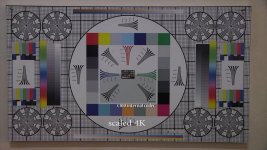
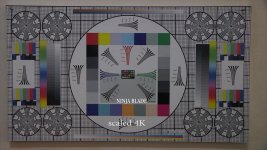
I did two tests, C100 internal codec and Ninja Blade..I was honestly surprised by the quality of the internal codec C1OO,and disappointed than nija Blade HQ codec quality.I attempt to shoot with GH3 but unfortunately does not recognize the camera, and the image is interlaced, that even if I set it in progressively.Iso 5000

c100 int codec 4k.jpgninja blade 4k.jpg
 
Last edited:
Just a little point of order on these tests - I'm guilty of this too:

Filming a colourful but static scene isn't going to get the best out of your Ninja, it won't tell the full story.

To find out why you need a Ninja, go out and film something with lots of detail, something with lots of action (and then try both). Try something with strong reds that's in motion - not a test chart, wave some red cloth around. You need motion, action, detail and strong colours. Hey, even skin tone will do if you pixel-peep!

That's when you find out what the AVCHD codec isn't so good at, and where the Ninja helps out.

AND ANOTHER THING: Don't forget that the internal AVCHD recording has some noise reduction going on. The HDMI does NOT, and this is why I'm known to rant on about using ProResHQ rather than ordinary ProRes if you're going over base ISO - noise can swap the standard ProRes codec, and ProResHQ manages to capture it.

FWIW, we found the same thing out when testing out the Sony PMW-EX1/EX3 with the Ninja, though most people went with the NanoFlash. 422 didn't quite rise to the occasion, 422HQ captured everything cleanly.
 
What is there to be disappointed about? The advantage of the ninjablade vs avchd, is in the durability of the footage. This allows for more flexibility in the post editing/CC/CG process.
 
Hallo
I am disappointed that I was expecting better quality than what pull C100 in AVCHD..I pulled both codecs up to 4K and I watched both, really is almost no difference.Ninja's ok for TV production, normal and codec is better on Ninja..but the kind of event,just in case you want to do color grading. wedding .. NINJA BLADE not justified..Quality is very good, and yet I'll use it as a monitor control on C100.if someone can help me with a recommendation as to be made setting 709 ninja blade, to be more ok...Y lIft...GAM...Y gain
Ninja Blade is unfortunately not compatible with GH3,or just GH3 HDMI signal out INTERLACE.can not control Ninja Blade to give rec directly from GH3, only manual rec,VIDEO signal registred on the Ninja Blade is INTERLACE,not progresiv.Maybe I'm wrong with something...Today I'll do some more tests in motion, to compare the codec C100. maybe adobe on windows platform can not handle.but at first viewing, I had seen that image is more noisy Ninja Blade,as it says and Matt can come from noise reduction that puts C100 encoded in AVCHD and HDMI does not

Thanks
 
** Quick update on using SWIT 8845 batteries to power both the camera and the Ninja Blade, using the power tap on the side of the 8845 **

For on/off shooting, they were OK - but, on a shoot last week, we got less than an hour per battery and the power dropped off a cliff, making them a little bit unpredictable. It was the first shoot I'd had in years when I was getting concerned about having enough battery power, despite having 4 batteries.

I was going to buy a couple more 8845s to beef up the inventory.

However, I ran a couple of them yesterday on a continuous-running stamina test, with the C100 running 64 Gigs internally as a relay record, autofocus switched off. Over a 3 hour period, the Blade was just periodically powering down. Each time I then powered the Blade back on, it immediately resumed recording. The files were all intact.

On a subsequent test, we used two heavyweight NPF batteries to power the Blade and the SWIT just powering the C100. The whole lot ran straight through, faultlessly, and the Blade only stopped when the SSD was full at around 4 hours.

Conclusions?

The 8845s aren't man enough to power both a C100 and Ninja Blade reliably.
The Ninja Blade appears to be more sensitive to power drop-off than the C100.

I really hoped the 8845s might be a lightweight and agile solution - but sadly not.

I've conceded defeat and ordered a Hawks-Wood V Lock battery kit and distributor to power the whole lot.

Ben.
 
Unless I missed it, the promised firmware update (that fixes the 2 pixel wide r/h side fault for the Ninja Blade) has yet to be released. So much for the "next week" statement on the Atomos forum.

I guess they will get a lot of people reminding them about this fault at NAB...Let's hope it really will be ready to issue very soon.
 
I have, in the past, been involved in IT and software development, and the concept of a 'deadline' seems to vary quite a bit between professions. There is always 'one more bug' and squashing a problem down in one place invariably causes another problem to pop up somewhere else. Somewhat like badly hung wallpaper. With that in mind, I really would prefer them to get it right and really test it before release rather than releasing something that we discover has other issues down the line. But I speak as a UK/EU shooter so the 'shoot 25psf on the 50i setting and reinterpret in FCPX/Premiere' trick works okay, and whilst I haven't done it on a paying job yet, the same can be said for 29.97PsF to 60i. If I were needing 24ish, I'd be a lot more impatient! LOL

Nevertheless - "Come on Atomos, where is it?" When they said 'next week' perhaps they meant 'NAB week' ;)
 
Hallo

Today I tested ninja blade on C100,all on tripod..after about 1.30 hours of filming, I see a yellow symbol on the right monitor :-) kangaroo..I did not move the camera in ninja I hdd 7200 rpm.I just made ​​a stop-start at C100.Atomos .. what does it mean,all system is new and the first test.
 
Back
Top