T2i Magic Lantern for 550D in progress!

Video functionality is already there, but hidden from the user interface. There seems to be only 1920 and 640 available; not sure yet if other frame rates are possible.

I've just used the commands from the other cameras, used to start recording from remote trigger (i.e. I've changed to movie mode, like with movie mode remap, and then called "MovieStart", which was already in the firmware).
 
Video functionality is already there, but hidden from the user interface. There seems to be only 1920 and 640 available; not sure yet if other frame rates are possible.

I've just used the commands from the other cameras, used to start recording from remote trigger (i.e. I've changed to movie mode, like with movie mode remap, and then called "MovieStart", which was already in the firmware).

Nice find!
 
Well... primarily fix ML bugs when used with external monitor (both HDMI and SD). Then I'll try 1080i while recording (very little chance of success) and getting clean HDMI output without black bars (chances of success are a tiny bit higher).
That would be nice, to get rid of the black bars on the sides. It's nice that the ML cropmarks are available all over the 16x9 portion of the screen, but the camera display is still 3:2 in the middle. That leads to the cropmarks being not accurate.
That would be great to be able to get rid of that problem. Good luck on that!
 
Must say I've really enjoyed the Magic Lantern features so far... really buffs the camera up. But full HD output (p or i) would change my life... although I'd become a lazy focus puller (You develop some serious focus pulling skills in 480p, lol).
 
Must say I've really enjoyed the Magic Lantern features so far... really buffs the camera up. But full HD output (p or i) would change my life... although I'd become a lazy focus puller (You develop some serious focus pulling skills in 480p, lol).

While I would love to have full HDMI for those times I'm monitoring externally, I find using the Magic Zoom feature really lets me pull accurate focus on standard def. You can set it to stay on all the time in the ML menu if using manual lenses or other lenses that don't trigger the box upon focusing. My only problem is that I find myself watching the box more often than the rest of my shot, which can be distracting.
 
yea the box (magic zoom) is definately the way to go over all other options. Including cumbersome viewfinders
Yes, but ... "cumbersome" VFs + Magic Zoom = focus precision like with 1920x1080 (IMH)

I would DIE for "cumbersome" small HD DP4... but 750$+Shipping... :cry:
 
Yes, but ... "cumbersome" VFs + Magic Zoom = focus precision like with 1920x1080 (IMH)

I would DIE for "cumbersome" small HD DP4... but 750$+Shipping... :cry:

Looks nice but im happy to continue to nail it with magic zoom alone. I think it takes from the whole advantage of having a flip LCD, having to look into a VF (hence the use of the word "cumbersome"). i suppose it depends on the type of work you do.
It just seems to me that every option presented on forums requires a sizeable spend. Apart from ML, the one breath of fresh air in all of this.
 
Last edited:
While I would love to have full HDMI for those times I'm monitoring externally, I find using the Magic Zoom feature really lets me pull accurate focus on standard def. You can set it to stay on all the time in the ML menu if using manual lenses or other lenses that don't trigger the box upon focusing. My only problem is that I find myself watching the box more often than the rest of my shot, which can be distracting.

I like the magic zoom too, but it doest work properly through HDMI (at least in my version, unless that's been fixed recently). I also find myself watching the little box if I do use the magic zoom on a stedicam or something.
 
For external monitor, I'm sorry but there's no stable build yet (any redraw may cause crash). You may have better luck with http://bit.ly/ml-sep6 here (and check for updates often). Copy all other files from the August 22 one.

All the versions marked as stable were only tested on the built-in LCD (I didn't have a monitor when I've posted them, and before releasing, they were tested for more than one week without anyone reporting any crashes). But when I've got the monitor, I've noticed redraw isn't working at all on external monitors, and causes crashes.

So... all the versions between March and August may crash on external monitors. Sorry.
 
http://bit.ly/ml-sep8 (experimental, but highly recommended for HDMI users)

This has a stress test under "don't click me". How long are you able to run it without crashing?

It also has a banding detector for CineStyle and other low-contrast picture styles (so if you know how to read it, it tells you when to use CineStyle and when not) :)
 
http://bit.ly/ml-sep8 (experimental, but highly recommended for HDMI users)
This has a stress test under "don't click me". How long are you able to run it without crashing?
It also has a banding detector for CineStyle and other low-contrast picture styles (so if you know how to read it, it tells you when to use CineStyle and when not) :)
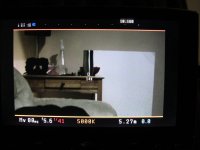
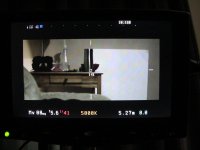
1) Thanks, just tried that and here's the results (which makes me happy!):
IMG_6822.jpgIMG_6823.jpg
At that point I'd say I don't really mind the little bars on each side, but would be great if you ever be able to get rid of them! I tried two of my own cropmarks and they show as intended.
2) So far, longer video I've been able to record was 4 seconds. But still, it worked.
3) I mostly use cinestyle because of the extra room it gives in post for color correction. Good thing though.
 
Latest update (as of today) is here: https://bitly.com/ml-sep12 (bugfixes related to stability).
[..]Let me know if the stress test works (i.e. if it runs for hours
without
crashing). The result may depend on your particular settings,
shooting
mode... etc.[..]
Just tried it, and it works. It keeps recording, stoping, entering the Canon's menu and "testing" pretty much anything. I stopped it after a whole minute. But wso far it seems to work well. I'll try with the HDMI monitor when I'll get enough time (leaving to the job).
 
Back
Top