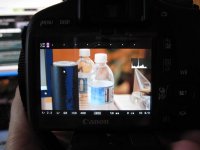
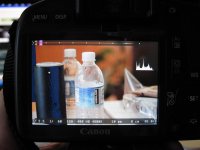
T2i Magic Lantern for 550D in progress!

*After* you will reset the monochrome style to default (from Canon picture style menu), you won't be able to adjust saturation any more. You'll also find an easter egg from the Canon programmers if you do this :)

The number displayed by focus peaking is the threshold used for edge detection (which is adaptive). In theory, the bigger number, the better focus.
 
Anyone with an HDMI monitor, do the audio bars show when you use your external? and can you still see the menus? Thats all i need and i'm hoping its supported via hdmi. thanks
 
Alex, thank you for all your hard work. I have a possible feature request (sorry if it's been asked before, I've been trying to keep up with the threads as much as I can). I was wondering if we could somehow do custom file naming in camera such as: Scene1A_Take1.mov or something like that. I think it would be a helpful feature and speed up organizational work in post for many of us. Much appreciated if you can take a look and see if it can be done.

Best,
Nick
 
Alex, thank you for all your hard work. I have a possible feature request (sorry if it's been asked before, I've been trying to keep up with the threads as much as I can). I was wondering if we could somehow do custom file naming in camera such as: Scene1A_Take1.mov or something like that. I think it would be a helpful feature and speed up organizational work in post for many of us. Much appreciated if you can take a look and see if it can be done.

Best,
Nick

ooohh, good idea...

but a bit too difficult to use, given that there's no keyboard, so, may I suggest a solution: a menu item for "number for next movie clip", when you enter there it displays the previous setting, then up and down arrows add or substract 100, left and right add or substract 10 (first change introduced sets the last digit to 0)

with that, I could organize myself as follows:

takes for 1st shot: 0010, 0011, 0012, etc
takes for 2nd shot: 0020, 0021, 0022, etc

and so on, so I just need a notebook where I take notes like:

scene1A = 001
scene1B = 002+003 (i.e. we needed a lot of takes for this one!!)
etc

it should be easy to program too, if someone knows where the numbering counter is stored

edit: if trying to use the number of a clip that already exists is going to be problematic, a button for "move numbering to next decile" could be good enough for me


edit 2: i see a very nice WAVEFORM!! thanks!!
 
Last edited:
Hi, I've been following this for a while and finally decided to put try it out. I followed Sawomedia's tutorial and installed everything but it didn't seem to function properly...I couldn't get the cropmarks or smaller incremented iso values to show up. Then I went back and read the wiki and saw that it says to remove the battery grip if you have one, which I did not do. So I decided to start over, pulled the grip off, popped my card back into my computer and deleted all the files. Obviously I shouldn't have done that and followed the removal procedure instead since the camera wouldn't boot. So i removed the battery, formatted the card on computer, popped it back in the cam and now I am missing the third wrench menu with the firmware update. Now what? How do I get that back so I can start over? Thanks in advance
 
No I was not in P mode, but thanks for pointing out what my problem was ;). Haha, phew...I was in movie mode, it makes sense now, nevermind! Lets see if I can get this working now
 
I just got a T2i yesterday (brand new). I don't want to look through 50+ pages, but has anyone bricked or messed their camera up using Magic Lantern? If not, can someone please point me in the right direction as to where the proper download is for it? Thanks!
 
except the wiki will lead you to a slightly outdated version of ML

I'm using this build right now:
http://groups.google.com/group/ml-d.../1d73697689bc4a8a?show_docid=1d73697689bc4a8a


edit: by the way...

the movie files from my camera are called MVI_XXXX.MOV, but the log files are called MOV_XXXX.LOG, which makes the folder a bit messy
is my camera using different names from everybody else's or is this just a typo in ML's code?
 
Last edited:
ooohh, good idea...

but a bit too difficult to use, given that there's no keyboard, so, may I suggest a solution: a menu item for "number for next movie clip", when you enter there it displays the previous setting, then up and down arrows add or substract 100, left and right add or substract 10 (first change introduced sets the last digit to 0)

with that, I could organize myself as follows:

takes for 1st shot: 0010, 0011, 0012, etc
takes for 2nd shot: 0020, 0021, 0022, etc

and so on, so I just need a notebook where I take notes like:

scene1A = 001
scene1B = 002+003 (i.e. we needed a lot of takes for this one!!)
etc

it should be easy to program too, if someone knows where the numbering counter is stored

edit: if trying to use the number of a clip that already exists is going to be problematic, a button for "move numbering to next decile" could be good enough for me


edit 2: i see a very nice WAVEFORM!! thanks!!
Those would be pretty awesome.
 
For file numbering, you can use "File Numbering -> Manual Reset" from Canon menu, Wrench 1.
 
Small donation just sent. Great work on this, Alex. I was using the 16 Jan 2011 build and just updated to the 30 Jan 2011 build. Wow! Amazing progress in two weeks. I really like the spot IRE readout. I use the zebras extensively and now with this I can get exposure readings on flesh tones, for instance, to improve exposure. The false color is also a great feature, and especially the waveform. There is now no excuse for not getting proper exposure with this camera.

I take it the waveform is only displaying luma and not chroma as well? One suggestion on the waveform. To my eye the display is not bright enough, especially the areas that are clipping. Perhaps you could increase the brightness of the waveform, or change the color to the traditional bright green.

I noticed with this build the see-through gray borders top and bottom that show the 16x9 recording aspect ratio are gone. I am referring to the default Canon border. Is there a specific crop mark to bring this back?
 
I made a mistake when I referred to see-through Canon borders. That is when I'm using Canon firmware only. There were solid black borders in the 16 Jan build that are gone in the 30 Jan build. See the attached photos. The solid black borders were not a crop mark since I had none selected. I reviewed the crop marks but none have this solid or transparent border alone -- without action safe or other lines in there as well. Is there a simple solid or transparent border alone that I could use to essentially go back to the look of the 16 Jan build or the Canon default look?
 

Attachments

  • 16 Jan build.jpg
    16 Jan build.jpg
    53.4 KB · Views: 0
  • 30 Jan build.jpg
    30 Jan build.jpg
    61.3 KB · Views: 0
You can open one of the cropmarks in Paint (or Photoshop or Gimp) and delete the inside (leave just the black borders).

Canon's transparent bars disappear after you clear the screen with long half-shutter press, and also does the red recording dot. This is a bug.
 
That's a simple suggestion. I'll modify one of the crop marks I like. About my other question, is the waveform displaying luma info only?
 
Back
Top