AllAroundFilmLV
Well-known member
The log file is to help you in post production to figure out what settings you had used to film. ISO, aperture, focal distance, etc all stored.
That. Is. AWESOME

Follow along with the video below to see how to install our site as a web app on your home screen.
Note: This feature may not be available in some browsers.
The log file is to help you in post production to figure out what settings you had used to film. ISO, aperture, focal distance, etc all stored.


Alex, thank you for all your hard work. I have a possible feature request (sorry if it's been asked before, I've been trying to keep up with the threads as much as I can). I was wondering if we could somehow do custom file naming in camera such as: Scene1A_Take1.mov or something like that. I think it would be a helpful feature and speed up organizational work in post for many of us. Much appreciated if you can take a look and see if it can be done.
Best,
Nick

awesome, thanks alex!Are you talking about this? http://vimeo.com/groups/magiclantern/forumthread:237203

I just got a T2i yesterday (brand new). I don't want to look through 50+ pages, but has anyone bricked or messed their camera up using Magic Lantern? If not, can someone please point me in the right direction as to where the proper download is for it? Thanks!

Those would be pretty awesome.ooohh, good idea...
but a bit too difficult to use, given that there's no keyboard, so, may I suggest a solution: a menu item for "number for next movie clip", when you enter there it displays the previous setting, then up and down arrows add or substract 100, left and right add or substract 10 (first change introduced sets the last digit to 0)
with that, I could organize myself as follows:
takes for 1st shot: 0010, 0011, 0012, etc
takes for 2nd shot: 0020, 0021, 0022, etc
and so on, so I just need a notebook where I take notes like:
scene1A = 001
scene1B = 002+003 (i.e. we needed a lot of takes for this one!!)
etc
it should be easy to program too, if someone knows where the numbering counter is stored
edit: if trying to use the number of a clip that already exists is going to be problematic, a button for "move numbering to next decile" could be good enough for me
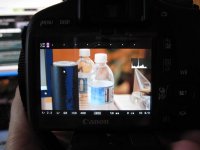
edit 2: i see a very nice WAVEFORM!! thanks!!
 . Haha, phew...I was in movie mode, it makes sense now, nevermind! Lets see if I can get this working now