Magic Lantern enables 14-bit RAW CinemaDNG on 5D

oh and now that there is a CDNG conveter for MLraw im rejoicing. if im shooting 5dIII would add a step in my workflow. shoot MLraw-------> transcode to (CDNG) with RAWmagic------>dump to raid------> edit raw (CDNG) in resolve-------->grade in resolve-------> deliver PRORESHQ to client.
R10 is going to be pretty amazing for this workflow.
 
oh and now that there is a CDNG conveter for MLraw im rejoicing. if im shooting 5dIII would add a step in my workflow. shoot MLraw-------> transcode to (CDNG) with RAWmagic------>dump to raid------> edit raw (CDNG) in resolve-------->grade in resolve-------> deliver PRORESHQ to client.
Which all runs much better on a monster computer. Whatever workflow works for you and on whatever computer.
 
So I finally got around to testing the ML 5D RAW option this past weekend and I personally wasn't that impressed. Constant dropped frames even on my 1000x CF cards, could not get record times longer than a few minutes and no 1080p yet! Maybe some fixes will come later on, but as of now it isn't something I would even want to shoot a short film with. A step in the right direction, but so many bugs need to be fixed.

Either your card is too slow or you're not doing something right. I've never had ANY dropped frames on a shoot.
 
Things are speeding up and narrowing in.

Tom Worth of 5d2rgb has made an app to get the RAW to Cdng for use ing resolve.

http://www.eoshd.com/content/10558/...d-mark-iii-batch-cinema-dng-converter-for-mac

It's working, just a few minor bugs to iron out....


Yeah I figured he'd be on the case from the start.

LTO-6 drives record @ 160MB/s. That's fast enough for backups. I haven't checked but I imagine tape backup is a requirement for digital negative insurance on a feature. The plan is to copy all the data to the thunderbolt raid 10 array (so 2 copies) and then back everything up to tape and store the tapes off-site.
 
R10 is going to be pretty amazing for this workflow.

What's the bet it won't be free anymore.

My workflow on this narrative scene is ACR/AE film convert - prores4444 - FCPX. It's a lot quicker for me than stuffing around in Resolve, and with film convert my footage looks like it's come out of the pages of Monocle, which is exactly what I want.
 
Last edited:
Just tested R9 with Tom Worth's CinemaDNG converter: ACR+AE provides much better de-Bayering and the ACR NR works really well (NR not available in Resolve Lite?). R9 was a little over 2x faster than ACR+AE outputting DNxHD (14fps vs 6fps).
 
Just tested R9 with Tom Worth's CinemaDNG converter: ACR+AE provides much better de-Bayering and the ACR NR works really well (NR not available in Resolve Lite?). R9 was a little over 2x faster than ACR+AE outputting DNxHD (14fps vs 6fps).

R9 and ACR/LR4 are about the same as far as Debayer goes, with R9 seeming slightly better at least with CInemaDNG files from BV1. Remove all default noise reduction and sharpening from ACR files, compare. They will look the same.

R9 Lite does not have noise reduction and a few other great things.
 
R9 and ACR/LR4 are about the same as far as Debayer goes, with R9 seeming slightly better at least with CInemaDNG files from BV1. Remove all default noise reduction and sharpening from ACR files, compare. They will look the same.

R9 Lite does not have noise reduction and a few other great things.

I believe Resolve has hardware acceleration when dealing with CinemaDNG. I don't know if the others have it.
 
concur with ACR vs R9 debayering being just as good. Actually DVX member @Samuel and I did some direct tests and they looked the same, I believe he has them posted somewhere???. NR is a paid feature and it is very good at what it does. Blackmagic has already said R10 will still be free. I feel like resolve is really ahead of the game when it come to working with raw because of the BMCC. Add in the amazing tracker and power windows not sure why anyone would choose to torment themselves with ACR/AE workflow when R9lite is completely free.
 
Hey Squig..

I tested the ACR/AE and it was quite slow to render. I then tried Sebastian Wober's idea. I used Rawinizer to make my .dng files which is flippin rapid. Then I use Adobe bridge and "open all files" in photoshot (ACR).. I make my adjustments there and save as Tiff files. Import to AE and render and its like **** off a teflon shovel!! FAST :) ...

You've probably tried this, but I thought I would put it out there...
 
Yeah I tried Sebs method but it's like shovelling s*%t, there's a lot of manual labour involved. AE is slow but you can just set up a batch to render overnight.
 
concur with ACR vs R9 debayering being just as good. Actually DVX member @Samuel and I did some direct tests and they looked the same, I believe he has them posted somewhere???. NR is a paid feature and it is very good at what it does. Blackmagic has already said R10 will still be free. I feel like resolve is really ahead of the game when it come to working with raw because of the BMCC. Add in the amazing tracker and power windows not sure why anyone would choose to torment themselves with ACR/AE workflow when R9lite is completely free.


I think it's because there's too much room to turn out somethingg not as pleasant versus just running the material through something like Film Convert, which again does an okay job for something that's basically drag-and-drop. A combination of the two (for grain mostly, although Cinegrain is a more flexible and better looking alt to my eyes.. more expensive as well) isn't so bad, but as a primary finish... hmm maybe at some point!

Speaking of debayer, I need to run another test with NoiseNinja's debayer. I ran into an instance where just the debayer of that app killed the moire in some DNGs from Blackmagic, and R9, ACR, LR4 could not do the job. Very very weird.
 
R9 and ACR/LR4 are about the same as far as Debayer goes, with R9 seeming slightly better at least with CInemaDNG files from BV1. Remove all default noise reduction and sharpening from ACR files, compare. They will look the same.

R9 Lite does not have noise reduction and a few other great things.

I converted the same awesome clip of my desk and office, including the monitor (which usually can generate excellent moire patterns) and processed in ACR+AE and R9. ACR+AE output was clean and detailed; with R9 it didn't look as detailed (perhaps the NR along with sharpening in ACR did the magic). The normally moire'd monitor in ACR+AE was smooth and clean (NR must have cleaned it up). Didn't notice any edge color artifacts in ACR+AE (can't really judge R9 as the edge artifacts could be noise (no NR in R9 lite)). AE isn't that slow for me (12 Core MacPro running Win7x64); however R9 is more than twice as fast. A fun element of this test was pushing down the filmed monitor brightness in post and seeing lots of detail while preserving the rest of the scene- 14-bit video is cool.

Just compared the two clips again- R9 looks really bad on the monitor shot- red edge artifacts, moire, not as detailed edges vs. ACR+AE. Try shooting your monitor & compare :)
 
Turn off defaults. I and others have done this comparison with cinemadng some time ago with other cameras. You're seeing defaulted settings, nothing more.
 
What does it matter if it's default? The question is can it be matched by resolve?
Of course.

It matters if we're trying to educate ourselves and the community on workflow and how each impacts the image. Just saying "This is better than that" doesn't really help anyone.

Same ol' thing with the original 5D stuff, people just spouting one recording format in camera was better than the other earlier on, turns out it wasn't accurate.
 
Last edited:
I have resolve, LR/ACR, capture one, Aperture.

I with JCS here. LR (which is the same engine as ACR) is hands down producing better results than R9. DId my own tests with the BMC and now with the MK3ML. Yes, I did outputs with all auto settings zeroed in ACR. ACR just produces better results, as does capture one (the two leading ways to convert RAW images in the stills world). But while they are better, they are painfully slow for motion DNG work. R9 is just a much faster workflow. But the thing that gets me most about Resolve. NO WHITE PICKER. A color correction program without a white picker? LOL. Now I think resolve is a powerful platform, but put a darn white picker in there.

Now if you want your ACR to speed up (because it's a slow process for MK3ML RAW) don't do any noise reduction in the program. I did a simple test late last night and everything I threw at ACR and R9 the results were cleaner in ACR.

LM version:
LM V.jpg
R9 Version:
R9 V.jpg

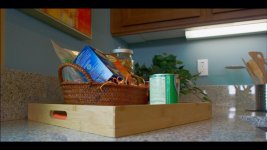
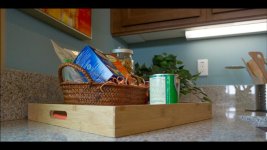
Probably can't see it on the uploads here in the forum with compression, but if you look at the fine print of the blue box and the soup can the ACR/LM version is FAR better than the R9 output. THe R9 version just can't get them little fine letters to look as nice and detailed. But like I said, R9 is just a way faster method of working with motion DNG. Even though ACR will make a better image, I would still use R9 just due to the speed and workflow of getting moving DNGs in and out of the NLE. Now if they only implemented a white picker in the camera tab like a good RAW converter should have.

EDIT: just as I though, you can't really tell with the DVX uploads. I have to get out the door but I will update this later and even do more examples and upload the full rez to my dropbox so that you guys can see clearer. But with these uploads, take notice of the specular highlight on the chrome can holding the wooden kitchen tools. See that green fringe along the highlight of the R9 version where the ACR version is clean without the green fringe?
 
Last edited:
Looks like Thomas Worth updated RAWMagic for those interested in this workflow but can't follow:

http://www.magiclantern.fm/forum/index.php?topic=6218.50

Changes:
+ You can now force a camera model to be written to the DNGs. The only options right now are 5D MkIII, 5D MkII and 50D.
+ Fixed a coding mistake that disabled the ability to delete selected items
tongue.gif

+ FPS display is now correct
+ 5D Mark II footage now works
+ Vertical stripes should now be fixed in most cases (still under investigation)
+ Ability to cancel the conversion

http://www.mediafire.com/download/tfur7aif2iic524/RAWMagic.dmg
 
Back
Top