That video just makes me even more excited to see that first peek of the C300M2. That type of promo...in 4K...would be fantastic.
I don't need 4K right now and I think that I will with HD for next four years .-) .

Follow along with the video below to see how to install our site as a web app on your home screen.
Note: This feature may not be available in some browsers.
That video just makes me even more excited to see that first peek of the C300M2. That type of promo...in 4K...would be fantastic.
Update: Just spoke with TMS. They do still have units available from the first order. They just didn't all get shipped to them from Canon yet. They think they will get those in about a week.


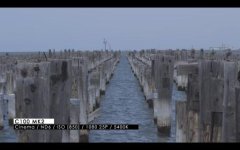
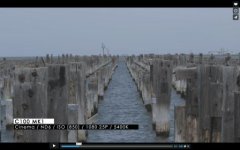
Two videos with the C100 Mark II by the same guy.


If there is a blue tint wouldn't that just mean you should lower the Kelvin?

I meant, with an equivalent Kelvin, the MKII seems to give a blue tint.
And it doesn't seem to be something you can correct just by lowering the kelvin, but a really blue thing on skins and walls...
nobofy else saw saw the same ?
So you're saying the camera sees skins and walls and turns them blue, while leaving non-skin and non-wall objects with regular colors, hence why you can't simply correct the image with a change in color temperature? I'm not sure that makes sense.I meant, with an equivalent Kelvin, the MKII seems to give a blue tint.
And it doesn't seem to be something you can correct just by lowering the kelvin, but a really blue thing on skins and walls...
If by equivalent Kelvin you mean the Mark II looks blue overall set at 3200K with 3200K tungsten lighting, while the Mark I looks normal set at 3200K with 3200K tungsten lighting, then the simple solution would be to just lower the camera color temperature to say 2900K or whatever it needs to be to look proper for the tungsten lighting. A minor inconvenience to have inaccurate temperature numbers but it is easily fixed by accounting for it.