C100: Canon C100 Mark II Announced 60P, New VF, & New OLED Panel Texas Media Systems

Update: Just spoke with TMS. They do still have units available from the first order. They just didn't all get shipped to them from Canon yet. They think they will get those in about a week.
Getting my order in too. Picking up the Shogun and hoping for the best.
 
Canon C100 Mark II Bodies, 24-105 Kits & Triple Kits en route to Texas Media Systems

Canon C100 Mark II Bodies, 24-105 Kits & Triple Kits en route to Texas Media Systems

Finally got some good Canon C100 Mark II shipping news from Canon USA tonight.

All backorders or signed leases for the following should ship from Austin by Thursday at the latest, weather permitting.

We should be able to fill all but a few back orders on the following:

No luck with the following models yet:
 
Last edited:
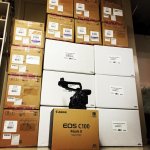
Canon C100 Mark II Cameras Now Arriving in Volume at Texas Media Systems

Canon C100 Mark II Cameras Now Arriving in Volume at Texas Media Systems

Canon C100 Mark II Big Ol Stack at Texas Media Systems.jpg

canon-apply-short.png
 
Terry, I'll have mine in tomorrow from you! I just want to say that TMS and you have been really excellent to work with. And I also want to say that Joe, in particular, was wonderful. He helped me work through my different options for financing and always got back to me within a short amount of time. I don't intend to talk bad about the three NYC companies, because they are still good companies and I will end up doing business with some of them sometimes. But when I was first trying to get info on how financing works, with at least half a dozen questions-- it took either you or Joe two or three hours to get back with all the info I had asked, and additional info that I hadn't thought of yet, whereas it took the other companies three to four days, going through multiple people and getting less info. So to anyone else reading, you'll have a good experience if you choose to do business with TMS. And also, a big thank you to the people who recommended them in this thread, as well.

Now I'm looking forward to tomorrow!
 
Nothing like "Word of Mouth" advertising. Everyone here on DVXUSER totally agrees with you on Texas Media Systems. They are the "Best of the Best"!!!!
 
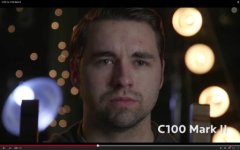
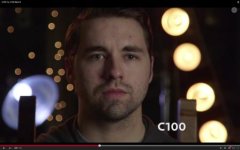
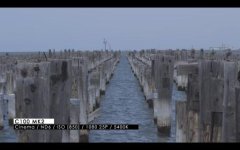
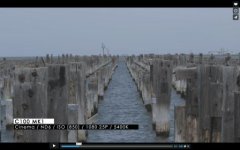
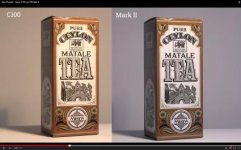
Am I the only one thinking that ALL the footage I see coming from MK II is really blueish ?

I'm pretty convinced about the new functions and I'm (was) almost ready to sell my MK I to get the MK II

(don't consider all the b**s** about the "video" look, this is stupid, you just have to set the right detail settings, and use filtration if needed, but you can do what you want with the detail level. and also, what the f** is this so called "cinema look" ? Just do proper lighting, a camera is not supposed to make shot of your dog look like terry gillian's)

BUT, I'm seeing a very disturbing blue tint on all the ungraded footage I've seen the past few days.

what do you think ?
 
If there is a blue tint wouldn't that just mean you should lower the Kelvin?

I meant, with an equivalent Kelvin, the MKII seems to give a blue tint.
And it doesn't seem to be something you can correct just by lowering the kelvin, but a really blue thing on skins and walls...

nobofy else saw saw the same ?
 
I meant, with an equivalent Kelvin, the MKII seems to give a blue tint.
And it doesn't seem to be something you can correct just by lowering the kelvin, but a really blue thing on skins and walls...

nobofy else saw saw the same ?

Do you own a Mark II and have tried this....or is this comment speculation? Just curious. K Temp is really the obvious answer here. Just wondering if you have hands on experience that is informing you a different way...or if your speculating.
 
I don't own one I'm judging after seeing the side by side videos where you can see the same shots with both cameras.
 
I meant, with an equivalent Kelvin, the MKII seems to give a blue tint.
And it doesn't seem to be something you can correct just by lowering the kelvin, but a really blue thing on skins and walls...
So you're saying the camera sees skins and walls and turns them blue, while leaving non-skin and non-wall objects with regular colors, hence why you can't simply correct the image with a change in color temperature? I'm not sure that makes sense.

If by equivalent Kelvin you mean the Mark II looks blue overall set at 3200K with 3200K tungsten lighting, while the Mark I looks normal set at 3200K with 3200K tungsten lighting, then the simple solution would be to just lower the camera color temperature to say 2900K or whatever it needs to be to look proper for the tungsten lighting. A minor inconvenience to have inaccurate temperature numbers but it is easily fixed by accounting for it.

On the other hand, I personally never understood what people meant when they say things like Canon lenses are warm, Canon camera color is warm, Zeiss lenses are cold, etc., as if those attributes were important, when simply adjusting the white balance, white balance shift, and color correction, can change those aspects both in-camera and/or in post.
 
If by equivalent Kelvin you mean the Mark II looks blue overall set at 3200K with 3200K tungsten lighting, while the Mark I looks normal set at 3200K with 3200K tungsten lighting, then the simple solution would be to just lower the camera color temperature to say 2900K or whatever it needs to be to look proper for the tungsten lighting. A minor inconvenience to have inaccurate temperature numbers but it is easily fixed by accounting for it.



That is what I meant and I disagree with your solution. Because when you choose your K temp you're not supposed to do it in relation to your camera, but to your subject. My eye is used to choose a white balance while seeing a source of light : sun, light bulb, halogen, fluorescent, etc...

So, when we say that for exemple a specific lens is warm, it is considering that you adjust your white balance to your source, and still there is a slight warm shift.

Why don't I change the balance on my camera ? Because this would shift all kinds of light coming into my camera, and therefore give non accurate results regarding natural light and/or artificial light.

Why can't I change it in post ? because it's an unnecessary step that might interfere with some specific changes I wanted to do when color grading.
 
Back
Top