C300: C300 Mark II Blue LED light issue

implicted

Active member
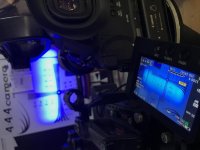
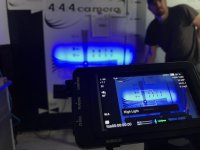
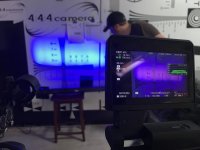
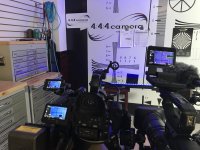
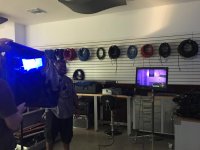
Shooting on my C300 Mark II recently for a convention setting.. Blue LED bar light on background. The C300 Mark II rendered the color pirple. No settings were changed and i mimiced my camera along with a C100, C300, and C100 Mark II.. all other cameras look great. I even reset the C300 Mark II to Factory default and tried ALL camera Profiles, etc... no Idea. And no, it's not white balance.. all cameras set to 5600K

See for yourself.

IMG_4656.jpg

Any Thoughts? I've had nothing but poor sensor experience since getting this camera over a year ago.
 
Last edited:
The camera does have a significant red bias. I notice this even more when I shoot it side by side to the alexa, which has a green bias.

On a few occasions I've gone into the custom profiles and off set the white balance, -Red a few points. Season to taste.
 
The camera does have a significant red bias. I notice this even more when I shoot it side by side to the alexa, which has a green bias.

On a few occasions I've gone into the custom profiles and off set the white balance, -Red a few points. Season to taste.

I pulled the red down in white balance and switched to CLog3.. seemed to be the closest way to match... but the skintones became way off... not cool.
 
Because they use the same sensor and picture profiles. The C300 MK II is the odd duck out. I've put it directly up against my original C300MKI. They are completely different cameras color-wise even when they are both in CLOG-1.

I think if higher quality LED's were used, like Kino Celebs, the light would have matched across the board on all cameras since the light coming from the fixture was at a legal wavelength. Just my guess though.
 
LEDs are a really poor source color wise, since their spectrum gaps can cause a lot of problems. Just not reliable, unlike good old full spectrum tungsten. But I've heard of this kind of thing happen with countless cameras. Alexas making a green dress turn out grey, because of the way the material reflected colour, ect. It's tough in a small scale situation like this, where you can't really prep for it, but poorly made/inappropriate LEDs always have the potential to cause anomalies like this. Same reason why on big shows, DPs replace all the fluorescent fixtures with Kino bulbs. If you don't have full spectrum, then it's better to have a known quantity.
 
Because they use the same sensor and picture profiles. The C300 MK II is the odd duck out. I've put it directly up against my original C300MKI. They are completely different cameras color-wise even when they are both in CLOG-1.

I think if higher quality LED's were used, like Kino Celebs, the light would have matched across the board on all cameras since the light coming from the fixture was at a legal wavelength. Just my guess though.

I understand the legal color spectrum arguement, but in this case, why would it only apply to the C300 Mark II and no other camera in the cinema series? If they all had the same issue, i would support the arguement, but to only have one of 4 have the issue and technically the best quality one have the issue is baffling to me. As far as referring to 'cheap' LEDs... this isnt really the case considering the scenics were lit with standard professional LED stage lighting.. Kino Celebs arent really designed for this use as its backgound colored accent light for staging.. i've noticed it before this event at full stage concert settings as well... even if i the legal color is the issue, then why would the technically lower quality cameras be fine?
 
Was the Mk2 set to rec 709 profile? The Mk2 has a different sensor with a different color science as compared to the other cameras so its probably not a big surprise that the color rendition is different. I have had some difficulty match 300 MK2 to 300 Mk1, even the rec 709 profiles don't line up al that well. You could spend a few hours and develop a Mk2 color profile that would be similar to the Mk 1 in Wide DR for instance but it would still be imperfect . Its relatively easy to get one camera to look like another in one situation, with one light source , and much more difficult to arrive at a generalized color profile that will match across multiple lighting scenarios , daylight, tungsten , mixed sources and crippled sources which is how i refer to many LED sources, especially when the fundamentals of the sensor are different.
 
With a Chroma du Monde chart and a vectorscope it is possible to go into the color profile menus of the camera and get it to match the others nearly perfectly. Anyone shooting multicamera should really learn this skill as this example illustrates. Once recorded, if the color processing wasn't matched beforehand then there's really no way back.
 
Last edited:
While this doesn't address the OP's problem, this is a perfect example of why I like to use the same model camera across the board on multi-camera shoots whenever possible. Some people claim that you can match all cameras in post. Bull. Sometimes there isn't the time in post, sometimes there isn't the money to spend the time in post and sometimes the cameras are just too different and they will never match no matter how much time or money you have for post.
 
Although I don't own a C300 MKII (only C100) I recall numerous people on this forum talking about weird visual issues with the C300 MKII resolving themselves after a black balance. Might be worth a shot.
 
I understand the legal color spectrum arguement, but in this case, why would it only apply to the C300 Mark II and no other camera in the cinema series? If they all had the same issue, i would support the arguement, but to only have one of 4 have the issue and technically the best quality one have the issue is baffling to me. As far as referring to 'cheap' LEDs... this isnt really the case considering the scenics were lit with standard professional LED stage lighting.. Kino Celebs arent really designed for this use as its backgound colored accent light for staging.. i've noticed it before this event at full stage concert settings as well... even if i the legal color is the issue, then why would the technically lower quality cameras be fine?[/QUOTE

Firstly, standard professional LED stage lighting aren't the same quality as film production lighting instruments.

Secondly the C300 MKII is tuned completely differently than any other previous Canon Cinema camera. If I had to guess why the C300MKII rendered the "blue" as purple is because the MKII is more sensitive and has the ability being 10/12bit to discern color variances at a more precise level than an 8bit camera.
 
Fwiw...my experience with photographing "any" deep blue with this camera leads to a purple result. It's response in the blues is completely different than the other cameras you mention. Not certain whether this is completely relevant to you issue as theatrical LED are definitely capable of some curious colors on any video camera. I can tell you that my mark II sees many more of the colors available on my Arri L7C lights, when compared to the mark I, so it is indeed more sensitive and capable in this respect. However, the blues, in general, haven't been particularly accurate in my opinion.
 
Fwiw...my experience with photographing "any" deep blue with this camera leads to a purple result. It's response in the blues is completely different than the other cameras you mention. Not certain whether this is completely relevant to you issue as theatrical LED are definitely capable of some curious colors on any video camera. I can tell you that my mark II sees many more of the colors available on my Arri L7C lights, when compared to the mark I, so it is indeed more sensitive and capable in this respect. However, the blues, in general, haven't been particularly accurate in my opinion.

So you first hand see blues from the camera show up as purple? If so, how do you resolve it without destroying the rest of image? My concern is any live concert with blue stage lights, or corporate keynote with blie accrnys will be recorded as the 'wrong color'.. therefore i have to explain to my clients why my video doesnt match their branding for the event.

I recently set up a stage party light under controlled setting with c300II, C100II, FS7, and Phantom... all rendered blue properly EXCEPT C300MKII.

C100M2
IMG_8001.jpg

FS7
IMG_7999.jpg

C300M2
IMG_8002.jpg

ALL SCREENS
IMG_8003.jpg


Thoughts?
 
Yep... there are different single color elements... only bkue are on.... also, used tungsten with blue gel to test.IMG_8006.jpg
 
Have you changed the Color Matrix?

Going to Custom Picture > Preset > Off and then Main Settings > Color Matrix and setting that to Cinema EOS Original or EOS Standard has gotten me much closer to the colors of the EOS C300 Mark I. Specifically in a situation much like this with Blue LEDs.
 
Back
Top