Working with GH1 on a Mac

x_WOrPIG_x

Well-known member
I just got my GH1 and i'm trying to transfer everything from the SD card to my mac from hooking it up via USB but won't detect it on my mac.

Even just to get Photo's from the card. Is there a driver I need? I don't have a card reader.
 
Make sure you format the card in camera before using it. Don't do it now though because that will erase the card.

Did you try firing up image capture?

Or you could go pick up a card reader.
 
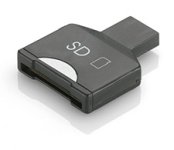
I concur. However you are better off getting a USB SDHC reader and not waste battery power on file transfers. I paid less than $14 for mine and it's umm... not very big. I'm sure you can find something similar in a local computer store.
 

Attachments

  • SDHCreader.jpg
    SDHCreader.jpg
    8.3 KB · Views: 0
yeah just like Ben_B said...don't delete stuff from stream folder thru your mac. What I mean is if you want to delete a video you shot, delete it on GH1 directly. I learned that mistake by deleting mts files directly on my mac and that broke the link of files structure of AVCHD and I couldn't log and transfer on FCP or iMovie.
 
yeah just like Ben_B said...don't delete stuff from stream folder thru your mac. What I mean is if you want to delete a video you shot, delete it on GH1 directly. I learned that mistake by deleting mts files directly on my mac and that broke the link of files structure of AVCHD and I couldn't log and transfer on FCP or iMovie.

Good to know, thanks!
 
My apologies for bringing up an old thread...

I have been editing on a Windows desktop with my GH1 and only recently bought my first Mac (one of the new quad core pro's that just launched). I can't seem to get the video footage onto my mac...

I can get regular pictures, but nothing seems to recognize the video. Any advice?
 
My apologies for bringing up an old thread...

I have been editing on a Windows desktop with my GH1 and only recently bought my first Mac (one of the new quad core pro's that just launched). I can't seem to get the video footage onto my mac...

I can get regular pictures, but nothing seems to recognize the video. Any advice?

Just got mine and shot with it for the first time yesterday -- fun! Discovered my all-in-one card reader isn't SDHC compatible so it wouldn't read my 8GB SDHC card. Copied the files from the camera to the Mac and all was well until I discovered neither iMovie nor FCP (version 6, Studio 2) will read the native MTS files. Plugged the camera back in, ran iMovie and clicked on the camera icon. It saw it and there was no problem loading the files -- they look great!

Then I got the idea to copy the AVCHD folder to a 1GB SD (non-HC) card and ran iMovie again clicking on the camera icon. Worked fine. Ran FCP and Log and Transfer (not Log and Capture). All the files showed up in the list. Dragged a few down into the lower section (says "Drag media here") and that worked fine, too.
 
Thanks Visorblue!

I am entirely new to Mac workflow. The import feature inside of iMovie worked for me. I haven't installed FCP yet.
 
Today, i test with PremierePro CS5 and work like charm, so FCP 3 and PremierePro CS5 on mac are the best options for good editing.
 
Today, i test with PremierePro CS5 and work like charm, so FCP 3 and PremierePro CS5 on mac are the best options for good editing.

I just installed CS5 Premiere, and while I wouldn't claim 'works like a dream', the AVCHD rendering seems to be better than CS4... at least the clips play somehow, someway, without locking up.

For reference:

Mac OS X 10.6.3
CPU: 2.4 GHz Intel Core 2 Duo
Memory: 2 GB

So, I'm still convinced that AVCHD is not quite there for at least this level of processor. But it is getting better...

In particular, while the clips that I loaded 'played', there were definitely visible artifacts of not being able to decode fast enough for display, jerky lines, little macroblockish artifacts and the like. But when the clip is paused/stopped, the image 'cleans up'.

In addition, since I'm not a Premiere afficienado, all I've seen about removing the pulldown, is found in After Effects. Is there a way to remove the pulldown in Premiere natively?
 
In particular, while the clips that I loaded 'played', there were definitely visible artifacts of not being able to decode fast enough for display, jerky lines, little macroblockish artifacts and the like. But when the clip is paused/stopped, the image 'cleans up'.

Make sure your Viewer and Canvas are set to Highest Quality. Think it's a button with a drop-down to the right of the playback controls.

If your system has the speed to play it, should eliminate the artifacting for you.
 
Make sure your Viewer and Canvas are set to Highest Quality. Think it's a button with a drop-down to the right of the playback controls.

If your system has the speed to play it, should eliminate the artifacting for you.

I'll check that out, as I'm only recently getting into using Premiere exclusively.

Also, is there a pulldown elimination function. Or do I have to go to AfterEffects for that?
 
Well, i´m working really nice with PremiereCS5 no artifacts, maybe the machine have something to do with it, MacPro Dual Quad Core.. ;)

Premiere have a Interpreter Footage ala AfterEffects but no option to remove HD 24p Pulldown, just DV for what can i see.

Cheers
 
Just got mine and shot with it for the first time yesterday -- fun! Discovered my all-in-one card reader isn't SDHC compatible so it wouldn't read my 8GB SDHC card. Copied the files from the camera to the Mac and all was well until I discovered neither iMovie nor FCP (version 6, Studio 2) will read the native MTS files. Plugged the camera back in, ran iMovie and clicked on the camera icon. It saw it and there was no problem loading the files -- they look great!

Then I got the idea to copy the AVCHD folder to a 1GB SD (non-HC) card and ran iMovie again clicking on the camera icon. Worked fine. Ran FCP and Log and Transfer (not Log and Capture). All the files showed up in the list. Dragged few down into the lower section (says "Drag media here") and that worked fine, too.

When I plugged in my gh13 and opened the icon all of my jpgs are there but none of the video. How do I remedy this problem?
 
When I plugged in my gh13 and opened the icon all of my jpgs are there but none of the video. How do I remedy this problem?

If you recorded video in MJPEG then your files are in the same folder than your jpgs.
But if you choose AVCHD file format(.MTS), you should find all of them in "PRIVATE/AVCHD/BDMV/STREAM" folder on your SDHC card...
 
Last edited:
Back
Top