
Navigation
Install the app
How to install the app on iOS
Follow along with the video below to see how to install our site as a web app on your home screen.
Note: This feature may not be available in some browsers.
More options
You are using an out of date browser. It may not display this or other websites correctly.
You should upgrade or use an alternative browser.
You should upgrade or use an alternative browser.
The end of 35mm adapers and hv20s....
- Thread starter Hunter Hampton
- Start date
can you think of a test to determine if video recording is using color modes setting?
how can we find if it records in srgb or adobergb space? won't it make a vectorscope difference?
having picture controls to tweak colors and exposure on the internal raw instead of color correcting the avi is very good to have but i wonder if we can capture more colors in adobergb too.
how can we find if it records in srgb or adobergb space? won't it make a vectorscope difference?
having picture controls to tweak colors and exposure on the internal raw instead of color correcting the avi is very good to have but i wonder if we can capture more colors in adobergb too.
I've mentioned it before but I firmly believe that something like Singh-Ray's Vari-Nd would be perfect for this camera. You can adjust for up to 8 stops. It's a great tool to vary and control the exposure.
The Vimeo videos by StoiQa look really good - just as good as my HV20 and Sgpro.
I'll be getting my D90 next week as it seems pretty sure that the new Canon 5D wont have a video mode.
I have the Vari ND and believe that it is the answer.
The Vimeo videos by StoiQa look really good - just as good as my HV20 and Sgpro.
I'll be getting my D90 next week as it seems pretty sure that the new Canon 5D wont have a video mode.
I have the Vari ND and believe that it is the answer.
can you think of a test to determine if video recording is using color modes setting?
how can we find if it records in srgb or adobergb space? won't it make a vectorscope difference?
having picture controls to tweak colors and exposure on the internal raw instead of color correcting the avi is very good to have but i wonder if we can capture more colors in adobergb too.
I can see it on the screen. Monochrome works, contrast, hue, etc.
no, not that
this menu:
http://www.imaging-resource.com/PRODS/D90/zmenu_shooting.htmf
"color space" menu
this menu:
http://www.imaging-resource.com/PRODS/D90/zmenu_shooting.htmf
"color space" menu
I've mentioned it before but I firmly believe that something like Singh-Ray's Vari-Nd would be perfect for this camera. You can adjust for up to 8 stops. It's a great tool to vary and control the exposure.
The Vimeo videos by StoiQa look really good - just as good as my HV20 and Sgpro.
I'll be getting my D90 next week as it seems pretty sure that the new Canon 5D wont have a video mode.
I have the Vari ND and believe that it is the answer.
that is a very expensive ND filter
the trick is you can make it at home with a circular polarize and a linear polarizer, one after another. the singh is done exactly the same way
i can't remember exactly all details but if you google you'll find quickly how to diy
yeah that video looks nice. i've always wanted raw color adjustments on cheap cameras
Park Edwards
Veteran
kholi, clean and sharp footage
and what are you like a thug? i mean your heat is just laying around like Gotti is gonna jump you.
and what are you like a thug? i mean your heat is just laying around like Gotti is gonna jump you.
i'm at work and i can measure here color gamut
if in the next 6 hours from now anyone can make 2 similar short movies (5-10 seconds at most each), one with srgb and one with adobergb setting i could compare them for color quality. put them on mediafire or rapidshare, don't upload to vimeo or others, i can't process that video
if in the next 6 hours from now anyone can make 2 similar short movies (5-10 seconds at most each), one with srgb and one with adobergb setting i could compare them for color quality. put them on mediafire or rapidshare, don't upload to vimeo or others, i can't process that video
kholi, clean and sharp footage
and what are you like a thug? i mean your heat is just laying around like Gotti is gonna jump you.
LOL! It's a fake gun. Prop gun. For a short friends are shooting this weekend.
and what are you like a thug? i mean your heat is just laying around like Gotti is gonna jump you.
i thought the weapon was a message to his critics

here's some things you should know. i'll repeat a part from yesterday
- picture controls - the settings are not new on d90, all of them were available since the first digital nikon. the way they work has changed since 2007. before they were called picture controls the same setting on different cameras won't look identical.
that happens because each camera has a different sensor, with different color reproduction.
a saturation +2 on D80 won't look identical to a sat +2 on a d200.
since D3 and D300 these settings match every camera. you can create a look on a D300 and send it to a D90 user and i'll look the same. like a digital film type.
for photos PC make sense when using jpeg, not raw. raw is raw and you can alter any setting after the image is taken.
- custom curves - they map the internal raw to jpeg exposure conversion. instead of using linear you can draw your own curve to adjust exposure on shadows, midtones and highlights. more on this http://forums.dpreview.com/forums/read.asp?forum=1034&message=11239112 and here http://fotogenetic.dearingfilm.com/custom_tone_curves.html
you can emulate film tone curves by altering this curve. a neutral film would be linear, an agfa would have some compression in shadows and highlights and so on.
so using picture control adjustments you don't reach the jpeg compression and 8 bit limit when altering colors. don't do it in post if you can do it before compression and bit downsampling to avi. not to mention you can share the look with others and store them on the card.
when taking photos the color mode is important too. i'm not sure if this affects video but here's how it works on jpeg photos: color mode 1 and 3 are for portraits and landscapes. mode 3 is similar to a velvia film. color mode 2 is natural colors. 1 and 3 have an sRGB color space, 2 is adobe rgb. it would be best to use adobe rgb since it has a much wider color gamut. http://www.earthboundlight.com/phototips/nikon-color-modes.html
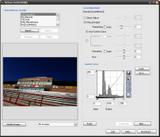

I'm lost as to what this does, to be honest. This is an in-camera deal? My ignorance on the subject leads me to want to learn more about what you're talking about. Please explain.

Ryan Patrick O'Hara
Veteran
Well boys, I'm gonna throw my hat in the ring. I just can't keep up anymore, and without a D-90 (yet) this is getting really hard to vision in my head. I think once I get my camera I'll come back to this thread and take a look at the front page (which hopefully will include kholi tricks to good image making) and I'll not have to re read all of this!
Great thread, everyone!
Keep on truckin' guys!
I mean... I have already read 2,411 posts on this thing!
Great thread, everyone!
Keep on truckin' guys!
I mean... I have already read 2,411 posts on this thing!
yes
i'll explain again but with more details. to make it easier to understand i'll talk about photo but it's the same with video
when you take a picture internally the camera get raw data from the sensor.
if you shoot raw nothing more happens. the camera writes a .nef (for nikon) on the card and that's it
but if you shoot jpeg that raw is converted from the mosaic of RGBG colors into an tiff-like image with RGB pixels. at this point WB is also applied.
when that jpeg is created all picture controls parameters are "burned" in it.
the sharpness, the saturation everything. from the much wider range available in the raw to the narrow gamut of jpeg.
which colors get moved in the jpeg is determined by the color space. usually sRGB (sRGB is what standard lcd, crt and printers display). a bigger range of colors will be kept if adobe rgb is used instead. standard lcd displays can't show that range, but when you edit the file you don't get banding or clipping as fast as with srgb.
the way that jpeg is obtained is in a linear form as far as exposure is.
raw has 12 bit on D90, jpeg has 8 bit. intensity values are mapped from the 4096 possible values of raw to the 256 of jpeg. this internal mapping is done by the custom curve in the picture controls. changing custom curve would extract other intensity values from the raw, so you can fix overexposure or underexposure level, you can fit more dynamic range in the jpeg. something otherwise impossible to do with jpegs.
so yes, picture controls preset tell the camera how to convert the internal raw file to a jpeg image or mjpeg video. if you read again my previous post now it would be easier to understand.
if you color correct your video you'll find the compression and 8 bit jpeg limits pretty quick.
if you take the time to create a color look for your little movie before (as a picture control preset you can also share with others) you'll get that look without any quality loss. it'll be converted from the internal raw in that particular way from the beginning, no editing loss. it's like selecting what type of film you want to use for your movie (less contrast, more contrast, high gamma, vivid, dark, overexposed, anything)
what i was asking earlier was to test if the avi's color change when you use adobe rgb insted of srgb. color space isn't a picture control setting so until we test somehow we can't be sure it affects video. video may be forced to be srgb and that won't be a problem but it'll be good to know what it is.
i'll explain again but with more details. to make it easier to understand i'll talk about photo but it's the same with video
when you take a picture internally the camera get raw data from the sensor.
if you shoot raw nothing more happens. the camera writes a .nef (for nikon) on the card and that's it
but if you shoot jpeg that raw is converted from the mosaic of RGBG colors into an tiff-like image with RGB pixels. at this point WB is also applied.
when that jpeg is created all picture controls parameters are "burned" in it.
the sharpness, the saturation everything. from the much wider range available in the raw to the narrow gamut of jpeg.
which colors get moved in the jpeg is determined by the color space. usually sRGB (sRGB is what standard lcd, crt and printers display). a bigger range of colors will be kept if adobe rgb is used instead. standard lcd displays can't show that range, but when you edit the file you don't get banding or clipping as fast as with srgb.
the way that jpeg is obtained is in a linear form as far as exposure is.
raw has 12 bit on D90, jpeg has 8 bit. intensity values are mapped from the 4096 possible values of raw to the 256 of jpeg. this internal mapping is done by the custom curve in the picture controls. changing custom curve would extract other intensity values from the raw, so you can fix overexposure or underexposure level, you can fit more dynamic range in the jpeg. something otherwise impossible to do with jpegs.
so yes, picture controls preset tell the camera how to convert the internal raw file to a jpeg image or mjpeg video. if you read again my previous post now it would be easier to understand.
if you color correct your video you'll find the compression and 8 bit jpeg limits pretty quick.
if you take the time to create a color look for your little movie before (as a picture control preset you can also share with others) you'll get that look without any quality loss. it'll be converted from the internal raw in that particular way from the beginning, no editing loss. it's like selecting what type of film you want to use for your movie (less contrast, more contrast, high gamma, vivid, dark, overexposed, anything)
what i was asking earlier was to test if the avi's color change when you use adobe rgb insted of srgb. color space isn't a picture control setting so until we test somehow we can't be sure it affects video. video may be forced to be srgb and that won't be a problem but it'll be good to know what it is.
Last edited:
Hey Ando - yes you are right about the Singh-Ray. It's expensive but I have it anyway. One of my most useful filters. Adobe CS4 is coming out pretty soon - I think it should have a better movie editing function - I can see getting a camera like the d90 and doing all of my color correction and noise reduction / effects in photoshop and then using Premier for the actual editing. With Photoshop CS3 extended it's pretty much there anyway. Interesting times.
I found the information. Gonna have to load up the Nikon Console software now. I actually meant how do you create the custom curves, in camera or with external software and load it up.
oh, ok
or with the freeware ViewNX
you can also download presets from nikon's website. like portrait and so on.
http://nikonimglib.com/opc/index.html.en
they are not yet updatd to D90 so i can't really tell how to get them to work
anyone interested should check the help files, i don't know that
With Photoshop CS3 extended it's pretty much there anyway. Interesting times.
very interesting times

don't expect much video editing on Ps anyway
adobe has video editing software so they won't allow much to be done in Ps
Last edited:
Awesome stuff, especially considering this is handheld without VR :thumbup:
Vivid + Long exp.NR -On + Active D-Lighting-High + Exp comp(-1)...removed the iso
The NR and ADL don't affect movie mode, or I would at least bet money that they don't.