cyvideo
Veteran
I adjusted the exposure before assigning the Sony Slog2 to 709 LUT. After I used the LUT it resulted in a clipped image that I had to correct again. Or is the underexposed clip the problem as Barry said?
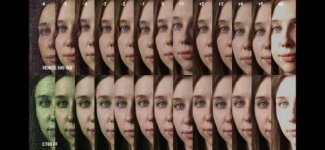
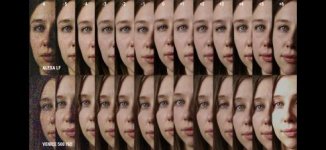
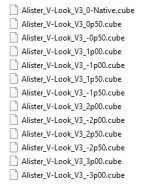
Yes as Barry says the underexposed clip is basically the issue. I generally find the easiest way out of this dilemma is to make sure you have a whole set of thirteen +/- 1/2 stop over/under compensation LUTs for whatever flavor LUT you are using. My starting workflow which I find gives me a pretty accurate point to start from is to bang on two extras nodes to start with. The first node 99% of the time I use for white balance if necessary. I now apply the necessary native "0" or "+ or -" compensation LUT to the third named "LUT" node to give me the closest to the correct exposure levels required to compensate for any over or under exposure on the clip in question. Then finally any lift, gamma, gain adjustments are made on the second named "LGG" node. This LGG node adjustment is usually not too drastic as you shouldn't have any major clipping going on with your third LUT node as you have already chosen the correct 0 or +/- 1/2, 1, 1.5, 2, 2.5, 3 stop over/under exposure compensation LUT.
Example: Many of us tend to over expose S-LOG 3 for example by 1-2 stops. Well if that is the case you you cannot use a LUT that is a native "correct 0" exposure LUT as it will be out by the 1 to 2 stops of overexposure used on that clip. You have to design a LUT or use a LUT that takes into consideration that the footage is already already over exposed, or under in your case. Hence the need for exposure compensation LUTs. Doing it this way I just don't see clipping on the third LUT node. If I do see clipping on that third LUT node then I know that I need to change that LUT for a compensation one to bring the clip level down. Then as I said you can do you final teaks up/down mid range etc on you second LGG node. Obviously there are a myriad of other adjustments and extra nodes can be used for a variety of grading reasons but the general rule is that all adjustments should be done prior to the LUT node as they are basically non-destructive. A LUT is effectively a scene file of sorts and any adjustments done after a LUT are destructive in as much as you are now adjusting within the narrower 6 stop or thereabouts confines of lets say a 709 LUT. Resolve lay out their workflow pretty clearly and in general I find this "flow" works in most NLE and grading software. Slightly different workflows for RAW and ACES but the general gist of it is to do all adjustment prior to final LUT, RRT.
Chris Young
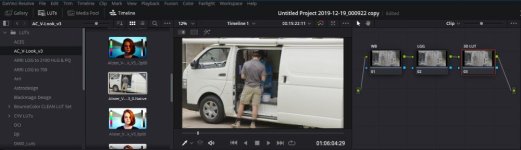
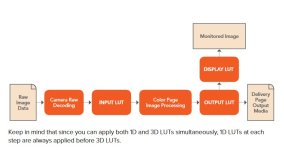
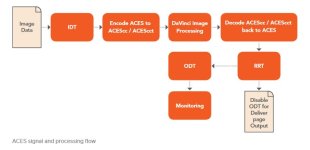
Grading Order of Operation in Resolve manual.
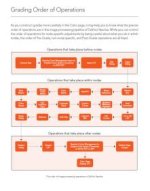
Last edited: