GH4 Panasonic GH5 coming in 2017

Exactly. The 10bit V-Log is out-of-this-world good for the price of the camera. Expose it correctly and it's incredible how much dynamic range you can pull out of it (v402 of my V-Log LUT applied):
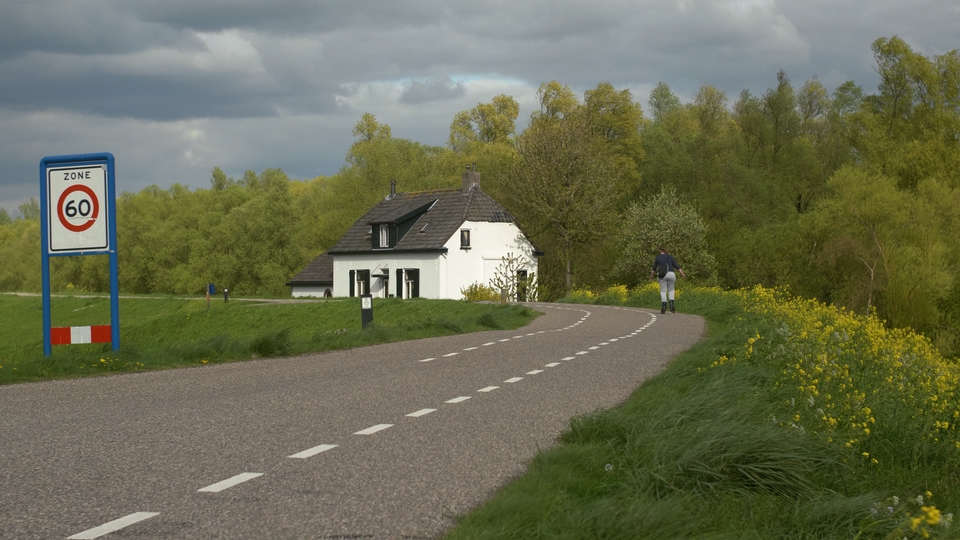
GH5.VLog.LeemingLUTOne.v402.Helios44-2s.jpg


Here's the full res 4K PNG for pixel peeping. I shot this yesterday here in Holland, using the Helios 44-2 lens on Speed Booster with IRND 1.5 filter on the front, ETTR'ed on the building wall lit by direct sunlight:

http://www.visceralpsyche.com/misc/web_images/GH5.VLog.LeemingLUTOne.v402.Helios44-2.png

Yes, there are a couple of v1.0 firmware bugs. But when I can get this kind of image from the camera today, I have zero complaints!

Cheers,

Paul :)
 
Last edited:
Well i dont have a GH4 anymore but i am wrong ETC has more crop than i thought,but i am afraid using my 100-400mm lens it does not fair very well in a resolution test,a lot less than the Sony RX10 MK 111 with clear zoom on similar to my HC-X1000 WITH A 1.5X extender,even with ETC off with this lens the resolution is poor past 300mm,it is a shame as i am very happy with the colour contrast and overall look of the picture.

https://vimeo.com/211691473
https://vimeo.com/212897760
comparison shows the Sony RX100 MK111 bridge camera is sharper than the lumis 100-400mm at 800mm,25P on comparison test due to space,the 50P version is identical.
 

Apparently their absolutely "flawless" GH5 review, was not so flawless when they finally acknowledged the error or their ways... :evil:

The consequence of using this codec however led to incorrect results when evaluating the Panasonic GH5’s 10-bit Vlog performance as it affected my files in a way that introduced an unexpectedly large quality loss within Adobe Premiere Pro.
 
I must say a strange situation, using ProRes HQ as a proxy is very stable and should be visually lossless.

I would recommend for the tester to provide his in-camera unaltered sources for download.

I don't think it is the codec itself but the method used to convert to that codec that introduced the issues. External recording of V-log to ProRes422 HQ doesn't show these same issues so it isn't just a codec issue but an issue somewhere else within the decode/encode chain in Adobe Premiere.

This may lead to a bigger issue with Adobe users right now since a lot of them might use ProRes as a format to convert to. I would suggest any GH5 Adobe users to test different formats and see which ones work the best at this time. In the future I'm sure the 10bit format will be better supported across different NLEs but the early adopters should test, test, test.

So glad I use FCPX which has no issue with Quicktime conversion.
 
EDIUS WG 8.3 will take the GH5 native with no conversion needed. I do not have a ProRes 4K/UHD file to check but HD ProRes from my Video Assist works fine for me in EDIUS. VEGAS 14 will not take the 10 bit 4:2:2 file though, but will take the 8 bit 4:2:0 file.
 
FWIW, I use windows PremierPro 2017 and have been using AME to transcode the internally recorded MOV files to DnX HQ & HQX with no issues. On my computer PP won't play the MOV files but has no issues with the DnX files.
 
Are able to play 10-bit files in QuickTime?

The 10bit native files from the GH5 do play in FCPX but not great. That is likely due to my system which is a 2012 iMac. Still a killer machine with ProRes material but not so great with native 4k material. I know others have had better playback results in FCPX with native 10bit files with newer machines.
 
What do you think? I've been looking at the Ninja Inferno for the external recording, monitoring assistance (false color), and the larger/brighter screen for my declining eyesight and outdoor use. But if the recording is better internal (I'm skeptical - surely something else is going on . . .), I'll just find a monitor.
 
What do you think? I've been looking at the Ninja Inferno for the external recording, monitoring assistance (false color), and the larger/brighter screen for my declining eyesight and outdoor use. But if the recording is better internal (I'm skeptical - surely something else is going on . . .), I'll just find a monitor.

I will give my two cents worth of advice on this.

A monitor isn't always just a monitor and there is a wide range of quality differences between monitors out there. The Atomos monitors are not just great external recorders but also rank up there in terms of monitor quality. 1500nit brightness and 10bit FRC color are some pretty significant features that make the Atomos monitors stand out above most of the low cost monitors out there. The HDR support is also very welcome along with all the scopes and tools. False Color is one of the best tools to use for exposure and the GH5 doesn't have that. So yes there are still plenty of reason to get a Flame/Inferno. There are professional monitors only solutions out there that cost as much as the Flame so really you are getting a great monitor with the recording thrown in for free.

A couple other things to think about. That above test is plagued by the same issue as every other internal vs external test out there. It doesn't actually test what stresses an internal encoder. Formats like h264 tend to fall apart with heavy random motion with lots of detail. h264 works based on motion prediction. A car driving across the screen is easy to predict. Random tree branches blowing in heavy wind or surf in the ocean are not so easy to predict motion. Every single internal vs external test out there is flawed because they lock down the camera and either shoot a still life scene or a single low detail subject with very little movement. If waving a head in front of a green screen broke h264 that much nobody would ever use it as a format. My point is that yes eventually external recording will be worth it. You may not see it on every shoot but eventually you will shoot something that does benefit from the higher quality recording. So it is never a useless tool to have. A format like ProRes422 HQ is about consistency and knowing every shot no matter how simple or complex will look the same. Internal 10bit might get you 90% of the quality which is amazing but it is how important that last 10% is where some of us still prefer external recording.

Time is the last point I will make. If you don't have a system fast enough for smooth 4k editing or that can handle the 4k 10bit files then recording external vs converting in post can save you a lot of time. Some of us always edit with an optimized or converted version so recording external saves us a huge amount of time and effort where we can start right away cutting away at our material. ProRes works well from even an older laptop which means you are not as much a slave to bleeding edge computers to get your work done. Starting with ProRes also means your final renders and exports will be faster. How much so depends on the complexity of the effects you use and the length of the exports. ProRes needs faster and larger drives but that stuff is cheap now and considerably cheaper than buying a new $3,000 computer to keep ahead of the new formats. Some people also can't even play the GH5 10bit files right now. Not an issue with ProRes. Any new camera that comes out I can record the same format I am used to using. My workflow never has to change because of some new odd camera format.
 
A format like ProRes422 HQ is about consistency and knowing every shot no matter how simple or complex will look the same.

Every distributor I deliver final files to requests ProRes 422 HQ, so it's pretty much an industry standard at this point.
 
I will ignore the endless bashing of H.264, with similar bitrates H.264 is just as good as any other codec, and H.264 can encode intra-frame only as well without all those alleged 'bad' motion issues. H.264 can even encode lossless if necessary.

Starting with ProRes also means your final renders and exports will be faster.
That is simply not true, whatever codec you use in order to re-encode you need to decode it first, decoding of inter-frame H.264 will not be significantly different than decoding ProRes as long as the the video is rendered sequentially. The slowness comes only when you move the play head to a particular place, then the NLE needs to calculate the current frame if it is not an I-frame.
 
Back
Top