C100: New Atomos Ninja Blade With HDMI

If you don't grade your material to much you'll be fine with the internal codec.

Oft-quoted, but impossible to qualify, as it's such a subjective statement.

It's an 8 bit camera, with a finite dynamic range.

If you cock up your exposure or colour balance, no amount of high bitrate ProRes voodoo will magically rescue you.

I'd like to say that the gains from ProRes recording are miniscule, but I'd be making a similar rash statement that I can't precisely qualify.

What it won't do is give you a tangible step-change in user experience, the sort of thing you'd feel instinctively if you switched from editing jpegs to RAW.

It will improve on transitions to red within the picture - anything with strong red edges.

In a year and over 40 commercial films shot and produced with a C100, I've only experienced two moments in post when I've noticed the "deficiency" of the native AVCHD codec. Neither of them were "deal breakers" - just minor and curious irritations.

I think we need to "out" this notion that you can't push the grade on native C100 AVCHD. Of course you can. You might get more noise; you might find that you can't quite rescue perfect skintones if you've shot at the wrong colour temperature; you might find you've clipped your highlights and can't rescue them.

But higher bitrate recordings won't dramatically mitigate any of this.

"it's fine if you don't push it too hard in the grade" has got to be one of the most ubiquitous statements across the various 8 bit camera forums and I think it is simply quoted verbatim, to the point of being meaningless.

I'm not saying there's no difference between the two.

But I do strongly feel that it's one of those statements that rarely gets challenged - simply because there may be a very small grain of truth in it, but not the huge truism that is implied.

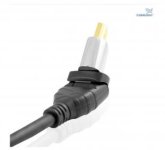
On the other hand, I do have this new HDMI cable, made from pure unobtainium and coated in 1 atom thick pure gold by virgin Swiss dwarves fed a diet of silk and honey. The colours and definition are so much more enhanced, despite that being physically impossible...

The ninjablade also doubles as a great monitor with high resolution . great for nailing the focus and judging the colors.

Agreed - it's fabulously underpriced against the competition from the likes of SmallHD and TV Logic for this ability alone. And the one additional killer feature that's not being trumpeted enough is the ability to calibrate it regularly with a Spyder. ProRes recording is a nice added bonus - but it's a comfort blanket, not a game-changing upgrade in quality.

All my opinion, of course.

Ben.
 
Don't underestimate the benefit of shooting native ProRes from a workflow perspective. Having native ProRes that can just be dropped on a timeline (and doesn't need rewrapping or transcoding) is INCREDIBLY handy.
 
Don't underestimate the benefit of shooting native ProRes from a workflow perspective. Having native ProRes that can just be dropped on a timeline (and doesn't need rewrapping or transcoding) is INCREDIBLY handy.

Sure. Incredibly handy? I guess that will depend on one's need for speed.

I can generally transcode a day's worth of rushes (c 20 Gigs AVCHD) in around an hour.

On the other hand, if I needed to cut those rushes into something meaningful within an hour and deliver them to a time-hungry client, yes I'd want ProRes clips straight from the camera.

Ben.
 
ProRes is a broadcast codec, that broadcasters will accept. The AVCHD has a lot of macro blocking in Clog any way, prores is the only way to get around that.

The main downside is that along with bigger file sizes the ergonomics of the camera get even worse. HDMI is an absolute rubbish plug for production.

S.
 
The main downside is that along with bigger file sizes the ergonomics of the camera get even worse. HDMI is an absolute rubbish plug for production.

Agreed on HDMI and it would be ideal if there was less stuff hanging off of the camera rather than more, but the ergos of the C-series and the C100 in particular aren't bad at all IMO. Even with a Ninja hung off on a decent noga arm or the like. I think the ergos on the C100 are easily the best run-and-gun ergos in the large sensor game right now. Everything else seems to need extensive rigging and other tomfoolery before they're usable.

And while HDMI is indeed a crappy plug for production, I actually haven't had a case of one failing me... so I deal with it.

The other benefit to shooting on a Ninja is it gets the C100 into the 4:2:2 space which is essential if you're working with broadcast outlets that have that requirement (and a lot do).
 
Erik, I just bought a ninja blade yesterday after reading about the internal codec of the C100. I may have jumped the gun here because I am reading that the internal codec even at 4.2.0 is really great. Do you find that when you shoot with the C100 you use the ninja blade with high codec or does it not really make a big difference. I would only be shooting with the LT 422 and not the higher bit rates due to storage. Thanks for you input and help.

Everything we are shooting is going to web, I just want the image to look great after its uploaded to either you tube or vimeo. I have seen some C100 footage that was awful and some that blows me away. I know its the person with the camera but again wanted to find out if at this point the ninja is kinda overkill for us. After hard drives and cables this thing is getting close to 1400 -1500 range. Its early enough for me to just send it back as I havent even opened the box yet. What do you think? I am new to all this, is this a great tool to just have or get a cheaper monitor for viewing and use the internal codec.

Thanks
You might find little benefit to using ProRes for your purposes but the monitor is really good so it serves a duel purpose that the original Ninja 2 didn't. That monitor was pretty bad. If you dont grade the footage really hard you will be fine with the internal codec. I dont use the recorder every time I shoot with the C100 but I like grading and exploiting the extra color space that 4:2:2 gives me. Like adding a secondary mask to give a punch of light in a not so perfect scene. I do this all the time with my C300 footage. righten up talents face etc. Just makes it look better.
So it really depends on what you want to do with it and I believe no matter what platform your video will play in always shoot the best quality you can and that youre willing to deal with. (larger files). The end result will always be better and thats what you want right?
 
You might find little benefit to using ProRes for your purposes but the monitor is really good so it serves a duel purpose that the original Ninja 2 didn't. That monitor was pretty bad. If you dont grade the footage really hard you will be fine with the internal codec. I dont use the recorder every time I shoot with the C100 but I like grading and exploiting the extra color space that 4:2:2 gives me. Like adding a secondary mask to give a punch of light in a not so perfect scene. I do this all the time with my C300 footage. righten up talents face etc. Just makes it look better.
So it really depends on what you want to do with it and I believe no matter what platform your video will play in always shoot the best quality you can and that youre willing to deal with. (larger files). The end result will always be better and thats what you want right?


Yes I want the best quality I can get. I think my debate is the footage so much better that it would require that much more storage which is 3 times at the lowest bit rate. I think for run and gun type stuff maybe not, but for things I really want to take my time on this is going to come in handy for sure. Took it outside today for the first time and the monitor alone is great weather I record on it or not. I am trying to figure out how to get my info on the crappy C100 lcd to show up on the ninja so I can just not use that one at all. Is that possible?

Also one last thing to ask, on your C100 was the HDMI input on the camera really lose, mine feels super loose and looks like its just going fall out with any little bump. What cords HDMI cords are you using to connect these and do you use the ones with the screws or just a normal HDMI cord. I just got the Zacuto right end ones but bump the cord handheld and it interrupted the single to the ninja blade. I have looked every where and cant find those screw in hdmi cords. Would you post a link to the cords you use and the mounting arm you use to put that on the camera. I bought one but it was way too short now I have to do a return.

Thanks for you help. Love your blog by the way have been all over that thing since I bought this camera and alot of info has really helped.
 
Sounds like that last update fixed the main issues with the NB? or are there any more problems that everyone is hoping for Atomos to fix?

I think I followed the first 20 or so pages of this thread.
 
Today I had to shoot a fishing contest, we filmed ninja blade recommended internal hdd..footage taken from the tripod without camera movements.outside was about 28 celsius and it was extremely hot ninja blade.After a while I started to see errors hdd, namely yellow kangaroo.for about 7/8 times did the cable's connection apple .. is perfect.I hope I do not have problems with footage
 
Yes, I recorded two cards..was more a test to see if I can count on ninja blade.unfortunately failed the test .. I'll try to shoot on ssd...Normally I missed those frames in which the error occurred yellow kangaroo,but that the C100 shoot video cards ... I did not lose anything.
just a little bit of confidence in Ninja Blade,I thought that if you do not move the camera, I will not have problems with hdd..however I think due to excessive heat began to show misfires registration.is a 7200 rpm HDD Atomos recommended,I think better would recommend ONLY SSD
 
How does the peaking on the Ninja blade compare to the peaking on the C100?

I just started building a shoulder rig and discovered that the c100's peaking isn't included in the hdmi out overlays. so sad.
I'm thinking about returning my Marshall lcd51 to purchase a Ninja blade.
 
I just got my Ninja Blade today. In my initial tests, I think I prefer the peaking in the camera over the peaking on the NB. I use yellow on my camera and the yellow on the NB wasn't as noticeable. I switched to pink and it was better, just not as intense as it is on the C100. The peaking is still plenty useable, just a bit less obvious to my eye in my very initial tests.
 
I wish the Ninja Blade had some function buttons for quick presets. The touch screen is nice but slow to get to waveform and peaking settings.
 
Back
Top