Magic Lantern enables 14-bit RAW CinemaDNG on 5D

I agree, Henry, the best of the tests that are coming out are as good as anything I've seen. There's a lot of not so great attempts to sort through as well. The Garbage-In/Garbage-Out concept really applies to vimeo. I'd been noticing in past months just how well vimeo deals with BMCC footage, and now am seeing a similar effect with the raw 5d stuff. You really see it in the H264 vs raw 5d tests... the H264 just don't like vimeo's compressor.

I'm working abroad for the month and so have no ability to mess with/test/play with this stuff. We're I home in the states, I'd likely have picked up a 5d3 by now, so exciting is the test footage... .as it is, I'm feeling lucky to watch from the sidelines and see how it shakes out.

My biggest concern is the vertical banding seen in some videos (here's another, look in the blue sky at 2x mag): https://vimeo.com/66696259

Don't think I'm seeing it on this one you posted: https://vimeo.com/66680965


Have you guys noticed how the hacked footage has incredible separation? A lot of the subjects jump out of the screen even after compression viewing on Vimeo. I guess that is a combo of full frame and the lack of compression and yes it is subtle but visible. I have viewed a lot of RED footage and I am convinced that it doesn't have 'that' 3D look to it. Alexa is better but this is one of the things that has struck me the most problems of workflow aside. Also when you view downloaded footage at half screen and then go full screen the sharpness remains. A lot of inferior footage I have seems to get a lot sharper when downsampled but the hack stuff at full screen stays tack sharp. IOW - even when I view it close up it still looks great. Do you guys know what I mean or have I eaten too many marshmallows?

I am really starting to see the true potential of this beast but still undecided. Many times - I have found myself saying wow that looks great. More than I have said for videos in the past. I am really impressed.

One more thing - Hear a lot of talk about RAIDs and tonnes of HDD space needed. Why aren't folk just transcoding to Cineform RAW and saving a lot of dough? I have successfully transcoded some of the earlier DNG samples and it does just fine. Don't know if the tool allows batch processing to a format Cineform knows yet though. Folks may be missing a trick here?
 
By the way, has anyone seen a raw test yet done with 5d2 and VAF filter? Very curious about that combo and what it will mean for sharpness.
 
^ there are 5D2+VAF chart tests somewhere in this thread...


One more thing - Hear a lot of talk about RAIDs and tonnes of HDD space needed. Why aren't folk just transcoding to Cineform RAW and saving a lot of dough? I have successfully transcoded some of the earlier DNG samples and it does just fine. Don't know if the tool allows batch processing to a format Cineform knows yet though. Folks may be missing a trick here?
The problem with CineForm is that the debayering methods it uses are nowhere near what ACR can do. It's much faster to work with, and requires a fifth of the storage space (under 150 Mbps for 1080p24 RAW video!), but... http://www.similaar.com/foto/blackmagic-workflow/index.html


BTW that "day at the beach" sample you linked does look extra-nice!
 
Have you guys noticed how the hacked footage has incredible separation?

Thats what FF with a telephoto lens will give you. It's a great look, shallow DOF done right.

Having said that my mind is not used to a selective focus look in a narrative context. When I see it I think of National Geographic or films like Baraka.
 
Thats what FF with a telephoto lens will give you. It's a great look, shallow DOF done right.

Having said that my mind is not used to a selective focus look in a narrative context. When I see it I think of National Geographic or films like Baraka.

I have the two disc set with Samsara on Bu Ray - they are really great. But let me give another example - lack of compression of any sort is revealling how good an image these cams actually output - colour grading is a little funky and colourful on this one.

Check it out at 1 minute 55 seconds. A sand spike appears in the forground, slightly blurred but my word it looks so real and 3D like. I have never seen stuff stand out like that before in a 2D vid. Of course I don't work with uncompressed so others may well not be impressed if they work with this stuff all the time. Looks fantastic.

 
^ there are 5D2+VAF chart tests somewhere in this thread...


The problem with CineForm is that the debayering methods it uses are nowhere near what ACR can do. It's much faster to work with, and requires a fifth of the storage space (under 150 Mbps for 1080p24 RAW video!), but... http://www.similaar.com/foto/blackmagic-workflow/index.html


BTW that "day at the beach" sample you linked does look extra-nice!

That is an amazing comparison, Ive been shooting a documentary with the Ikonoskop A-CAM and can tell that the Cineform conversion is loosing fine detail but have to accept the trade off since the project will be ongoing for several months and I can't be warehousing terabytes of files but for anything else I'm sticking to the CDNG's
 
For those with a 5DmkII and a VAF filter, I tested that the filter is essential at 1x resolution.

However, its mushed up soft when used at 5X crop mode.

Here is a new chart test at 1880 x 1080 & 1920 x 1078 comparing the DNGs with a still CR2 sraw2 frame and also with a chart at h264.

This is using NB may 22.

 
Ted, could you also make your conclusions, please, youtube not always does the justice to the discovery!
Thanks for your work!
 
Aliasing is bad, but moire is a nightmare. Luckily, with the 5D3+RAW, I don't think it's going to be an issue for most people.

The 5D2+RAW is a whole different story, but at least with RAW there's a better chance you can fix it: you have to debayer the image with two methods, the usual one and one that's soft but kills moire, then mask one over the other. Not ideal if it happens on a lot of shots, but it can save a clip if needed.
 
Aliasing is bad, but moire is a nightmare. Luckily, with the 5D3+RAW, I don't think it's going to be an issue for most people.

The 5D2+RAW is a whole different story, but at least with RAW there's a better chance you can fix it: you have to debayer the image with two methods, the usual one and one that's soft but kills moire, then mask one over the other. Not ideal if it happens on a lot of shots, but it can save a clip if needed.


Just shot this dirty test. Moire and Aliasing were killer. I tried to cover it up with some grain, but you can still see it dancing in the grass.

P.S I also posted this in the other thread.

 
I loaded up the ML RAW firmware on my 5DIII this afternoon and shot my first test clips with it. I don't have anything worth sharing, but this is the real deal. It's the best-looking DSLR footage I've ever seen (detail and latitude-wise) by a long shot.

If some enterprising coder were to write a utility that allows opening, processing, and transcoding the raw files to ProRes4444, that would be killer.
 
Sounds like a job for 5DtoRGB. I'm doing the prores transcode in AE but there's a bug in AE causing exposure flickering, I'm getting onto Adobe about it. I like to AE method better than the photoshop - quicktime one and it's just as fast or faster on my machine. The devs are trying to create CinemaDNG files for resolve.
 
I loaded up the ML RAW firmware on my 5DIII this afternoon and shot my first test clips with it. I don't have anything worth sharing, but this is the real deal. It's the best-looking DSLR footage I've ever seen (detail and latitude-wise) by a long shot.

If some enterprising coder were to write a utility that allows opening, processing, and transcoding the raw files to ProRes4444, that would be killer.

The guys at AuthorityFX wrote a config file for AnotherGUI so you can use ffmbc to convert files to ProRes4444 on Windows.

Tutorial+Download here > http://www.authorityfx.com/encoding-videos-in-prores-4444-on-windows/

However, it doesn't accept DNGs as an image sequence, but it will accept TIFFs. I tested it, and DR seems to indicate it is infact a ProRes444, Quicktime states the same.

You can use Adobe Bridge and ACR to batch convert your DNGs to TIFFs if you want to give it a whirl.
 
oooo... you got my attention. :)

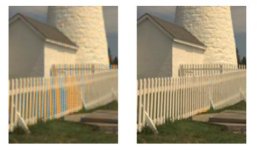
Unfortunately the algorithms like the one on the right won't run at video frame rates on computers mere mortals can afford. Playing with 1080p Ikonoskop raw files on my Core 2 laptop with Raw Therapee they take anywhere from .25 to 8 seconds per frame depending on the processing applied.
This is why you won't see cinema DNG raw video running on NLE timelines anytime soon and why a dedicated Red rocket card, is needed for R3D files.
 
Back
Top