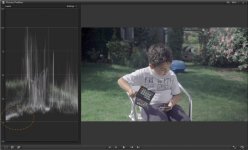
Made a new killer FS100 Picture Profile

Gabe, I usually grade on Davinci, but after reading your post I decided to try Color Finesse since I have the hole CS6 suite. I too am a final cut user
for many years now. I still like Davinci, but I must say for a quick edit & color grade Color Finesse is pretty dam good, I was very impressed with it.
I think now I will be using it on all of my work except the stuff that really needs special attention. Thanks for the info

No prob, glad it helped you. Color Finesse seems to be kind of a forgot about tool, with Speedgrade, Color, and Davinci (not to
mention the now popular Magic Bullet plugs) out there. It's pretty good though.
 
Frank,

What profile for the FS700 best matches the G Log Ultimate on the FS100.

I have both cams.

Thanks.
 
I did not get too deep into the 700, nor did I made a profile for it.
So I guess I#m not much help here, sorry.

I would start with Cinegamma2 and the same for Colormatrix.
Setting black level around -5.

Frank
 
Thanks, Frank.

Right now I'm using preset #2 on the FS700 to match your profile on the FS100.


Galen Rath
 
Alright. So I am new to this so bare with my ignorance towards this. Seeing that everyones thrilled with this PP, its gotta be ignorance on my end.

Alright, so the bulk of my work has been weddings and now during the winter season will be more documentaries and fun projects. At weddings it takes place in great lighting places, also sometimes in low lighting at the receptions. I went from a 7D to the FS100 so in the 7D I put contrast all the way down and the sharpening all the way down, it was easy with that!

This entire year of weddings (23 weddings) I used my own PP on the FS100 in which I made the blacks very light grey and the whites I tried to make a light greyish as well. However, in what you are saying works best with your PP, it appears that the darks are much darker than my previous videos in which I assumed would have worked best since everytime I saw ungraded footage from the F3 or Alexa or C300 its been very creamy/ light grey with what appeared to look like had very little definition and low contrast.

So, heres some previous stuff I shot with my FS100 and the PP I used at the time.
I played with the colors in magic bullet looks and continue to work in MB Looks today. And I want to work with Looks with all my videos since it makes the process easier on my end and I paid for it! haha

So to make myself clear, will the new PP improve the dynamic range on the FS100? Thats all I want, and yea I may have to change the PP for shooting in extremely low light at wedding reception. Well, not entirely extremely low light since the FS100 has proven to be amazing with a 1.4 lens and iso up high with very little grain.

So any help, would be helpful and I would appreciate it. I read through this whole thread, it says don't be surprised by what you see on the lcd becauses thats not what you get. But I did shoot a quick shot outside my window and took it into premiere pro cs6, played with it for a quick moment in Looks and it didn't look too good.... Maybe it was because its a cloudy day/ post hurricane Sandy? Maybe because I need to test out more.


Has anyone worked with this PP in Magic Bullet Looks? Thanks again! I will do more testing soon and look forward to hearing a reply!
 
sooooo I guess something I can add to my above question, is if anyone used looks to color correct and what do they do to the image when filming in that PP?
 
I use Looks and Colorista quite regular with that material, it's perfect when you work within Premiere.
Don't know what you mean with "it doesn't look too good". Maybe you should post a grab with your profile and the same shot with mine, so wee can look deeper into that.

Frank
 
The footage you saw from the F3/Alexa/C300 was probably either LOG or raw footage. It has the low contrast/desaturated look to it and needs to be graded/LUT applied to look normal. This is the way the workflow works and has benefits over a normal REC709 image from the sensor. The FS100 is a fine camera, buts it's a 4:2:0 8bit camera using the AVCHD codec. Being 8bit, the files can only take so much beating in post/grading before breaking apart. LOG or raw footage has a LOT more colour information and can be posted around in post a lot more. Imating a raw/LOG look for the FS100 is imo a bad move, because your throwing away precious information while recording only 8 bits and you're really pushing the codec in grading, which can easily result in breaking the codec and introducing artifects to the image just to get the image to look normal again. Just like shooting too flat with DSLR's.

I like the G-LOG Ultimate, because to me it's just a neutral picture profile. It's nice and flat, but not to much that you're breaking the codec to get the look right again. I see it as very similiar to the turned down Neutral settings for Canon DSLR's many of us are/were using. It's not trying to be Sony SLOG or Alexa raw.

I shot this music video with 2 friends for a 48 hour film competition. I was on tripod and dolly with the FS100 with G-Log Ultimate, my friend was on the FS700 for the slomo's and steadicam and my other friend shot b-roll on the C300 with C-LOG. All camera's matched nicely, the C300 was the most work to match.

http://www.youtube.com/watch?v=Km2rtwmP5Zc

I used Frank's PP on this one to, really pushed it in MB Looks because the client wanted the footage to match the photo's that where also taken:

Sequence 01.Still002.jpg
 
What RebelFilm had to say made sense to me, I haven't paid much attention to the fact that its a 4:2:0 8 bit camera and that the C300/ F3 and Alexa shoot either LOG or raw footage (being that its best to film images in that dull look). I always assumed that with the duller looking image that with any camera, there will be a better dynamic range. Correct me if I'm wrong, and I may be.. But I believed that when shooting with the blacks more of a grey, that its easier to fix in post if, lets say video was shot for a documentary outside and it was extremely bright (which I run into a lot for weddings when filming outside with the FS100 and have the variable ND all the way up and have to boost the shutter up a tad bit), then I'd expose as best as possible for the bright white areas and in post bring down the darks if need be (which I usually do). But what you are saying is make the blacks darker, and in post bring the blacks down? Wouldn't that make the blacks grainy?

I am not argueing with you, the videos I see look very nice! Especially the freeze frame from Rebel film, my goodness it looks fantastic... I absolutely want a similar look for my videos, I am just making sure before I go to Mexico and film a wedding that I can get this figured out in order to come back, get use to correcting the image in Looks and learn to do it relatively quickly.

In Looks, what do you drag in to play with the image? I read earlier that in Premiere people using Luma for the image, I feel like for me and my work flow its just too much stuff to do and I'd rather just work in Looks the entire time if I can. If I can't then this plug in may not be suited for my wedding work, rather commercial work instead where the post time can be longer.

Thanks for the reply and help!

I use Looks and Colorista quite regular with that material, it's perfect when you work within Premiere.
Don't know what you mean with "it doesn't look too good". Maybe you should post a grab with your profile and the same shot with mine, so wee can look deeper into that.

Frank
 
PMJI on this thread, but just wanted to add a little missive about S-Log and the 'Log-look' and 8 bit video (which seems to be the hot topic over at Vimeo and the latest OneRiver movie).

8 bit codecs... they record 8 bits per channel, and I think we can all agree that 8 bits = 256 levels per channel, and because it's video, most codecs look at 16 as being 'black' (0% brightness) and 235 as being white (100% brightness) and some cameras with certain picture profiles use the extra 20 bits per channel to create '109%' or super-whites, which we need to capture extra highlight detail on the understanding that we bring them back to 100% in the edit software.

So, 256 - (16+21) = ~220 bits of info, and if you map that (inaccurately, but this is a 'bedtime story') to the purported 11 stop range of an FS700, we get 20 steps of gradation per stop of Dynamic Range. Now, it doesn't actually work like that. S-Log works over a 10 bit space (1024 steps per channel) and bends the gamma (the mapping of input brightness to output brightness) to ensure that the meatiest bits are sent to the most important bit of the brightness range (skin tones), there needs to be a heavy bit of computation at the capture end to fit it all in, and a mighty bit of computation at the edit end to redistribute what was recorded (which probably looks crap) back into a range that looks good.

So, for every flat Picture Profile, there should be an 'Unflat' set of gamma curves to unwrap the odd distribution of brightness to make the picture look good again.

In the UK, there have been a few commercial spots that try to emulate that flat look out of the camera (hello Sainsburys). We, the digerati, look at that and think 'hello, they've not done a good job of debayering their rushes' - but the agencies think 'oooh, cool, they shot that on a Red'. The great unwashed look at it and think 'home movies of kids playing in the garden'.

IMHO, that's not quite where I thought 'the film look' would go. But whatever.

The point is, Colorista and Looks have a 'Curves' function that FCPX lacks. Adobe Premiere's filters can do a nasty lobotomisation job on 109% superwhite material, and so many Adobe users have little sub-workflows that normalise 'flat' footage before it's tweaked further.

What we should be aiming for in the FS100 and FS700 is the capture of the widest range of tones, so what is black is black and what is white is white - look at the histogram, bugger around with the black levels until you see no space on the left hand side of the histogram (but not a sudden cliff-side). Ditto, assume anything over the 100% level is gravy - plant your whites at 100% and the 109% stuff makes your footage look like film - only, and only if you only, clamping those 109s down to 100 and pushing your 100 whites down to 95 or so.

8 bit is a fragile medium where you need to expose perfectly from the get-go. 10 bit gives you wriggle room. 4:2:0 colour depth is different - your colour info is 1/4 of the black and white luminance info (should have been called 4:1:1 but engineers wouldn't let us because they cheated the second row over by a bit - so it is 4:2:0 but in the grand structure of things it's 4:1:1 with a bit of a nudge to make it better). 4:2:2 provides better colour resolution - 10 bit or 8 bit doesn't matter, you get twice the colour resolution. 4:2:2 10 bit is where it's at - unless your pixels don't map to the display (so you're looking for full raster, 1000 lines per whatever, not 800 like the FS100 when measured, because of its paranoia over aliasing).

But in all of this, what of the talk of Gamma? Lots of talk about the superiority of the Black Magic Cinema Camera. Yes, sure - its DNG and 12 bit format effectively says 'lets do Picture Profiles in Post' and that is a good thing, so long as you have the time, the processing power, the disk space and the gumption to deal with that.

It's like the whole sharpening debate - guys, do we want to do this in camera or in post? Are you doing your own post? If you are, great - fill your boots. If somebody else is doing the post, or paying for post - check with them first. Do they have the wherewithall to pay someone to grade each shot? Do they have even the time to accept shots that need a sharpen filter to do what would have happened in camera until you put in your own Picture Profile that removed all in-camera sharpening? Yes, sharpening is needed for many shoots.

Anyway - time out. I hear the TLDR comments already. I'm pinning my highlights at 100%, parking my blacks at 0% using the Black Level, and loving CineGammas for highlight control (which is a bit like Frank using Knee from 70% onwards which is the best the FS100 can do). And in all things, do not pin highlights at 109% - it's just too close to the sun for comfort. :-)
 
What we should be aiming for in the FS100 and FS700 is the capture of the widest range of tones, so what is black is black and what is white is white - look at the histogram, bugger around with the black levels until you see no space on the left hand side of the histogram (but not a sudden cliff-side). Ditto, assume anything over the 100% level is gravy - plant your whites at 100% and the 109% stuff makes your footage look like film - only, and only if you only, clamping those 109s down to 100 and pushing your 100 whites down to 95 or so.

The FS100 captures the same DR regardless of Black Level setting, the black level just sets the black value of the blackest tone the camera can see. There is no penalty for shooting flat on a FS100 like there is in Canon DSLR Cinestyle-land but the most important thing for your picture profile is to get the knee and slope set correctly which many fail to do.

A raised black level setting reduces the number of black graduations in the black zone but those samples are redistributed throughout the rest of the gamma curve so your 8 bits are used efficiently.

Personally I shoot right up to the 109 limit because I capture black info that would get destroyed by the CineTone curve's black crushing bottom end. I also have a plugin I developed for FCPX that intelligently legalises my "109 happy" video and adds a nice little S-curve to the footage to boot. I'm getting by without curves ATM.

Matt, I read your missive on cameras and reckon the FS100 is still the camera that fits most bills. With the camera arms race raging it's quite funny to see the specs of these new cameras 14 stops of RAW at >>HD yet the delivery medium is nearly always 8 bit REC709 (or sRGB) HD if we're lucky. There is only so much of that quart that can be squeezed into a pint pot.
 
A raised black level setting reduces the number of black graduations in the black zone but those samples are redistributed throughout the rest of the gamma curve so your 8 bits are used efficiently.

Oh Nirv, I too have spent a long time looking at images shot with picture profiles of my own and other's design, playing with black levels. Here's what I'm basing my rants on. The following isn't really a rant, just my side of the 'big-end little-end' debates/wars...

fcpxalias008.jpg

The black level set here in the FS100 is set too high, so it's been dragged down to compensate in FCPX - the blockiness you see in the WFM is degradation to the image. Like pulled pork, the image is shredded when you try and pin back the levels to where they should be. If are the white levels that are 'too high' redistributed if you over expose? No. They're gone. Same sorta thing happening here.

As Frank's always said, one needs to play with the black levels using the histogram to ensure the blacks are near the bottom, not pushing it ever higher - raise the black level to +7 in many cases and you're amplifying the blacks to a level where they're grey. The histogram has an empty space at its left, the waveform monitor shows nothing below 20IRE - the samples are distributed above that, and have to be redistributed. With the limited samples in the mid range, that means quantisation.

Hence Andy Shipsides' and Adam Wilts' PP investigations that show a little bit of wiggle room at the bottom end, but they're not really full-on 'stops of latitude'.

Or am I reading this wrong?
 
Who said anything about over exposing?

The only time I've seen a waveform like your is when I've pumped up the gamma and pulled down the blacks. Pulling the black down on its own doesn't cause that level of quantisation - under normal circumstances.

If you have a waveform that starts at 20 ire and ends at 100 ire your 8 bit samples are distributed between those limits. If you set your black level so the waveform is 0 ire to 100 your 8 bits are distributed between those limits so the quantisation steps would be slightly bigger. If you stretched out the 20 ire - 100 ire waveform to match the 0-100 waveform in FCPX you'll end up with the same quantisation levels.

How do I know because I've just done it here. I shot at +15 and at 0 imported both shots into FCPX and pulled down the +15 blacks to match the 0 level clip and the waveform are identical save for differences caused by shaky hands. There's not enough dynamic range in my room to show the blacks levels reducing as the black level was raised.


That's the last test I do, I swore I'd not get involved in pixel peeping again 2nd time around however interesting it is. :)
 
Last edited:
If you have a waveform that starts at 20 ire and ends at 100 ire your 8 bit samples are distributed between those limits.
I think I would disagree here. Let me explain my thought. The image data is saved in an 8 bit container, which means that each channel can take a value between 0 and 255 (IRE 0-109), right? Now, if you feed that container with, let's say, an image data going from IRE 54.5 to 109, the darkest spot A will get a RGB value of 127,127,127. The next possible step in this quantisation would be spot B with, as an example, a RGB value of 128,127,127.

Now, in post production... Scale that 8-bit recorded image data down (with a color correction to get the blacks right like you described above) to a range of IRE 0-109 and you'll get a RGB pixel value of 0,0,0 for the darkest recorded spot A and a RGB value 2,0,0 for spot B. Which means, that there will be no pixel with a RGB value of 1,0,0. Image data is jumping directly from 0,0,0 to 2,0,0. So, 50% of the possible image data is lost. Which will lead to heavy rainbow effects.

To my understanding, pulling up black levels means that we're indeed losing quantisation, compared to shooting image data directly into the full IRE 0-109 range. Don't you agree?

And, Nirv, thank you for your contribution to the fs100 picture profile quest! I know you invested a lot of time into the whole profile discussion and made a lot of efforts getting more out of our cams. Thanks!
 
Last edited:
Back
Top