
Navigation
Install the app
How to install the app on iOS
Follow along with the video below to see how to install our site as a web app on your home screen.
Note: This feature may not be available in some browsers.
More options
You are using an out of date browser. It may not display this or other websites correctly.
You should upgrade or use an alternative browser.
You should upgrade or use an alternative browser.
GH4 Leeming LUT One – the best LUT for the Panasonic GH4
- Thread starter visceralpsyche
- Start date
joe12south
Veteran
Paul,
I have had my head down with work for awhile, but I've resurfaced and am catching-up with your progress. I just ordered your V-LOG LUT and am looking forward to putting it through its paces with an external recorder. (No internal V-LOG L for me...just far too brittle.)
I have had my head down with work for awhile, but I've resurfaced and am catching-up with your progress. I just ordered your V-LOG LUT and am looking forward to putting it through its paces with an external recorder. (No internal V-LOG L for me...just far too brittle.)

visceralpsyche
Well-known member
Paul,
I have had my head down with work for awhile, but I've resurfaced and am catching-up with your progress. I just ordered your V-LOG LUT and am looking forward to putting it through its paces with an external recorder. (No internal V-LOG L for me...just far too brittle.)
Just sent it to you! Thanks

I've also been quite busy today.... I just shot test footage for three cameras, to build LUTs with:
Panasonic G7
Panasonic FZ300
Canon 700D
So I'm going to have my head down and tail up building LUTs for them all over the next few days!
There will also be a V-Log L update soon to split it into two LUTs in the one package - the same one I just shipped to you, renamed as vMonitor (since it's pre-graded for use with an external monitor/recorder) and a 'One' version which will match the Cine-D flat LUT, in order to match it with other cameras in the future as a common starting point. This update will be sent to everyone who bought the V-Log LUT version for free, as with every update
And I'm also working on an updated web page to explain things in more detail, and make it easier to understand how it all fits together in people's workflow.
Big changes afoot!
Have a happy Easter all
Cheers,
Paul
visceralpsyche
Well-known member
Sandro Murador, if you are reading this, your LUT email bounced. Please PM me or email me from an alternate address.
Thanks,
Paul
Thanks,
Paul
ozmorphasis
Well-known member
Digging the LUT and the suggested settings so far!
Would love some feedback on the skin tones here. Leeming lut, slight drop of blacks.
View attachment 111866View attachment 111865
Does the saturation look right?
Would love some feedback on the skin tones here. Leeming lut, slight drop of blacks.
View attachment 111866View attachment 111865
Does the saturation look right?
Attachments

visceralpsyche
Well-known member
Saturation looks fine to me
Thanks for sharing!
Cheers,
Paul
Thanks for sharing!
Cheers,
Paul
visceralpsyche
Well-known member
Baek Kwang Ho, if you are reading this here, your email bounced. Please PM me or send me an alternate email address.
Thanks!
Paul
Thanks!
Paul
My very first gh4 test sample footage that I shot with the Leeming LUT and settings together 44 year old nikkor, second time touching Adobe premiere, forgot to apply the S-curve. I am still a novice with all of this, and still trying to figure out how to use media encoder for youtube. Feedback would be great.
https://www.youtube.com/watch?v=0P5zk2RNLHc&feature=youtu.be
btw I stretched the RGB curves as far as I could but I don't know if it is a correct thing to do, should I just balance the curves?
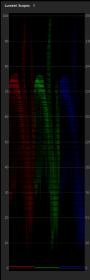
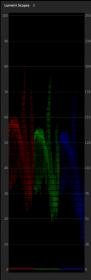
https://www.youtube.com/watch?v=0P5zk2RNLHc&feature=youtu.be
btw I stretched the RGB curves as far as I could but I don't know if it is a correct thing to do, should I just balance the curves?
Last edited:
visceralpsyche
Well-known member
Her forehead highlight seems a little blown out/overexposed. Maybe try pulling back on the highlight slider, or pull the white slider down to say 90% and see how it looks? (These tools are in Lumetri Basic Corrections section).
Otherwise the image composition and general colours look very nice
HTH!
Cheers,
Paul
Otherwise the image composition and general colours look very nice
HTH!
Cheers,
Paul
My very first gh4 test sample footage that I shot with the Leeming LUT and settings together 44 year old nikkor, second time touching Adobe premiere, forgot to apply the S-curve. I am still a novice with all of this, and still trying to figure out how to use media encoder for youtube. Feedback would be great.
https://www.youtube.com/watch?v=0P5zk2RNLHc&feature=youtu.be
btw I stretched the RGB curves as far as I could but I don't know if it is a correct thing to do, should I just balance the curves?
View attachment 111885View attachment 111884
Thank you for the feedback Paul, very much appreciated . I didn't notice the specular highlight on her forehead while filming, zebra's weren't warning me. Tried your suggestion and a different rec709 lut but I guess It's kind of baked in the footage a bit. Wil make sure there will be no shiny foreheads the next time. 
Also trying to figure out the best sharpness settings with this 44 year old lens, maybe leave it at 0?
This is the best I could do reducing the blown forehead, colors are different though: https://www.youtube.com/watch?v=1w635KdRDsA
second shot on the same day, again different color grading (please ignore the ripped off commercial sound, was for reference/fun purposes only)
https://www.youtube.com/watch?v=_CrnKy0wKj0
. I didn't notice the specular highlight on her forehead while filming, zebra's weren't warning me. Tried your suggestion and a different rec709 lut but I guess It's kind of baked in the footage a bit. Wil make sure there will be no shiny foreheads the next time. Also trying to figure out the best sharpness settings with this 44 year old lens, maybe leave it at 0?
This is the best I could do reducing the blown forehead, colors are different though: https://www.youtube.com/watch?v=1w635KdRDsA
second shot on the same day, again different color grading (please ignore the ripped off commercial sound, was for reference/fun purposes only)
https://www.youtube.com/watch?v=_CrnKy0wKj0
visceralpsyche
Well-known member
Thank you for the feedback Paul, very much appreciated
Also trying to figure out the best sharpness settings with this 44 year old lens, maybe leave it at 0?
This is the best I could do reducing the blown forehead, colors are different though: https://www.youtube.com/watch?v=1w635KdRDsA
second shot on the same day, again different color grading (please ignore the ripped off commercial sound, was for reference/fun purposes only)
https://www.youtube.com/watch?v=_CrnKy0wKj0
Much better grade on the first clip this time around
The second clip really shows how mice the skin tones turned out with the LUT.
The trick with grading is to use curves more than sliders, and always watch the scopes to make sure you are staying within limits.
The first time you showed the first clip, her forehead had weird highlights. With the re-grade, I now see that it wasn't overexposed at all, but rather somehow messed up through a grading setting somewhere going out of limits. Hence no zebra warning.
I've linked this image before, but take note of the scopes I have up in Premiere (your own NLE may differ). I use a histogram to see the IRE brightness values, the YUV scope and HLS scope to check that my colour and saturation values are within spec.
In combination with your eyes, these will help you to get beautiful grades without going out of spec.
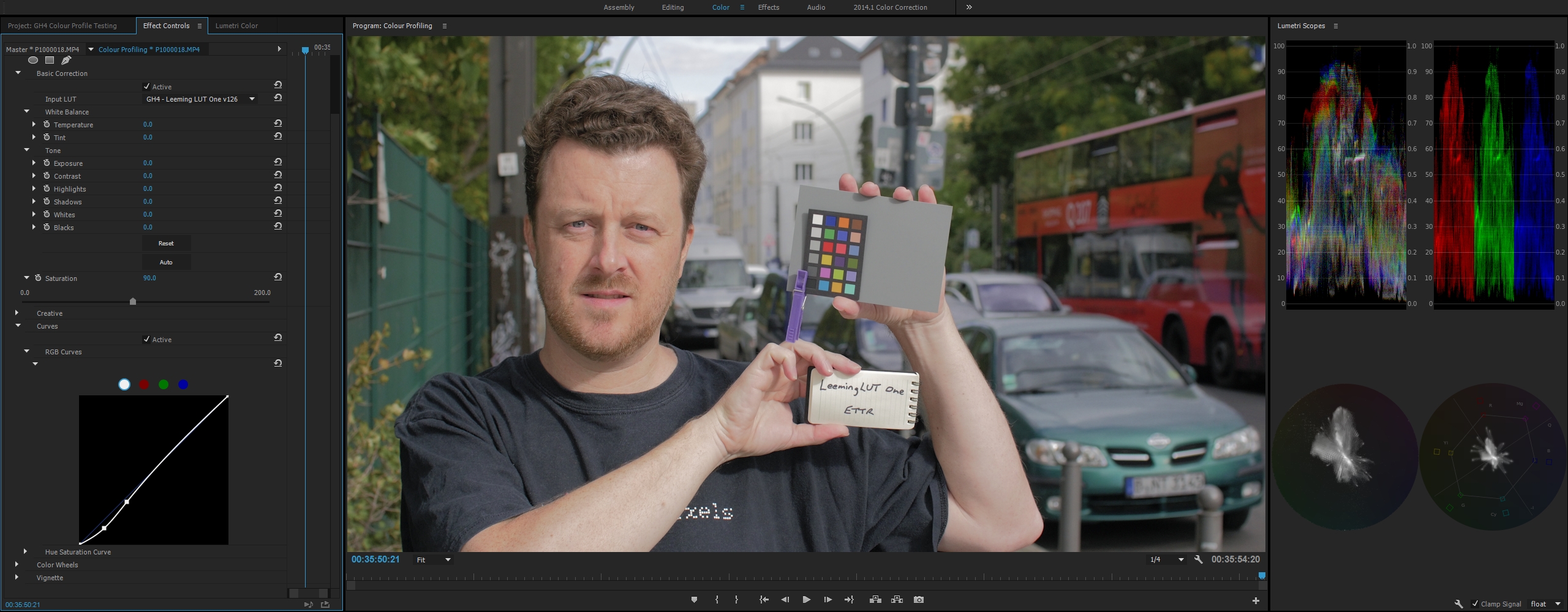
Hope this helps, and thanks as always for sharing!
Cheers,
Paul
joe12south
Veteran
Paul,
I think the V-LOG L LUT might be a little "hot".
I haven't done thorough testing, but I did a quick experiment. These samples were shot ETTR, 80% zebras. I let the most extreme highlights clip (zebra) in camera.
The top screen grab is with nothing but the Leeming LUT applied, the bottom also adds adjustments to highlights, gamma and shadows. (FYI, the bottom screen grabs happen to match Panasonic's LUT quite closely.)
SHOT 1
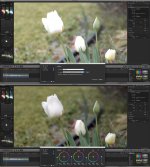
SHOT 2
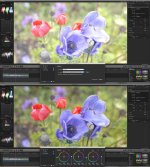
I think the V-LOG L LUT might be a little "hot".
I haven't done thorough testing, but I did a quick experiment. These samples were shot ETTR, 80% zebras. I let the most extreme highlights clip (zebra) in camera.
The top screen grab is with nothing but the Leeming LUT applied, the bottom also adds adjustments to highlights, gamma and shadows. (FYI, the bottom screen grabs happen to match Panasonic's LUT quite closely.)
SHOT 1
SHOT 2
joe12south
Veteran
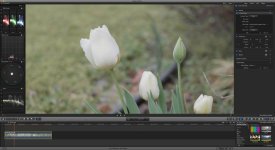
For comparison, this is with Panny's REC709 LUT applied. Obviously it's a flatter image, but note how highlights are not clipped.
visceralpsyche
Well-known member
Thanks for testing Joe Looking at your post-adjustment images, the highlight detail appears to be retained once you pull them down? Meaning that although it would appear clipped on the scopes to our eyes, the LUT itself is not actually clipping any values (since they can be pulled back down).
It's hard to tell from your stills because they are not high resolution.
Anyway, I'll take a look and do a couple of tests to double check - it's always possible I've messed something up! Many eyes make all bugs shallow
Get back to you soon!
Cheers,
Paul
Looking at your post-adjustment images, the highlight detail appears to be retained once you pull them down? Meaning that although it would appear clipped on the scopes to our eyes, the LUT itself is not actually clipping any values (since they can be pulled back down).It's hard to tell from your stills because they are not high resolution.
Anyway, I'll take a look and do a couple of tests to double check - it's always possible I've messed something up! Many eyes make all bugs shallow
Get back to you soon!
Cheers,
Paul
joe12south
Veteran
Paul,
That is correct, the highlights are there in the data. It appears that your LUT may be pushing them too far. What I did when shooting those images was to take the very brightest white in the scene and hit it right at 80% (what would be 105% with a linear profile.)
Panasonic's LUT behaves as I would expect. I'll link to some full res samples when I get a chance. (On a job until Thursday.)
That is correct, the highlights are there in the data. It appears that your LUT may be pushing them too far. What I did when shooting those images was to take the very brightest white in the scene and hit it right at 80% (what would be 105% with a linear profile.)
Panasonic's LUT behaves as I would expect. I'll link to some full res samples when I get a chance. (On a job until Thursday.)
joe12south
Veteran
Leeming
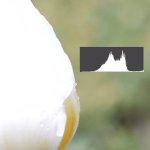
LOG
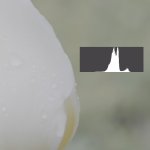
Normalized
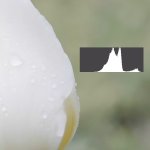
Panasonic Rec709
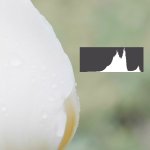
LOG
Normalized
Panasonic Rec709
visceralpsyche
Well-known member
Thanks I just emailed you v111 (and v105 of vMonitor) for testing. Let me know how you go with the new versions. If they are ok (they should be) then I'll push out an update to everyone.
Cheers from Berlin,
Paul
I just emailed you v111 (and v105 of vMonitor) for testing. Let me know how you go with the new versions. If they are ok (they should be) then I'll push out an update to everyone.Cheers from Berlin,
Paul
joe12south
Veteran
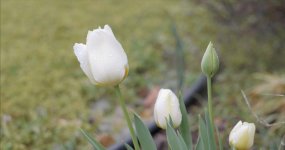
Exposure with v111. Now inline with what I expected. With the test shots I have in hand, I can't judge color accuracy, but I'll shoot some daylight charts and skin tones this weekend.
visceralpsyche
Well-known member
Good stuff. Colour accuracy etc should be good, as should skin tones. Better than Panasonic's LUT for sure. Look forward to your tests after the weekendExposure with v111. Now inline with what I expected. With the test shots I have in hand, I can't judge color accuracy, but I'll shoot some daylight charts and skin tones this weekend.
View attachment 111985
I think I'll get this out to everyone shortly after a couple more tests here to make sure it's not breaking in any weird edge cases.
Thanks!
Paul
joe12south
Veteran
My test shots all seem to have overly yellow greens, but I didn't manually white balance under the overcast sky, and flowers and grass are notoriously hard to judge, even in the best of circumstances. I don't feel like I can trust any of the other V-LOG LUT's I have, either, so I really have no valid point of comparison on the color until I do a proper test. Right now, all I can say is it looks pretty. ;-)
