GH4 Leeming LUT One – the best LUT for the Panasonic GH4

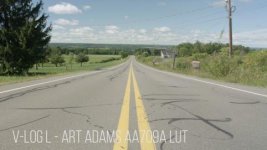
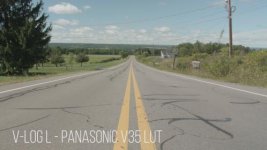
Doing some more tests with it, comparing it against the Filmconvert VLOG setting (which looks absolutely terrible, not sure if it's a bug on my end, but to my eyes it looks awful) Note, this is 8bit, noticing some magenta blocking in the sky/road. To me, the greens seem to have a magenta cast (notice the grass) as well as the roads. Thank you so much for your work on this though, you're developing a LUT that Panasonic should have done in the first place.
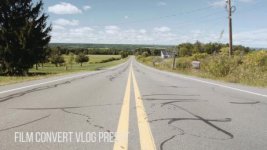
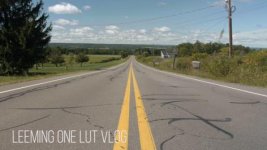
P1080146.00_03_29_15.Still001.jpgP1080146.00_03_34_14.Still002.jpgP1080146.00_03_38_22.Still003.jpgP1080146.00_03_44_08.Still004.jpg
 
Hi Paul, first of all thank you for your efforts of developing a useful LUT. This is my first noob post here. I recently purchased the Leeming LUT for Cinelike D and am setting up everything as described. I'm having a bit of trouble however with the ETTR technique, when shooting handheld the exposure is shifting constantly and it's hard for me to determine when it's properly overexposed to the right this way. I'm a complete noob when it comes to ETTR and googling tutorials only yields ETTR techniques for stills. In your set up guide you mention the histogram should shift to the right but it shouldn't rise up the right hand side, that's a bit confusing, where does it have to peak? I really want to master this but currently there are no tutorials for a basic how-to. Is it possible to make a more in depth how-to on this technique when shooting in the field? Thank you in advance.
 
Hi Paul, first of all thank you for your efforts of developing a useful LUT. This is my first noob post here. I recently purchased the Leeming LUT for Cinelike D and am setting up everything as described. I'm having a bit of trouble however with the ETTR technique, when shooting handheld the exposure is shifting constantly and it's hard for me to determine when it's properly overexposed to the right this way. I'm a complete noob when it comes to ETTR and googling tutorials only yields ETTR techniques for stills. In your set up guide you mention the histogram should shift to the right but it shouldn't rise up the right hand side, that's a bit confusing, where does it have to peak? I really want to master this but currently there are no tutorials for a basic how-to. Is it possible to make a more in depth how-to on this technique when shooting in the field? Thank you in advance.
The trick with any video with regard to exposure, is finding the brightest element of the scene and exposing for that (specular highlights etc notwithstanding).

So before rolling, look around at the scene you're about to film. Find the brightest point of that scene (usually the sky but not always). Set your exposure for that part of the scene, then go back to the beginning of your scene and roll, safe in the knowledge that you won't blow exposure later on.

Now, obviously there are practical limits, like moving from indoors to outdoors in one take. This is a massive dynamic range jump and basically impossible with consumer tech like the GH4, without an iris pull at the transition point. For that kind of shot you would need something like a Red Epic with HDRx support, so you can roll twin tracks at different exposures and then blend them in post.

In terms of ETTR on the histogram and bunching up on the right side etc, I would recommend using the ZEBRA function at 105% to see where things are clipping as opposed to only using the histogram for this. If there are zebras showing, stop down your exposure until they just disappear. You'll see that the histogram is still on the right side, but no part of it looks like a long white or yellow line up the right hand side (overexposure).

I do plan to create a short video series on how to set up the camera and how to expose, as well as how to use the LUT in post, but it will be as time permits unfortunately! Hopefully soon though.

Hope this helps :)

Cheers,

Paul :)
 
Hi Paul thank you for the reply :), it sure helps I think I'm getting the basics now. I know the gh4 is limited in terms of heavy dynamic jumps so I will have to work around that. Some detailed tutorials however would be great to get the max out of the ETTR settings without compromising image quality, concerning setting ISO/aperture/var ND's and post. Looking forward to it as time permits. greetings from Amsterdam. ^_^
 
After following this thread for the past few months I finally decided to buy the Leeming LUT.

At first I was a bit confused by the LUT because I wasn't expecting it to be just a base LUT. I should have realized that is exactly what it is. I followed up by playing with the Quickie LUTS and I have to say I am extremely impressed with the LUT. I haven't done a lot of experimenting with it yet but so far it seems to deliver very clean results and gets the color extremely close to accurate.

I have a project coming up for a video for a medical clinic and I might consider using Leeming on that project combined with the Basic Balanced creative LUT from the Quickies set. I may still explore V-log via an external recorder but the Leeming LUT may keep me away from V-log a little bit longer.

Now I'm really itching to get an external monitor that can load LUTS.
 
So how do I apply the base Leeming LUT and then a quickie LUT in FCPX? I can use the two together in After Effects but so far every FCPX LUT tool I have seen only loads one external LUT file.
 
Hi Paul, been following this thread for a while eagerly awaiting news of progress on the G7 front. How's progress?

Also, if I was to buy the GH4 LUT for now, would you offer side-grade pricing when the G7 lut releases?

I can help with testing if required (I have access to an x-rite chart)

Cheers,

Sam
 
Hi Paul, been following this thread for a while eagerly awaiting news of progress on the G7 front. How's progress?

Also, if I was to buy the GH4 LUT for now, would you offer side-grade pricing when the G7 lut releases?

I can help with testing if required (I have access to an x-rite chart)

Cheers,

Sam

Hi Sam :)

Yes, I plan to make a crossgrade promotional price similar to the Vlog LUT once the G7 LUT is released. I have someone who will hopefully send me some test footage this week as they just received their G7 and a chart.

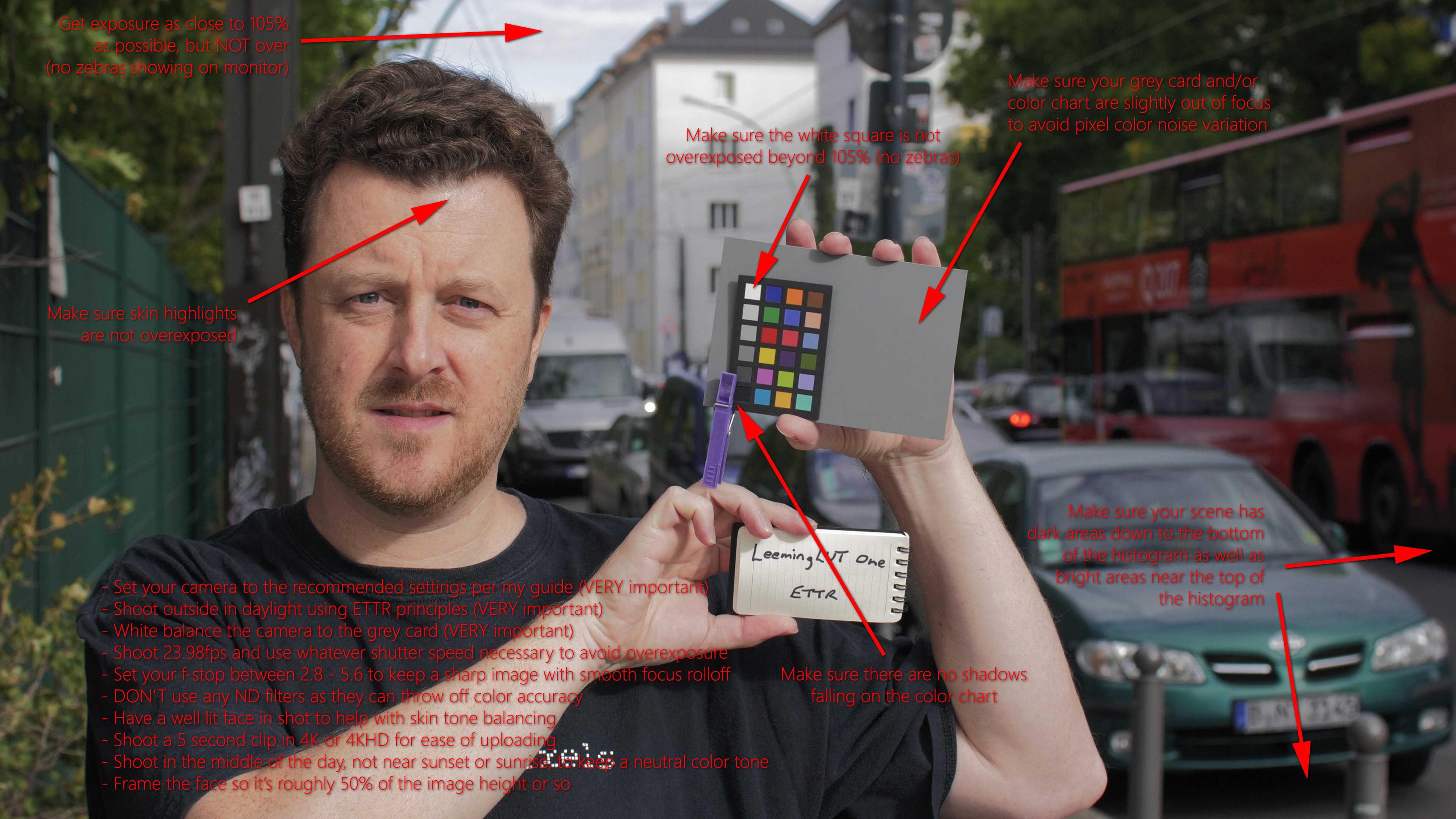
If you would like to help out as well I'd love to have another point of reference. Here's my criteria for the test clips in a handy diagram:

Leeming_LUT_One_Creation_Hints.jpg


Set up your camera as per the GH4 manual as much as possible (I know hue and one or two other settings are missing compared to the GH4 but as they are set to 0 anyway they don't matter), then shoot a clip and message me for upload instructions.

For anyone else with other cameras they'd like a LUT built for, message me with your camera specs and I'll send you specific setting instructions as a baseline to shoot from.

As always, anyone supporting LUT development of new cameras gets the LUT for free :)

Thanks!

Paul :)
 
I have to say Paul that I am loving the Leeming LUT. Only done a few tests so far but this really opens up a whole new world with the GH4 in terms of color and dynamic range. This really is a solid alternative to V-log. Maybe it can't do everything V-log can (or maybe it can) but this is much easier to work with in camera and in post.

I also love that because its a LUT and not an in camera profile this is a great option for those who have multiple cameras, may need to rent additional GH4 cameras or hire other shooters with a GH4. Hoping all of those situations purchased the V-log update is not something that can always be guaranteed but using the Leeming LUT can be. Hire a second shooter just tell them what settings to use for Cine-D and you are good to go. Thats actually a pretty significant advantage to this workflow for anybody that uses multiple cameras on projects. Even if one happens to own multiple GH4 bodies they would need to buy a V-log update for each camera since its tied to the serial number. so a 3 camera operation now saved $285.00.

I'm not saying V-log wouldn't still be a good option and someday when I get an Assassin and can load a LUT I will explore V-log as well. In the meantime however there are definitely significant advantages to using Leeming LUT over not using anything at all.
 
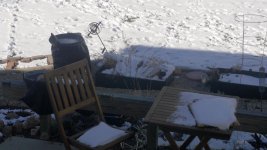
Leeming-snow_LUT.jpg

We have a bit of snow here in sunny CO and this morning I noticed some interesting contrast outside so I decided to try out Leeming LUT and see how it could deal with the bright snow and the dark shadows fro the morning sun.

Lots of noise in the shadows but there is detail there. I exposed this as far to the right as I could go without blowing out the snow where the cloudless sun was hitting it.

Only the Leeming LUT was applied to this with no other grading.
 
Hi Sam :)

Yes, I plan to make a crossgrade promotional price similar to the Vlog LUT once the G7 LUT is released. I have someone who will hopefully send me some test footage this week as they just received their G7 and a chart.

Great news! Thanks Paul

Also if I get a chance tomorrow, I'll try and shoot some test footage for you.
 
View attachment 110665

We have a bit of snow here in sunny CO and this morning I noticed some interesting contrast outside so I decided to try out Leeming LUT and see how it could deal with the bright snow and the dark shadows fro the morning sun.

Lots of noise in the shadows but there is detail there. I exposed this as far to the right as I could go without blowing out the snow where the cloudless sun was hitting it.

Only the Leeming LUT was applied to this with no other grading.

That looks really good actually, given the amount of dynamic range in the scene. The great thing is that with all the highlight detail being retained, reducing the highlight level to say 90% IRE and allowing the shadows to darken naturally without crushing them, you would end up with a very filmic and natural image (our eyes will accept the darker shadows as they would automatically adjust to the bright snow in the real world anyway).

Thanks for sharing!

Cheers,

Paul :)
 
Hey Paul quick question on your setting of -3 sharpness on the GH4. Is that with adapted lenses or with native electronic m43 lenses? I tend to find adapted lenses don't sharpen as much in camera likely due to the electronic corrections native lenses do in camera. Would you suggest a different sharpness setting based on the type of lenses used with the Leeming LUT?
 
Also curious about this.

Hey Paul quick question on your setting of -3 sharpness on the GH4. Is that with adapted lenses or with native electronic m43 lenses? I tend to find adapted lenses don't sharpen as much in camera likely due to the electronic corrections native lenses do in camera. Would you suggest a different sharpness setting based on the type of lenses used with the Leeming LUT?
 
in my personal testing, lens at its sharpest, -3 or -2 is jsut about perfect. -4 and -5 look fuzzier than the real image. SHARP can compensate for how a sensor records an image. Others have the view you want it as UNSHARPENED as possible to sharpen later and/or to assist with internal compression.
 
Hey Paul quick question on your setting of -3 sharpness on the GH4. Is that with adapted lenses or with native electronic m43 lenses? I tend to find adapted lenses don't sharpen as much in camera likely due to the electronic corrections native lenses do in camera. Would you suggest a different sharpness setting based on the type of lenses used with the Leeming LUT?

I did a bunch of testing to find which setting gave me the right balance of sharpness without edge ringing, or false sharpness. That resulted in -3, but of all the settings in my recommendation, this is probably the one setting that you can alter yourself if you feel it necessary, without compromising the LUT's colour adjustment performance.

HTH!

Cheers,

Paul :)
 
I did a bunch of testing to find which setting gave me the right balance of sharpness without edge ringing, or false sharpness. That resulted in -3, but of all the settings in my recommendation, this is probably the one setting that you can alter yourself if you feel it necessary, without compromising the LUT's colour adjustment performance.

HTH!

Cheers,

Paul :)

what kind of lenses was this testing with or did you find it didn't matter? I have some native lenses as well as adapted and Rokinon lenses and the adapted lenses always tend to be a bit softer.
 
in my personal testing, lens at its sharpest, -3 or -2 is jsut about perfect. -4 and -5 look fuzzier than the real image. SHARP can compensate for how a sensor records an image. Others have the view you want it as UNSHARPENED as possible to sharpen later and/or to assist with internal compression.


-5 actually is the real image but I get what you are saying. A camera never blurs an image so the lowest setting is pretty much what the sensor is seeing. I used to be a strictly -5 kind of guy because I have a VFX background. These days I'm starting to shift that view more towards -3.
 
Back
Top