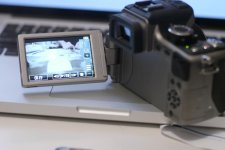
GH2 official discussion thread

I dont have local access to an hdmi recorder so I can't test that, but I really believe the "every 17 seconds" idea to be 100% mis-information. We will see i guess.
Someone posted this:

In the discussion at Philipbloom.net Makoto posted the following where he says that Panasonic does not give a HDMI signal suitable for sustained video encoding.

"The HDMI live-view output is not suitable for recording use, using nanoFLASH or Ki pro, Ki pro mini, etc.. You will get one freezing image every 17 seconds. It happens because of the difference between 60 fps, which is the frame rate at which the sensor reads the light, and 59.94 fps, which is the frame rate of the HDMI output. This is the explanation I had from Panasonic.

"Although you can not use it for recording, I found it great that you can view the recording image at 1920 x 1080 resolution.The most beautiful thing about the new GH2 is that its image sensor reads at 60 fps. So, the 60i is a real 60(59.94)i and 60p, although at 1280 x 720, is a real 60(59.94)p. I am sure that you will do the slow motion by converting 60p to 30p soon, and you will see the difference. The 4/3 image sensor is smaller than EOS’s, but EOS’s image sensor can read only at 30fps."

http://www.dvxuser.com/V6/showthrea...4.2.2-HD-Out&p=2165677&viewfull=1#post2165677
 
The 17 seconds thing has to be just plain information, here is why:

The recorded avc files are 23.98p (23.976)- totally normal "24" for a video camera. When video cameras advertise "24p" they really mean 23.98 (aka 23.976), this is because of the 59.94 broadcast standard (wiki it if you want)

SO with that said;

2. If the sensor was actually reading at REAL 60.00p- then the avchd files would also have a doubled frame along with the hdmi output. The sensor cant read at true 60.00p and somehow also be reading at 59.94/23.98 at the same time to make 23.98 files with out errors showing up in both the avc files and the hdmi.

My guess is that someone was looking too hard at "60P" and "24p" and didnt read between the lines what 60p really means= 59.94p


Now if this is somehow true that its reading the sensor at 60.00p and making 23.98 files (with out frame drops) and spitting out 59.94 over hdmi with an added frame every 17 seconds, my head just might explode...
 
The 17 seconds thing has to be just plain information, here is why:

The recorded avc files are 23.98p (23.976)- totally normal "24" for a video camera. When video cameras advertise "24p" they really mean 23.98 (aka 23.976), this is because of the 59.94 broadcast standard (wiki it if you want)

SO with that said;

2. If the sensor was actually reading at REAL 60.00p- then the avchd files would also have a doubled frame along with the hdmi output. The sensor cant read at true 60.00p and somehow also be reading at 59.94/23.98 at the same time to make 23.98 files with out errors showing up in both the avc files and the hdmi.

My guess is that someone was looking too hard at "60P" and "24p" and didnt read between the lines what 60p really means= 59.94p


Now if this is somehow true that its reading the sensor at 60.00p and making 23.98 files (with out frame drops) and spitting out 59.94 over hdmi with an added frame every 17 seconds, my head just might explode...
oh gosh! But this should never happen with the PAL version right?

Does the PAL version have HDMI output at 1080p25?
 
Last edited:
oh gosh! But this should never happen with the PAL version right?
Nothing like this should ever happen on a PAL camera. The US/NTSC folks are stuck with it because our TV system changed from 30.000 "frames" per second (60 fields per second) to 29.97 frames/59.94 fields, to accomodate color. PAL didn't even start until color was already there, so the PAL guys have always been a solid & stable 25.000.
 
... The US/NTSC folks are stuck with it because our TV system changed from 30.000 "frames" per second (60 fields per second) to 29.97 frames/59.94 fields, to accomodate color. ...

Sing it brother! :-)

The scene (well, a significant scene) of the crime:
http://www.novia.net/~ereitan/rose_parade.html

Dept. of ancient history dept. dept.:
http://www.novia.net/~ereitan/

A cool video of an early color TV show, plus lots 'o related links:
http://www.ev1.pair.com/colorTV/NBCcolortape-video.html

We now return you to our regularly scheduled broadcast ...
 
Last edited:
Awesome! just reading through the manual, and it says that you CAN select the TV signal output. Very happy to hear that I can send 720p to my Blackmagic Intensity!
 
I also read through the manual just now.
On page 159 it says:

"With HDMI output, you can monitor full high-definition quality (1920k1080 pixels) AVCHD
motion pictures on the TV while recording."

For me that reads: No HDMI out while filming with 720, as reported several times in this thread already.
I wonder what is the reason behind that decision. Does not make sense to me.

But one more thing is even more upsetting (same page, directly underneath):

"Audio is not output from the TV."

No audio through HDMI while recoding?
That makes recording from HDMI out less interesting.
For me at least, because you need in addition to the ninja also an external audio recorder, which makes 3 items already that you need for recording.

Hmm.

How about when you do not record in the camera?

Questions over questions.

But you can cut your clips in the GH2 now.
 
PAL didn't even start until color was already there, so the PAL guys have always been a solid & stable 25.000.

Actually British TV has been 25fps since before PAL; the 405-line black-and-white system that preceded it was also 50Hz interlaced.

Here endeth the trivia lesson.

P
 
Oh, no audio, that is bad, why do they do this to us?

If you're taking the effort to record over HDMI, surely no-one in their right mind would also be settling for the GH2 on board mic, or crappy pre-amps? You'd want something like a Beachtek/JuicedLink anyway I'd presume, so probably line in directly to the ninja, and quite likely better compression and codec too than inbuilt cam.

Otherwise, you're still recording to SD too which you can match up later.
 
I also read through the manual just now. ...
On page 159 it says: "Audio is not output from the TV."
No audio through HDMI while recoding?
That makes recording from HDMI out less interesting.
For me at least, because you need in addition to the ninja also an external audio recorder, which makes 3 items already that you need for recording. ...

Hopefully the manual is wrong (grin), but if it isn't, and _if_ the GH2's live HDMI video output is recordable w/o jumping through hoops, then this "no audio" thing, though regrettable & dumb, is one more reason why the AJA KiPro Mini looks to be a good investment.

Sure, the Mini will cost more than the Ninja, but offers 2 XLR inputs in addition to high bitrate, 10-bit ProRes codecs. (And ProRes can be edited on both Mac & Windows). The Mini will be a very useful box for use with almost any camera you own, rent or borrow for the next few years. We'll see.

But 1st we need multiple confirmation that GH2 live HDMI external recording is possible/practical. Standing by ...
 
HDMI Raw or already compressed?

HDMI Raw or already compressed?

According to the manual on the same page, 59, it says,

"Monitoring camera images on the TV With HDMI output, you can monitor full high-definition quality (1920k1080 pixels) AVCHD motion pictures on the TV while recording."

So, while it may be "clean," could it just be streaming AVCHD (compressed video) over HDMI for monitoring? This would allow monitoring without cannibalizing AF100 sales, perhaps (ughh).

Also, on p. 60, it seems pretty clear that there is no 1080p option. So 24p is still going to have pull-down applied. But that's easily solved.

While AVCHD at the higher bitrates looks clean, trying to pull keys with AVCHD has been very frustrating thus far . . . My HPX-170 blows my hacked GH1 away for pulling clean keys :(
 
Forgot to tell about great feature GH2 I didnt know about until today, when you start a recording you get a single "beep" confirmation, when you stop a recording you get a double "beep" confirmation- just like an arri film camera! This will help me out tons as Im always double checking to see if im recording (yes sometimes I think im recording when im not).

Hunter

Have you noticed that recording stops just slightly before you press the stop button? I'm guessing it stops at the last GOP and unless you're lucky enough to end your recording exactly at the end of a GOP you're going to get a slight trim at the end. Glad you got one, I ordered mine from Japan the day they went on sale and haven't looked back since (I full well remember last year's GH1 North American shipping fiasco).
 
Let's hope he doesn't work for Panasonic :). What I really meant was that the signal coming over HDMI may merely be a video stream pulled off the same AVCHD data being recorded to the camera.
Just reacting to the choice of words in their manual . . .
 
According to the manual on the same page, 59, it says,
"Monitoring camera images on the TV With HDMI output, you can monitor full high-definition quality (1920k1080 pixels) AVCHD motion pictures on the TV while recording."
So, while it may be "clean," could it just be streaming AVCHD (compressed video) over HDMI for monitoring? This would allow monitoring without cannibalizing AF100 sales, perhaps (ughh).

I hope someone addresses this.
I think it would be helpful if people offering the hypothesis do a little research first. Google and Wikipedia provide all the answers. There is no such thing as "Streaming AVCHD over HDMI".

Given that the manual seems to be translated from a Japanese original the sentence in question "With HDMI output, you can monitor full high-definition quality (1920k1080 pixels) AVCHD motion pictures on the TV while recording" could very well be interpreted that one can monitor on an HDTV what is being written in AVCHD format in 1080 mode only. Some may recall that there have been problems with monitoring 720p mode (as in noone has been able to get it to work yet). Also, this would mean that when recording format is MJPEG HDMI monitoring will not work as well. This hypothesis should be easily verifiable by those who have the camera in their hands.
 
Back
Top