GH2 microphone input jack question?

Musical Memory

Carbonite Member
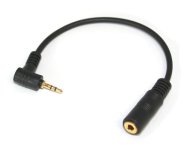
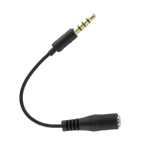
Well it seems like the 2.5mm Nokia mobile phone jacks I bought do not function on the GH2. The 2.5mm to 3.5mm stereo jacks are quality items but I think the banding is the problem, the 2.5mm end has 3 bands. I assumed this was the correct kind as the timer remote has 3 bands.

Can anybody confirm that the GH2 needs a normal 2.5mm jack with 2 bands like a normal stereo jack has?

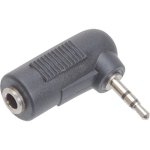
This one below is a normal 2.5mm with 2 bands, normal stereo.
41H5uBqP28L.jpg214451-6os.jpg


This kind 2.5mm 3 band

APLIPHONEHFA2.gif
 
I can't officially confirm anything, but those mobile phone adapters are made for headsets, meaning that the prong that plugs into the camera sends both the signal from a microphone, and receives an audio signal to send to headphones, much like the connector on an iPhone, but in a 2.5mm format. It's not surprising that it doesn't work with the GH2. That kind of connector is looking for a combination mic-input-headphone-output jack.
 
Well it seems like the 2.5mm Nokia mobile phone jacks I bought do not function on the GH2. The 2.5mm to 3.5mm stereo jacks are quality items but I think the banding is the problem, the 2.5mm end has 3 bands. I assumed this was the correct kind as the timer remote has 3 bands.

Can anybody confirm that the GH2 needs a normal 2.5mm jack with 2 bands like a normal stereo jack has?

This kind 2.5mm 3 band

View attachment 30784

You need the two band 3 conductor connector for audio: left= tip, right= ring, shaft= ground. The three band version is 4 conductors not three.
 
The one with the third band will not work. I bought one like that from Radioshack and it never worked for me. I ended up picking up the Hosa L shaped adapter and it works great. That other adapter had me questioning if my camera was fully functional.
 
I just ordered a 2.5mm with 2 bands. I hope this works as I bought a pretty expensive audio technic microphone.

How great would it be if the GH2 has a mini XLR!
 
Hello,
The mic input in my GH2 doesn't seem to work. I got the Hosa 2.5mm adapter, but the camera doesn't recognize that the jack is inserted.
Could it be a physical problem?
Any idea would be much appreciated.
Thanks
Izhar
 
On my cam, if I turn the cam "on" and open the LCD, then plug in the adapter--just the adapter--I get a message asking to make sure the mic power is on and then the levels show up on the screen. If that does not work, check that the adapter goes in both clicks (but no need to force it). If that does not work, try recording something to see if there is sound from the mic by tapping on the mic. The next step is to check whether you have a bad adapter, or, more likely, the wrong part. You should get a message when you put in the plug. I don't recall if there is anything in the menus that controls external audio, but have a look at that as well.
 
Thank you Dr Dave.
Unfortunately I think that my mic input socket has a problem.
Only when I insert the adapter with some force, I momentarily see the on screen message, but it immediately reverts to the internal mics.
I'll have to take the camera to the shop, unless anyone has a different idea.
Izhar
 
Good luck! I would try another adapter before sending it in, but if you feel there is a probability that it is the internal connector, then you have to send it in.
My adapter is also a one piece unit with no cable.
Or get a zoom H2 :)
 
Thank you Dr Dave.
Unfortunately I think that my mic input socket has a problem.
Only when I insert the adapter with some force, I momentarily see the on screen message, but it immediately reverts to the internal mics.
I'll have to take the camera to the shop, unless anyone has a different idea.
Izhar

Make sure that the adapter is going all the way in.
 
For the external microphone to work a three prong plug (with two bands) is sufficient. The last two bands - contacts 3 and 4 are used for the remote control.
The microphone actually closes (shortens) those contacts. The remote control device places a resistor across those points. The resistor value changes depending on the state of the remote control - open, half pressed, fully pressed.
 
Last edited:
Back
Top