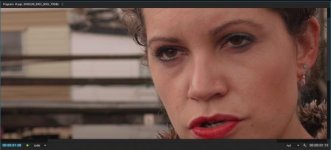
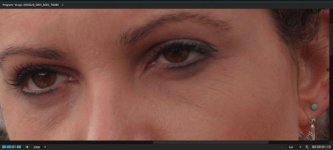
That's not "macroblocking", it's YUV chroma smearing, caused, as you suspected, by inadequate encoding bit-depth. If there were macroblock artifacts in the image, you'd see faint horizontal and vertical patterns on the gray sidewalk where the hues of adjecent rectangular macroblocks did not quite match. What you see instead are irregular blotchy areas where the hues of the gray sidewalk alternate between purple and green color casts.Here's internal, 8 bit 4:2:0 footage in After Effects CC 2015.
As you can see, the magenta macroblocking is quite prevalent.
Since we can see that 10 bit 4:2:2 ProRes footage DOESN'T appear to show macroblocking in After Effects, there is definitely something to the lack of bit depth causing the 8 bit footage to break up into magenta macroblocks.

The reason this occurs is because the H.264 encoder allocates fewer bits to featureless low-contrast areas - it concentrates its available bitrate on high-contrast details instead. And among the few bits allotted to the gray sidewalk, most are used to encode Y-channel luminance details, while the UV chroma channels are severely shortchanged. As a result, the tonal discrimination is so crude that the closest not-exactly-gray hues the encoder can use have noticeably purple and green casts. Unfortunately, our eyes happen to be very sensitive to chroma smearing in this particular range of gray tones, and the mixture of purple and green hues is not an approximation we find esthetically pleasing.
I'm quite familiar with these types of encoder flaws because I put many hours into hacking the GH2's H.264 encoder with high-bitrate tricks that forced it to allocate significantly more bits into the UV chroma channels than the stock encoder. (My strategy was actually to limit spatial chroma resolution while increasing chroma bit-depth.) While I was satisfied with the improvements I obtained, it was nevertheless clear that these are fundamentally consumer-grade encoders optimized to produce compact and vibrant high-contrast movies, intended for immediate viewing rather than intensive color grading in post.
Seriously, if you want to use V-Log for anything more than subjective flavoring, don't shortchange yourself with an inadequate encoder. If you try to cheat the math, the results will not be truncated in favor of image quality, and you will likely find cases where the extreme reaches of your 12-stop dynamic range have been crushed into oblivion.
Last edited:

 Excellent explanation. I will refer to it as YUV chroma smearing from now on. It's good to have the correct definition as it helps others understand the core of the problem.