
Navigation
Install the app
How to install the app on iOS
Follow along with the video below to see how to install our site as a web app on your home screen.
Note: This feature may not be available in some browsers.
More options
You are using an out of date browser. It may not display this or other websites correctly.
You should upgrade or use an alternative browser.
You should upgrade or use an alternative browser.
D90 Stair-Stepping Removal
- Thread starter Lee Wilson
- Start date

Thank you
Thank you
Thank you guys for the tons of good info, the wonderfull stairstepping removal, works like a charm.
This is my first movie I ever made, aside from some editing on some video game footage but I like it, I barely took any pictures with the D90 since I got it yesterday and I'm more pleased with the dmovie thing than with the other features it has over my old D50.
http://vimeo.com/5453573
Thank you
Thank you guys for the tons of good info, the wonderfull stairstepping removal, works like a charm.
This is my first movie I ever made, aside from some editing on some video game footage but I like it, I barely took any pictures with the D90 since I got it yesterday and I'm more pleased with the dmovie thing than with the other features it has over my old D50.
http://vimeo.com/5453573
PeterPan2010
New member
Hi,
thanks to the extremely useful information on this forum, thanks to Lee Wilson for his work and all posters.
I want to further work on the userfriendliness of the proposed measures:
- creating a vbs-script (like the python-script, which is not working for me) which should work for most people to automatically creating avs.-Files
- enhancing the avisynth script with save as "motion jpeg" and "dvx or xvid"
Please join me in creating this. Any help is very much appreciated. I am currently working on the first solution. Does anyone know how to do the second solution (my internet search was not successful)?
Kind regards,
Peter
thanks to the extremely useful information on this forum, thanks to Lee Wilson for his work and all posters.
I want to further work on the userfriendliness of the proposed measures:
- creating a vbs-script (like the python-script, which is not working for me) which should work for most people to automatically creating avs.-Files
- enhancing the avisynth script with save as "motion jpeg" and "dvx or xvid"
Please join me in creating this. Any help is very much appreciated. I am currently working on the first solution. Does anyone know how to do the second solution (my internet search was not successful)?
Kind regards,
Peter
Used the "upscaler" plugin and converted some d-90 footage to 1080 then back down to 1423x801.
check it out.
http://www.vimeo.com/5610338
check it out.
http://www.vimeo.com/5610338
warp sharpening has been mentioned here a few times as a way of fixing the soft detail and blurred edges of d90 video, so i thought i should develop a final cut plugin that does it. it's now finished and part of my free plugins pack along with the d90 rescaler and upscaler. give it a try. setting the amount to 1 works well for "rescaled" footage, while 2 works better for "upscaled". have fun.
http://www.mattias.nu/plugins/
/m
http://www.mattias.nu/plugins/
/m

Ted Ramasola
Veteran
I just applied the displacement map technique to d5000 footage. Improves the image a lot.
Great job to those people who did this and shared to all.
Great job to those people who did this and shared to all.
Please take action, sign on "Nikon D90 Firmware Update"!
Please take action, sign on "Nikon D90 Firmware Update"!
Hi, I signed the petition "Nikon D90 Firmware Update". I'm asking you to sign this petition to help us reach our goal of 2,500 signatures. I care deeply about this cause, and I hope you will support our efforts.
petition: Nikon D90 Firmware Update
You can view this petition at: http://www.thepetitionsite.com/tell-a-friend/5964834
Please take action, sign on "Nikon D90 Firmware Update"!
Hi, I signed the petition "Nikon D90 Firmware Update". I'm asking you to sign this petition to help us reach our goal of 2,500 signatures. I care deeply about this cause, and I hope you will support our efforts.
petition: Nikon D90 Firmware Update
You can view this petition at: http://www.thepetitionsite.com/tell-a-friend/5964834
Hey guys. Check this out! A stair stepping removal solution for Fusion
http://bedtimestoriesx.blogspot.com/2009/12/nikon-d90-breakthrough-part-iii.html
They made a macro. Maybe someone can reverse engineer this for other programs as well. Up to now it seems it is the only correct method I 've found that removes all lines
http://bedtimestoriesx.blogspot.com/2009/12/nikon-d90-breakthrough-part-iii.html
They made a macro. Maybe someone can reverse engineer this for other programs as well. Up to now it seems it is the only correct method I 've found that removes all lines
dividing by 1.113281 results in the exact same pattern of 8's and 9's as the table i use in my plugin so i'm not sure what they mean by other methods doing it wrong. i'm open for suggestions as to how i can improve the fcp plugins though, and there's indeed a difference at the edges between lee's table that i'm using and the one you get from division. i tried the formula though and that gives the wrong result so i'd be happy to know where the error supposedly is and if there's an end condition needed. i've not been able to eyeball any fault in my table either...

Granjow
Active member
Hi there,
Hi Lee, hi nihilus,
Thanks for this thread! I've registered here because of it.
I've written a filter for frei0r removing the stairs, based on the posts here. Unlike most versions here it does not scale the image though but directly transforms the image (similar to Halsu's displacement map).
The plugin is on my frei0r fork at the moment, so it needs to be compiled, but I will try to get it into the original frei0r codebase.
Now where can the plugin be used? In all apps that use frei0r, listed here:
http://en.wikipedia.org/wiki/Frei0r
Personally, I'm using kdenlive. The filter can then just be applied
Here an example; upper part with filter, lower part without. Zoom 200 %.
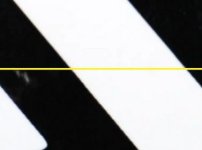
And a «real life» example image:

after applying the filter:

Granjow
Hi Lee, hi nihilus,
Thanks for this thread! I've registered here because of it.
I've written a filter for frei0r removing the stairs, based on the posts here. Unlike most versions here it does not scale the image though but directly transforms the image (similar to Halsu's displacement map).
The plugin is on my frei0r fork at the moment, so it needs to be compiled, but I will try to get it into the original frei0r codebase.
Now where can the plugin be used? In all apps that use frei0r, listed here:
http://en.wikipedia.org/wiki/Frei0r
Personally, I'm using kdenlive. The filter can then just be applied
Here an example; upper part with filter, lower part without. Zoom 200 %.
And a «real life» example image:
after applying the filter:
Granjow
Last edited:
Lee Wilson
Veteran
Update: Stairstepping removal filter will be in Frei0r 1.2.
:beer:
funkyvibes
New member
Hello, i spent all the weekend reading all the stuff here and try to improve the quality of a video that i have made with d90. but in fcp or with ae the result is the same. i don't know what i'm doing wrong. i would appreciate a little help :S thanks
i can upload some clips from the original file http://www.youtube.com/watch?v=LYSsCnfRMb0
i can upload some clips from the original file http://www.youtube.com/watch?v=LYSsCnfRMb0