I've been using the GH13 extensively since I got my first body in September 2010. I use it mostly for professional and just-for-fun video work, and I only take photos with it if I need to use something for a motion graphic or just for a fun family photo. So essentially, I'm not really used to how it operates in still photos, as sad as that sounds. However, I'm having consistent problems with the photos coming out with severely crushed blacks - even if the rest of the image looks good, the blacks are often crushed. I generally use Smooth -2,0,0,-2 for everything, and that exposes very well when I'm shooting video, but I still seem to have problems in still photos. Oddly enough, when shooting in aperture priority with a timer remote for timelapses, I have not had this problem, but I can't figure out what is causing problems in photos that don't show up in timelapses. Are there any tips or tricks to preventing this, or is this simply the dynamic range of the camera?

Navigation
Install the app
How to install the app on iOS
Follow along with the video below to see how to install our site as a web app on your home screen.
Note: This feature may not be available in some browsers.
More options
You are using an out of date browser. It may not display this or other websites correctly.
You should upgrade or use an alternative browser.
You should upgrade or use an alternative browser.
GH13 Blacks Crushed in Photos
- Thread starter CColton
- Start date
You could try the "Expose to the Right" approach, in which you over-expose a little by nudging the histogram over to the right-hand side of its frame and shoot in RAW, the adjust in software. The theory is that digital sensors allow a little latitude in highlights so, even if the in-camera JPEG looks blown out, you can recover in Lightroom or whatever.
This is the exact opposite of the rule of thumb for film, which was that, if you were in doubt, under-expose by 1/3 to 1/2 a stop, on the grounds that any blow out area of the negative was irretrievable, whereas underexposed shadows often held some detail that could be recovered in developing.
There's a lot of discussion around this, with strong opinions as to whether ETTR works or not. Some examples:
ETTR is great : http://www.luminous-landscape.com/tutorials/expose-right.shtml
ETTR is snake-oil : http://chromasoft.blogspot.com/2009/09/why-expose-to-right-is-just-plain-wrong.html
An ETTR discussion: http://photography-on-the.net/forum/showthread.php?t=860749
Hope that helps
This is the exact opposite of the rule of thumb for film, which was that, if you were in doubt, under-expose by 1/3 to 1/2 a stop, on the grounds that any blow out area of the negative was irretrievable, whereas underexposed shadows often held some detail that could be recovered in developing.
There's a lot of discussion around this, with strong opinions as to whether ETTR works or not. Some examples:
ETTR is great : http://www.luminous-landscape.com/tutorials/expose-right.shtml
ETTR is snake-oil : http://chromasoft.blogspot.com/2009/09/why-expose-to-right-is-just-plain-wrong.html
An ETTR discussion: http://photography-on-the.net/forum/showthread.php?t=860749
Hope that helps
Since it works in aperture priority mode, would imply that the camera is capable of doing what you want it to do.
I remember when I first got my camera, I'm not too sure whether it was my inexperience with the camera at the time but somehow I got some settings "stuck" on the camera. I had changed the profile settings but they didn't seem to change properly. I fixed it by resetting my GH2 to default settings. Maybe it would work for you too
So this problem happens in P, S and M modes on too? as they all share common settings, other positions on the dial can have their own presets
I remember when I first got my camera, I'm not too sure whether it was my inexperience with the camera at the time but somehow I got some settings "stuck" on the camera. I had changed the profile settings but they didn't seem to change properly. I fixed it by resetting my GH2 to default settings. Maybe it would work for you too
So this problem happens in P, S and M modes on too? as they all share common settings, other positions on the dial can have their own presets
Last edited:

stonebat
Veteran
GH1's DR is toward more dark area. Usually -2/3 EV gives maximum latitude for GH1 as LPowell's Max Latitude patch tip. Then you bring up the exposure during PP.
But how to get the base EV? The metering is tricky. Spot, center, multi? There's no right setting for all cases. You gotta pick one on the fly and might adjust EV setting. i.e. I don't have to take all shots in EV "0" setting. Sometimes a subject looks better in -1 or -2 EV to capture the mood. If I get a correct EV setting for a subject, optionally I could lower or raise EV. The
If DR of actual framing is too wide, I gotta sacrifice something. Either crushed black or blown-out highlight. Tools like LR3 can restore more details out of raw only if the raw contains information. i.e. the tools can't create new information.
Knowing this... I try to avoid extreme DR scene. I might ask a subject in a dark shadow moving closer to brighter spot ONLY IF there's something to capture in highlight. Or I might just wait until it happens. You know... the decisive moment.
On GH1, Standard film mode, all 0 except Saturation -1. Also AWB WB Amber +3. Setting by Oh Sun Kwon from SLRClub.com. He's freaking awesome in photo.
But how to get the base EV? The metering is tricky. Spot, center, multi? There's no right setting for all cases. You gotta pick one on the fly and might adjust EV setting. i.e. I don't have to take all shots in EV "0" setting. Sometimes a subject looks better in -1 or -2 EV to capture the mood. If I get a correct EV setting for a subject, optionally I could lower or raise EV. The
If DR of actual framing is too wide, I gotta sacrifice something. Either crushed black or blown-out highlight. Tools like LR3 can restore more details out of raw only if the raw contains information. i.e. the tools can't create new information.
Knowing this... I try to avoid extreme DR scene. I might ask a subject in a dark shadow moving closer to brighter spot ONLY IF there's something to capture in highlight. Or I might just wait until it happens. You know... the decisive moment.
On GH1, Standard film mode, all 0 except Saturation -1. Also AWB WB Amber +3. Setting by Oh Sun Kwon from SLRClub.com. He's freaking awesome in photo.
Last edited:
Thanks for the input everyone! I try to avoid shots with a HDR, but as we know, that's not always possible. I'll try ETTR and see how that works. I also need to test and make sure the RAW files can be read by After Effects and Avid, as I use those for all my editing (I don't have Photoshop, I just edit stills in AE haha).
And yes, Dazza, this problem is probably mostly due to my inexperience with the stills side of the camera. All the stills I've shot before this camera were on optical viewfinders or true SLRs, so using the EVF is an adjustment.
Luckily I am good at exposing video on the camera, since that's my job, but I'll continue to tinker with the stills and see what I can come up with, using your suggestions. Thanks!
And yes, Dazza, this problem is probably mostly due to my inexperience with the stills side of the camera. All the stills I've shot before this camera were on optical viewfinders or true SLRs, so using the EVF is an adjustment.
Luckily I am good at exposing video on the camera, since that's my job, but I'll continue to tinker with the stills and see what I can come up with, using your suggestions. Thanks!
tyrone_bigsby
Active member
You could try the "Expose to the Right" approach, in which you over-expose a little by nudging the histogram over to the right-hand side of its frame and shoot in RAW, the adjust in software. The theory is that digital sensors allow a little latitude in highlights so, even if the in-camera JPEG looks blown out, you can recover in Lightroom or whatever.
This is the exact opposite of the rule of thumb for film, which was that, if you were in doubt, under-expose by 1/3 to 1/2 a stop, on the grounds that any blow out area of the negative was irretrievable, whereas underexposed shadows often held some detail that could be recovered in developing.
Are you sure about that? I still shoot 35mm and from experience, my gut tells me that film hates to be underexposed. Once the blacks and shadows are crushed, then they're gone. (I've never push-processed.) But you can overexpose negatives by a stop or even two stops due to film's greater exposure latitude. I often shoot 400-rated film at 200 and 800-rated film between 400-640.
As for shooting digital, I think the opposite of what you're saying is true--especially with the GH1. Highlights are easily blown if one doesn't expose properly and are nearly impossible to recover in post. However, shadow recovery is much easier to tinker with; but the price for that is noise, of course.
As for shooting digital, I think the opposite of what you're saying is true--especially with the GH1. Highlights are easily blown if one doesn't expose properly and are nearly impossible to recover in post. However, shadow recovery is much easier to tinker with; but the price for that is noise, of course.
Agreed, for the GH1 (and, I assume, GH2) highlights blow out and are gone. They especially distort color when blown out, whereas blacks tend to be somewhat more recoverable, with less chroma loss.
Are you sure about that? I still shoot 35mm and from experience, my gut tells me that film hates to be underexposed. Once the blacks and shadows are crushed, then they're gone. (I've never push-processed.) But you can overexpose negatives by a stop or even two stops due to film's greater exposure latitude. I often shoot 400-rated film at 200 and 800-rated film between 400-640.
As for shooting digital, I think the opposite of what you're saying is true--especially with the GH1. Highlights are easily blown if one doesn't expose properly and are nearly impossible to recover in post. However, shadow recovery is much easier to tinker with; but the price for that is noise, of course.
I'm fairly happy to stick with the film side. It varies from film stock to film stock (obviously
 ) but, in my 35mm days, I used to follow this. I'm happy to acknowledge that I'm not an expert on the tech, nor an outstanding photographer, but it worked for me.
On the digital side, as I said, opinions vary - the 2 tech articles I linked present equally plausible (note that I'm calling them plausible, not correct
) arguments for exactly opposed views. I have understood for a while that (generally) RAW processing allows an extra stop or so in the highlights, so (theoretically) pushing to the right should be workable. Note also, the idea is not a wild shove off the right hand side of the scale, but nudging the histogram until it's just in contact with the edge of the frame, but not pushed over into blowout.Having said all that - I'm absolutely not evangelising for ETTR. It seemed like a reasonable option for the OP to experiment with because, if it works, it might help with the crushed blacks issue.
Having said all that - I'm absolutely not evangelising for ETTR. It seemed like a reasonable option for the OP to experiment with because, if it works, it might help with the crushed blacks issue.
Experiment I will, thanks for the suggestions!
stonebat
Veteran
CPL filter might help. http://photography-on-the.net/forum/showpost.php?p=10742659&postcount=45
I've been thinking about getting one and finally ordered one. Here goes beach vacation!!!
Highly recommend Lightroom 3. So easy to use.
I've been thinking about getting one and finally ordered one. Here goes beach vacation!!!
Highly recommend Lightroom 3. So easy to use.
The GH1 cannot be trusted in still photo mode, regardless of whether you're in P, A, S, or M exposure mode. If you shoot mostly video, you've probably become accustomed to gauging your exposure from the preview images shown on the LCD and EVF. Unfortunately, the previews displayed in stills mode may vary widely from the exposure you'll actually get when you snap the photo. Here's a rather baroque workaround that can help deal with this problem:
Set the mode dial to Creative Movie Mode and select Manual exposure mode. Adjust your exposure as you would for shooting a video. Then turn the mode dial clockwise one click to put the camera in M stills mode. Ignore any visual changes in the LCD and EVF and take one or more still photos without changing any settings. The M still mode will inherit the exposure you set in Creative Movie Mode and the stills will turn out looking the same as in the movie preview.
Set the mode dial to Creative Movie Mode and select Manual exposure mode. Adjust your exposure as you would for shooting a video. Then turn the mode dial clockwise one click to put the camera in M stills mode. Ignore any visual changes in the LCD and EVF and take one or more still photos without changing any settings. The M still mode will inherit the exposure you set in Creative Movie Mode and the stills will turn out looking the same as in the movie preview.
stonebat
Veteran
Today is bright and sunny. I tried CPL filter for photo. It brought more color saturation on blue sky and green leaves.
It did block some reflection light and closed the gap between high key and low key. Consequently gave more details in dark areas. It did block some light (1.3 stop???) which is good in super bright day.
I love this filter!!!!
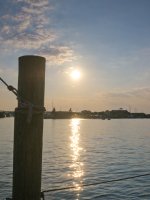
It did block some reflection light and closed the gap between high key and low key. Consequently gave more details in dark areas. It did block some light (1.3 stop???) which is good in super bright day.
I love this filter!!!!
Last edited:
Set the mode dial to Creative Movie Mode and select Manual exposure mode. Adjust your exposure as you would for shooting a video. Then turn the mode dial clockwise one click to put the camera in M stills mode. Ignore any visual changes in the LCD and EVF and take one or more still photos without changing any settings. The M still mode will inherit the exposure you set in Creative Movie Mode and the stills will turn out looking the same as in the movie preview.
That's what I've started to do, haha. I'm still getting good timelapses in aperture priority but I'm so used to video-style previews and metering that shooting photos tricks me. The photo preview in the EVF and LCD is exactly as unreliable as you say.