GH4 audio bug discovered

tacotim

Well-known member
A poster on the facebook gh4 user group posted this problem and I have confirmed it with mine. When monitoring audio with headphones and having an external mic plugged directly into the camera, there is an audible buzz in the headphones. This buzz is NOT recorded onto the sd card. The buzz is somehow tied to the shutter speed, as changing the shutter speed between 1/2 sec and 1/60th of a second alters the frequency of the buzz. The buzz increases in volume with the cameras gain settings.

I use a juiced link box and have the camera gain settings pulled all the way down and that makes the buzz nearly imperceptible, but it's still there. The good news is that it doesn't get recorded but This is a huge bummer for folks who want to plug a mic straight into the camera without any sort of preamp. I'd appreciate it if others could verify these results and post in this thread.
 
I just experienced this myself today and was about to post about it when I saw this thread. My setup was a lav microphone plugged into a Tascam DR-40. The Tascam is then connected to the GH4 via line out into the Mic port on the camera. Then I have headphones plugged into the GH4 to monitor.

I could hear a very discernible buzz over the headphones. I switched from "real time" to "recorded sound" and the buzz was there in both settings.

However, the actual sound recorded to the SD card sounds crystal clear. Which is a big relief. Just be aware that the buzzing seems to be a bug, but it doesn't affect the recording.

EDIT: I should add that the exact same setup on my GH3 doesn't produce the buzzing sound, but it does on the GH4. Thankfully the recorded audio sounds perfect, so it's not a huge deal. But Panasonic should address this somehow.
 
Last edited:
I wonder what would be the best way to report that bug to Panasonic. I should probably test it as well.
 
Gah, I was hoping the audio was going to be decent on the GH4. Good to hear the recording is, but having a buzz in your headphones is a drag. What if you you have an actual audio buzz elsewhere in your audio chain, you will never be able to tell when recording to the GH4 whether the buzz is from the camera or somewhere else in the chain. I will be using the Tascam DR60 so I guess monitoring off of the Tascam is an option, as long as you check the meters on the GH4 to make sure it is recording the audio and spot check it?
 
That sounds like a plan, I will be using the Tascam as well. I am going to do some tests tomorrow with it and the GH4 and see if I get the buzz.
 
Hey can anyone help me out and just try this little test to confirm this bug, I'm currently in a dialog with panasonic on their facebook page about this issue. I only have one other person that has confirmed it so far. Here's the steps to reproduce the bug.

1. adjust the manual audio gain in camera to it's highest setting (the buzz is audible at all settings but this will make it most obvious)
2. adjust the headphone volume to it's highest setting in camera menu
3. plug in headphones
4. Plug any cable into the mic in jack on the camera
5. adjust the shutter speed between 1/2 and 1/60 (the buzz should change frequency in correlation with the shutter speed)
6. Report back here.

Thanks in advanced!
Tim
 
Yes, the buzz is present on my unit as well.

Not sure what other people think, but to me this is one of those bugs that must be fixed faster than anything else (meaning in a week or two). I just can't see people (I'm talking about the ones who record internally and monitor their audio through their cameras) using their units/dealing/living with that bug and patiently waiting months for the firmware update (months, because in my experience it takes time for a new firmwares to come out).

Lets just all hope it's not hardware and it can be fixed fast enough.
 
Last edited:
I just tried the shutter speed change you mentioned, and it happens as you describe. The buzzing sound changes with the shutter speed.
 
On my GH4, the buzz is recorded.

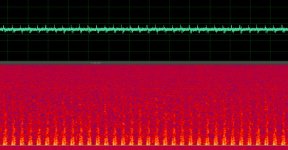
Here's a screen capture from the audio in Adobe Audition. It shows a clear repeating pattern:

GH4_Issue_2014-05-07_AudioBuzz_24P-100mbps.jpg

Here's the audio, gained up so it is clearly discernible, but it is very much audible even at normal levels.

Audio Sample (WAV)

Test Parameters


  • Mode: Video (Manual)
  • Rec Quality: 1080/24P/100mbps/MOV
  • Shutter Speed: 1/30
  • Mic Level: +6dB (max)
  • Headphone Volume: 15 (max)
  • Microphone: Rode VideoMic Pro


Observations


  • Buzz occurs in all recording modes (AVCHD/MP4/MOV, 4K/1080P, NTSC/PAL/Cinema, etc.)
  • Buzz frequency is definitely affected by shutter speed, but differs depending on recording mode
    • Example: 1080/60P/100mbps/MOV & 1080/30P/100mbps
      • 1/2 - 1/25: Incrementally increases in speed/frequency
      • 1/30 - 1/50: Frequency higher than lower shutter speeds but does not change much (if at all) in this range
      • 1/60 - 1/8000: Frequency steps up once again but remains constant through this range
    • Example: 1080/24P/100mbps/MOV
      • 1/2 - 1/20: Incrementally increases in speed/frequency
      • 1/25 - 1/8000: Frequency steps up but remains constant through this range
  • Buzz pitch also changes when Ex-tele or direct focus (magnification) mode are engaged
  • Microphone does not seem to matter. Same results when plugging in 3.5mm headphone cable or mic.
  • Buzz is audible even when no mic is plugged in (it's just very hard to hear with the camera mic active)
  • Buzz frequency increases when lens is attempting to focus (e.g. when shutter half-pressed)
  • Buzz remains after full system reset (i.e. issue not related to specific camera settings)

I also tested the same settings on the GH3 and there was no buzz.
 
Last edited:
Uh, scratch that... My headphones weren't up loud enough. I hear a buzz that changes depending on what the screen is doing. I hate that the headphone jack is right next to the LCD, and blocks it when I want to flip it around.

{{EDIT}}
It does seem to get quieter in Movie mode.
 
Last edited:
Seems like something's not shielded properly inside the cam- hopefully I'm wrong though, because I'm pretty sure that wouldn't be firmware-fixable.
 
I just tried a VideoMic Go, which is powered by the camera's plug-in power. The mic sounds nice, but I was picking up even more RF noise, and this time it got onto the recording.
 
Is it only for a mic plugged right into the port? I did a brief test with a wireless lav and stick mic and did not notice anything. Had the internal turned to -12.
 
Is it only for a mic plugged right into the port? I did a brief test with a wireless lav and stick mic and did not notice anything. Had the internal turned to -12.

See the steps in the earlier post to reproduce the issue. Though the issue exists at lower gain levels, you need to turn it up to hear it more readily.
 
(sigh) ya know, I told myself to wait and not be an early adopter- let the bugs (if any) get worked out first.... but I went ahead and ordered one anyway and it arrives this Friday. (2nd sigh)

If you had to- could you bypass the headphone out if you where using an external LCD or recorder anyway? Perhaps monitor audio via the LCD's headphone jack (like on a smallHD or atomos recorder).
Basically- does the GH4 carry audio over the HDMI out?
 
Are you guys using "proper" XLR to stereo mini adapters that block the power output from the GH4 audio input? "Proper" adapters has blocking resistors ( or are they capacitors, I didn't make mine ) to solve ths problem. No buzz on my recorded audio or in my headphones.
 
Back
Top