Any GH2 news on the HDMI output front?

Here is a summary of what I have discovered so far regarding HDMI output on the PAL gh2:

* 24p random pulldown within 50i with half a field missing at random intervals.
* Standard 50i works as expected, no anomolies to speak of as of yet.
* Standard 50i with 1/40 shutter speed or lower results in usable 25p footage with a half-field offset. I used a custom utility to correct the field offset, but VirtualDub can also do this using the Field Delay filter in "top field first -> bottom field first" mode.
An example of the 25p pulldown is here: http://marty.id.au/video/25pulldowntest.mp4
(MJPEG 100Mbit encoded as 50Mbit AVCHD)
 
So, to confirm, are you saying you get the results of a reliable 25p workflow by shooting 1/40 shutter? No fuss no muss, just keep your field-offset in mind and all is well?
Not to be a downer, but have you done tests to verify it's not simply field doubling, as Barry suggested could happen? Gotta tread softly with this camera, I'm afraid :)

So the 24p stuff is still random on your end too? Hmm. Too bad. But with 25p, it looks like you're out of the woods. Seems like you could do the conversion in any compositing application - AE or whatever. Split the fields, delay the one stream by a frame, and remerge.
Very cool.
 
I shot a resolution chart while switching between 1/40 and 1/50 without any visible change in resolution, so it doesn't look like field doubling to me.
 
I shot a resolution chart while switching between 1/40 and 1/50 without any visible change in resolution, so it doesn't look like field doubling to me.

Be careful. If you're switching while recording, it might not be taking the change. To be safe, shoot two clips, one at 1/40 and one at 1/50.
 
Any word from panasonic? has anyone tried contacting them and begging for an address to this in a firmware update? if not I'll see if I can do so

edit: if one of you even wanted to quickly create a petition here: http://www.petitiononline.com/petition.html saying something like "the undersigned strongly desire uninterrupted 2:3 pulldown compatible hdmi output etc" and then post it around including in this thread, if we had a petition with a hundred or two hundred signatures, I think whatever panasonic engineer or team member that gets the email will immediately take note that it's not just one users random request, but that there is a solid need for it
 
Last edited:
Yes, don't worry it was two separate recordings.

Could you post the clips? If it's true, this would be unprecidented. When shooting in interlace mode, all video cameras (in my experience) scan a single field when the shutter speed drops lower than the frame rate. Forgive me for being skeptical. :Drogar-BlackEye(DBG

Also, you should post a third clip of the camera in true progressive mode. This way we have a standard to measure the other clips against.
 
Last edited:
You're right :( 24p looks subtantially sharper. 1/50 and 1/40 in 50i look identical but with lower resolution. Doesn't make much sense to me, it can't be field doubling as that would not work for 50i. Perhaps the internal processing works differently.

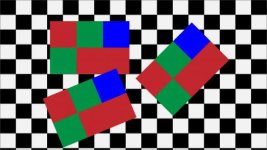
http://marty.id.au/video/24p-1-50.jpg


What's very intriguing is how good the resolution is from those charts- the lines stay intact. This from a sub $999 dollar camera. Amazing!

Pappas
http://www.facebook.com/PappasArts
http://www.pbase.com/Arrfilms
 
What's very intriguing is how good the resolution is from those charts- the lines stay intact. This from a sub $999 dollar camera. Amazing!

It's worth noting that these were taken in sub-optimal lighting conditions at 3200ISO, so i'm sure it would look even better under studio lights!
 
It's worth noting that these were taken in sub-optimal lighting conditions at 3200ISO, so i'm sure it would look even better under studio lights!

Really. Well that is even more amazing! Yeah the appearance of resolution would even be better at lower iso.

Pappas
 
Just for fun, here is a frame taken from my old Canon HF11 in 1080 25p mode in the same horrible lighting:

http://marty.id.au/video/hf11.jpg

The HF11 cost me about the same as the GH2 only a couple of years ago and the video quality was the best you could get at the price. Now it is just rubbish.
 
You're right :( 24p looks subtantially sharper. 1/50 and 1/40 in 50i look identical but with lower resolution. Doesn't make much sense to me, it can't be field doubling as that would not work for 50i. Perhaps the internal processing works differently.
http://marty.id.au/video/24p-1-50.jpg

http://marty.id.au/video/50i-1-50.jpg

http://marty.id.au/video/50i-1-40.jpg

The 1/40 and 1/50 do indeed look very close, and that's good! Of course an interlace picture will always have less vertical resolution than a progressive picture. Thanks for posting.

One thing, you're shooting the resolution chart incorrectly. I assume this is a 4:3 aspect ratio chart, in which case, you should frame it up using the arrows at the top and bottom, not left and right. As it is, you're getting a false reading. It looks like the camera is resolving more than a thousand lines, which it clearly can't do.
 
There's a color sampling question that is still being discussed here too, so in reference to aemonk's last set of posts, I want to point to some experiments I've been playing with.


OriginalCheckerboard.jpgAVCHD.jpg422.jpg444.jpg

These are available at higher res with these links.

The original Checkerboard (http://www.sandboxproduction.com/OriginalCheckerboard.png)
The 4:4:4 ProRes export (http://www.sandboxproduction.com/444.png)
The 4:2:2 ProRes export (http://www.sandboxproduction.com/422.png)
The AVCHD export (http://www.sandboxproduction.com/AVCHD.png)

The checkerboard is a simple Illustrator graphic, saved as 32-bit targa and placed on 10-bit 444 ProRes timeline in FCP.
The 2 ProRes exports were done normally.
The AVCHD used MainConcepts movie to m2ts exporter (AVCHD preset with 21 mbit/sec encoding). This was then re-wrapped with clipwrap.

All 3 resulting movies were brought into Shake, and screen-captures of their enlarged details were then brought into Photoshop where they could be aligned and exported for web.

The jump from 4:2:0 to 4:2:2 is pretty dramatic. 4:2:2 to 4:4:4, while apparent, does not seem so obvious.

When we view footage from GH2 mts files, and compare to HDMI footage, the visual difference is NOT that striking.

Yet, just the jump in color subsampling from 4:2:0 to 4:2:2 SHOULD be stark.

Can anyone see why I shouldn't conclude that the GH2 is streaming 4:2:0 video over HDMI? Or are others seeing just as dramatic an improvement going from AVCHD to HDMI? If so, I'd like to see samples.
Thanks.
 
The blue to me looks a little bluer on the 4:2:2 vs 4:2:0 but everything else seems similar (actually the AVCHD maybe looks a little more contrast(y) or slightly darker in all the other colors except blue). But...in terms of artifacts....the 4:2:2/4:4:4 image vs 4:2:0 is enough to make me want to capture from HDMI. I think there's a HUGE difference.
 
....the 4:2:2/4:4:4 image vs 4:2:0 is enough to make me want to capture from HDMI. I think there's a HUGE difference.

... but HDMI out on the GH2 looks like 4:2:0! The 4:2:2 capture of the HDMI stream might have a little smoothing effect in the red channel. But the difference is not even close to what it should be. At least by what I can see by using the AJA io HD to capture the GH2's HDMI stream.
 
Oops. Yes, I meant to focus on just the edge detail and associated artifacting - as that seems the surest way of determining subsampling used for video.

Actually, the AVCHD clip was lighter and slightly washed out, so I gamma'd it down (is that a word :)) so its colors would blend with the others - trying to keep everything even.

However, it's not the color I'm looking at. It's the way detail is handled by sub-sampling. And since no camera was involved, I'd think this is a best-case scenario.

That said, does anyone see this kind of difference between the GH2 mts files and the HDMI-captured files. Because if there isn't much difference, then I think there's really only one conclusion. GH2 output is somehow being limited to same color subsampling as is used with the AVCHD files - which is 4:2:0 :(

I hope I'm just being stupid. Please provide samples if I am lol.
 
I believe the HDMI is 4:2:2, but the problem with aemonk's HDMI samples, is the interlaced chroma.

Either there was something wrong with the way it was recorded, or the way the prores decoder is handling the sampling (i.e. there is a miscommunication somewhere, either it's recorded as interlaced , upsampled as progressive, or recorded as progressive, upsampled as interlaced. Even true 4:2:0 interlaced (recorded as interlaced) wouldn't have the chroma arranged like that. 4:2:2 (or even 4:4:4) is not very useful if you have notching like that). I believe it's the way the HDMI signal is sent, but I'll look at Henry's NTSC samples to double check

The complication in the analysis is the method in which you do the Y'CbCr => RGB upsample . FCP and AE use a centered, point resample algorithm (so it looks 'blockier'). Other programs use left, bicubic resample, and chroma looks smoother. There are other methods of sampling, but none of them are necessarily "right" or "wrong". There are pros/cons to any method.

I've attached some screenshots to illustrate
http://www.mediafire.com/?71s4h0j244s48dv
1 - 1:1 crop using bicubic left sampling for RGB conversion
2 - 1:1 crop using AE (which uses nearest neighbor, centered for RGB conversion)
3 - 1:1 crop of 4:2:2 prores (cannot control upsampling method, as it's governed by prores decoder)
4 - 2x nearest neighbor enlaragement of #1
5 - 2x nearest neighbor enlaragement of #2
6 - 2x nearest neighbor enlaragement of #3


The telltale signs of 4:2:2 vs. 4:2:0 when using point resample algorithm (such as FCP or AE use), are the finer pixels along the borders. If you can imagine the 4:2:2 prores screenshots without the notching (ie. if it was recorded progressive and upsampled as progressive), it would clearly look "cleaner" without the "4 box pixels" (compare screenshots 5 & 6, and look for example on the blue-yellow border. YV12 4:2:0 video will characteristically have the "4 box pixels" when using Y'CbCr => RGB point sampling).
 
Back
Top