Follow along with the video below to see how to install our site as a web app on your home screen.
Note: This feature may not be available in some browsers.
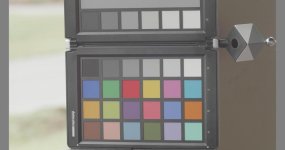
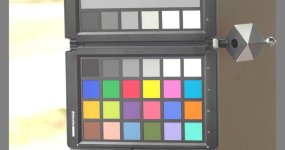
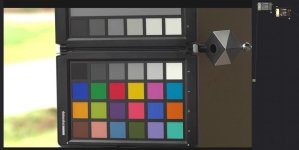
The topmost panel and the third from the left.question on these COLOR CARDS.... is that 2nd cark gray box at 18% or something else?
This wasn't exposed to put middle grey exactly on, it was ETTR. Regardless, the LUT's are applied to the same image. Panasonic's yields a fairly accurate curve from shadows through highlights. Yours begins to deviate around the midpoint and blows out quickly. To use your LUT, in practical terms, not only would one need to stack two LUT's to get to a naturalistic image, but they would also have to mess around with curves and possibly saturation. I just don't see how that makes for "easier" color correction.joe12south, something is wrong with that processing. Without source files or seeing what FCPX is doing, I can't begin to guess where the problem is. The Panasonic V-709 LUT image and the one made with my LUTs both have middle grey mapped incorrectly.
The image is overexposed. You need to apply negative exposure compensation. If you put V-Log to log in the first node and log to Rec.709 in the second node, you should apply an offset in the second node. Don't make any corrections in the first node.Same result in Resolve. Am I doing this fundamentally wrong? First node applied the LOG LUT. Second node applies the LOG to 709 LUT.
edit: I shouldn't say same result, it's better, but still overexposed and oversaturated.
If I knock down the exposure to protect the highlights, from midtowns down are underexposed. And in either case, saturation is kind of off the charts.The image is overexposed. You need to apply negative exposure compensation. If you put V-Log to log in the first node and log to Rec.709 in the second node, you should apply an offset in the second node. Don't make any corrections in the first node.
That's Rec.709. It's not compressing the highlights at all, so it just doesn't have very much highlight range. If you want to preserve more highlights, your options are to underexpose the entire image, or to compress the highlights.If I knock down the exposure to protect the highlights, from midtowns down are underexposed.
Gonna be out shooting all week in Yosemite. I'll try the roll-off version when I get back. It's fairly important to ETTR with V-LOG L (to avoid nasty shadow noise) so I doubt the straight version is of much use to the average shooter.My Rec.709 LUTs with a highlight roll-off are a suggested way of compressing the highlights.
The only way to expose any digital camera for the best image quality, is Exposing To The Right.It's important to expose correctly on the GH4, period. The camera doesn't have very good dynamic range. V-Log L doesn't change the camera's dynamic range significantly. It just makes it a lot harder to set the exposure because you don't have a what-you-see-is-what-you-get image on the camera's monitor that you can use to judge exposure from. Cinelike D, too, is a little harder to use than a standard profile because of the low contrast image.
Expose *what* to the right? There are all different manner of highlights, some brighter than others. Some should be exposed to the right and some should be clipped.
I know of three reliable ways to set exposure on the GH4:
- Grey card targeted at a certain color value
- Set exposure using a standard photo style, and then switch to the photo style you want to record in. (for V-Log L, also switch to an ISO 1 stop higher to maintain the same noise performance and highlight range)
- External monitor with a LUT
Often problematic in high DR scenes.1. Grey card targeted at a certain color value
Bad idea as exposure changes from profile to profile...significantly with V-LOG L.Set exposure using a standard photo style, and then switch to the photo style you want to record in.
Nice, but a luxury for many users.External monitor with a LUT