Why is audio always slightly out of sync on my 7D?

eco_bach

Well-known member
Hi
Not sure if anyone has noticed this. This is only apparent if you use a manual clapper for slating. The audio is always consistently 1 to 1.5 frames ahead of the video. For dual sound I try and always manually sync by visually lining up my waveform to the visual of the clapper fully closed, and not by simply lining up the waveforms. This seems to be always approx 1 frame when shooting at 24fps. A small difference but results in a slightly better sync.
 
Are you sure this sync issue results from 7D, instead of the external sound track recorded in a way with audio shifting out of sync with 7D?
 
I've noticed the same thing from my T2i when I run double-system. Thing is, if I scrub the footage from the camera (picture with camera audio) frame-by-frame in FCP, I can see the sticks collide and hear the snap at different times... a frame or two off. If I line the production sound from my recorder up to the scratch audio from the camera using the waveforms of both, my production sound will be off as well. If I line the production sound up using only the visual of the sticks, I'm fine.

No idea why, but I've learned to deal with it.
 
Are you sure this sync issue results from 7D, instead of the external sound track recorded in a way with audio shifting out of sync with 7D?
If his audio from in camera is out of sync with the vid from in camera............definitely an in camera issue. LOL, people are too quick to point any sync issues at the external recorder.

The OP is doing the right fix.
 
Yeah, sometimes it's slightly off. Might be shutter speed or a the cards we are using? doesn't happen always , but it does to me sometimes......
 
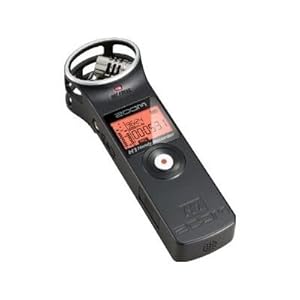
I'd suggest dual system audio- way better quality and hopefully less sync issues. I use a Zoom H1 for this with my 7D and it works like a charm:


Also if you happen to have an iPhone/iPod or iPad handy- here's a nice clapper (with automatic camera reports):

http://www.movie-slate.com/

-Noah
 
On my T2i the audio ALWAYS goes slightly out of sync when I convert my footage to Prores 422 in either FCP 7 or Streamclip. But when I convert to Prores 422 in After Effects CS3 it is in perfect sync. Don't know why, but ALL conversions will now be done in After Effects for me.
 
Are you guys sure this is only canon dslr specific and not just a matter of physics, the sound takes longer to travel to the camera than the light does..
 
Are you guys sure this is only canon dslr specific and not just a matter of physics, the sound takes longer to travel to the camera than the light does..

Given sound is 1126 ft/s, and assuming that the clapper is at most 10 feet from the camera, that means it takes the sound 8.88ms to get to the camera.

A frame is exposed for 1/48 is equal to 20.83ms. If the light hit at the end of the exposure period, the audio would still be picked up because the audio records for 1/24 (during the whole frame time, not just half like the light) so it has a 40.83ms window to get there to be aligned with that frame.

So no, this isn't a matter of physics. If the sound creating action happens, the transient should be on the same frame or even before it since during the non-exposure time at 180 degrees, the sound would get shown before the next frame where the action will be seen.
 
Is there a way to jam or mod solid state recorders to sync at 60 Hz to maintain 24P like we used to with Nagras and an external Tobin Sync brick?
 
Yes, I have noticed this. One of my editor friends noticed this independently as well.

This is reason number 294 why recording dual system sound and syncing dailies manually as they have been doing for the last 80 years is still the best way to go!
 
Back
Top