
Navigation
Install the app
How to install the app on iOS
Follow along with the video below to see how to install our site as a web app on your home screen.
Note: This feature may not be available in some browsers.
More options
You are using an out of date browser. It may not display this or other websites correctly.
You should upgrade or use an alternative browser.
You should upgrade or use an alternative browser.
What do you click with!
- Thread starter MiniMan13
- Start date


MattinSTL
Sound Modulator
Rezfactor said:I've sworn by these Kensington trackballs for years. I've had them for my Macs years ago, and for all of my PCs. Now, I have the most current wireless version (I use it without the included wristrest shown below). You tend to get very adept, and hyper-accurate with trackballs, IMO. Also trackballs allow you to precisely position the cursor, let go of the ball, and press the selection button only--meaning, you can "select" something with no risk of moving the cursor by the incidental motion of depressing the selection button.

Kensington ExpertMouse® Wireless USB/PS2 w/Scroll Ring™ encircling trackball
Model number: 64329
Price: $119.99
Oh my LORD YES!!! I was reading this thread and thought I'd be the only one! I am on my THIRD Kensington Expert! I started out with one of these in 1991... and I'm only on my THIRD! The one I have now is only about a year old... everybody I know thinks I'm a goofball with this thing... then they see me use it. I honestly can't BELIEVE that anybody uses anything else! My Kensington is mounted in free-air... it's on a metal thing that hangs off my tripod tray... Mouse pad? Whatta'ya' talkin' about mouse pad? You mean you pick up and drag your hand over a little square of realestate like you're petting a dead cat? And I'm the one who's goofy? I can flick the cursor to any part of the screen in ONE motion... the heavy cue-ball sized ball has enough momentum to just flick the pointer into position from anywhere across two monitors.
Sorry... gotta' catch my breath... I was so excited to see another person who "gets it".


Blaine
Mr. Hollywood
I only saw two guys that were using the one button Mac mouse. Most everybody I know, including myself, who uses a Mac is using a two or three button mouse.MiniMan13 said:I cant belive you guys can use those MAC single button mice, I need to right click!
This is mine:

Cynic821
Carbonite Member
I use single button at work, 2 button at home on the Mini, and sometimes a 2 button on the laptop, depends on the project and how i feel, but i just hit the ctrl key on the mac to get my contextuals. Been so used to it forever, wish i had a wireless mighty mouse. Drop 50 bucks on 360 games , but wont buy a mouse.

MalcolmOng
Veteran

Razor Copperhead. Gimme some lovin'

Ralph Oshiro
Veteran
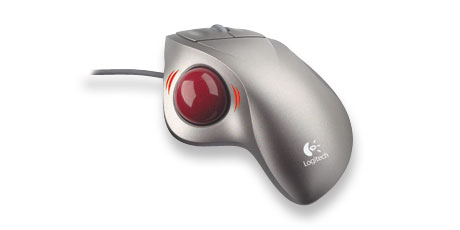
Well, I never agreed with Logitech's thumb-controlled trackball design--I'm literally all thumbs when it comes to manipulating that device. The Kensington's large cue ball-sized trackball is typicaly manipulated using the tips of your index, middle, and ring finger. I always thought trackballs were cool since I always saw them used in military consoles for missle guidance systems. But it's nice to see another Kensington devotee, here, Matt. I think I'm on my fourth Expert Mouse. I used one with my old Mac Plus or whatever it was called back then.


insanityfw
Ban Me Please!
Step into the light. There's peace and serenity in the light.

insanityfw
Ban Me Please!
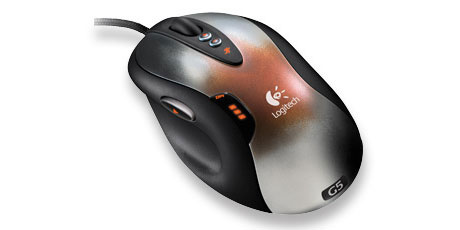
Shaw said:See, I like Wacoms for digital work but as a mouse? You have to make much larger movements with the pen than with a mouse much less an uber-sensitive one like the G5.
I like larger movements...I'm over-compensating.
Cynic821
Carbonite Member

mikkowilson
Steadi-Guru
You use mice?! Someday justice will come...

- Mikko ... Uses a Targus optical mini scroller mouse. & Touchpad, Wacom and ShuttlePro2. - Still preferes the keyboard though.
- Mikko ... Uses a Targus optical mini scroller mouse. & Touchpad, Wacom and ShuttlePro2. - Still preferes the keyboard though.
MiniMan13 said:I cant belive you guys can use those MAC single button mice, I need to right click!
Well I've just become acostumed to using it. I mean I've had the same computer/mouse for at least 4 years now. So I've learned to just deal with not right clicking, and if I have to i just CTRL-Click. Obviously thats not the fastest method, but it gets me by.

