GH4 V-LOG L noise reduction and color accuracy

I like it. I' think I'll stick with my Cine D settings for landscapes, skies, city shots, and the like. And only use V-log for more carefully staged scenes, tungsten lighting, low light stuff, and such. Unless or until I get an external recorder...then I'll revisit and reappraise.
 
OK folks. Here's what I've got so far for my LUT work:
Thoughts? Questions? Just need to conduct some night testing to make sure the LUT holds up before releasing it for sale (it'll be cheap!), but given the science behind it I can't see that it'll be a problem :D

Cheers from Berlin,

Paul :)

Paul,
Looks like a dramatic improvement. I still notice the CineD color error that plagues skin tones, although the more natural, less saturated tones in your profile make it look less egregious.

Colour_Profiling.00_08_12_04.Still009_crop.jpg

Notice the red <> yellow shift as the tone shifts from shadow to highlight? I find this nearly impossible to correct in post, and it's the main reason I switched to shooting with the Natural Profile.

How did you shoot at 6400 ISO and maintain the same DOF? Did you use filtration?
 
Paul,
Looks like a dramatic improvement. I still notice the CineD color error that plagues skin tones, although the more natural, less saturated tones in your profile make it look less egregious.

View attachment 105567

Notice the red <> yellow shift as the tone shifts from shadow to highlight? I find this nearly impossible to correct in post, and it's the main reason I switched to shooting with the Natural Profile.

How did you shoot at 6400 ISO and maintain the same DOF? Did you use filtration?
Yep, that's why it's 0.7 of the LUT :D

In terms of DoF staying the same, I just adjusted the ISO, then changed shutter speed to compensate. I think it was around 1/13,000th of a second for ISO6400 :D

Cheers,

Paul :)
 
Paul,
Looks like a dramatic improvement. I still notice the CineD color error that plagues skin tones, although the more natural, less saturated tones in your profile make it look less egregious.

View attachment 105567

Notice the red <> yellow shift as the tone shifts from shadow to highlight? I find this nearly impossible to correct in post, and it's the main reason I switched to shooting with the Natural Profile.

How did you shoot at 6400 ISO and maintain the same DOF? Did you use filtration?

It's not that difficult to fix in post if you know what you're doing. You should see what i have to do to R3D footage to get the skin tones to look right.
 
All from Cinelike D....

Thoughts? Questions? Just need to conduct some night testing to make sure the LUT holds up before releasing it for sale (it'll be cheap!), but given the science behind it I can't see that it'll be a problem :D

Cheers from Berlin,

Paul :)

Hi Paul,

Would it be possible for you to also include a shot with a standard profile / LUT in any future posts for comparison's sake? Would also appreciate info on lens used.

I love this mad scientist stuff! Appreciate your efforts to try to get the best out of our humble little GH4 :)

Thanks!
 
Hi Paul,

Would it be possible for you to also include a shot with a standard profile / LUT in any future posts for comparison's sake? Would also appreciate info on lens used.

I love this mad scientist stuff! Appreciate your efforts to try to get the best out of our humble little GH4 :)

Thanks!
Will do. I'm going to do a final set of shots shortly across several profiles to see how they stack up, including V-Log.

Also, lens was the Carl Zeiss ZE 35/2 mounted on the Metabones Speed Booster.

Next post will not have different profiles but is just to show the progress being made.

Cheers!
 
I've spent the last couple of days iterating on the LUT to make it perfect. Here's how v0.81 looks on the same clips as previously posted :D

LeemingLUT_One_BETA81_ISO400.jpg


LeemingLUT_One_BETA81_ISO6400.jpg


I'm in the process of writing the manual now and giving it to a beta tester to bash, before I prepare it for sale.

Price will be US$15 - Not only cheaper than most other LUTs out there, but markedly superior IMHO! The dynamic range I'm getting is incredible, and colour noise is so well controlled it's crazy, even at ISO 6400 :D

I'm confident in saying that I prefer this over V-Log for colour rendition, not to mention cleaner colour and a simpler shooting workflow! I can only imagine what I can get from this LUT with external, 10 bit recording!

As usual, grab the full, 4K PNG files here to see it without any compression:

http://www.visceralpsyche.com/misc/web_images/LeemingLUT_One_BETA81_ISO400.png

http://www.visceralpsyche.com/misc/web_images/LeemingLUT_One_BETA81_ISO6400.png

Remember, this is 8 bit 4:2:0 internal recording to MP4 100Mbits....

Cheers from Berlin,

Paul :)

P.S. This clip had a negative highlight curve applied which is why you are seeing some slight solarisation on the arm highlights. With neutral settings for highlight/shadow there is no solarisation.
 
P.S. This clip had a negative highlight curve applied which is why you are seeing some slight solarisation on the arm highlights. With neutral settings for highlight/shadow there is no solarisation.
I hope this is the case. In my experience, the banding from color encoding errors (which is really the same kind of error as we are seeing in V-LOG L) is inherent to the GH4's processing, no matter the curve settings.

I'm really looking forward to testing your LUT, and will happily take back every bad thing I've said about Cine-D, if it performs! :Drogar-BigGrin(DBG)
 
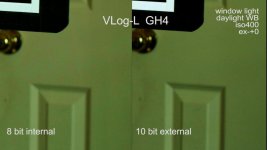
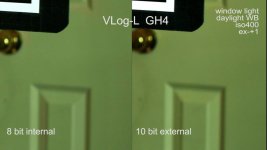
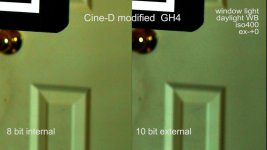
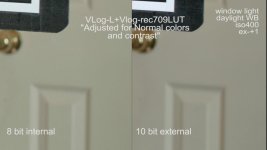
Using IntensityPro card to capture 10bit FullHD, I did a comparison test.
The 8bit file is 4k downscaled to FHD.
On my edit monitor with contrasts pushed with curves, the 10bit is obviously better.
The blocking is still there with CineD 8 bit when contrasts are pushed.
But on my system, the uncompressed 10bit files are HUGE so its impractical for my needs.
There might be color differences on the images since this is open window daylight with changing light conditions outside.
Side by side 200% crop images.
Edit: Note that these files are aggressively pushed in contrast and curves to provoke the "chroma blocking".

12080295_722237831240337_7829175587473837455_o.jpg
12094840_722237847907002_5599479116287910726_o.jpg
12068727_722237851240335_1974972250255601606_o.jpg
 
Last edited:
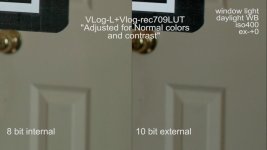
Paul, those files have been aggressively pushed via contrast and curves adjustments in addition to a LUT in order to provoke the chroma blockiness.
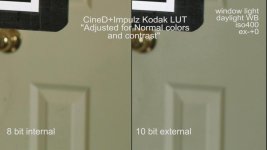
Here are the same set of files but adjusted for near "normal" colors and contrasts which is what is typically done under normal situations.
So in some cases the vlog "noise/blockiness" might not be too obvious in 8bit mode. BUT it remains like a sword of Domocles due to it's unpredictability in 8 bit.
Also, just like you, I'm also trying to do tweaks to Cine_D to give me pleasant colors in post.
My settings in Cine D is 0/-5/-5/-3/+1 H -2 S +2 MP+15. And so far getting good results with certain LUTs like the Impulz Kodak Elite Chrome 200FC.

Vlog ex-+0
12087680_722313674566086_295587983246750411_o.jpg
Vlog exp +1
12034456_722313687899418_6548948373542997458_o.jpg
Modified Cine-D
12039016_722313691232751_68409739935715676_o.jpg
 
Last edited:
Ted, any possibility the slightly changing sunlight color in the shots is enough to skew this test? I mean, if the COLOR is slightly different, different amounts of luminance and pixel usage will change the outcome of the footage quality
 
different amounts of luminance and pixel usage will change the outcome of the footage quality

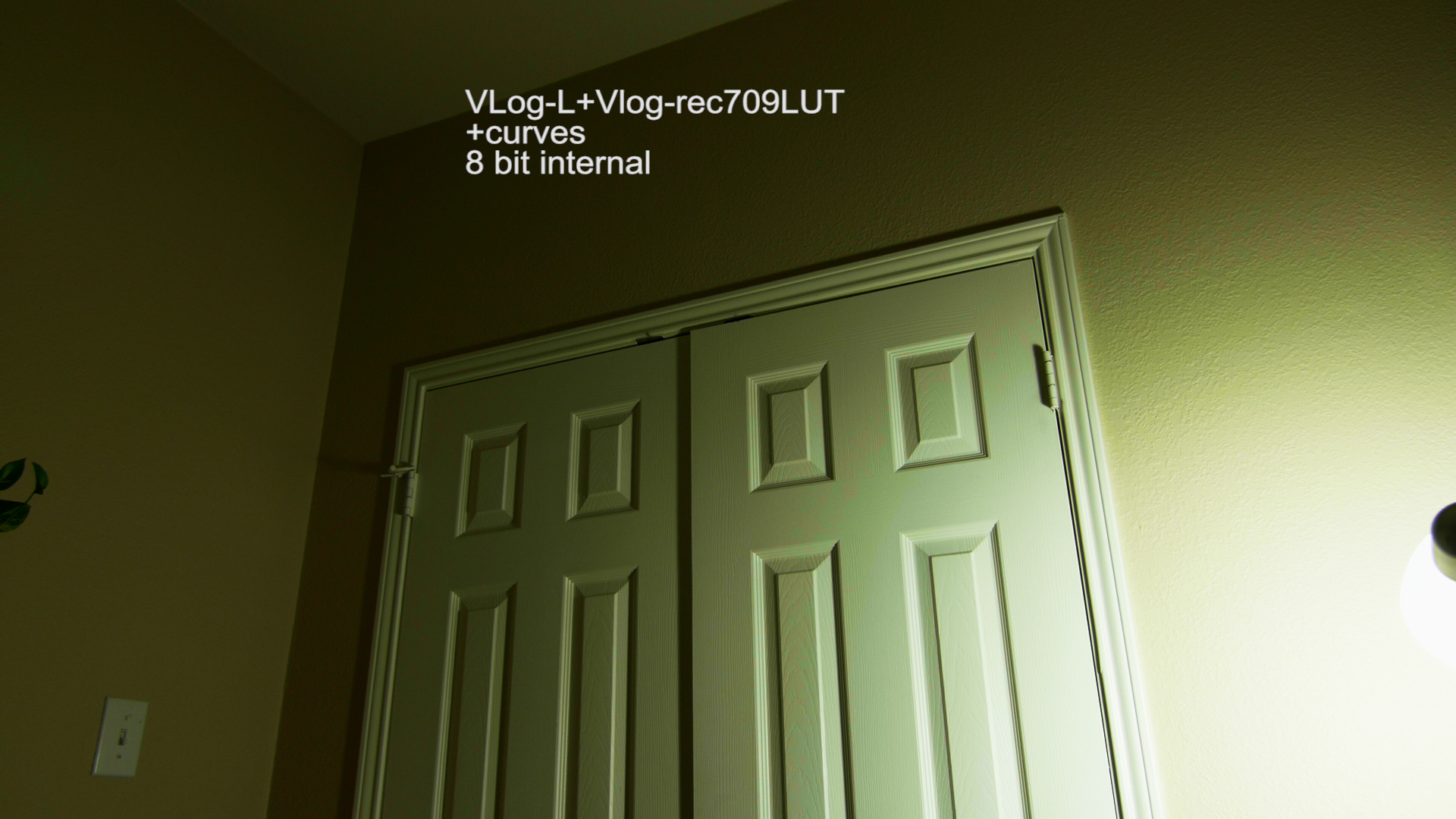
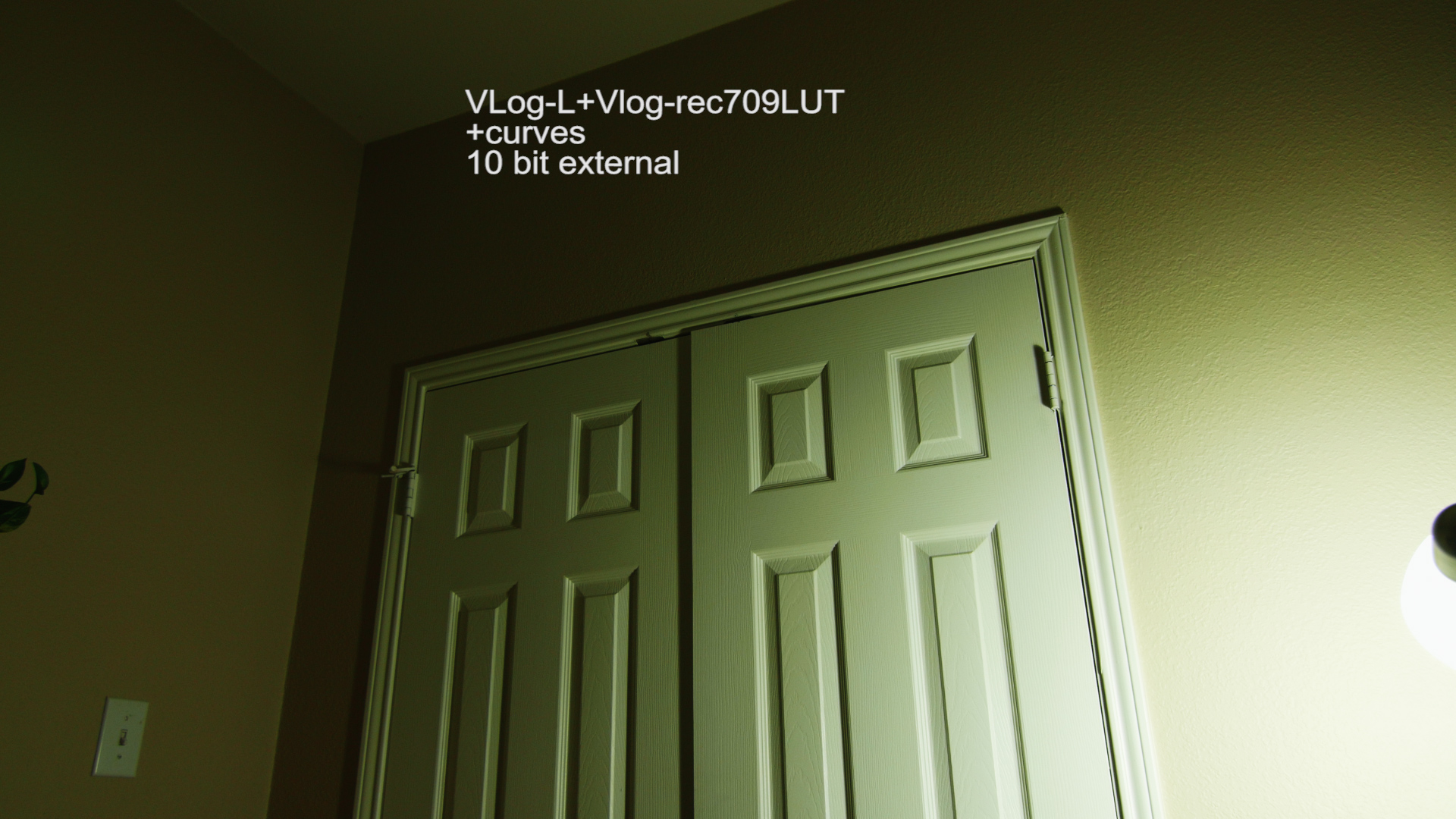
This is true, however, for that test using the window, with regards to VLOG, I was aiming to know any noise structure or pattern improvement between 8 and 10 bit. Upon learning that there is, later that evening using a constant controllable light source I made another set and clearly the 10bit footage manages the "magenta banding/blocking" usually found in soft graduations of a neutral color, say a light falloff on a wall or sky, better.

Here is a full frame still of Vlog internal.
e513853c373f5f7136782d924a65b0.jpg


Heres 10 bit external, same light source and settings aside from the 10bit output to intensity card.
5b9c62a1129935678a296e587871f5.jpg


So clearly, to get "predictable" results from Vlog in "critical work" this was meant for external recording. Its still has its uses for internal work though, it's just that you have to be prepared for surprises.
 
I don't think it's been covered here anywhere but what happens if you shoot VLOG with a 1090P recorder in 10bit? Like the new Black Magic Assist or Atomos Ninja 2?
 
I don't think it's been covered here anywhere but what happens if you shoot VLOG with a 1090P recorder in 10bit? Like the new Black Magic Assist or Atomos Ninja 2?

I've been fairly happy with the results with my Atomos Ninja Star. You get the best results when down-converting from 4K to HD through the HDMI output instead of having the sensor do pixel binning. There's still magenta noise but the ProRes codec doesn't turn it into the massive blocks we see here, and Neat Video kicks it out quite easily for a final, clean image. Banding is still a bit of an issue, but some film grain or noise added after the grading is done will dither it up easily.
 
So here's an interesting thing - the HDMI out of the camera will only output 16-235. V-LOG L will only allow 0-255. So what happens is V-LOG L's range gets clipped a bit when recording on the Atomos Ninja Star. There's not any blacks or whites getting crunched or clipped, mind you, but there's a bit more contrast. Also there's less of a green tint going to the Atomos. This means that in order to get a truly accurate use of the V709 LUT when working with external 10-bit recordings, you're first going to need to apply a levels filter that converts 16-235 to 0-255, otherwise it's going to be more contrasty than it should be.

The up side of this however is the external recorder will have the dynamic range spread more evenly across its spectrum.
 
So here's an interesting thing - the HDMI out of the camera will only output 16-235. V-LOG L will only allow 0-255. So what happens is V-LOG L's range gets clipped a bit when recording on the Atomos Ninja Star. There's not any blacks or whites getting crunched or clipped, mind you, but there's a bit more contrast. Also there's less of a green tint going to the Atomos. This means that in order to get a truly accurate use of the V709 LUT when working with external 10-bit recordings, you're first going to need to apply a levels filter that converts 16-235 to 0-255, otherwise it's going to be more contrasty than it should be.

The up side of this however is the external recorder will have the dynamic range spread more evenly across its spectrum.

I thought V-Log will only output like 24-190, so it shouldn't be clipped in any way.
 
Correct. My point though is there's less of an unnecessary flattening for the recorder, so it has an advantage both in the 10-bit 422 color AND less wasted bits. Here's a comparison: https://www.dropbox.com/s/5cd6kql9ortq176/internalVexternal.png

Hmmm. When I look at this footage, the dark backdrop is now darker when recorded in 10-bit, which means to me the low value bits have been lowered even more when recorded to the Ninja vs. what happens at 8-bit internal. I'm really curious about this as I've just plunked down ~$400 on a Ninja 2 and all the fixins like mounting hardware, cables, SSD and the like. I wonder if I can send this bill to Panasonic:badputer:
 
Back
Top