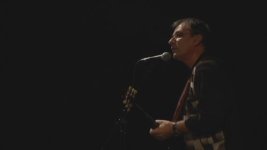
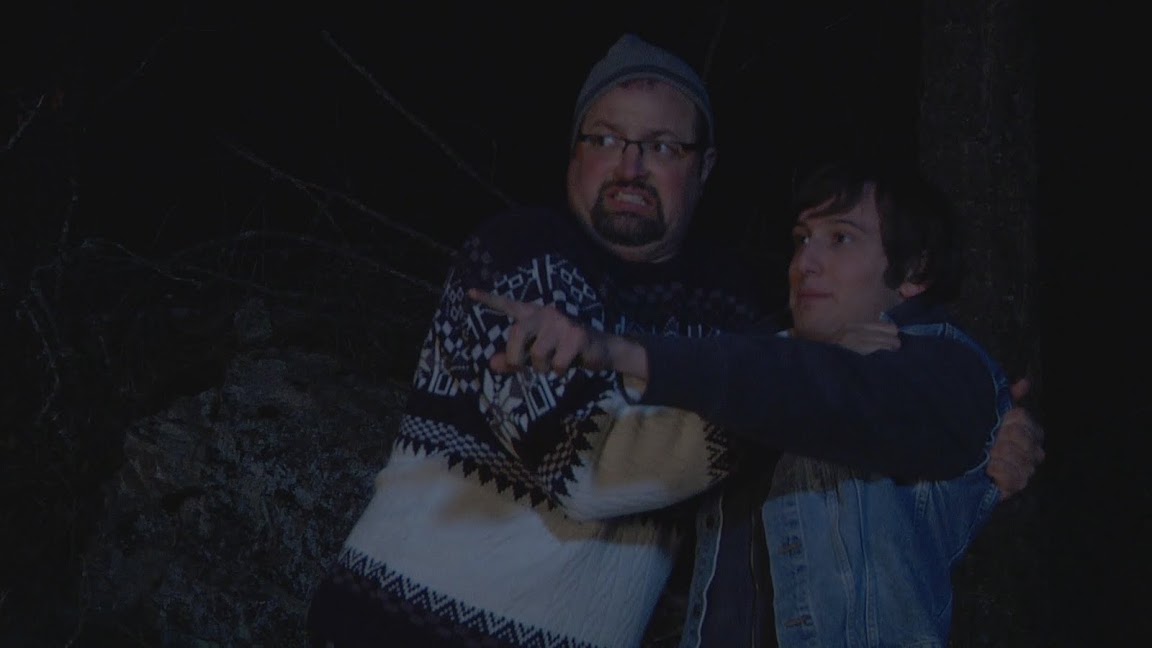
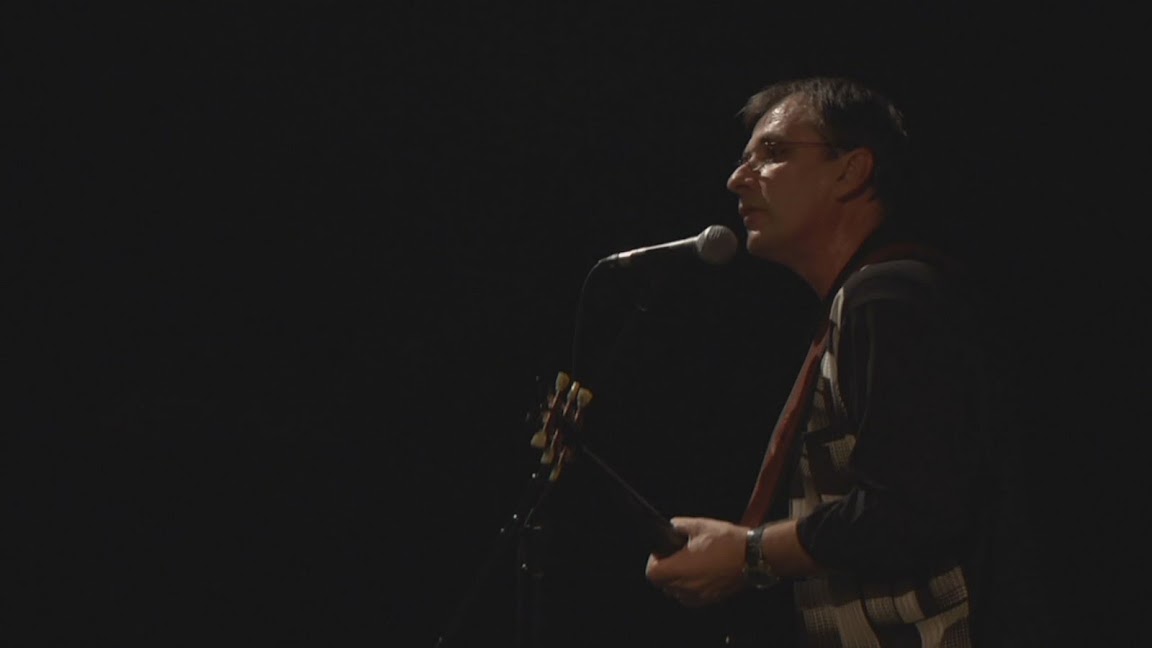
Two low light grabs. One real noisy. One OK.

Denwa

Well-known member
AS per a PM with Barry I am posting a couple screen grabs. I will try and post and edited sample of the mts files when I have some time. (Using avccam to edit).

I see a lot of "noise" in the screen grab of the two guys. (Shot for a microfeature last night.) It looks to me like some weird compression artifacting or something, especially in the blacks. Ididn't notice in the LCD screen but on playback on my 22" 1020x1080P monitor I really notice it. I black balanced right before shooting. Ambient air temo was around freezing. All the shots last night had the same "noise".

The other clip was also a lowish light shot of a concert.

First shot was at 1080 24p shutter 24, Master Ped -12. Cine D, Matrix Cine

Second shot 1080 30P shutter off. Master Ped 0. Cine D, Matrix Cine

The rest of the setting were the same and I can post them if needed.

No DRS on either as this is 24P.


Hmm.. Can't post a Tiff so I'll post a PNG.

 

Attachments

  • Test1.jpg
    Test1.jpg
    9.9 KB · Views: 0
  • Test2.jpg
    Test2.jpg
    5.6 KB · Views: 0
I'm uploading full size images to picasa. Will take me a few minutes.

Edit: Agh. Picasa compresses into a jpg. I'll have to sort this out tonight. I have a shoot in a bit.


Picasa JPG are here. Even though they are compressed JPG's you can see which looks worse.

Test1.jpg


Test2.jpg
 
Last edited:
I've shot with every scene file... and I get that noise all the time, banding with the minimalist of CC...

Yet I love the manual control of the camera
 
Yeah, but both were shot in cine D under similar light levels and the one from Friday is full of artifacting. It looks to me like something recorded on low quality not PH. It looks worse than HDV.

I shoot in cine D for Post options like color grading etc.

If I can find a way to post a full res pic or some sections of the mts files I will do so.
 
Zac, wondering what you're using to view your raw avchd clips....what codec you have.....if the interpretation of your source footage could be improved to alleviate the issue. if what you say is true, that you see macroblocking with every scene file under low light, then its either your recording mode or the way your viewing it. because there are people out there shooting in low light without the kind of blocky smears you're getting.
 
I'm uploading 2 MTS files to mediafire. I'll post a link when they are up. They are two of the noisy ones. Should I also upload a clip from that concert for comparison?
 
This problem went away after resetting the camera. Could this be a firmware oddity? It was like the predictive part of the compression algorithm was on crack.
 
I'm glad a reset solved it, and this is the second time I've heard of excessively-noisy cameras being "fixed" by a reset. I think we should make this a stock answer to anyone who complains about noise; the HMC150 and HPX170 are quite low-noise cameras and if someone's experiencing a lot of noise, it's abnormal and apparently a reset should be the first thing attempted to resolve it.
 
I wonder if Panasonic is a aware of this at all? Could be something fixable with a firmware update?
 
From my understanding Panasonic were the ones to do the reset and solve the noise issues. Back right after the 150 was released a member sent their cam back to Panny for the noise issue and the reset solved it with Jan C. posting here about what was done to fix this issue. Probably be easiest for any new owner to just go ahead and reset their camera when they first power it up just to be safe.
 
Wait, how do I reset the camera? I've updated the firmware, played with setting, how do I reset this beast?
 
Zac, wondering what you're using to view your raw avchd clips....what codec you have.....if the interpretation of your source footage could be improved to alleviate the issue. if what you say is true, that you see macroblocking with every scene file under low light, then its either your recording mode or the way your viewing it. because there are people out there shooting in low light without the kind of blocky smears you're getting.

Just for giggles, I always view all my footage in the raw .MTS files, I edit with them too, and its in those files that I see the noise, and the blocking
 
Other - Menu Init - Yes

Resets your scene files as well so if you have made some custom ones you might wanna save them to a card first.
 
How often do I have to reset my 151? Every time I start work? Every week? Every 10 hours of HMC work?
My workflow is specific. I record footage one or two month prior I start edit. After that period I can do nothing. What can I say my client? I'm sorry for these blocks, my friend? My client is not happy. Especially she noticed that bl..dy blocks. Such a situation I already had and have right now :(
I don't know why, when and what causes that blocks appear. Do I have to work only on initiall settings? It would be pointless to buy HMC with large menu and cannot use it.
At the end I have the most important question: does reset really works?

Working with my DVX 100 B is much more safe than HMC151, unfortunatly :(
 
Last edited:
I don't think there is a problem with the camera here. I just downloaded and watched the clip. My observations are that there was some noise in the grass towards the bottom of the frame (not really a big issue). I really didn't see much noise elsewhere, although I thought you might have wanted a bit more light on the subjects.

I wonder if you are using a calibrated monitor? Mine is calibrated (the process of calibrating it involved turning the brightness down a lot. Maybe the noise on your screen is in areas that are just too dark to make out on mine?

Try burning it to DVD and watching it on a TV to see if that improves things.

As for the noise in the grass, as a previous person said, Cine-D isn't really great for dark situations, I use it for bright sunlit situations where there is a lot of contrast in the scene, but I use Cine-V for indoors or evening work. Cine-D effectively applies a ton of gain to the shadows so you will get some noise there, especially if you are using 12db gain on top of that.

So in summary, I don't think the footage is as bad as you are seeing, it may well be your monitor. One thing you could do to remove some of the noise, however, would be to do some correction in post to crush the blacks.

BTW, the reason the other scene looks better to you is probable that the subject is better lit and the background is completely black and plain, rather than just very dark with various foliage etc.

Hope that helps.
 
How often do I have to reset my 151? Every time I start work? Every week? Every 10 hours of HMC work?
My workflow is specific. I record footage one or two month prior I start edit. After that period I can do nothing. What can I say my client? I'm sorry for these blocks, my friend? My client is not happy. Especially she noticed that bl..dy blocks. Such a situation I already had and have right now :(
I don't know why, when and what causes that blocks appear. Do I have to work only on initiall settings? It would be pointless to buy HMC with large menu and cannot use it.
At the end I have the most important question: does reset really works?

Working with my DVX 100 B is much more safe than HMC151, unfortunatly :(

Have you been Black balancing your camera? You should ABB the cam after every time you power on!

Panasonic also recommends this after switching rec methods - ie 1080 to 720 etc.
 
Back
Top