C200: The new Canon C200 with 4K

...CFast cards are about $2.75 per GB. Ouch! My plan is to buy a couple when I get my C200, including one of the low-cost cards like the EgoDisk which is about $1.13 per GB, then hope the price drops as sales volume increases. With Lexar dropping out of the card market, I'm hopeful that Canon will certify more card brands.

Just keep in mind that I made inquiries to both Ego Disk and Transcend last week, asking if their cards or some upcoming new CFast 2.0 cards they make or will make will meet VPG-130 standards or if they can or want to work with Canon on creating certified media for the C200. So far, no response from either. I'm beginning to think that our only VPG-130 choice for the foreseeable future will be the overpriced SanDisk cards. If that's so, I am going to purchase an Atomos Shogun Inferno as a stop gap measure until the XF-AVC hits (will switch to that if it is usable) or until some lower cost VPG-130 cards hit the market or SanDisk lowers their cost. While I would like to shoot two current documentaries on Cinema RAW Light, I may have to settle for Prores from an Atomos. Or I could buy a used C300 MKII.
 
Just keep in mind that I made inquiries to both Ego Disk and Transcend last week, asking if their cards or some upcoming new CFast 2.0 cards they make or will make will meet VPG-130 standards or if they can or want to work with Canon on creating certified media for the C200. So far, no response from either. I'm beginning to think that our only VPG-130 choice for the foreseeable future will be the overpriced SanDisk cards. If that's so, I am going to purchase an Atomos Shogun Inferno as a stop gap measure until the XF-AVC hits (will switch to that if it is usable) or until some lower cost VPG-130 cards hit the market or SanDisk lowers their cost. While I would like to shoot two current documentaries on Cinema RAW Light, I may have to settle for Prores from an Atomos. Or I could buy a used C300 MKII.

Doesn't that somewhat defeat the purpose of getting a C200? An external recorder seems like the most practical solution.
 
I just received this from the Transcend Customer Service...

"Dear Puredrifting,

Thank you for contacting Transcend Support.

I am sorry to report that we do not have a CFast card that is VPG-130/VPG-3 compliant.

Please let me know if there is anything further I can assist you with.

Thank you,

Gabriela Gonzalez"
 
Doesn't that somewhat defeat the purpose of getting a C200? An external recorder seems like the most practical solution.

Not my ideal solution, it's a stop gap solution. I shoot now with the C100/300 and the Ninja Blade and it is manageable but not ideal. I actually will like having the 4K .MP4 option for certain projects and the Atomos for others. It's workable.
 
Hmmm...there's a lot to unpack here.

First, I don't think working with raw will be that difficult. It's a moderately compressed, 125 MB/second codec that'll enable you to make changes in post production - like white balance - that aren't possible with non-raw formats. To me, being able to work with raw video like I work with raw images from my still camera is a huge benefit.

I tried some raw sample files from the C200 in Resolve on my three year old computer and it handled it just fine. I think it's safe to assume that other NLE vendors will add Canon Raw Light support soon. Until they do, I'm ok transcoding to ProRes 4444.

The main issue with raw is storage space. An hour of video in Canon Raw Light format will use 450 GB of disk space. The cost of storing that is about $50. (I like LaCie rugged drives and they are about $100 for a 1 TB model.)

By comparison, the C300M2's 10 bit 4:2:2 is 410 Mbps - so that's 51 MB/second or about 185 GB for an hour of video. That'll cost about $18 to store. In the big picture, $18 vs $50 isn't a big deal (even when we're talking about hours of video). I'd keep a final cut of my work permanently but delete the other footage or archive it in a lower quality format than raw.

The CFast cards that the C200 uses are more of an issue as they still expensive. Ten cents per GB is a good estimate for hard drive cost; CFast cards are about $2.75 per GB. Ouch! My plan is to buy a couple when I get my C200, including one of the low-cost cards like the EgoDisk which is about $1.13 per GB, then hope the price drops as sales volume increases. With Lexar dropping out of the card market, I'm hopeful that Canon will certify more card brands.

On raw my summary is this: for me, I believe the benefits will far outweigh the disadvantages and those disadvantages (storage cost) will decrease over time. The C200's MP4 support will work fine for a variety of situations.

I'm not relying on the XFAVC support Canon says is coming next year. At worst, it'll be a similar quality or slightly better replacement for my use of MP4. At best (10bit 4:2:2) I might sometimes use it instead of raw. I think it's quite possible that we'll see good XFAVC support when the replacement for the C300M2 is announced. Which brings me to another point...

The C300M2 is already two years old. Unless I had an urgent need for a C300M2 (perhaps matching an existing camera), there's no way I'd buy a new one now. For me, the lack of 60 fps would keep me away from the C300M2. Touch screen autofocus is also a big benefit for me of the C200. (It's already something I use regularly on my 1DXM2.) Lastly, there are often smaller benefits to new camera models that don't come across when comparing spec sheets. I've been using Canon's pro still cameras (mostly the EOS-1 series) for over ten years and with each new model there are always a bunch of little tweaks that Canon makes that improve the usability of the camera and that I really appreciate. I can't imagine why that wouldn't be true of the C200 when compared with the C300M2.

I do get your point about the status issue - even though I think it's crazy. However, I would think that the impact of the brand new C200 would be greater than that of the two year old C300M2. That would only get more so when your C300M2 is made obsolete (in the eyes of the crazy people) by the C300M2. I suspect that 99.999% of the population couldn't tell the difference between the C300M2 and C200 and the 0.001% that could would be impressed if you said you were shooting raw or, more likely, would know that the C200 is a superior camera to the C300M2 in many ways.

Frankly, the more I think about it, the less the issue of status makes sense. It might right now, while the C200 isn't available but that's going to change in a few weeks.

Anyway, that's my two cents worth.

Thanks for the reply!

I use Lightroom and shoot photos only in raw. I know the advantages of raw, and yes when the C200 was first announced I was over the top excited with the possibility of Raw-lite and grading raw footage. I cant get Resolve to play nice on my Macbook Pro. Ive been to the BMC forums with no help at all. So using Resolve isn't possible at this point, and buying a trash can isn't something I want now.

I think actually the color grading of my present videos with the C100's aren't a problem as far as I can see, so using 10bit 422, or 12 bit 444? can't remember think it's 444, would be great! I don't know how much Raw-lite would add to that. I would just as well prefer to record Raw (if I ever need it) to storage on an external monitor hard drive.

The C200 as everyone seems to admit is a Raw camera first. As much as I like everything in raw it seems impractical at this point, although it very well maybe the future and thing will improve, right now its just not for me.

Ive never used touch screen AF, Ive gotten by without it just fine. That said, I think Canon's AF features will replace the need for focus-pullers as the technology improves in the not too distant future, and in my mind is the single best reason for getting a C200.

I have a C100 mki, and I still love the image. If a great touch screen AF and raw lite are the only major improvements to the C100 over the past 4 years. I'll take my chances with a C300 MKII. From what I've seen on this Forum the C300mki is still a relevant camera. I never use 60p unless you guys know something I don't about filming a live guitarist in slow motion..... ha! Who knows though, I never used the viewfinder on the C100 until I got the C100 mkii and now use it all the time..... but I have 60P on the MKII.

I think the C300 mkii will remain a relevant and a popular camera for quite a while. Yes, I will be buying a used C300 mkii, or if I can find a really good deal on a new one. One thing I garrentee I won't be buying is a C300 MKIII for $16,000.

I made a comment on another forum about the importance of having professional looking cameras instead of DSLR's. Of course I got the usual responses about me being a superficial non talented amateur who was more interested in appearance than artistic content blah blah blah. One of the guys who attacked me the most, had as his main profile Facebook photo of him holding his Arri Alexa. To his credit, when I called out his hypocrisy he did have a good laugh at himself.

I don't think a C200 is gonna be a buzz word in the mainstream for a while if ever! Im still gonna place my bet with the good ole C300 MKII.
 
To Puredrifting, Fahonn, and Jbregar....... ordered the Mavic today, will arrive Friday! I was really on the fence for the last few days, but in the end.... what the hell you only go around once in life, why not!

I posed the question on the Mavic forums about the app acting up. Half the guys and girls said they had problems, and the other half didn't have a clue what I was talking about. One guy said he returned 2 defective Mavics and was receiving his 3rd. If the DJI app gives me trouble then I'll try the Litchi. Anyway, got my fingers crossed!
 
To Puredrifting, Fahonn, and Jbregar....... ordered the Mavic today, will arrive Friday! I was really on the fence for the last few days, but in the end.... what the hell you only go around once in life, why not!

I posed the question on the Mavic forums about the app acting up. Half the guys and girls said they had problems, and the other half didn't have a clue what I was talking about. One guy said he returned 2 defective Mavics and was receiving his 3rd. If the DJI app gives me trouble then I'll try the Litchi. Anyway, got my fingers crossed!

Let me know. I have been contemplating selling my iPad4 Mini I have been using and getting the DJI Crystal Sky 5.5" monitor, that would probably eradicate the CPU overload message but not sure about the stuttering/glitching. Plus I would be downsizing from 7.7" screen on the iPad mini to the 5.5"screen on the Crystal Sky. Let us know if you encounter the CPU Overload message and or the stuttering on the monitoring. Take your time and be careful. Watch lots of YouTube videos and stay in Beginner mode for a while. When it is all working, the Mavic Pro is a blast.
 
Let me know. I have been contemplating selling my iPad4 Mini I have been using and getting the DJI Crystal Sky 5.5" monitor, that would probably eradicate the CPU overload message but not sure about the stuttering/glitching. Plus I would be downsizing from 7.7" screen on the iPad mini to the 5.5"screen on the Crystal Sky. Let us know if you encounter the CPU Overload message and or the stuttering on the monitoring. Take your time and be careful. Watch lots of YouTube videos and stay in Beginner mode for a while. When it is all working, the Mavic Pro is a blast.

Thanks for your help and encouragement I'll report back! Meanwhile I'm heading up to Taos Rio Grande Gorge after I familiarize myself with the Mavic, not too far from my house in Santa Fe. Back in 1993 I built a solar adobe house in Taos and this was literally the view out of my front window. This Gorge is one of the main inspirations for getting a drone.

 
Last edited:
In case this helps anyone calculating media capacities or thinking about raw in the field, I was on a commercial shoot this week with the Blackmagic Ursa Mini Pro. We shot 4k 16:9 raw, everything at 50 fps. The shoot was eight locations, over about 15 hours. Nearly all scenes required lighting set ups, so while it wasn't continuous shooting (I'm sick of the term run and gun), it was pretty fast paced. Raw was chosen mostly for mixed lighting conditions, and probably helped with low light too.

Total footage was around 1.4 TB. There were 3 x 256GB cards in rotation, each card giving us 19 minutes. There was a camera assistant who also acted as the data wrangler, downloading footage constantly - at each location and in between locations.

I think some people are tricking themselves into thinking the raw offering from the c200 will be worth the hassle. It may be worth it, but it changes production, not just post. Not just needing someone for data, but also needing locations which lend themselves to data transfer (e.g. university campus was the location I mentioned).

I know as an 8 bit camera it's expensive, but if you nail everything in camera, the 8 bit will be as good as it gets, in a package that will be a joy to shoot with. I know easyrig vs shoulder mount are different looks but if i had to pick a single handheld solution for the c200 I'd go with some type of easyrig style set up instead of assembling a zacuto eyesore. You could then use the viewfinder too.
 
Last edited:
There was a dedicated data wrangler, downloading footage constantly - at each location and in between locations.

It seems to me that if one shoots RAW often that owning enough memory cards to get through the day would be cheaper than hiring a data wrangler on each shoot. I know DITs sometimes also do pre-grading, check the shots, etc., but if all they are doing is copying the footage because there aren't enough memory cards, and they're charging $500-$600 per day (the cost of a memory card), then after you've hired them for a few shoots, you could have just spent that money on memory cards instead and no longer have the reoccurring expense of a data wrangler.
 
It seems to me that if one shoots RAW often that owning enough memory cards to get through the day would be cheaper than hiring a data wrangler on each shoot. I know DITs sometimes also do pre-grading, check the shots, etc., but if all they are doing is copying the footage because there aren't enough memory cards, and they're charging $500-$600 per day (the cost of a memory card), then after you've hired them for a few shoots, you could have just spent that money on memory cards instead and no longer have the reoccurring expense of a data wrangler.

Yes good point. Although you could probably get away with a production assistant ($200/250 a day??, IDK rates) instead if they're only backing up. I'm sorry I said dedicated data wrangler, which isn't true. I should've said the camera assistant also acted as a DIT (I've edited the post), so they were going to be there anyway. Not being completely available for assisting duties wasn't a huge deal.
 
Some shoots/productions require a dedicated data wrangler to ensure the safe and specific requirements they have for handling of the data, it's not just a luxury or necessitated because of "lack of cards".

I did an EPK shoot for a big movie last year, and the requirements for the handling of the data were very stringent: independent double raid drives, encrypted and password protected drives, data and video verified on-site, etc... And this wasn't even for the movie itself. They specifically asked for a data wrangler, we didn't say, "we need one because we don't have enough cards".
 
Just keep in mind that I made inquiries to both Ego Disk and Transcend last week, asking if their cards or some upcoming new CFast 2.0 cards they make or will make will meet VPG-130 standards or if they can or want to work with Canon on creating certified media for the C200. So far, no response from either. I'm beginning to think that our only VPG-130 choice for the foreseeable future will be the overpriced SanDisk cards. If that's so, I am going to purchase an Atomos Shogun Inferno as a stop gap measure until the XF-AVC hits (will switch to that if it is usable) or until some lower cost VPG-130 cards hit the market or SanDisk lowers their cost. While I would like to shoot two current documentaries on Cinema RAW Light, I may have to settle for Prores from an Atomos. Or I could buy a used C300 MKII.

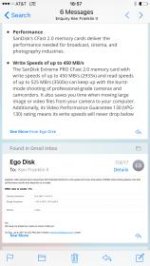
This is the response I got...
 

Attachments

  • IMG_4364.jpg
    IMG_4364.jpg
    8.9 KB · Views: 0
A lot of production insurances require 3 copies of shot footage at all times If you have 2-3 cameras rolling throughout the day in 4K on a packed 10 HR doc shoot have to potentially drive to a new location etc- you need someone to handle the data.
 
A lot of production insurances require 3 copies of shot footage at all times If you have 2-3 cameras rolling throughout the day in 4K on a packed 10 HR doc shoot have to potentially drive to a new location etc- you need someone to handle the data.

We had a DIT in Brazil when I shot a documentary down there last Spring. We rolled one camera most of the time but did two different studio shoots where I rolled on three cameras. Having the DIT made life so much easier and simpler. Even the days we just rolled one camera, I was still posting Go Pros on our transport vehicles to get driving footage through Rio and at the end the day, I had often rolled five or six hours on A camera and at least a few GBs on the Go Pro. Having a DIT or wrangler is a huge help.
 
This is microscopic, I can't begin to read it. Re-post larger or tell us what it says.

From Egodisk: EgoDisk Video performance Guarantee 230 Standard (Minimum write speed will never drop below 230MB) when testing please note that performance results also depends on a reader.
 
Yes good point. Although you could probably get away with a production assistant ($200/250 a day??, IDK rates) instead if they're only backing up. I'm sorry I said dedicated data wrangler, which isn't true. I should've said the camera assistant also acted as a DIT (I've edited the post), so they were going to be there anyway. Not being completely available for assisting duties wasn't a huge deal.
I guess the question is, do you really want to trust a PA with the day's footage? I was on a shoot a few days ago where a new intern (I know, a step below a PA in experience, but still) was given a memory card to copy to the computer. So, he copies the footage so there is one copy on the computer, and then formats the card. He tells the producer he formatted the card, and the producer freaks out, saying, "NEVER FORMAT ON A SHOOT." I know different people work differently in that regard, but I guess what I'm saying is that more experienced people are less likely to make mistakes (or do things in a way the producer doesn't want) then less experienced people, so having PAs or interns given the very important task of copying memory and formatting cards can be risky.

Most pros know more about the importance of redundancy, menu structure, double and triple checking everything is there, etc., to avoid potential colossal mistakes that can be much worse than say an inexperienced AC getting a couple shots out of focus.


A lot of production insurances require 3 copies of shot footage at all times If you have 2-3 cameras rolling throughout the day in 4K on a packed 10 HR doc shoot have to potentially drive to a new location etc- you need someone to handle the data.
If you include the proxy copy the C300 Mark II records three copies within the camera. That's my typical setup and I generally dump cards at the end of the day (or sometimes the first batch in the middle of the day), even when recording 4K interviews with two C300 Mark IIs. As a general rule I like to avoid formatting cards on set unless it's completely necessary.

It's a bit unclear to me what the C200's dual and triple record capabilities are. I've gathered the CFast is only for recording RAW? That would be disappointing because having a nice 256 GB Cfast card can give you hours and hours of 8 bit MP4 footage. Whenever I shoot in 1080 with the C300 Mark II (which is often) it's great having so much memory that I don't have to worry about the cards running out (something like 12 hours on one card at 50 mbps).

And with RAW, I've gathered you can record a proxy to the SD card slot, but can you record it to both SD card slots for triple slot record (double proxy)?
 
Last edited:
...And with RAW, I've gathered you can record a proxy to the SD card slot, but can you record it to both SD card slots for triple slot record (double proxy)?

CFast is just for RAW, although I think that the XF-AVC upgrade may use the CFast card when it drops.
As far as sub-recording, negative, I asked Canon about this the other night. "A" slot only is what they said so single back up only. I'm just disappointed that the "Sub-recording" isn't really a proxy. Bad move Canon. I know, you said the C300 MKII is the same way, but still, really limits its usefulness in editing that 2k .MP4 if you want to match back to the RAW.
 
From Egodisk: EgoDisk Video performance Guarantee 230 Standard (Minimum write speed will never drop below 230MB) when testing please note that performance results also depends on a reader.
1 Gbps is 125 MB/s (as pointed out by everyone), so 230 ought to be fine.
 
Back
Top