
Navigation
Install the app
How to install the app on iOS
Follow along with the video below to see how to install our site as a web app on your home screen.
Note: This feature may not be available in some browsers.
More options
You are using an out of date browser. It may not display this or other websites correctly.
You should upgrade or use an alternative browser.
You should upgrade or use an alternative browser.
GH4 Thank you, panasonic!
- Thread starter wwjd
- Start date


Bruce Foreman
Veteran
What are you working on, Greg?
I recently acquired a pair of Rokinon DS lenses. The 24mm T1.5 and the 50mm T1.5, both in Nikon F mount, and I plan to use them with adapters and sometimes a focal reducer on the GH5 mainly.
So I'm very much interested in what you're working on here.
I recently acquired a pair of Rokinon DS lenses. The 24mm T1.5 and the 50mm T1.5, both in Nikon F mount, and I plan to use them with adapters and sometimes a focal reducer on the GH5 mainly.
So I'm very much interested in what you're working on here.
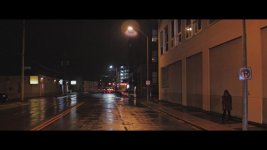
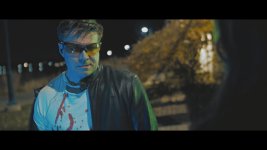
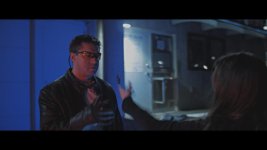
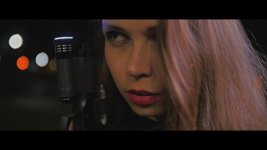
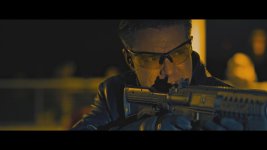
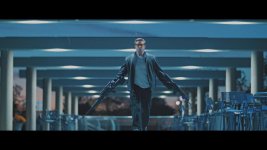
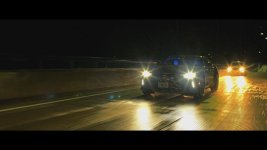
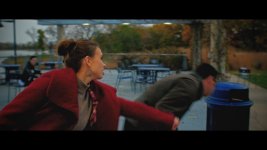
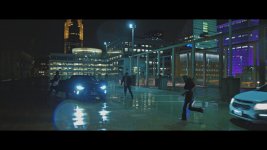
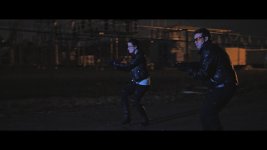
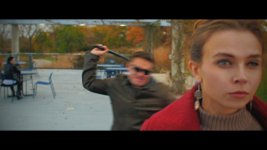
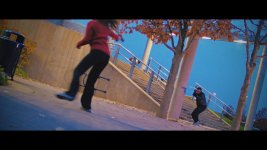
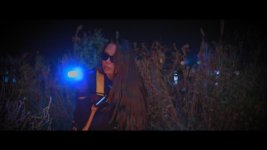
It's a 15-30 second teaser of a female spy action thriller. Shot at night, with LEDs and the Rokinon DS set. Used the 14mm, 24, 85, and maybe the 50. They are softer wide open, but that is not always a bad thing.  Rok are a pinch less sharp, less contrasty than my Sigma 18-35, 50-100, but are small enough to use on gimble.
Rok are a pinch less sharp, less contrasty than my Sigma 18-35, 50-100, but are small enough to use on gimble.
Cary Knoop
Veteran
I would strongly suggest getting a qualified colorist for this project.
The colors are completely unnatural, there are gamut issues, and the black levels are raised.
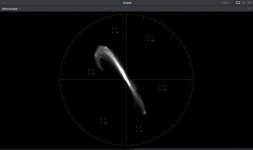
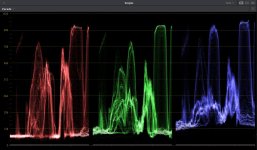
The colors are completely unnatural, there are gamut issues, and the black levels are raised.
Cary Knoop
Veteran
The scopes are from DaVinci Resolve, they are independent of video or data levels (levels are set at encoding). 0 represents black and 1023 represents white (the numbering refers to 10 bit values, i.e. 0..255 * 4).Cary, if only there was any budget.
Do you have the trailer in ungraded format?

It's 2018; grade however you want until someone is paying you a lot of money to not...and then do it a certain way.
Could it all be better? No doubt about it. But no one but forum nerds are going to think anything is wrong.
I totally get that, NorBro. On the other hand, it IS really good to hear people's constructive criticism over it to learn and improve.
I LOVE all negative feedback. Many people just want praise and stuff. I rally have no interest in that. Bring on the pain! So I can get better and better and better!
Cary Knoop
Veteran
That's great, just trying to give my 2 cents on it.No, each clip in the teaser was independently adjusted. I could make a blank render if you feel like playing with it?
I'm done with it, learned a ton, releasing tomorrow, and I'm moving to the next thing.
Just so happy the GH4 was up to the task of filming it.
If you have a blank render, I'd love to take a look at it and share some points that might be useful for you in the future.
filmguy123
Veteran
Ok popcorn out - I'd like to learn, too, and would be curious to see what Cary's grade does to the final image! Please share when ready!
Thanks for the good thread.
Thanks for the good thread.
Cary Knoop
Veteran
Here is a quick render.
I first corrected the color gamut which I believe was the main issue, then I added some contrast and set the black levels and finally added some light color adjustments in where needed.
The video is unlisted.
I first corrected the color gamut which I believe was the main issue, then I added some contrast and set the black levels and finally added some light color adjustments in where needed.
The video is unlisted.
Last edited:
correcting gamut, you mean by lowering blacks down to black. this is minus full grading right? I'm going for that Jack Reacher, John Wick, Atomic Blonde, Mission Impossible look.
This was not all shot at the same color temperature. There are multiple grades tween scenes.
Thanks for messing about with it!
This was not all shot at the same color temperature. There are multiple grades tween scenes.
Thanks for messing about with it!
Cary Knoop
Veteran
No, it is a quick regrade, I did a global correction then cut the scenes and made small individual adjustments.correcting gamut, you mean by lowering blacks down to black. this is minus full grading right?
Thanks for messing about with it!
I changed the gamut by reinterpreting the values of the colors using a color transform, nothing to do with the black levels.
filmguy123
Veteran
wwjd your version has color channels blown and is out of balance for the look you were going for. Teal and orange is cranked to 11, there's color channels that are way oversaturated, etc. There are spots where the skintones are so pushed that the characters look like aliens.
Cary's is balanced with much better skin tones, but it is not stylized in the way you wanted... it's certainly a better baseline, I think in the future you need more finesse to pull the color look you want into the piece without going over the top. Because cary's is so accurate there are some shots that look too "normal" - but I think you can stylize from a solid baseline without going too overboard to get what you like -- if you crank things too hard it doesn't have the desired effect. Try going a little subtler and/or utilizing power masks next time.
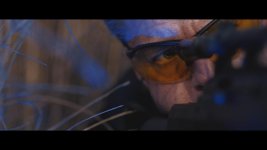
My other thought was, hey, the assassin guy is wearing the same orange glasses I am wearing! (yes, I edit non color sensitive work in the evening with orange glasses so as to not mess with my body clock. Cool, I know.) (and don't worry - I pulled the glasses off to watch the clips ).
).
Cary's is balanced with much better skin tones, but it is not stylized in the way you wanted... it's certainly a better baseline, I think in the future you need more finesse to pull the color look you want into the piece without going over the top. Because cary's is so accurate there are some shots that look too "normal" - but I think you can stylize from a solid baseline without going too overboard to get what you like -- if you crank things too hard it doesn't have the desired effect. Try going a little subtler and/or utilizing power masks next time.
My other thought was, hey, the assassin guy is wearing the same orange glasses I am wearing! (yes, I edit non color sensitive work in the evening with orange glasses so as to not mess with my body clock. Cool, I know.) (and don't worry - I pulled the glasses off to watch the clips
).Great feedback and I agree 100 % with these perspectives. Yes, Cary's grade is far to normal, and mine is far too pushed. AND I even dialed it back a lot. Going for Michael Bey here, not Shindler's List.
I'm glad you mentioned "11". That's pretty much what I was after! Everyone hates T & O, but it is pretty much a standard now days. Is what it is.
What's a Power Mask? Guessing a Premiere thing. I'm in Vegas Pro (which is not really PRO, but that is another story)
No excuses, I'm not a color guy, or camera for that matter. But, I'm having a great time with my GH4!
Thanks for the feedback guys!
AND I even dialed it back a lot. Going for Michael Bey here, not Shindler's List.I'm glad you mentioned "11". That's pretty much what I was after!
Everyone hates T & O, but it is pretty much a standard now days. Is what it is. What's a Power Mask? Guessing a Premiere thing. I'm in Vegas Pro (which is not really PRO, but that is another story)
No excuses, I'm not a color guy, or camera for that matter. But, I'm having a great time with my GH4!
Thanks for the feedback guys!