Sony NEX FS-100 V2 Picture Profile Compilation

As explained in a posting some days ago, I made a small application which is able to save, load and edit picture profiles and create camera setting files (CAMPROxx.DAT) which are stored on the SD card. The App is actually only for WinXP SP2 .. Win7 - maybe I find one who can compile it for the Mac.

Here are the links again:

The application (WinXP SP2 .. Win7)
http://www.mhst.de/downloads/CamProNexFs100.zip
It also installs some common picture profiles.

You also need the runtime engine
http://www.mhst.de/downloads/LV2011SP1RTEmin.zip

My problem with the funny checksum of the CAMPROxx.DAT files is now solved (hopefully). The checksum is not very good and so it is possible that my algorithm doesn't exacly match the correct algorithm. Don't worry if your FS100 says "ERROR" for one or more camera settings files. Send the files to me. I know now a lot about these 64 byte checksum and how to find and solve such problems .. a solution is not far away.

While thinkung about these funny checksum I added some more features. It is now possible to save a comment for the camera settings file (CAMPROxx.DAT) and the picture profiles (idea of Jean-Philippe). The CAMPROxx.DAT comments are stored in seperate files and the picture profile comments are only stored in the picture profile files (can't be stored in the CAMPROxx.DAT files).
 
I just created a Picture Profile for my FS100 which I call TrueColor. In order to make this profile, I used a DSC Labs color chart illuminated by a Tota-Lite. Output from my FS100 was connected to a BMD Pocket Ultrascope to look at WFM, Vectorscope and Histogram. Parameters were then adjusted for Pedestal, Gamma, Gain, and color rendition to yield a vectorscope as close to legal Rec709 colors as possible with this cam.

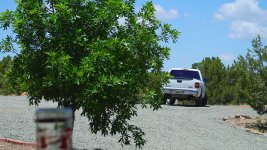
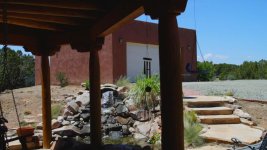
Here's the results....images are rich in color, with a warm tone. I'll post some frame grabs soon.

Black level: -11
Gamma: C2
Black Gamma: Hi, 7
Knee 105, 2
Color Mode: ITU709, 8
Level:7
Phase: -1
Color Depth: 2, 0, 0, -7, 0, -5
WHite Bal: LB-2, MG/GR -2, R-2, B0
Detail settings used were: 0, on, BW Type3, limit4, crisp 5Image1.jpgImage2.jpg
 
Last edited:
I just created a Picture Profile for my FS100 which I call TrueColor. In order to make this profile, I used a DSC Labs color chart illuminated by a Tota-Lite. Output from my FS100 was connected to a BMD Pocket Ultrascope to look at WFM, Vectorscope and Histogram. Parameters were then adjusted for Pedestal, Gamma, Gain, and color rendition to yield a vectorscope as close to legal Rec709 colors as possible with this cam.

Here's the results....images are rich in color, with a warm tone. I'll post some frame grabs soon.

Black level: -11
Gamma: C2
Black Gamma: Hi, 7
Knee 105, 2
Color Mode: ITU709, 8
Level:7
Phase: -1
Color Depth: 2, 0, 0, -7, 0, -5
WHite Bal: LB-2, MG/GR -2, R-2, B0
Detail settings used were: 0, on, BW Type3, limit4, crisp 5View attachment 53636View attachment 53637

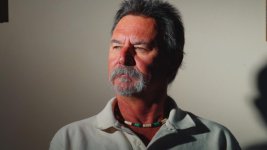
Nice if you get a chance Cuervo it would be nice to see what this profile looks like on skin tones.
Looks good so far though.
 
Didn´t know, that you are a redneck :)

But that can be fixed in the WB settings.
I found that the R/B works better with Cinegamma2 than LB-MG/GR

Frank
 
Redneck, shmedneck.....skintones are NOT this profile's forte, as can plainly be seen. WB was set for 3100K. It's rather unpleasant, yes? yet, the vectorscope shows a really good balance at the red swatch, when I tuned it with the DSC colorcharts . And the RGB parade could be adjusted, but, then the profile as I presented wouldn't be right out of the cam. Clearly, this would be CC'ed before use.
 
Last edited:
Martin, this programm is terrific!!!
It just took my some time to found out, that it doesnt function to the dat files direct on the camera.
Instead it saves them in the CamProNexFs100 folder in the documents. So i just copied them to my camera and it works like a charme!!!!!
Merci, danke, thanks!!!!

Now please make a hack similar to magic lantern with s log hdr and all the good stuff! ;-))
 
Martin, this programm is terrific!!!
It just took my some time to found out, that it doesnt function to the dat files direct on the camera.
Instead it saves them in the CamProNexFs100 folder in the documents. So i just copied them to my camera and it works like a charme!!!!!

Copy all the files to your SD card (CAMPROxx.DAT, *.PP, .CAMPROxx.txt, DEFAULT.DAT) and open one file (picture profile or CAMPROxx.DAT) from the SD card. The app should now work directly on your SD card. The NEX FS100 has no problems with all the other files.

Now please make a hack similar to magic lantern with s log hdr and all the good stuff! ;-))

Nice idea, but this is something for peoble with a plenty of time.
 
A couple of the best looking frame grabs I have seen from this camera. The colours look great but I'm also talking about the framing, art direction etc. Please make sure you post some video if/when you can!
 
A couple of the best looking frame grabs I have seen from this camera. The colours look great but I'm also talking about the framing, art direction etc. Please make sure you post some video if/when you can!
Thank you for your high praise!!

I will be sure to post the finished video. It will be a couple months in post, unfortunately.

And I agree, the art director KILLED it!
 
ok I need some help here:

I trying to figure out how to load PP pn the fs 100.
I saved one from the camera then I overwrote it with the cameradat of the app now my camera is in german and set to 30p.Yes I was able to change this back to english.
But can I get a simple explanation on how to load PPs on the camera ?
 
ok I figured it out now I just copied to cameradat file over the one I saved out from the camera.
Now I keep getting A FMU error....Seems silly that you cant record on the SH card anymore......


Lol total newb here had to change that in the menu to memory card !!!!
 
Back
Top