

fevercity
Well-known member
Pics, Digits, Paint Chip, then Details..... {*uses WHITE-BALANCE fakeout}.....
Single jpeg's to follow....
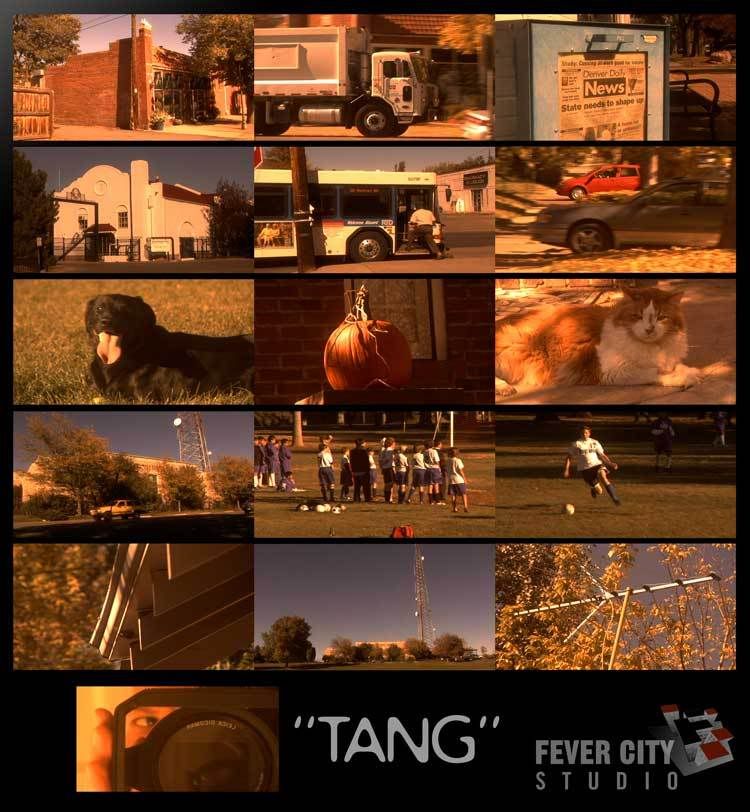
Scene File: TANG
DETAIL -3
V. DETAIL 0
DTL. CORING +2
CHROMA LVL -7
CHROMA PHASE -3
COLOR TEMP -5
MASTER PED -7
A. IRIS -2
GAMMA CineLike
KNEE n/a
MATRIX NORM
SKIN DTL OFF
V DTL. THIN
24p
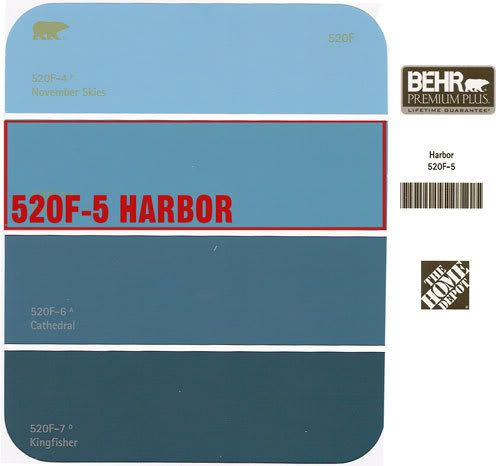
White-Balance from one sample of a BEHR paint color chip card (free from Home Depot).... It's a 4-color card from the 520F line. The 2nd color from the top is "520F-5 HARBOR". It's sort of a blue-ish green.
I'd zero'ed in on 520F-5 HARBOR as a paint-chip WHT BAL fake for a different Scene File. I'd shot enough that I thought I'd post "TANG" in the meantime. It's been a while since my last settings recipe, so forgive the rambling.
Just FYI - the idea behind using a paint chip or color to white balance is to push the camera's spectrum around in a way that you can't do by simply adjusting PHASE and TEMP in the menu. My goal (usually) is to totally freak out the colorspace and bring it back around towards somewhat normal. What seems like only a subtle difference in paint colors or art cards can produce wildly different results in-camera. IF you tweak in post then tweak in post. I do that too. There is a reason this thread is prefixed "Scene File Setting....". It's pretty obvious.
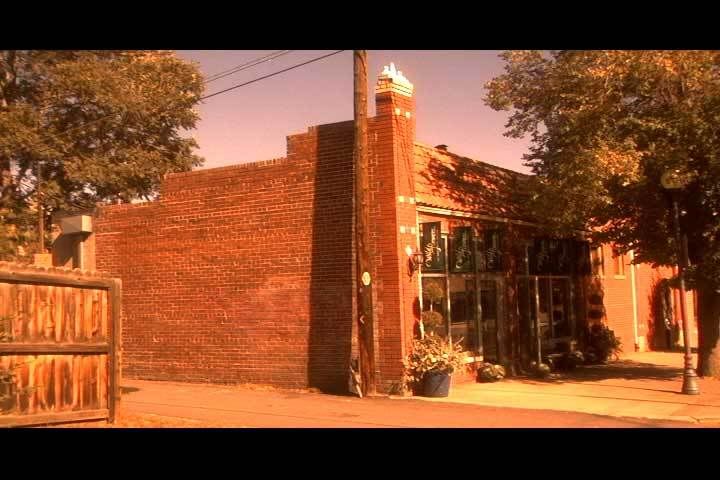
The idea was to cook up a somewhat contrasty, autumnal, late afternoon warm look that bent towards yellow. Believe it or not, "TANG" does not bend towards yellow. Shot a batch and put them up on the old Tektronix 1740 scopes / waveform. "TANG" falls into a weird area between red and yellow - somewhat of a coral kind of orangey-pinkish fusion. Because the white-balance has shifted so dramatically, it behaves differently depending on exposure and colors in-frame. No surprises there but it ended up looking more like TANG than the intended October cornfield gold.
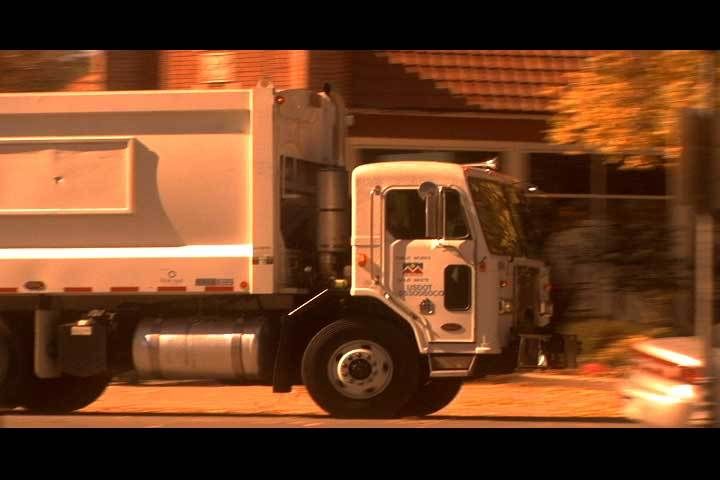
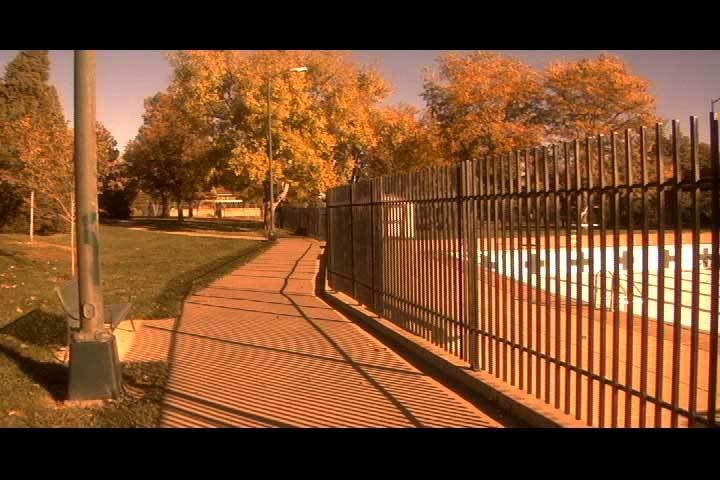
Individual jpeg's will follow since the comp pic doesn't fully show how weird the colors could get. If you take COLOR TEMP all he way down to -7, it's pure California Orange Crush psychadelia.
As always, any and all input appreciated. Thanks for looking!
Single jpeg's to follow....
Scene File: TANG
DETAIL -3
V. DETAIL 0
DTL. CORING +2
CHROMA LVL -7
CHROMA PHASE -3
COLOR TEMP -5
MASTER PED -7
A. IRIS -2
GAMMA CineLike
KNEE n/a
MATRIX NORM
SKIN DTL OFF
V DTL. THIN
24p
White-Balance from one sample of a BEHR paint color chip card (free from Home Depot).... It's a 4-color card from the 520F line. The 2nd color from the top is "520F-5 HARBOR". It's sort of a blue-ish green.
I'd zero'ed in on 520F-5 HARBOR as a paint-chip WHT BAL fake for a different Scene File. I'd shot enough that I thought I'd post "TANG" in the meantime. It's been a while since my last settings recipe, so forgive the rambling.
Just FYI - the idea behind using a paint chip or color to white balance is to push the camera's spectrum around in a way that you can't do by simply adjusting PHASE and TEMP in the menu. My goal (usually) is to totally freak out the colorspace and bring it back around towards somewhat normal. What seems like only a subtle difference in paint colors or art cards can produce wildly different results in-camera. IF you tweak in post then tweak in post. I do that too. There is a reason this thread is prefixed "Scene File Setting....". It's pretty obvious.
The idea was to cook up a somewhat contrasty, autumnal, late afternoon warm look that bent towards yellow. Believe it or not, "TANG" does not bend towards yellow. Shot a batch and put them up on the old Tektronix 1740 scopes / waveform. "TANG" falls into a weird area between red and yellow - somewhat of a coral kind of orangey-pinkish fusion. Because the white-balance has shifted so dramatically, it behaves differently depending on exposure and colors in-frame. No surprises there but it ended up looking more like TANG than the intended October cornfield gold.
Individual jpeg's will follow since the comp pic doesn't fully show how weird the colors could get. If you take COLOR TEMP all he way down to -7, it's pure California Orange Crush psychadelia.
As always, any and all input appreciated. Thanks for looking!
Last edited:





 ) and by variable I mean those settings which I can confidently (without introducing any digital noise or enhancement what-so-ever) tweak to achieve a desired in-camera look.