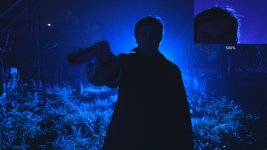
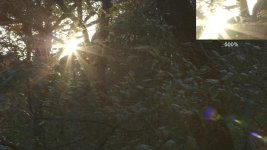
Rainbow-like Moire?

FWIW Canon EOS Support said they have never heard of this problem before. They want to see the camera but I suggested they try a similar shot on their own; they'll see it.

Nuno, all the EF lenses I have can show the highlight aliasing on angles and horizontals to some degree if the whites are overexposed, cheap to expensive (e.g. Canon 70-200 F2.8 IS II). I think I never noticed this before it was reported to me because, well, I never clipped the whites past 100 intentionally. And I saw no signs of the issue where whites were clipped necessarily (for example, shooting into the sun with branches of a tree in front of it). IN fact, most of the places where the FS100 showed a really bad chroma aliasing on contrasted highlights, the C300 shows nothing or very little. I had to really look to see it.

This issue happens very infrequently if properly exposed and set up but it is one to look out for. I'm surprised that the OP saw it so bad, as have some others.

Yes, I also own quite a few Canon L glass, but I really think that they're not the best in terms of flare control, not like Zeiss anyway. But you're right, as long as exposure is controlled, and highlights are kept within safe margin, even in high contrast ratios I don't think this is a BIG problem, I've tested the camera a lot mainly in highlights (as this is where digital breaks down more easy than film) and I was quite astonished as to how well this camera handled highlights.

I really believe that the problem with the original poster was mainly the lens and (most probably) the use of a deep f stop, as this also degrades the image quite a bit, if the lens are not top notch. All this was probably too much for the sensor to handle and created that nasty aliasing.

The tests I posted earlier, also had a hard contrast and hard highlight (clipping even) on various kinds of surfaces and it wasn't at all bad, you'd have to really look to see it. But again, I'm really sure that if I was using Zeiss glass, that wouldn't even happen in the slightest.
 
I'm really sure that if I was using Zeiss glass, that wouldn't even happen in the slightest.

The Zeiss glass can be soft when wide open or even a stop down so I can see how it wouldn't be as bad. :)

I've shot scenes like you showed with the C300 and didn't see any of the color aliasing at all. Heck, we shot into the sun directly! (see: http://vimeo.com/37568325 especially towards the end, and http://vimeo.com/37151341 towards the end. Both have shots directly into the sun with hard contrast and there were no issues. F-stop on both was no higher than 8 if not lower like 5.6; I don't remember specifics. Talk about hard light.

I saw this issue once on day 1 with the camera shooting a lamp. I never saw it again. So doing what you mention re: highlight protection keeps the image lovely. With a wide dynamic range so it's easy to work with in post to get it just right. I think to see the issue present itself, one has to shoot a very specific case where aliasing is also being caused due to fine detail on horizontal or angled straight surfaces, and the image is being crazy blown around it. It's certainly something to keep an eye out for, but I'd say it's relatively rare. Especially compared to what the FS100 is doing.

Check out what the Red folks are saying.... a side by side was done with the Scarlet and C300 and the C300 looked pretty bad: http://www.reduser.net/forum/showthread.php?74125-Color-balancing-Scarlet-X-and-Canon-C300/page2

I think the main issue here is that for $16,000 the camera probably shouldn't be doing the color aliasing thing at all. I'm going to shoot some water like shown in the Red post and see what happens. My guess is if I don't overexpose the sun reflection, it'll look fine. I could never get the FS100 to look right in the same shot.
 
I have a C300 on pre-order, and I have to say this thread has me worried. I had hoped that one of the benefits of 12 stops of latitude would be a smooth film-like roll off into blown out white. I know the FS100 can't do this, but that's one of the reasons I am willing to pay over 3 times the price of an FS100 for a C300. How cameras like the C300, F3, Red, and Alexa handle highlights has been a huge part of the debate as to which cameras perform best. If this chroma aliasing issue is not resolved, I think it will seriously affect the camera's reputation. Check out this comment about the C300 posted on Paul Joy's site:

"Also I got a lovely shot of a plate of food that is looking really bad due to some very very ugly fringing. This also has me very worried as my client has complained about the quality of the shot!!!"

I don't think any of us wants client complaints about a new camera we are trying to market. Thanks for contacting Canon. I'm interested to see how they respond.
 
Response from Canon:

"Thanks for following up with us.I took a look at those forum posts, and I can see how that would be distracting. The cyan/purple fringing seems to be more notable when the shooter is deliberately trying to blow out the highlights. Keep in mind that the camera has 12 stops of latitude, which goes beyond what many cameras can do, plus it has 3 built-in ND filters that can cut down in the light coming into the camera, so this seems to be a situation that can be avoided by adjusting the settings accordingly. Still, it is something that I will pass along to our senior engineers. We will investigate the situation, and see if there is anything else that can be done to reduce the fringing.
I hope this information is helpful to you. Please let us know if we can be of any further assistance with your Canon equipment. Thank you for choosing Canon.

Sincerely,
Nick
Technical Support Representative"
 
I have tried hard to reproduce this, but I am not able no matter how much I blow out the highlights on a straight line. I´ll test once I see a chrome-line on a car, but so far it is nothing I would be concerned about.
 
I've just posted a quick video sample to my blog that shows how the problem starts as ND is removed. Personally I think that the 12 stops of dynamic range thing is a bit of a cop out on Canon's part, I simply have to shoot into light that's going to blow out sometimes and this is going to bother me a lot.

If you're shooting something that your going to edit yourself and have the time to correct the levels on every single shot then exposing low to maintain the highs is great but if I'm shooting something that's being handed over to a client they will expect to receive shots that are correctly exposed for the subject matter, not some window in the distance.

Keeping the highs below 100 will work if you are doing set ups but not if you're shooting events or other non scripted subjects where you have to adapt quickly to changes in background lighting conditions and you don't want to mess with exposure mid shot.

Check out the video at http://www.pauljoy.com/2012/03/first-day-with-the-canon-eos-c300/

Paul
 
Last edited:
Personally I think that the 12 stops of dynamic range thing is a bit of a cop out on Canon's part, I simply have to shoot into light that's going to blow out sometimes ..

+1. Exactly!
White is part of our palette just like all the other colors
 
There was as scene I shot on my 7D of a large factory with two mech suits fighting in a LARGE open area. There were shafts of light across the scene with blown out spots on the ground where natural light was coming in. Given there was no way I could drop the light down from outside, and the area they were fighting in was WAY too big for lights (as it was a very dynamic scene) I opted to let the ground blow out. It looked great once I switched to a lens without CA. When I brought the gain down, too much got lost in the shadows. I even shot some low gain to check in post and was glad I opted for the blown out instead.

I would not have even thought twice about doing this shot on the C300, until now.

What I don't understand is, I actually REALLY like how the 7D blows out. Some don't, I know, but it gives consistent results that are easy to account for. I've shot into the sun and done some AMAZING shots on the 7D as I've posted before.

I just don't understand why the C300 would do this given their reasonings for going to the 4k sensor used at 1080p. The whole point of this method is to reduce these sorts of issues. The C300 might have 12 stops of latitude, but the output format is still only 8-bit. What are you supposed to do with scenes like water at a beach? Sometimes the differential is just too great to not blow out the sensor at points.

I think more than anything, it's just good to know that people need to watch for this. But, I still think this is something Canon needs to work out. You can justify shooting situations all you want, it doesn't negate the fact the camera has a flaw in certain conditions. Would film do this? No. Have I shot a scene before where a reflective surface ends up shining too much light at the camera and causes a high contrast edge? Absolutely. Now you have to worry about if that condition exists, is it going to create this problem.

Now, the real fact is, you can clean these up in post. If it happens rarely, but I gotta say, I am really surprised especially at some of the results in the RedUser post.
 
Keeping the highs below 100 will work if you are doing set ups but not if you're shooting events or other non scripted subjects where you have to adapt quickly to changes in background lighting conditions and you don't want to mess with exposure mid shot.

Check out the video at http://www.pauljoy.com/2012/03/first-day-with-the-canon-eos-c300/

Paul

Dude look at the video. Event documentary or not, if you ever have such a blown background IN FOCUS then none of your clients will accept your footage anyway.
It is a S35 chip and it is not possible to have a person/object in focus in front and the trees in the background blown out and in focus like that.

To me it looks like CA and that is more a problem of the lens IMO.
 
I should add this as well, I shoot on the FS100, so I deal with worse problems than this. The truth is, I've never come across this issue on any of my footage to date, and I did see Adam Wilt's test of the FS100 and saw that it can produce this effect even worse. I didn't even know about it actually till I searching for how people were handling highlights with the FS100. I think my reaction at the time was "Oh, not another problem I have to watch out for"

What I do see all the time is how colors blow out on the FS100. I made changes to the setting to reduce this, but, I live with it and have spent a great deal of time communicating with Sony about my displeasure in how it handles blowing out. And then I live with it because, well, all the advantages of the FS100 compared to what I can afford are better for me.

I just wanted to add a positive note that I still think the C300 is an amazing camera in what I'm seeing come out of it. I am hyper focusing on one aspect I don't like, but, I've looked at enough full rez footage like what Nuno posted in another thread that I thought was absolutely awesome looking. Granted, I don't own the camera, have never shot on the camera, and it is beyond my price range, so my opinion is rather limited at that.

The reason this is important to me to get back to Canon is that, for my style of shooting, blowing out IS acceptable. I've seen footage of the C300 being used in non-narrative settings as well, like in the recent "Kony 2012" trailer, where it's more of a documentary style situation where you just aren't going to have control of the lighting situation. I think in this context, this issue is real, and underexposing is just a bad practice in my opinion for what you want to hit. When I shoot, I want the image to look good to my eyes, so I can see what I need to see. if I push detail to the shadows, how can I even know what is going on there? My eyes can't see it well.

But, we're all different and have different shooting styles. So of course, we all have different limits of what we can/can't live with in our equipment.
 
I am shooting LIVE broadcast at times and I can get a $100.000-100x-HD lens to show CA if I want to. This issue is simply not existing. It is not like moire and aliasing on the 7D when you saw these problems the first hour you tried it out. As I said I have yet to see any CA or moire on my C300 and I pushed it quite a bit.
I don´t say it can´t happen. But I don´t think it is an issue really.
 
This issue is simply not existing. It is not like moire and aliasing on the 7D when you saw these problems the first hour you tried it out. As I said I have yet to see any CA or moire on my C300 and I pushed it quite a bit.
I don´t say it can´t happen. But I don´t think it is an issue really.

Sorry but this issue does exist and by blindly ignoring it you will end up losing a shot at the worst possible time. The examples I posted were the results of looking for the causes and limits of the problem after somebody commented that they had a very unhappy client because of an issue.

Unhappy clients are not something I want so my aim was to have a better understanding of when this occurs and how to avoid it. Iris / ND variations seemed to have no effect, the results seemed consistent based purely on exposure levels. Personally I don't think it's a lens issue at all, it appears to me to be something to do with processing as the colours alternate from pixel to pixel which is unlike any CA I've seen before.

Does it ruin the camera? Of course not, I love the images I'm getting from my C300 but I still want to understand any limitations it has.
 
Last edited:
I'm sorry, but if you can only see a problem by zooming at 500%, on a super bright, high contrast scene, then are we talking about a real problem here? Try any camera, and you'll get same results.

I've been shooting with this lens into the sun, into bright lights and I've seen none of this. I've been using Zeiss glass, and I'm sure Leica glass will also be clean. This is a powerful sensor, and if you push it to the limits, your lens have to match up, otherwise, you'll have all kinds of 'noise', including CA.

Here are some clips with extremely bright front light where no CA is there to be seen!

All of these have a 500% zoom in the fine detail areas, like hair or tree branches. Besides the ugly lens flare on the sun shot (caused by the not so great Canon L 17/40, there is no CA anywhere. All these shots are ungraded. The night shots have a lot of grain, we shot them at 3200 ISO at 50 fps, in 720p, and still there is no CA anywhere. These were shot also with a Canon L 14mm

AA005501.MXF.Still001.jpg AA005801.MXF.Still001.jpg Offline_01.Still018.jpg

People are trying to make a problem where there really isn't one...
 
Those waves definitely look weird. I´ll try some snow tomorrow. Let´s see if I can get the sensor to bloom....

EDIT: Does it say what sharpness setting they used on those waves......looks a lot over sharpened to me. After all it is a reduser-picture...I just don´t trust their tests.
And there was lots of sand in Mobius without any problems.
 
Last edited:
Ok, went though the thread and he seems to have used EOS Standard...against a Scarlett...nice test.
Here you see two pics that show the difference in EOS Standard and C-LOG

EOS Standard is over saturated and over-sharpened (setting 0 while I believe -10 is the what the sensor records). If these waves are shot in EOS standard then it doesn´t worry me at all
 

Attachments

  • TestsC300_CLog_CP8 Kopie.jpg
    TestsC300_CLog_CP8 Kopie.jpg
    52 KB · Views: 0
  • TestsC300_EOSstandard Kopie.jpg
    TestsC300_EOSstandard Kopie.jpg
    72.4 KB · Views: 0
I see this at 100% just fine:

http://homepage.mac.com/sanjinjukic/RED/canon-c300_match-test_day2_02.jpg

And compared to the same footage on the Scarlet:

http://homepage.mac.com/sanjinjukic/RED/scarlet-x_match-test_day2-02.jpg

That's a pretty big difference to me. And it's not just in the water, it's also in the sand.

(from this post http://www.reduser.net/forum/showthread.php?74125-Color-balancing-Scarlet-X-and-Canon-C300/page2)

That was not shot on Canon Log, it was on default EOS Standard... The C300 costs that much not because of the EOS Standard Profile...! Canon Log won't give any of that aliasing, hence the price tag...
 
Last edited:
That is not shot on Canon Log.

And? EOS Standard shouldn't do this either. I still think this is a problem with how the highlight compression is working. That said, *this* is the type of thing that helps people. Getting to the bottom of why people are seeing it and others are not helps to understand the conditions that cause it.
 
Those waves definitely look weird. I´ll try some snow tomorrow. Let´s see if I can get the sensor to bloom....

EDIT: Does it say what sharpness setting they used on those waves......looks a lot over sharpened to me. After all it is a reduser-picture...I just don´t trust their tests.
And there was lots of sand in Mobius without any problems.

That's a good question. Though I will say, the guy doing the test, I've seen A LOT of his tests before and he seems to be pretty honest to me about his criticisms, and that includes things he has seen or red cameras as well.

It would be interesting to see what happens when shooting the same scene you are getting these issues with both C-LOG and EOS to see how they are behaving. Also, to look at the sharpening setting and see how that affects the edge as well. Just to really see what things are contributing.
 
Hehe, I love how you guys post, then edit your posts but I don't see what you say, then I go back to reference something and like WOAH where'd all that info come from.

jagstang, have you done any tests with C-Log to see if you ever get this situation? Not saying you should only just use C-Log, just that if we determine if it is specific to EOS Standard, that really narrows it down.

This is an opinion, so take that into consideration before you get all harsh on it. I think one of the problems right now is the switch to log based image profiles. The best thing about log is the attempt to not alter the data from the sensor as much as possible so you have the freedom to do what you want with it. Given the C300 is 8-bit output, there's been a lot of debate on what that 8-bit limitation means. I think a lot of Nuno's examples, at least to me, have shown that C-Log is really the way to go. I think the S-Log out of the F3 has really shown me, it's also what I would prefer to work with. I think Red Raw, which is Log like, also has shown this is really the way to go too. It means you can decide in post how you want to push the top and bottom, and not be locked in to something you don't like (FS100).

My problem with using something like G-Log on the FS100 is when using Log (or Raw) I can't view the source material in a way that makes it easier for ME to judge what I see, since Log typically looks like low contrast and is harder for me to judge.

So what I am basically saying is, Nuno is probably right in that Canon is pushing C-Log because THEY believe it's the best bang for the buck, and they probably optimized it for the best results. But, I do think they could clean up EOS Cinema if this is really what it does. I mean, why include something in the first place?
 
Back
Top