C100: Profiles test for download.

dustylense

Veteran
I thought based off of Paul Frederick's wonderful nature film he posted and peoples interests on his custom profile that I would start a thread for the community along with some of Brian C. Weed's awesome work with the C series color profiles.

So I shot some basic footage with the standard WDR profile, WDR PF (Paul's), Rec709 (B C Weed's), CinemaLOG, and even Eos Standard so that people could see the difference. I uploaded a Prores file of the clips into a dropbox so that you can download the file and put into your NLE to look at waveforms and scopes. The file is 1.5 GB's big.
https://www.dropbox.com/s/qvk1n9r6uit0f7j/Profiles tests.mov


WDR PF is pretty nice. A bit more crushed than WDR stock but it's suited to hand off to client and forget. It does take care of the green bias tint that stock WDR displays though. Red709 is very much like WDR PF in color and I think I like the blues better, but you will see the highlights a bit higher on the waveform (which is maybe what you want for a good ready to edit 709 image) but the general mids and lows are much the same. Both the Rec709 and WDR PF are very good jumping boards off the WDR stock especially if that green bias tint bothers you.

Hopefully we can use this thread to get some great profiles going and share our looks and thoughts.
 
Last edited:
I used Paul's WDR PF but left Black Master Ped to 0 and also left the gamma unchanged. Leaving Blck Master Ped to 0 will leave it less crushed. I'm very happy with this profile :)
 
Yep, that is what I did after this test. Just wanted to let others see WDR PF as it stands compared to WDR stock. Dropping the master ped to -1 makes the footage easier to hand off and I feel that is Paul's intension.
 
That was indeed my intention as i often have to hand off footage to clients and this was the best option. Mainly I wanted to warm it up from the regular Wide DR setting. I think the option of leaving master ped at 0 is a good one if you have complete control of the footage. Though a -1 isnt anything to drastic. Proper exposure is a must to get the most from it however. Maybe even a little underexposed would help to get the best color. thanks for starting this thread dusty!
 
Paul, can you clarify something for me please? To recreate your profile, should I start with an empty default profile, or should I make a copy of the Wide DR profile? Or will that not make a difference? I just shot some test shots with what I think is your profile, and I really like it.

Thanks!
 
Last edited:
Yes, I copied the WIDE DR base profile then made these changes to it:

Gamma curve is L:5, M:8, H:5
Gamma: Wide DR
Black-Master Ped: -1
Knee ON: Slope: -15 Point:109
COLOR MATRIX (This is the biggy) WIDE DR Gain:+30, Phase: +3, R-G: -20, R-B: +11, G-R:-23, G-B: -14, B-R: -10, B-G: +1

Some are not making the Gamma curve and master ped change, thats a good option if you are controlling the edit and can tweak more in post. I usually leave it like this though as the bump in the mid on the gamma coupled with the -1 in master ped to me, still gives great dynamic range in the shadows but gets the blacks closer to where it should be without much adjusting in post. Ideally maybe make two presets with each variation. This is also a great Preset to use if you are handing footage off to a client. It can be tweaked more if needed but stands well on it's own if the client doesn't have time/or doesnt know how to adjust in post.

Also getting the exposure right is pretty critical to getting the most out of any picture profile. I find setting the LCD setting to BRIGHT, helps considerably to getting a proper exposure. I find its much to low in the factory setting and you are always overexposing to try and compensate to make the LCD brighter!
 
Last edited:
So would you say that just making these changes is what you would call an 'improved' WIDEDR setting, perhaps even a half step between wideDR and log?

Knee ON: Slope: -15 Point:109
COLOR MATRIX (This is the biggy) WIDE DR Gain:+30, Phase: +3, R-G: -20, R-B: +11, G-R:-23, G-B: -14, B-R: -10, B-G: +1
 
It looks like some nice WDR picture profile, thanks.

Knee function has no effect on cine (1,wdr,log) gamma curves, only on normal gamma. See WF monitor.
 
So would you say that just making these changes is what you would call an 'improved' WIDEDR setting, perhaps even a half step between wideDR and log?

Knee ON: Slope: -15 Point:109
COLOR MATRIX (This is the biggy) WIDE DR Gain:+30, Phase: +3, R-G: -20, R-B: +11, G-R:-23, G-B: -14, B-R: -10, B-G: +1

I think the improvement is in the color. Not so much the dynamic range. Its more for getting you as close to a "final" image in camera as possible while still retaining much of the benefits of WIDE DR. If you want maximum dynamic range then C-log is better.
 
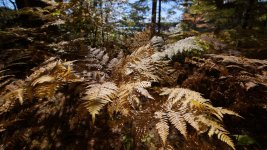
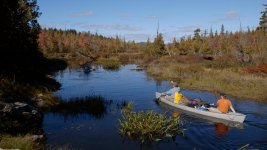
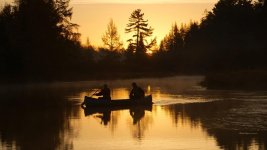
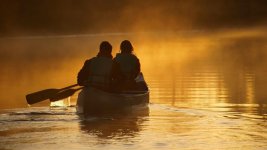
Here are some screen grabs of WIDE PF. These are all right out of camera with no additional processing using this picture profile. As you can see in the dawn canoe shots, there is still some very nice shadow detail in there! Better still is the warmer color tone then the stock WIDE DR.Screen Shot 2012-10-30 at 4.49.11 PM.png.jpgWIDE PF 2.jpgWIDE PF 3.jpgWIDE PF 4.jpgWIDE PF 5.jpg
 
I think that "knee turn off" info for cine gammas is at manual, but I forgot where (WF monitor tell me that it's true).
/ ...it is on page 92 /

About WDR CP - did you find some bigger noise at black part of interior footages when WDR gamma was set to iso 800-2000?
I have sometime trouble with noise at this types of scenes (with WDR gamma).

Pictures above are great!
 
Last edited:
I think that "knee turn off" info for cine gammas is at manual, but I forgot where (WF monitor tell me that it's true).
/ ...it is on page 92 /

About WDR CP - did you find some bigger noise at black part of interior footages when WDR gamma was set to iso 800-2000?
I have sometime trouble with noise at this types of scenes (with WDR gamma).

Pictures above are great!

I have not tested that yet. At least in comparison to other profiles/gammas. I have been shooting with a Ninja 2 though and find those images are noisier then the internal codec because the HDMI out of the C100 is definitely before any noise reduction circuitry that happens when it records to AVCHD codec.
 
I have two problems with C100 (AVCHD record) - sometimes (for example at sunset) with WDR and log gammas there is banding. This is problem only in nature (high quality) footage (because footages are longer and you can see this problem) and only at special light scenes (with smooth gradient in one color), at quick reportage style of shooting it is not problem.
I solve this with cine1 gamma (I made some test with XF100 cine1 vs C100 log gamma and XF100 or C100 with cine1 gamma are ok, C100 with canon-log has a visible problem). You can see this here - http://www.videoproduce.cz/cine_kamera_c100.htm (here is vimeo footage, look at from 5:55 to 6:10 vs 6:30).

The second problem is WDR gamma CP noise in interiors (at higher ISO above ISO800), cine1 and normal4 gammas are visible better. WDR CP in exteriors is ok, because I use ISO320.

The special issue is about red colors (AVCHD) after link via AMA to Avid MC/Symphony, where red color looks jagged (some problem with chroma subsampling).
I solve this during import when footages are transcoded to XDCAM EX 35Mbps codec.

---

My CP are (firmware 1.0.0.1.00):

cine1 gamma (basic)
master PED -2
knee off
sharpness -3 (or sometimes +1), HDF +8, HDB +5,
color matrix Normal4, color gain +6

normal4 gamma (for lowlight without high-contrast scene)
master PED -1
knee ON, Slope +1, Point 91, Sat 0
sharpness -3
color matrix Normal4, color gain +7

wdr gamma (basic for exteriors with ISO320)
master PED -2
knee off
sharpness -3 (sometimes +1), HDF +8, HDB +5
sometimes NR +2
color matrix WDR, color gain +5, Phase 0 (I try now +2)

and log gamma (color matrix log) for high-contrast scenes with grading in post.
 
Last edited:
Pave1 I would suggest dropping your sharpness to either -8 or -10. Running it at -3 could be the culprit for your banding and noise.

The C100 is so sharp its insane. Recently I was shooting backstage in a theatre at ISO above 2000 and Sharpness -8 and the noise was under control and this was Ninja footage.

Ill post some pics when soon :)
 
I prefer cine1 before wdr at higher iso, there is really visible difference. If I need, I made some stabilization or denoise at post, shp-3 is ok.
Sharpness +1 is for stabilization at post, small resize blur the result image.

Visible noise (at black part) with WDR gamma is much higher then with cine1 or normal gamma, no blur can change this. I have a lot of footages and result is the same, above iso 1250 there is sometimes a lot of noise.

I like your images, very nice .-) .
 
I made some sample footages for you because I think, that noise problem of the wdr gamma curve is not an issue of the over-sharpened footages.

Look at the first part of this samples - https://vimeo.com/78556197

Normal and cine1 gamma curves have no problem with noise in ISO800-1250.
Please download the orig file, it is not the best quality but it's good enough for this purpose.
 
I dont feel I'm getting that amount of noise using Wide DR. I use up and over ISO 1250 and dont see any stand out noise. Compared to the Sony EX1 the C100 is amazing.

What lens did you use at the begining? As that is not a nice looking lens flare :huh:
 
Back
Top