
Navigation
Install the app
How to install the app on iOS
Follow along with the video below to see how to install our site as a web app on your home screen.
Note: This feature may not be available in some browsers.
More options
You are using an out of date browser. It may not display this or other websites correctly.
You should upgrade or use an alternative browser.
You should upgrade or use an alternative browser.
Premiere Pro update
- Thread starter Pgale
- Start date

Chris Johnston
Veteran
I'm now at ver 8.1 Don't have my equipment with me to check. please tell me I can import a 4k raw sequence straight to Premiere without any glitches...
Eyelight Kasper
Member

Eyelight Kasper
Member
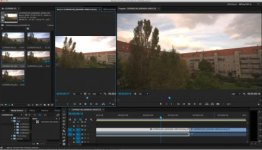
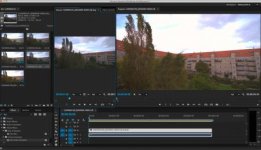
...I still don't know how to batch import a bunch of clips though...? The behavior of the Media Browser in Premiere is a little different... When you choose the individual clip folders it now shows one single dng sequence files instead of a bunch of individual png images. But you still have to browse to each clip folder and choose the dng sequence file. If you just choose the root that contains the clip folders, it will import the content of those folders as individual dng image files! Pretty annoying...
Does anyone know of a better way to import where you don't have to choose each clip manually?
Does anyone know of a better way to import where you don't have to choose each clip manually?
slipstrea808
Well-known member
I am on this tonight!!!

stefanhuberfilms
Veteran
that would be THE killer feature... or a decent LUT.Any way import raw and have it match slog2?

nyvz
Veteran
that would be THE killer feature... or a decent LUT.
Doesn't even seem like a killer feature, more like an expected feature. Seems crazy there isn't a way to match the raw with prores/avchd slog2...
Playing with it. When you right click a clip in the project window, and select "Edit Original" the first frame comes up in Photoshop, Adobe Camera RAW (FS700, it even says?). I do a little color correcting, great.
Except.... how do i bring the new color changes back in to PP? They don't auto update after you change them in ACR, but i don't even see a way to update the file to the newly color corrected file.
Right clicking, you can mess with some very basic "Lumetri Source Settings," but not nearly as good as ACR.
Edit: After doing some reading, it seems you simply can't use ACR with PP at all!
Except.... how do i bring the new color changes back in to PP? They don't auto update after you change them in ACR, but i don't even see a way to update the file to the newly color corrected file.
Right clicking, you can mess with some very basic "Lumetri Source Settings," but not nearly as good as ACR.
Edit: After doing some reading, it seems you simply can't use ACR with PP at all!
Last edited:
Chris Johnston
Veteran
Edit: After doing some reading, it seems you simply can't use ACR with PP at all!
I goofed with this issue today for 45 minutes before I gave up. Sad to here that....I like ACR.
Eyelight Kasper
Member
So how do you bring a PP edit sequence into AE for ACR processing? You can't copy/paste the files and you can't choose "Replace With After Effects Composition" - those two methods will just import one single DNG frame into AE.
You can import a whole PP project into AE but that will just show the entire PP sequence as one single file. You can't access the individual clips or open it in ACR.
The best method I know of is export all the DNG sequences as proxies, edit the material using the proxies on PP timeline, copy/paste that into an AE comp and then manually replace each of the used proxy files with the original DNG files, which will open up the ACR.
What a hassle!
You can import a whole PP project into AE but that will just show the entire PP sequence as one single file. You can't access the individual clips or open it in ACR.
The best method I know of is export all the DNG sequences as proxies, edit the material using the proxies on PP timeline, copy/paste that into an AE comp and then manually replace each of the used proxy files with the original DNG files, which will open up the ACR.
What a hassle!
I goofed with this issue today for 45 minutes before I gave up. Sad to here that....I like ACR.
Yeah, there seems to be no work around.
Saving the corrected files as new DNGs like Noah said is what i was trying to do. Except PP wouldn't read the sequence as a movie then. However the 7Q tells Premiere Pro "hey, this is a dng movie sequence" doesn't seem to work for me when i try to import newly saved DNGs from ACR.
nyvz
Veteran
Yeah, there seems to be no work around.
Saving the corrected files as new DNGs like Noah said is what i was trying to do. Except PP wouldn't read the sequence as a movie then. However the 7Q tells Premiere Pro "hey, this is a dng movie sequence" doesn't seem to work for me when i try to import newly saved DNGs from ACR.
Well I was imagining youd be exporting to a tif sequence or something.
I just got the new PP and I can just drag my RAW DNG files in and they play like movies. Are you guys saying you can't do that?
No, we can use the dng files. You just can't correct them in Adobe Camera Raw and keep the settings in PP. ACR doesn't work with PP, but we wish it would!
I bet Adobe could make Adobe Camera Raw work with PP, but it would be really slow to playback. For that reason I think they chose not to enable it. In After Effects it takes forever to render out ACR. What I would like is a way to use ACR, but in a Davinci Resolve type workflow. I wouldn't care if it took 15 times as long to render! I love ACR so much more than Davinci's Raw converter.
Eyelight Kasper
Member
I just got the new PP and I can just drag my RAW DNG files in and they play like movies. Are you guys saying you can't do that?
That works here too with a single dng image sequence. But how do you import multiple dng image sequences without having to drag and drop them one at a time?