Post vs in-camera - grading, NR etc?

modernPrimitive

Active member
Hi,

I was wondering if anyone knows how the 7D and other SLRs implement processing and compression. Is it BEFORE compression or AFTER compression?

With stills it's best to shoot RAW and post process because the in-camera abilities are nowhere near what one can achieve in Photoshop for example. Noise reduction and sharpening in-camera are quite primitive for example and using them in-camera produce some horrible artifacts at 100% crops. But that's for RAW stills.

I'd imagine however that in video mode processing occurs PRIOR to compression - at least I hope so - which wold mean it would be quite viable to create custom profiles for in-camera grading as one is limited with the dynamic range in post due to the compression.

What about noise reduction and sharpening?

Any thoughts on this?
 
Most people try to get the flattest possible image in their cameras with the most dynamic range so they can then tweak in post and throw out detail, rather than ever be faced with trying to add information that isn't there.
 
I wouldn't go too far. It's a lot easier to create a look in post when footage is converted to say uncompressed. For example if you dial in too much gamma or sharpening in camera you're stuck with that whether the final result looks right or not.

Noah
 
I was going totally flat but have since started to shoot closer to what I want as I haven't seen much benefit to the shooting flat theory. I seem to get as much control (or I should say no more control) shooting flat as shooting closer to my final look.

EDIT: These arn't RED cameras and I think trying to apply the same principles doesn't yeald the same control and just creates more work and possible degredation of the image if pushed too far.
 
Last edited:
Yeah I guess it requires discretion.

You can't push saturation too far in post so it might be viable to do that in-camera if you want a saturated look.
Pushing contrast in-camera is going to loose dynamic range for post but doing it in post with compressed footage (even if it's been converted to uncompressed because the information was lost in-camera already) can introduce banding and make noise more visible.

Perhaps I should do some tests?
 
I guess it depends on how you define color "grading." A lot of people define using the three way color corrector or Magic Bullet Looks as grading, not that there's anything wrong with that but you can push the image around quite a bit with Apples Color, Color Finesse or a DaVinci.

The other thing to keep in mind is that I don't think there's a hard and fast rule on which profile to use. I've found that shooting flat in warm lower contrast situations yields a great image after color correcting whereas it hasn't had as big an effect on bright higher contrast scenes.

Its fair to say that your just not going to get the same latitude out of the compressed files from a 7D than you might with RAW files from a Red. Having said that, if you can work within the 7D's sweet spot, using the right exposure, lens and profile, its amazing how far you can take these images.

We should also be careful throwing around jargon, compression versus RAW for example, RAW does not mean uncompressed. The Red compression is anywhere from 12:1 to 9:1. This is not a Red versus the 7D comment, my concern is that if we're serious about helping each other evaluate the trade offs of different picture profiles and color grading we should be clear about what we are actually evaluating.

Testing is the best way to go and it would be helpful if you posted images of your results with how you conducted the test.
 
Yeah I'm not saying 100% flat, neutral I'm just suggesting moderation. Don't dial in a super extreme setting because it's burned in.

Noah
 
Non specific to the 7D, I dont have one but, I usually go for a base look that lends itself to the type of grading I want to achieve - through testing.
 
I found that shooting flat kills the punch in the mids and that's where I want it actually (faces, people etc) and I can't get it back to a satisfying degree in post.
After shooting with flat neutral settings for a long time I went back to almost default neutral settings, bringing back shadow and highlight details in post. I found an easy way in AE to do so which results in a similar (dynamic range wise) image as shooting flat but preserves much more punch in the mid tones.
 
I like to use filters and a matte box, user profile settings as well, reducing aliasing and DIGITAL sharpness. Moire is a big problem as well! But the best "pleasing to the eye image "you can get in the camera , as close as cinematic and punchy on set you can get is a great place to start in post!
I need to see and feel the magic and capture it, then go back and enhance the beauty so to speak!
Cheers


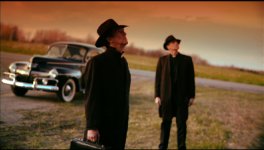
http://vimeo.com/11446928
 

Attachments

  • car.jpg
    car.jpg
    205.6 KB · Views: 0
Lovely stuff Philip - the grad filter looks great.

How does one reduce aliasing - do you mean the in-camera sharpness settings? I've only been playing with and adjusting the built-in presets but there are obviously underlying (hidden) curves because Neutral and Faithful have the same settings yet Faithful is a little warmer. Can you get a little more under the hood using software?

I'm also not familiar with "flat" - I would have assumed that was something like neutral which has all the settings zeroed?
 
If Phil's like me, he never shoots without an ND unless he absolutely is forced to! Which means, he may not be like me.

However, NDs--especially stacked--add a very subtle but lovely diffusion all their own which does help with aliasing. I always noticed that shooting without them also made the image unpoleasantly "crispy", and not sharp, either.

Boulder said it: this isn't RAW. Shoot for a look and "enhance" it in post. Hire DP, get good results.
 
Anyone know if the auto-lighting optimizer is implemented before or after compression? Could be handy for blown out windows and that sort of thing provided it's implemented BEFORE compression otherwise better to do it in post.
 
Okay I need to do a more scientific test before uploading sample videos but an initial test has revealed that the auto-lighting optimizer is implemented before compression (which is what I originally thought). Using it on-camera can definitely benefit shots with a high contrast ratio by bringing back shadow detail that is impossible to retrieve in post without bring out large blocky compression artifacts.

I'm starting to steer towards the idea that getting an in-camera look is more viable than shooting "flat" and grading in post. I know this is a break from tradition - believe me we have a Da Vinci down the hallway, but pushing levels with the heavy compression just doesn't seem viable.

More to come...
 
Phil.

Awesome trailer... Love what you're doing with filters and obviously your post is remarkable as well. Can't wait to see the whole movie!
 
cheers guys, filters in camera and good ones in post , bu t the more you add here the more compression and banding will appear!, 10 bit uncompressed is great, 422 hq has its artifacts !\
Cheers thanks for the kind words!
 
Oh Kholi, exactly, i have some very steep NDs i use for diffusion and stopping down, but also remember a Pola can work as a great diffuser as well even in doors! Great fast, manual Lens is a must!
Cheers
 
Lovely stuff Philip - the grad filter looks great.

How does one reduce aliasing - do you mean the in-camera sharpness settings? I've only been playing with and adjusting the built-in presets but there are obviously underlying (hidden) curves because Neutral and Faithful have the same settings yet Faithful is a little warmer. Can you get a little more under the hood using software?

I'm also not familiar with "flat" - I would have assumed that was something like neutral which has all the settings zeroed?

Yes try the in camera sharpness, dial it down on the user settings. Yes u can get more under the 7d hood with bumping up the sat, contract , etc....

Make sure you shoot with filters though, NDs, Grad, Soft FX , Promist, Enhancers avoid moire of small lines on objects!
Cheers
 
Keep the histogram fat in the middle. Expose to the right in a dark scene, to the left in a bright scene, and right on in a normal scene.
 
As of lately I've been bumping up saturation when shooting. It comes out so much better (thicker) when I dial it down in post. I guess back in the day with Standard DV we couldn't do this too much because of the fear of banding....but the codec in this camera seems to handle it well.

@modernPrimitive....let us know what you find. I'm curious.
 
Back
Top