GH5 Paul Leemings New LUT for HLG Footage

I'm not sure about the Camera LUT/greyed out Color Space Override workflow, so until it's tested and proven I recommend the double Custom LUT workflow from MrCodec posted a page or two back and mentioned by Jon Pais above.

I've also uploaded a sample clip and output control JPG here which you can use to test various methods and see if they result in the same output:

http://downloads.visceralpsyche.com/HLG_FCPX_Test_Clip

The Fixie LUTs are available from here:

http://www.visceralpsyche.com/downloads/Leeming_LUT_Fixies.zip

Let me know with step by step instructions if other methods produce the same result. The easiest/best one will become the official guide to using my HLG LUT with FCPX.

Cheers,

Paul :)
 
Paul Leeming, I followed the steps you gave us on FaceBook. But before I present my screenshots, it is critically important that I mention all these FCPX tests need to be done in a Library that is set to "Standard," not "Wide Gamut HDR." I've tested it both ways and can confirm that everything changes when you start doing these tests in a library setup for "Wide Gamut HDR." So be sure your library is set to "Standard," first and foremost.

Now for the screenshots taken in my Library set to "Standard," which locks the "Colorspace" popup in the New Project dialog to "Standard - Rec.709" (popup grayed out)...

https://drive.google.com/drive/folders/1y5epzkC_nkdad72Tf64xCJdl9uRtIPy4?usp=sharing

Individual Screenshot filenames explain what you are seeing, so take note! Tests with the Driftwood LUT are also included. Tests were done with and without Color Space Override. Screenshots were made on my 2015 15" Retina MacBook Pro, not connected to an external monitor.

How I setup the test:

1. Launched FCPX 10.4
2. Since QT Player would not open Paul's MP4 file, I used VLC to open it and then pressed CMD-I to see it is 4K resolution at 23.98p frame rate.
3. Within my Library set to "Standard" (colorspace), I created a new Event, into which I imported Paul Leemimg's MP4 file. I set the options to LEAVE FILES IN PLACE and I did NOT transcode it to ProRes.
4. I then created a new Project sized at 4K (3840x2160) and 23.98p, Apple ProRes 422.
5. I dragged Paul's clip from the browser and onto the timeline.
6. I then proceeded to add the LUTs as per the screenshot filenames you see.
 
Here are tests of Paul’s beta version of Leeming LUT One - Panasonic HLG v501 with 16-235 range adjustment.

Jon, I didn't see a mention of the Beta on the Leeming LUT One FB Group. I take it Paul sent you that privately for testing?
 
Jon, I didn't see a mention of the Beta on the Leeming LUT One FB Group. I take it Paul sent you that privately for testing?

Yes, and I think you’re going to like it. Shadows are opened up even more than with the Fixie, only one LUT rather than two. And free to us all. hehe
 
Good question, JDW! The clips in the browser will all appear dark in the viewer. It has no effect whatsoever when viewing clips in the timeline.
 
For those wondering, v502 of the Panasonic LUTs are now out and everyone should have them in their inbox :)

v502 fixes the FCPX clipping issue, by operating in the video range instead of full range like v501 was.

It's now back to being a one step process (set your footage to Rec709 if your NLE doesn't do so automatically, apply the LUT and you're done).

Thanks to Jon Pais for his testing and JDW for helping nail down the issue.

Cheers,

Paul :)
 
Thanks, Paul. I think that was the right way to go as HLG is by definition for video levels, and this approach lets all of the software work the way it wants to out of the box without arm wrestling it. It's easy enough to push around to taste after the LUT.
 
I don't wanna sound greedy (he said being greedy) but do I get this right: there is not official HLG lut from Panasonic??

No because HLG was not designed to work with a lut. It’s entire nature of existing as a standard is so HLG devices know how to deal with the footage out of the box. HLG luts from users only exist because people realized there is a lot of potential in the format and it could be used as a poor mans log format. Using a lut with HLG is basically a hack of an industry standard designed to display standard video or HLG depending on if the display supports HLG.
 
I’ve been asked why I’d even need to color correct HLG footage for HDR delivery when it was created for live broadcast. What they don’t understand is that there are dozens of people working in a truck with tons of monitors and consoles, so they can tweak things as needed. Most of us don’t have that luxury.
 
I’m hoping one day Paul can make a LUT for an HLG HDR workflow. I realize HDR monitors are ridiculously expensive now, but I think in the next couple of years, we’re going to see several affordable options.
 
Yes, eventually I will get a proper HDR monitor and workflow, at which point I'll definitely make a LUT for it. But even with a Rec709 workflow, you can still output Rec2020 via different methods and not lose any information, since the current Rec709 LUT workflow retains all the dynamic range of the source footage :)
 
Hello Paul! Quick question: is there any benefit of shooting Vlog over HLG? If they exist I'll buy Vlog...
Thank you!

Hi Rikoshet, I prefer HLG myself even though I convert it to Rec709, because it uses more of the tonal space than V-LogL so there's less chance of banding (even in 10 bit).

Cheers,

Paul :)
 
Hi all,

just a quick update to let you know that I'm nearly ready with a massive update, and that it will as always be sent out for free to all those who bought the LUTs previously.

I've also got a new website address to go with it: https://www.LeemingLUTPro.com

Note the PRO in the name ;) This is going to be a big update, and to give you a small tease, here are three PNG samples showing the new HLG for Rec709 LUT in action on frames of a feature film I shot earlier this year in Japan using the GH5S. There's nothing done to the images aside from adding the LUT, some curve tweaks and film grain for effect.

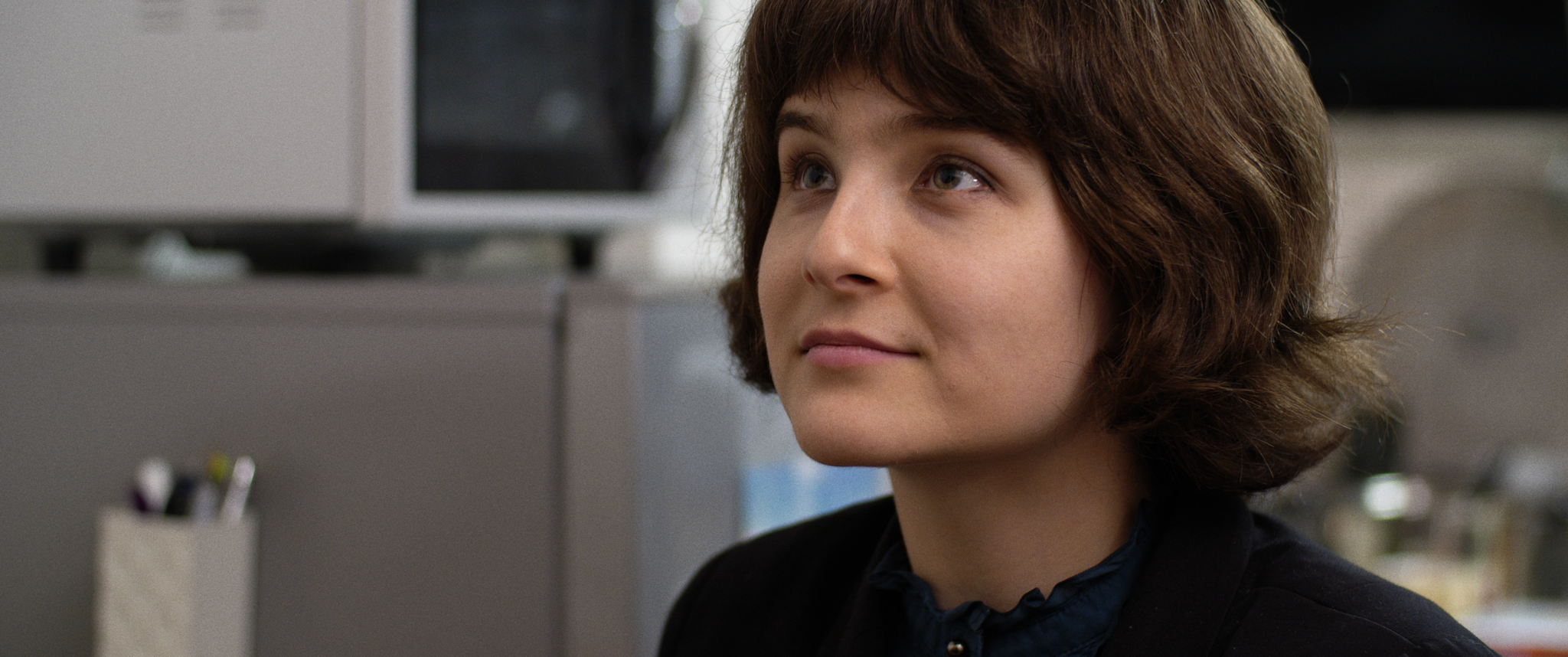

Enjoy!

Kodokushi_1.1.1s.png


Kodokushi_1.33.2s.png


Kodokushi_1.18.1s.png
 
Last edited:
Back
Top