Can you be more specific as to what you mean by that?
Like the 4k to 2k (or Full HD) ProRes option just with RAW. Therfore you can use the full 4k signal and get better sharpness and lower noise but downscaled to 2k (less space, easier in post).

Follow along with the video below to see how to install our site as a web app on your home screen.
Note: This feature may not be available in some browsers.
Can you be more specific as to what you mean by that?


FYI, you can log a bug on the Convergent Design website by opening a support ticket.
Mitch is on these forums all the time but you might get a quicker reply and the tickets are tracked.
sean

ReelFilmGeek,
Yes, the only difference is the 4k through HDMI, once I found that out I bought a used 7Q since the fs700 output's via SDI anyway. On top of that you can buy a used 7Q (or 7Q+) with the raw codec. I paid for mine since it was before the RAW bundle was a bundle, mine came with canon and I bought Sony.
So in short, yes - the 7Q is still a fine recorder/monitor.
One thing I didn't realize at first which is really cool imo, is that you can shoot 4k pro res @ 120 fps as long as you want! Same w/ 240 @ 2k, but being able to shoot 4k 120 pro res unlimited was a nice surprise to me and it doesn't swap between cards either. That's pretty amazing!
ReelFilmGeek,
Yes, the only difference is the 4k through HDMI, once I found that out I bought a used 7Q since the fs700 output's via SDI anyway. On top of that you can buy a used 7Q (or 7Q+) with the raw codec. I paid for mine since it was before the RAW bundle was a bundle, mine came with canon and I bought Sony.
So in short, yes - the 7Q is still a fine recorder/monitor.
One thing I didn't realize at first which is really cool imo, is that you can shoot 4k pro res @ 120 fps as long as you want! Same w/ 240 @ 2k, but being able to shoot 4k 120 pro res unlimited was a nice surprise to me and it doesn't swap between cards either. That's pretty amazing!

Complete list:
FS 4K RAW (24, 25, 30, 50, 60fps)
FS 2K RAW (24, 25, 30, 50, 60fps)
FS 4K RAW to 4K Apple ProRes (24, 25, 30, 50, 60fps)
FS 4K RAW to UHD Apple ProRes (24, 25, 30, 50, 60fps)
FS 4K RAW to 2K Apple ProRes (24, 25, 30, 50, 60fps)
FS 4K RAW to HD Apple ProRes (24, 25, 30, 50, 60fps)
FS 2K RAW High Speed to HD Apple ProRes (100, 120, 200, 240fps)
FS700 High Speed Burst Mode: 440 frames (100p /4.4s or 120p/3.7s)
FS 4K RAW Burst to 4K RAW (100, 120fps)
FS 4K RAW Burst to 4K (100, 120fps)
FS 4K RAW Burst to UHD (100, 120fps)
FS 4K RAW Burst to 2K (100, 120fps)
FS 4K RAW Burst to HD Apple ProRes (100, 120fps)
If this is true - what is happening when I set the camera to 120 fps and on the odyssey I've set it to 4kRAW to 4kProRes OR 4kUHD? I do this all the time and start rolling. When I start rolling it doesn't stop and I have super long clips to prove it - I did it today. Either you can just roll unitl your HDD's are full or it is refusing to record @ 120 fps.
This video as an example: https://vimeo.com/185091441
Now I shot that in either 4k proRes or UHD I don't recall, but it's one of them you can see on the vimeo player it's 4k. Although non of the slo-motion clips are longer than whatever 4.4 seconds ends up being - I did roll for way longer than that multiple times. I realized this very quickly after shooting on the odyssey at the end of 2015. RAW-RAW it's burst, RAW-4k UHD it isn't. I could be wrong if the Odyssey somehow just records 60fps when I'm shooting but why would it do that? A Let me see if I can upoad a clip and prove it...
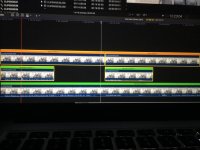
EDIT - wow, looks like I'm wrong just eyeballing a clip I shot today - I recorded almost the same shot twice, one @ 120 and one at 24, but this obviously isn't the case. I think I just assumed 120 is happening because 2.5 times slower I guess have often found to be slow enough and when I have done 240 in limited amounts I just find it too slow and introduces too many problems like light flicker etc. I put the clips in the timeline and just sped up the 120 (what I thought was) by 2.5 times and although it looks weird, it's closer to reality looking at the 24...I'll embed it as a learning experience and it can forever be pointed to that I made a boo boo.
So I'm hoping others can learn from my stupidity and I still need to learn something too. Those who are doing 4kRAW-4kProRes ... how are you doing 120? does it have to be recorded using the camera as a trigger? I know 2k 240 doesn't need that .... why wouldn't my burst just auto kick-in? The camera says 120, so I'm not sure what else to do? do I really have to change the settings on the Odyssey just to get a quick slow-motion clip @120? and I guess it just defaults to 60 if you don't...haven't checked yet but now I"m assuming that's what it is...
so the order of the clip is - original *120, then *120 sped up 2.5 times, then original 24p, then 24p slowed by 50%