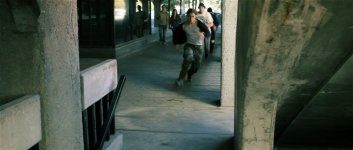
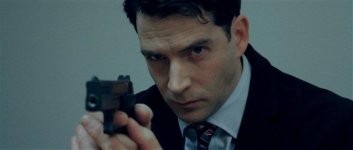
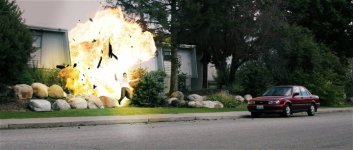
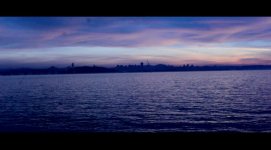
Making a feature using a t3i.

If you render a film at 1920x816 at 24p and tell your DVD software to interpret it as such, the viewer's DVD player will take care of the rest. Their player will add letterboxing as needed, as well as perform pulldown as needed

Exactly. The player at the end will determine whether or not black bars will need to be inserted.
Picture the screen shots above but without the horizontal borders. There is no reason to have them in screen shots. But they are there because they are "baked in" already.

Now imagine a windowed player (VLC or even vimeo.com)- in the player, the borders of the window are the borders of the video. But full screen it, and it will insert a black background where the aspect ratio does not match your monitor. But the way your video is set up now, it will have black borders even in the window. And if someone has some magical display that happens to be the exact dimensions of this video frame (I don't think they make one, but who knows what will come out in the future), it will be awkward to view it because the video doesn't actually match the size of the frame. It has been extended for black borders.

Sorry if I'm repeating myself here, but I'm trying to make sure it makes sense. Baking in black borders might give the desired effect in your personal viewing situation, but it is just a bad practice to have.
 
Hmm. Kinda makes sense, but does the resizing only apply to DVD player? Re-sizing 1920x816 won't degrade the image since full HD is 1920x1080? And when you say render it, do you mean export it?
 
Let's take Star Wars II and III. Both were shot at 1080 without animorphic lenses. It was rendered (or exported) at 816. That is the new resolution of the movie. It's no longer 1080. BUT, technically you're loosing resolution by hard-matting your flick too. While you still have a 1080 frame, your picture is only around 800. In that case, you might as well do it like the big boys since it's easy to do and costs nothing extra. Besides, 816 is still better than 720 ;)
 
Let's take Star Wars II and III. Both were shot at 1080 without animorphic lenses. It was rendered (or exported) at 816. That is the new resolution of the movie. It's no longer 1080. BUT, technically you're loosing resolution by hard-matting your flick too. While you still have a 1080 frame, your picture is only around 800. In that case, you might as well do it like the big boys since it's easy to do and costs nothing extra. Besides, 816 is still better than 720 ;)
Thanks so much for giving me an example. Makes sense.Do I resize after I've edited everything during the exporting settings? Or go into the "item properties" for each clip and resize it that way?Props again.
 
Not sure on the Final Cut side, I edit 16:9 in Vegas, then import my EDL to After Effects for grading. In AE, the first thing I do is change my comp (project) to 1920x816 so from there on I'm looking at the final output. I also have the ability to move the image up or down in the frame to get it the way I like. Color grade, add real grain overlays, and the final result looks like this:
63458_170633066306887_104346386268889_312338_3087573_n.jpg422769_317034158333443_104346386268889_830157_996828725_n.jpg68178_170632616306932_104346386268889_312322_5129939_n.jpg

No black boarders. When watched on TV, the bars do appear, and on youtube as well, but vimeo and my grabs all look like this.
 
Last edited:
Back
Top