
Navigation
Install the app
How to install the app on iOS
Follow along with the video below to see how to install our site as a web app on your home screen.
Note: This feature may not be available in some browsers.
More options
You are using an out of date browser. It may not display this or other websites correctly.
You should upgrade or use an alternative browser.
You should upgrade or use an alternative browser.
Magic Lantern enables 14-bit RAW CinemaDNG on 5D
- Thread starter refocusedmedia
- Start date

Cosimo Bullo
Veteran
I think it may be the filmmaker... hard to imagine it actually looks better overall than the 5dii, though I guess stranger things have happened.

Samuel H
Major Contributor
Thanks to @dustwaterwindfire, I got my BMC debayering tests processed with Resolve:
http://www.similaar.com/foto/blackmagic-workflow/index.html
It's just as good as ACR, so, for projects without lots of VFX, my preferred workflow would be: shoot raw, use DANewman's utility to convert that directly into CineForm RAW http://www.magiclantern.fm/forum/index.php?topic=5479.50 (no need to convert to DNG first), edit using Premiere, export to Resolve, do color grading and rendering there.
http://www.similaar.com/foto/blackmagic-workflow/index.html
It's just as good as ACR, so, for projects without lots of VFX, my preferred workflow would be: shoot raw, use DANewman's utility to convert that directly into CineForm RAW http://www.magiclantern.fm/forum/index.php?topic=5479.50 (no need to convert to DNG first), edit using Premiere, export to Resolve, do color grading and rendering there.
Last edited:
Hey Peeps. I picked up a 50D for 400 bucks to have some fun. It's still early, but this much is certain, ....this is RAW. Anyone wondering about highlight recovery...wonder no more. Enjoy!
ps...YES, this is out of focus...I was in a hurry, lol. I'm just posting to demo highlight recovery.
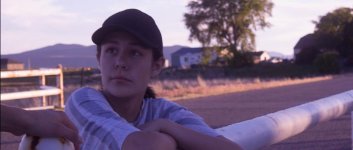



ps...YES, this is out of focus...I was in a hurry, lol. I'm just posting to demo highlight recovery.
Last edited:

OlegKalyan
Well-known member
the face out of focus on the last shot, focus on the shoulder..
Is there a possibility to do a batch conversion on Mac to DNG files, folders, or just drug each RAW file individually?
Is there a possibility to do a batch conversion on Mac to DNG files, folders, or just drug each RAW file individually?
the face out of focus on the last shot, focus on the shoulder..
Is there a possibility to do a batch conversion on Mac to DNG files, folders, or just drug each RAW file individually?
He already said the face was out of focus. No need to point it out again.
The workflow has also already been amply described here, ACR in Mac, adjust the first one and select the rest.
Otherwise go the Lightroom way following the same sort of workflow.

squig
Veteran
the face out of focus on the last shot, focus on the shoulder..
Is there a possibility to do a batch conversion on Mac to DNG files, folders, or just drug each RAW file individually?
just drag and drop a bunch of raw files onto the raw2dng window. 0.10 is the latest update.
GioCanales
Active member
I would like to thank everyone involved in the Magic Lantern Team. Great job guys!
OlegKalyan
Well-known member
thanks again colleagues, hope to show something soon, shot bits of a wedding yesterday RAW!)
camera got frozen couple of times, reset the battery.. overall worked good!!
Sorry to point out about the focus, my bad..
Is there a way to set ML so don't have to choose raw, and turn on the sound to separate wav file?
also set it with focus assist on? (mine goes to default all the time, with spot meter, RGB histogram, etc.. can't find the way to lock desired settings)
Squig, it works in fact, on 0.10 version as batch processing, great, previous version did not..
camera got frozen couple of times, reset the battery.. overall worked good!!
Sorry to point out about the focus, my bad..
Is there a way to set ML so don't have to choose raw, and turn on the sound to separate wav file?
also set it with focus assist on? (mine goes to default all the time, with spot meter, RGB histogram, etc.. can't find the way to lock desired settings)
Squig, it works in fact, on 0.10 version as batch processing, great, previous version did not..
Last edited:
OlegKalyan
Well-known member
https://bitbucket.org/600dplus/magic-lantern-things/downloads if someone needs latest version, do not forget to support ML team!
Bassman2003
Veteran
HHL, the adjusted frames look pretty green. Is it possible to get the highlight correction without adding such a color cast? Just wondering as I have not played with RAW yet on the 5DMKIII. Thanks
Scott Freestyle
Well-known member
Sorry to ask again guys, I know its somewhere here but its just a quick one... Is the maximum clip size still 4GB and how long will this give you. I've ordered a 64GB card and can't wait to get started... Thanks you Oleg for upping those files, saves me some time searching!! 

legrevedotcom
Veteran
Check out the latest on EosHD.... they have made Windows 7/8 capable Cineform RAW and Cinema DNG konverters, which apparently are lightning fast!
squig
Veteran
Sorry to ask again guys, I know its somewhere here but its just a quick one... Is the maximum clip size still 4GB and how long will this give you. I've ordered a 64GB card and can't wait to get started... Thanks you Oleg for upping those files, saves me some time searching!!
The MKIII supports exfat formatted cards for over 4Gb files. You can't do the exfat formatting on the camera though.
squig
Veteran
Can someone give me a direct link to the latest hack download and installation tutorial? thanks in advance.
http://www.magiclantern.fm/forum/index.php?topic=5413.msg44518#msg44518
http://www.magiclantern.fm/forum/index.php?topic=5520.0
HHL, the adjusted frames look pretty green. Is it possible to get the highlight correction without adding such a color cast? Just wondering as I have not played with RAW yet on the 5DMKIII. Thanks
Certainly. Would you like the DNGs to try for yourself?
It's fun, lol.Bassman2003
Veteran
HHL, thanks. I just wanted to ask to make sure there was not a color shift when doing large moves. I am going to wait until the process is a bit more mature before diving in. I am in the middle of a lot of work now anyway and will not be open until a month or so. Hopefully a closer to finished release will be around then.

Ted Ramasola
Veteran
Check out the latest on EosHD.... they have made Windows 7/8 capable Cineform RAW and Cinema DNG konverters, which apparently are lightning fast!
Tested it and its fast. I was able to open 5D mkII raw footage in resolve. They are ironing out some conversion issues like; Black levels, >2gig size and others. But they proved they have a workflow with windows GUI for it. Amazing times.
