GH4 Leeming LUT One – the best LUT for the Panasonic GH4

Paul,
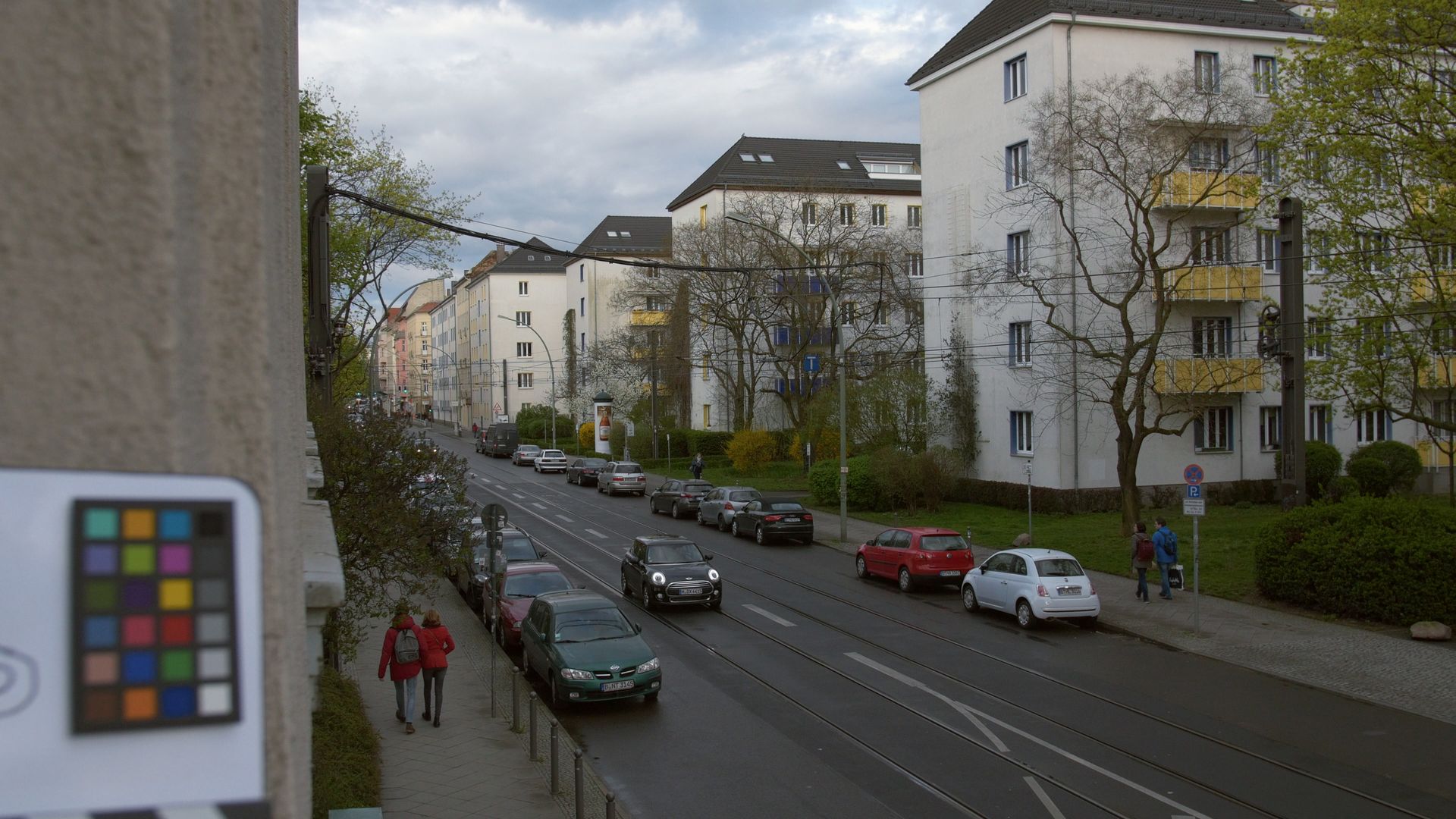
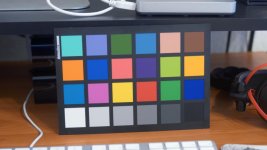
Got home a day early to an overcast day, so i took the opportunity to shoot a quick chart. Manually white balanced against the chart, it appears that v111's hue is close, but not dead on. I also think that the dynamic range should be expanded just a tad more if this is to be used as the starting point for REC709 grading.

In the sample screen grabs below, the top image is v111 straight. The bottom image has had highlights, shadows and hues adjusted. (Note especially how the memory colors better align on the vectorscope.)

VLOG-Leeming-DaylightChart.jpg
 
Paul,
Got home a day early to an overcast day, so i took the opportunity to shoot a quick chart. Manually white balanced against the chart, it appears that v111's hue is close, but not dead on. I also think that the dynamic range should be expanded just a tad more if this is to be used as the starting point for REC709 grading.

In the sample screen grabs below, the top image is v111 straight. The bottom image has had highlights, shadows and hues adjusted. (Note especially how the memory colors better align on the vectorscope.)
Thanks for the test :)

Could you privately email me a link to the raw clip as a downloadable MOV file if possible? (I presume this is 10bit external recorder footage?)

That will help me balance the colours precisely as well as the dynamic range, since you have the little cube thingie in the shot to show highlights and shadows accurately, better than my little chart!

Cheers!

Paul :)
 
Paul,
Unfortunately, I do not have an external recorder at the moment. (I rent instead of own...though the new HDR Shogun will probably change that.)

Let me do a new shot that both gets the chrome sphere ("thingie") cleanly in the shot and also include my "challenging shirt" which is navy blue but will skew magenta or green if color is even a tiny bit off either way. I'll get you an unaltered file later today.
 
Here's a link to a better test image:

http://blog.josephmoore.name//luts/VLOGL-UNGRADED.tiff

Uncompressed, 16-bit TIFF (70.8 MB)

Note:
- Manually white balanced against grey card in shot.
- Could have been exposed a little more "hot" (ETTR), but I left some safety margin because I think most people will do so in practice rather than clip.
- The shadows in the interior are good for noting image retention and noise
- The wall behind the chart will very easily reveal V-LOG L macro block color encoding errors
- The shirt is a navy blue that the GH4 loves to make more magenta than it really is.
 
Thanks :)

Will use that as my reference and see if I can't make a dead on accurate LUT!

Cheers,

Paul :)

Here's a link to a better test image:

http://blog.josephmoore.name//luts/VLOGL-UNGRADED.tiff

Uncompressed, 16-bit TIFF (70.8 MB)

Note:
- Manually white balanced against grey card in shot.
- Could have been exposed a little more "hot" (ETTR), but I left some safety margin because I think most people will do so in practice rather than clip.
- The shadows in the interior are good for noting image retention and noise
- The wall behind the chart will very easily reveal V-LOG L macro block color encoding errors
- The shirt is a navy blue that the GH4 loves to make more magenta than it really is.
 
...and we are live! :D

<website link deleted by mods sorry, but Google is your friend>

I want to start this post by saying a big thank you to all of you who have supported me by buying the LUTs for the GH4.

When I started Leeming LUT One it was simply to get the highest image quality out of the camera for myself. Having waited for, and then seen the debacle that was the V-Log L launch, and how it treated internal 8 bit footage, I realised that if I wanted to get the best out of this camera, I would have to do something myself. So I did.

After weeks of learning how to build LUTs, and shooting copious amounts of test footage, I refined the LUT to where I thought it was easily the equal of the V-Log dynamic range. Seeing the footage quality, and knowing how much I'd worked on this, I thought I'd put it up for sale for a small amount of money, mostly because I was frustrated with Panasonic for charging $99 for something that was basically not worth it without spending thousands more on external 10 bit recorders, and I wanted to provide people with a cheaper, better alternative.

I made it public, and a few people bought v100. They graciously gave me feedback here, and I realised that I needed to fix quite a few things to really make it perfect. Many iterations and sleepless nights later, I had v126, approved by all the testers and acknowledged to be where I wanted it from the beginning - the best LUT I could make for the GH4, that rendered colours very filmically and most importantly, without any of the horrible colour errors of Cinelike-D straight out of camera!

Eventually I made a LUT version for V-Log anyway, due to several requests for one, and that LUT is now at v150 (it was a hard one to get right - thanks Joe for your continual feedback!).

Seeing how good people were finding the GH4 LUT, lots of people asked me to build a LUT for the G7, often their B camera.

So I got the idea that maybe I should truly make this a family, and start building LUTs for a bunch of cameras, harmonising them to a common Rec709 space and giving people the ability to quickly align different cameras in post, without worry that the images will match or not.

Finally, a lot of people said that while Leeming LUT One made the colour great out of the box, they wanted some stylistic looks as well to complete the drag and drop colouring process.

Thus the Quickies were born, designed in harmony with the output of Leeming LUT One to fit together like a finely tuned pair.

As a way of saying thanks for everyone who supported me early on, I decided to give them away (the razor blade model is alive and well folks!).

Which brings us to today.

I'm very happy to announce that Leeming LUT One now has its own, dedicated website, and that the supported cameras has jumped from one, to many!

Here's the list of cameras now supported:

Panasonic GH4 (Cine-D & V-Log)
Panasonic G7
Panasonic FZ300
Sony RX10 II
Canon 700D

I've included some guides on how to shoot ETTR to get the best dynamic range and tonality out of our cameras, as well as a quick primer on how ETTR actually works.

I've also included a guide on how to use the histogram and zebras to help you nail exposure quickly and easily every time.

It's basically a one stop shop of everything to do with the LUT family, and to accompany it, I've also started a Facebook group to discuss the LUTs, and a Twitter account for those who want to keep up to date with announcements.

A small change is that I have changed the sales currency to Euros, as I now live in Germany, but the numbers will remain the same so it's only a small increase, plus there's a whole lot of new value in the website and extra cameras supported.

Once everything is settled and any teething problems licked, I intend to continue expanding the number of supported cameras, as well as adding more Quickie packs (free, like the first one).

First up will be supporting the Sony A7S II, A7R II and A6300. Colour science on these cameras sucks, frankly, and I know I can do better.

As always, if YOU have a camera you want to see supported (and get a free LUT for it), get in touch with me.

Thanks again, and I look forward to your feedback with great interest!

Cheers,

Paul :)
 
Last edited:
I've also sent everyone who bought the V-Log LUT an update to v150, based mostly on Joe's great feedback :)

Check your inboxes!

Cheers from Berlin,

Paul :)
 
New website looks great and is a valuable resource on how to use your LUT. Only thing I wanted to point out is you list the BMD Video Assist in your list of external recorders that support the LUT but currently the BMD VA doesn't have the ability to import LUTs unless you know something we don't...

The information on ETTR is very informative for those who are new to ETTR. So far in some of my scenes that do not have any white I have been using a white card to help me judge what white would be in the shot. Is this also how you handle those situations? Might be nice to add that information into the ETTR guide on the website. I quickly discovered how inconsistent my exposure could be if I didn't have a white point of reference in all my shots. As long as I use a white card I can nail consistent exposure in all of my shots.
 
New website looks great and is a valuable resource on how to use your LUT. Only thing I wanted to point out is you list the BMD Video Assist in your list of external recorders that support the LUT but currently the BMD VA doesn't have the ability to import LUTs unless you know something we don't...

The information on ETTR is very informative for those who are new to ETTR. So far in some of my scenes that do not have any white I have been using a white card to help me judge what white would be in the shot. Is this also how you handle those situations? Might be nice to add that information into the ETTR guide on the website. I quickly discovered how inconsistent my exposure could be if I didn't have a white point of reference in all my shots. As long as I use a white card I can nail consistent exposure in all of my shots.

Ah, I was under the impression the Blackmagic had LUT support. I'll amend it, thanks!

I'm not judging absolute white for exposure, but rather the brightest object in the scene. Usually outdoors that will be the sky, or a reflection. Inside, it's usually a window or skin highlights.

Cheers for the feedback,

Paul :)
 
I have just purchased a high end LUT creation package to help take these LUTs to the next level, as I was hitting the limit of what I could achieve using the tools within Premiere Pro.

It's going to take a little bit of time to learn the package (3D LUT Creator Pro) but once I have, I expect to release updates for all supported cameras which will hopefully be even more accurate than currently.

I will probably call them v2xx to denote that they were created by the new software. As with all my LUTs, once a LUT is ready you will be automatically emailed the updated version - no need to do anything except sit back, relax and let the LUTs come to you! :D

Thanks to your support for making it possible. I look forward to returning that support soon!

Cheers,

Paul :)
 
I've been hard at work with the new LUT software and I am VERY happy with how v2 looks with my GH4. I've also been developing updated v2 LUTs for the Panasonic G7 and FZ300 in parallel, and a couple of beta testers have the LUT now to play with for a round of feedback to make sure everything works as it should, before I release it.

As always, existing users will automatically receive the updates for free in your mailbox once released. All part of the service! :)

Exciting times!

GH4_v2_061_BETA_Sample.jpg
 
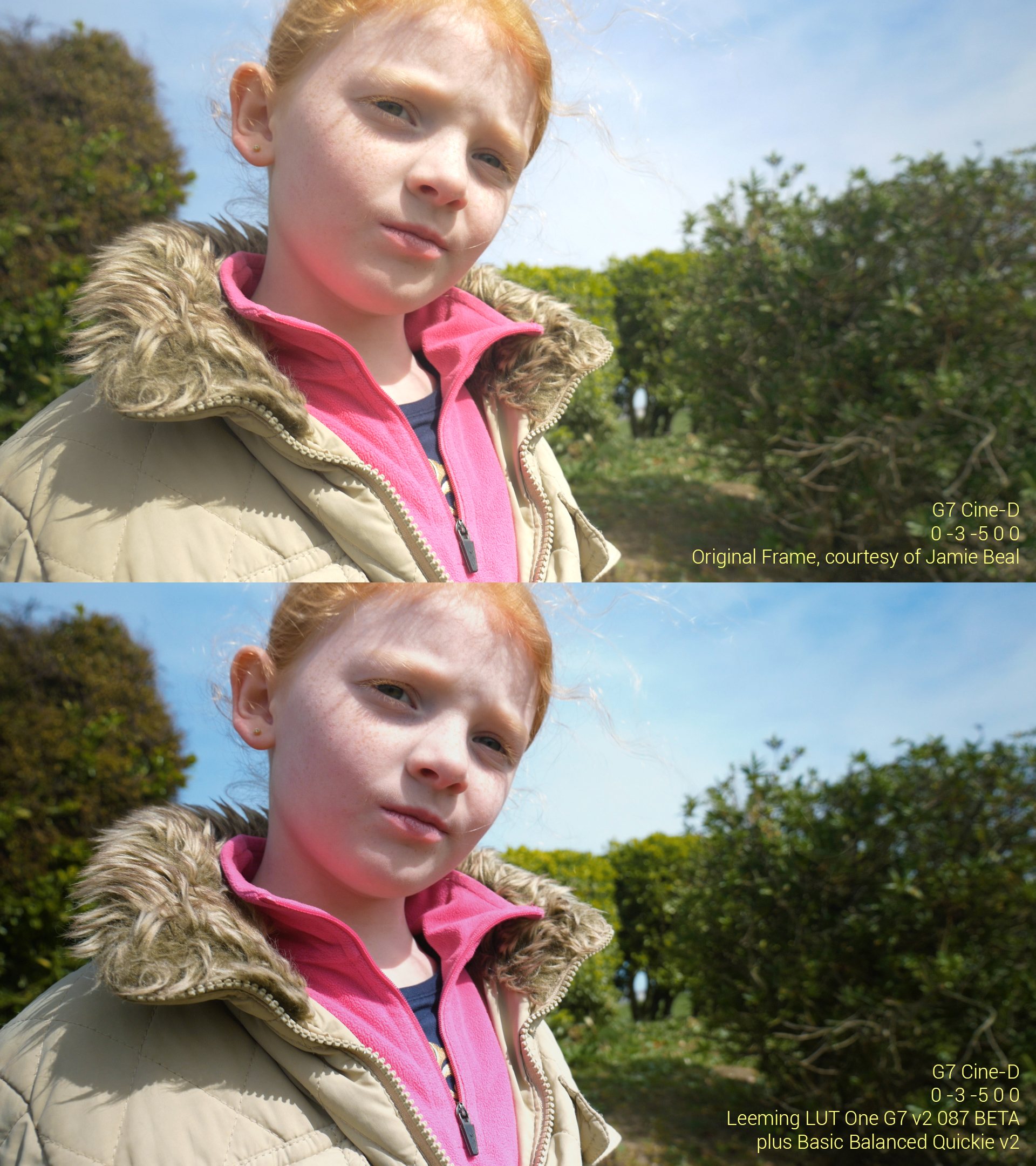
Here is a G7 frame grab kindly shared by Jamie Beal with the G7 v2 087 beta LUT plus v2 Basic Balanced Quickie applied, and nothing else. The GH4 LUT is very similar. I'm VERY happy with the LUTs right now so pending any last minute feedback from my beta testers you can expect a release shortly!

For those using the GH4, I am changing the base camera settings in one aspect - Contrast is to be set at 0 for the v2 LUT, as I found it doesn't alter dynamic range capture but does give a more natural curve out of the box, with less effort required in post to get a finished look going (the overall LUT will have a more natural curve built in as well).

So if you want to start shooting in preparation for v2 of the LUT, set your GH4 to Contrast 0 now ;)

Leeming_LUT_One_G7_v2_087beta_Sample.jpg


Cheers,

Paul :)
 
[QUOTE}Contrast is to be set at 0 for the v2 LUT, as I found it doesn't alter dynamic range capture but does give a more natural curve out of the box, with less effort required in post[/QUOTE]
Interesting. I've typically found that it is easier to add contrast than it is to pull it back, but I'll certainly test the two methods to see if there is a meaningful difference. If not, the less a fragile 8-bit image needs pushed the better.
 
Ok, everyone should have their LUT updates now! :)

If you haven't received it, check your spam folders just in case.

A couple of them bounced, so if the following people are reading this, send me a message or your new email address:

Wesley Arnold
Michael at Red Door Media

Next on the schedule are LUTs for the Sony A series cameras, and the next Quickie Pack.

Thanks again everyone for your patience!

Cheers,

Paul :)
 
"Contrast is to be set at 0 for the v2 LUT, as I found it doesn't alter dynamic range capture but does give a more natural curve out of the box, with less effort required in post"

Interesting. I've typically found that it is easier to add contrast than it is to pull it back, but I'll certainly test the two methods to see if there is a meaningful difference. If not, the less a fragile 8-bit image needs pushed the better.

I tended to think that too, but Paal Rasmussen, the guy who helped me beta test the G7 LUT, convinced me to try both and see the difference. Basically, the contrast at 0 keep the tonal range more fluid from highlights to shadows, whereas the -5 option 'pulls' the highlights and shadows, acting as a mini version of the log profile in the way that it elongates the distance between values at both ends.

As I recommend ETTR, keeping Contrast 0 means that the RGB tone values remain more linear in their distribution, so the transitions have an evenness/smoothness to them, meaning a nicer rolloff and shadow look without pulling the mids in either direction.

So I'm switching to Contrast 0 for all the Panasonic cameras (and probably will make that the baseline with Sony cameras pending the outcome of testing).

The theory is further borne out by the fact that V-Log disables Contrast, Saturation and Hue (effectively 0) to give a better distribution of values (8 bit tone starvation aside).

Cheers,

Paul :)
 
Downloaded this morning and finally had a chance to do a super quick and dirty test.

Doesn't seem to have as large of a range as the older LUT but the colors seem to correct the overly warm tint of Cine-D very well.

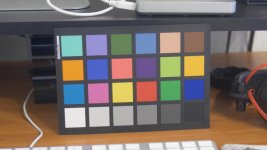
cine-D.jpg
Straight from camera with the updated settings.

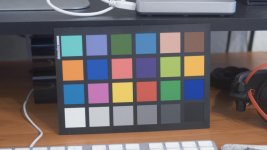
cine-D-LUT2.jpg
Updated LUT applied

cine-D-LUT2-graded.jpg
Slight grading to bring down the blacks and bring up the whites and boost saturation.
 
Back
Top